A planner page can feel a lot like a windowsill: a few green things in pots make it look alive. Plant stickers do that on an iPad. A monstera in the corner of the week, a small cactus next to a to-do list, a watering can on the day the ferns need a drink. For a digital planner they have to be digital too: transparent PNGs or a GoodNotes file you place in a second and reuse every week, with no watering required.
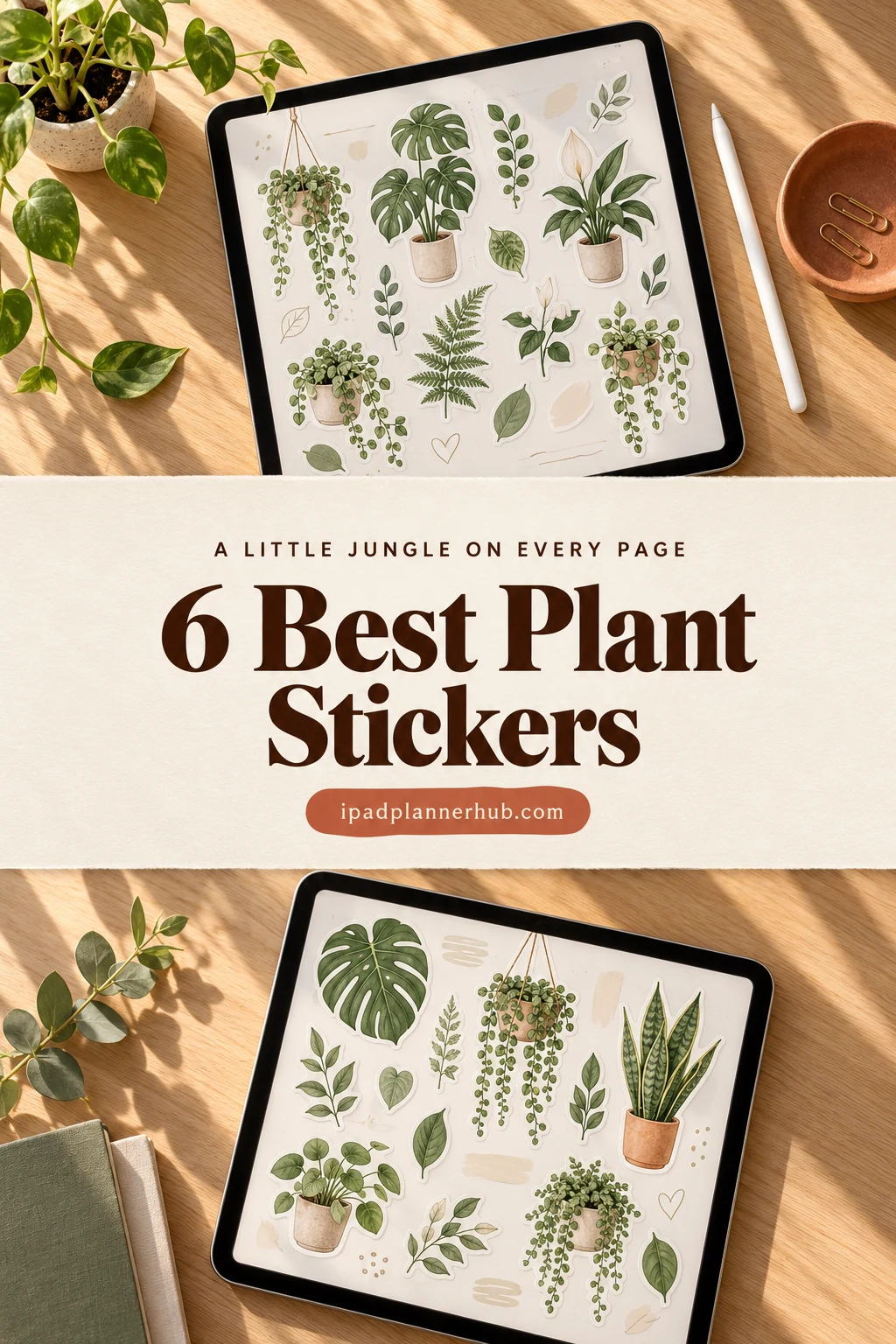
Below are 6 plant sticker packs from Creative Fabrica I’d use in a GoodNotes planner, from a 100-piece succulent set and kawaii pots to real houseplants, plant care chores, monstera month titles and boho leaves. After the list: what to look for, how to build a plant care tracker, sticker ideas and how to add them in GoodNotes.
The 6 Best Plant Stickers I Found for GoodNotes
I skipped single clipart images, PNG designs for T-shirts and wall art, print-and-cut sheets for physical stickers, flower-only sets (they have their own list) and packs whose description never mentions a digital planner or an iPad app. Plant packs come first, then the plant care set, then titles and leafy frames.
TL;DR: 6 plant sticker packs for GoodNotes and other iPad note apps: 100 succulents and cacti, kawaii potted plants, named houseplants, plant care chores with a watering schedule, monstera month and weekday titles, and boho leaf sheets. Every pack is undated, and the cards say which ones include a GoodNotes file.
Quick Picks
- Best for overall plant pack: Succulent & Cactus Digital Stickers
- Best for most loved kawaii plants: Kawaii Cute Potted Plant Stickers
- Best for real houseplants: Digital Stickers | Houseplants
- Best for plant care: Digital Sticker: Plantitas Chores P.1
- Best for plant titles: Monstera Deliciosa Month & Week Stickers
- Best for boho leaves: Boho Botanical Digital Stickers Set
- Succulent & Cactus Digital Stickers – Best overall plant pack
- Kawaii Cute Potted Plant Stickers – Most loved kawaii plants
- Digital Stickers | Houseplants – Best for real houseplants
- Digital Sticker: Plantitas Chores P.1 – Best for plant care
- Monstera Deliciosa Month & Week Stickers – Best plant titles
- Boho Botanical Digital Stickers Set – Best boho leaves
Best overall plant pack
1. Succulent & Cactus Digital Stickers
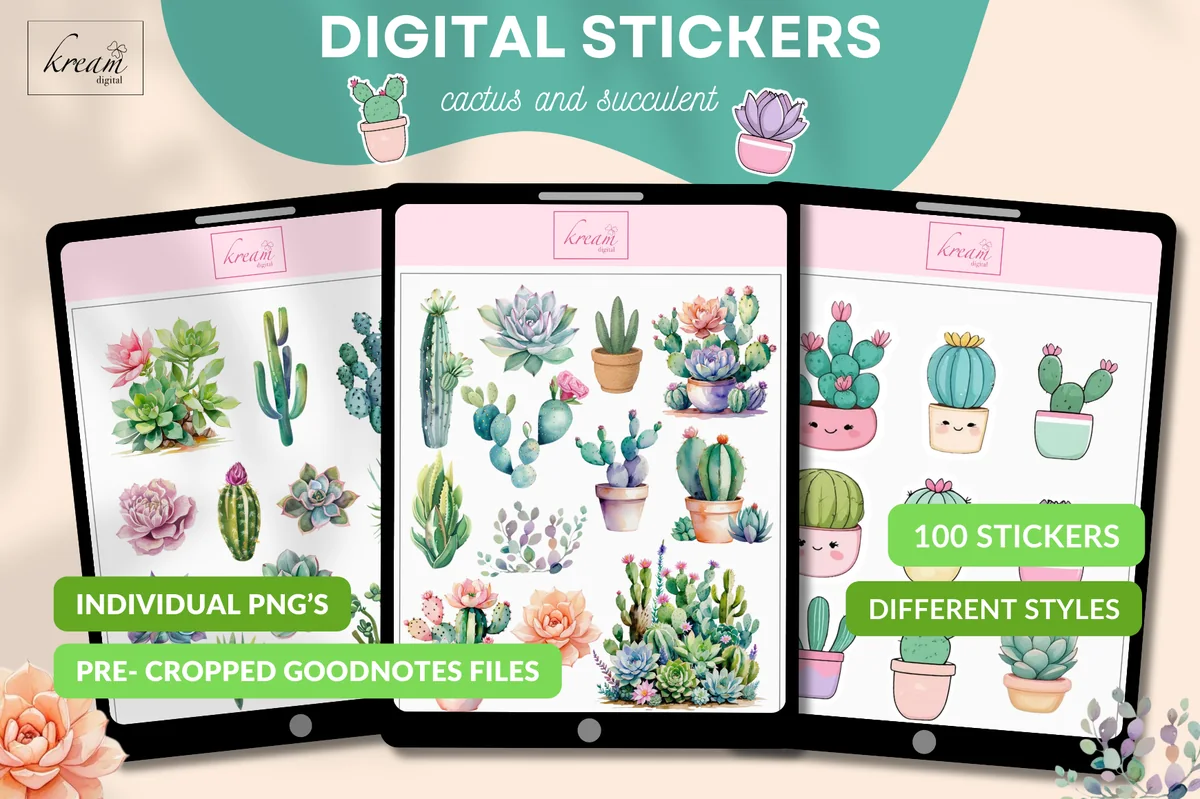
Layouts: 100 succulent and cactus stickers: watercolor, potted, kawaii facesFormat: PNG (300 DPI) + pre-cropped GoodNotes file
Best for: succulent lovers, plant care pages, cute planners. Designed by Kream Digital.
- 100 succulent and cactus stickers in different styles
- Soft watercolor succulents, potted cacti in terracotta pots and kawaii cacti with little faces
- A pre-cropped GoodNotes sticker file for copy and paste
- Individual transparent PNGs at 300 DPI; the description names GoodNotes and Notability
This is the biggest set I found and the easiest one to start with: the GoodNotes file is already cropped, so you copy a cactus and move on. The three styles in one pack are handy, realistic watercolor for a journal collage and the cute faces for a quick daily page. Pastel pinks and sage greens keep it soft rather than desert-bright.
Most loved kawaii plants
2. Kawaii Cute Potted Plant Stickers
Layouts: Kawaii potted plants with faces: cactus, succulents, ferns, flowersFormat: Pre-cropped PNG
Best for: kawaii fans, plant lovers, daily pages. Designed by ThePlannersDelight.
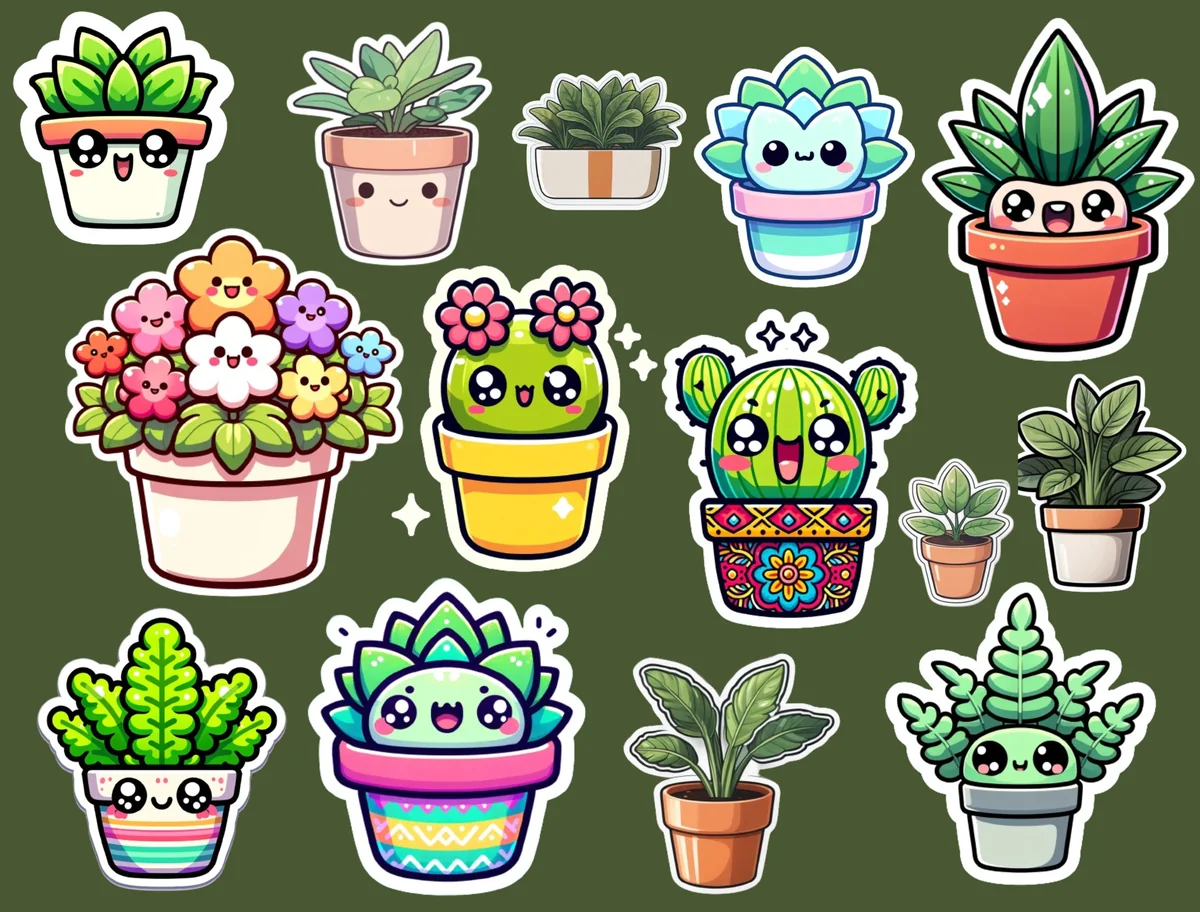
- Potted plants with smiling faces: cacti, succulents, ferns and a pot of flowers
- A few plain leafy plants without faces for a calmer page
- Bold colors with a white sticker border, ready to stand out on any background
- Pre-cropped PNG files, described for GoodNotes and Notability on iPad
It has the most favorites of any plant pack I looked at on Creative Fabrica, and it's easy to see why: every pot has a little personality. The colors are bright, so these stickers work best as a small accent next to a to-do list, not as a whole page theme. The description doesn't give a count; the preview shows about fifteen plants.

Best for real houseplants
3. Digital Stickers | Houseplants
Layouts: Named houseplants: monsteras, pothos, snake plant, ZZ plant, orchid, hanging potsFormat: PNG + GoodNotes file
Best for: houseplant collectors, plant journals, pink planners. Designed by Pinksy by HimeMarieMC.
- Real houseplants by name: monsteras from baby to adult, pothos, snake plant, rubber plant, orchid, ZZ plant, lucky bamboo
- Hanging planters and trailing vines that work as page borders
- Mostly pink and terracotta pots with deep green leaves
- PNG files plus a GoodNotes file
If you own the plants, this is the pack that looks like your windowsill: the snake plant looks like a snake plant, not a generic leaf. The long trailing vine is my favorite piece: it hangs nicely from the top of a weekly page. Pink pots everywhere, so it suits a pink or neutral planner better than a dark one.
Best for plant care
4. Digital Sticker: Plantitas Chores P.1
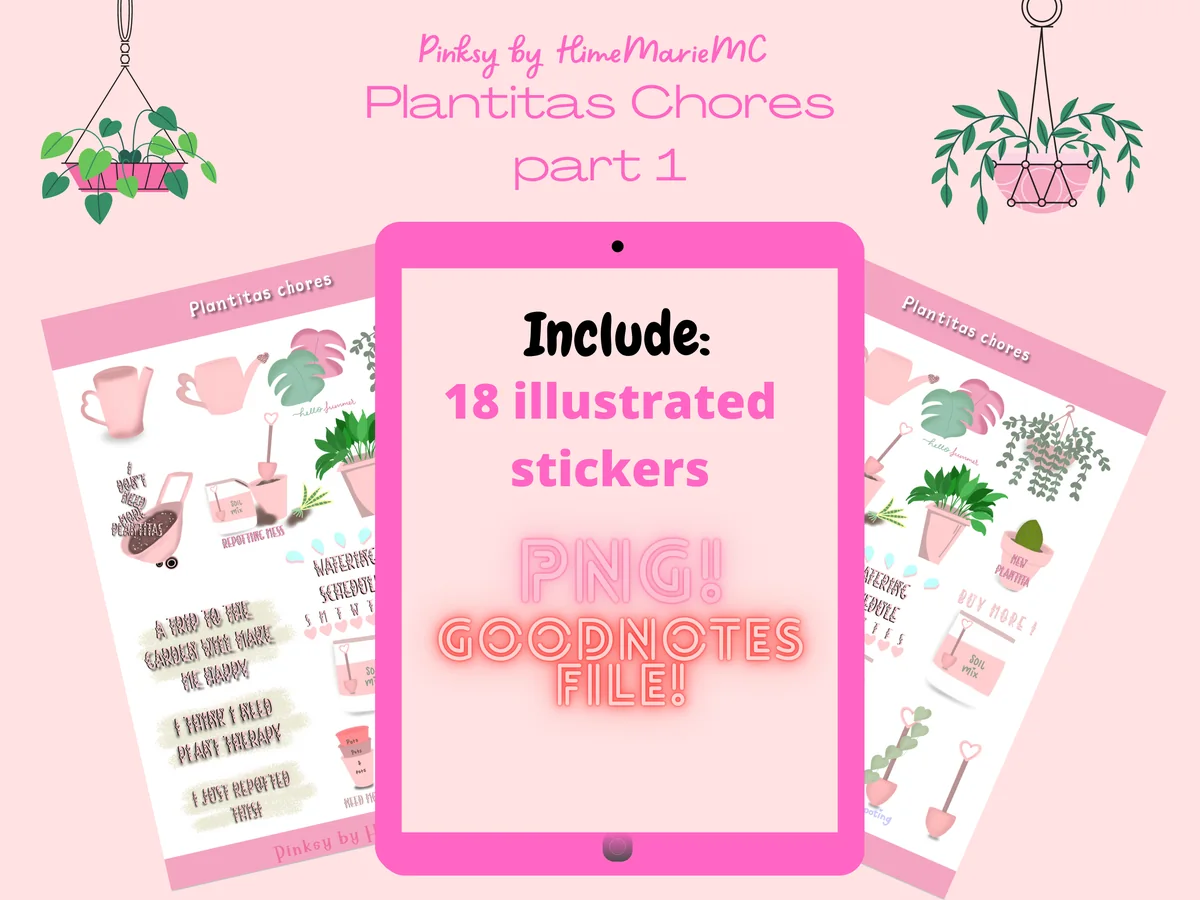
Layouts: 18 plant care stickers: watering can, watering schedule, repotting, new plant, quotesFormat: PNG + GoodNotes file
Best for: plant care trackers, plant parents, pink planners. Designed by Pinksy by HimeMarieMC.
- 18 stickers, 14 of them little scenes of plant care
- A watering can, a watering schedule label, a repotting label and a "new plant" pot
- Quote stickers like "I think I need plant therapy" and "I just repotted him"
- PNG files plus a GoodNotes file (listed on the cover), pale pink with pastel accents
Most plant stickers are just plants; this one is about looking after them. The watering schedule label and the repotting sticker are exactly what a plant care tracker needs, and the funny quotes fill the empty corner of the page. It's from the same designer as the houseplants pack and matches it, so the two work as one set.
Best plant titles
5. Monstera Deliciosa Month & Week Stickers
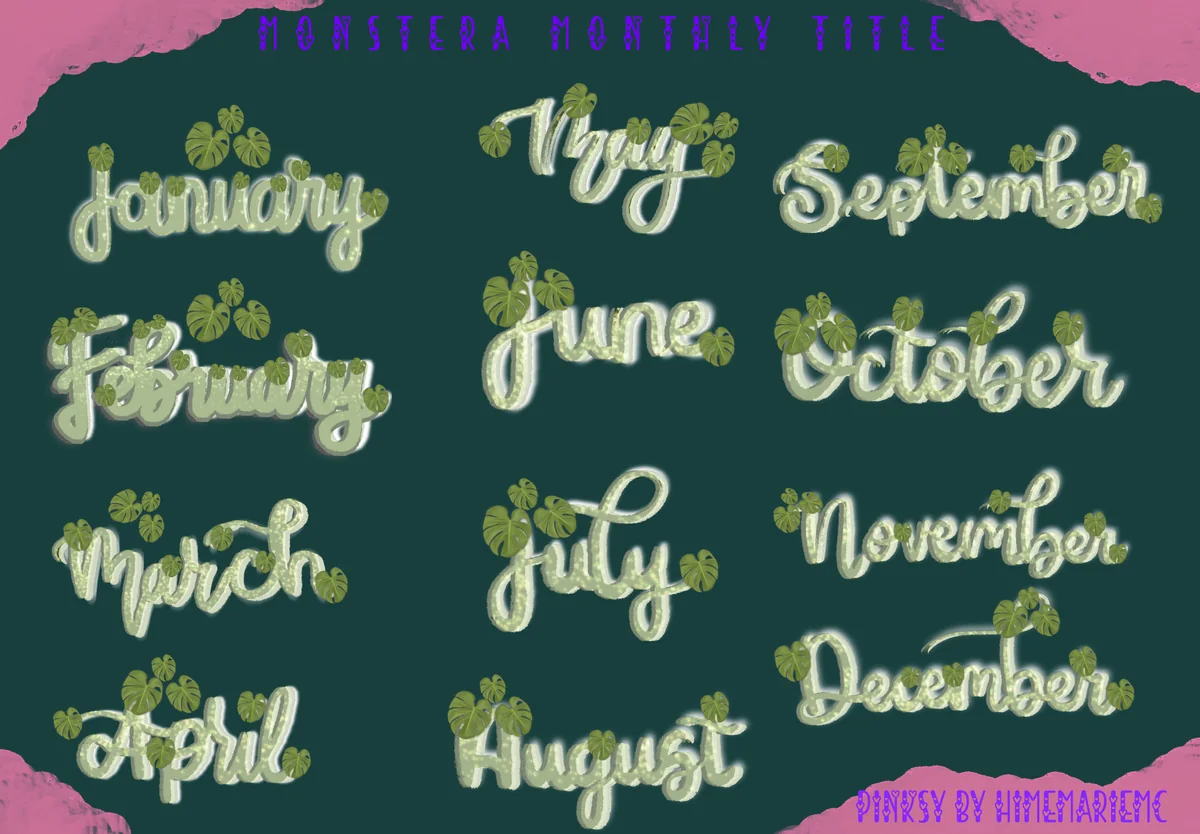
Layouts: 12 month and 7 weekday titles with monstera leaves + 10 bonus stickersFormat: PNG + pre-cropped GoodNotes file
Best for: monthly covers, weekly spreads, green planners. Designed by Pinksy by HimeMarieMC.
- 12 month titles, January to December, in script lettering with monstera leaves
- 7 weekday titles, Sunday to Saturday
- 10 bonus stickers: 2 paperclips, 6 sticky-note shapes and 2 washi tapes
- PNG files and a pre-cropped GoodNotes file; no year, so they work every month
This is not a pack of plants but plant-themed titles, and that's why it earns a spot: a monstera "November" at the top of the month makes the whole spread look planned. The lettering is soft sage green, so it fits green and neutral planners. One more Pinksy pack, but it does a job none of the others in this list do.

Best boho leaves
6. Boho Botanical Digital Stickers Set
Layouts: 8 sheets: monstera and tropical leaves, boho frames, shapes, washi stripsFormat: 8 PNG sheets (A4, 300 DPI)
Best for: boho planners, bullet journals, note frames. Designed by Aloe_wannaart.
- 8 full sticker sheets in PNG, A4 size, 300 DPI
- Monstera and tropical leaves, plus a sheet of slim leafy stems
- Boho arches, frames and organic shapes for notes, and washi strips with leaf patterns
- Made for GoodNotes or Procreate on iPad, with transparent backgrounds
Two of the eight sheets are pure greenery, and the rest are boho frames in rust, mustard and dusty blue to write inside. Put a frame on the page and tuck a monstera leaf behind it, and you have a calm header in a minute. These come as full sheets, so cut each piece out once with the lasso and save it.
Quick Comparison
| Sticker pack | Style | What you get | Best page |
|---|---|---|---|
| 1. Succulent & Cactus Digital Stickers | Watercolor + kawaii, pastel | 100 PNG + GoodNotes file | Any page |
| 2. Kawaii Cute Potted Plant Stickers | Kawaii, bright | Pre-cropped PNG | Daily pages |
| 3. Digital Stickers | Houseplants | Hand-drawn, pink and green | PNG + GoodNotes file | Plant journal |
| 4. Digital Sticker: Plantitas Chores P.1 | Pastel pink, hand-drawn | 18 PNG + GoodNotes file | Plant care tracker |
| 5. Monstera Deliciosa Month & Week Stickers | Script lettering, sage | 19 titles + 10 bonus | Monthly cover |
| 6. Boho Botanical Digital Stickers Set | Boho, earthy | 8 PNG sheets | Notes and headers |
Which Plant Stickers Fit Which Page
- One big pack for everything: the succulent and cactus set has 100 stickers in three styles, enough for a whole year of pages.
- A cute accent: the kawaii potted plants are bright and smiling, best as one small sticker next to a list.
- Your real plants: the houseplants pack has the monstera, pothos and snake plant by name, so a plant journal can show what is actually on your shelf.
- Plant care: the plant chores pack brings the watering can, the watering schedule and repotting.
- Titles and frames: the monstera titles head months and weeks, and the boho botanical sheets give you leafy frames for notes.
What I Look For in Plant Stickers
- Plants you recognize. A monstera with split leaves, a snake plant, a fat round cactus. Generic green blobs look like filler; real plant shapes make a page feel like a home.
- A pot, or a reason to be there. Potted plants sit nicely on the bottom edge of a box, and trailing vines hang from the top. Loose leaves work best as frames and corners.
- Made for the screen. Transparent PNGs or a GoodNotes file. Four of the six packs here include one, so you can copy stickers straight from the pages.
- A green that fits your planner. Sage and muted greens sit well on beige and white pages; bright kawaii greens pop on pastel ones. Pick one style per page.
- No dates. None of these packs has a year on it, and the monstera titles name only the month, so they work every year.
A Little Jungle on Every Page: How to Build a Plant Care Tracker
The title of this post is the idea: a little bit of green on every page, and one page that actually keeps your plants alive. Here is how I’d set up a plant care tracker in GoodNotes with these stickers:
- One row per plant. Put a sticker of each plant at the start of a row: the monstera, the pothos, the snake plant from the houseplants pack. A sticker is faster to spot than a name.
- Watering days. Draw a small box for every day of the month across the row. Tick it, or drop a tiny watering can from the plant chores pack, on the day you water. After a few weeks you see which plant drinks every 5 days and which one only every 2 weeks.
- Repotting and feeding. Add a column for the date of the last repotting and the last fertilizer. The repotting sticker marks it at a glance.
- New leaves. Keep a small “new growth” line at the bottom and add a leaf sticker each time a plant puts out a new leaf. It is the happiest part of the page.
- One plant per weekly page. Put a plant sticker in the corner of each weekly spread, so the green shows up on every page, not only on the tracker.
- A plant title for the month. Start the month with a monstera month title and a watering reminder underneath.
A plant tracker works like any other habit tracker: small boxes, ticked every day. My digital habit trackers have ready-made grids if you’d rather not draw one, and my habit tracker ideas have more layouts.
Plant Sticker Ideas for a Digital Planner
- A trailing vine hanging from the top of a weekly spread.
- A cactus next to a hard task, as a small “you can do it” mark.
- A potted plant on the bottom edge of every to-do box.
- A monstera leaf tucked behind a note frame as a header.
- A watering can on the days you water, so the planner reminds you next week.
- A “new plant” sticker on the day a new plant comes home, with its name and where you bought it.
- A plant wishlist page: one sticker per plant you’d like to buy next.
- A spring page with seedlings and new leaves when the plants wake up after winter.
- A succulent per day as a mood tracker: green for a good day, a pale one for a tired day.
Plants and flowers go well together. For blooms, see my flower digital stickers; for leafy strips to frame a page, my digital washi tape.
Digital Plant Stickers vs Printed Plant Stickers
Search for “plant stickers” and much of what comes up is vinyl stickers for laptops, wall decals or printable sheets. Digital plant stickers are images you place on iPad pages. They never run out, you can resize them to fit a box, and one pack covers every week of the year. The boho botanical sheets come as full A4 pages, which you could print, but here they are for the planner on your iPad.
How to Add Plant Stickers in GoodNotes
- Unzip the files in the Files app on your iPad.
- GoodNotes file: if the pack has one (the succulent set, the houseplants, the plant chores and the monstera titles do), open it in GoodNotes. The stickers are laid out on the pages, ready to copy.
- Single PNGs: in your planner, tap the image tool and pick a sticker from Photos or Files. Resize it with the corners.
- Save your favorites: select a sticker with the lasso tool and add it to Elements. Make one collection called “Plants” and it shows up in every notebook.
- Full sheets: for the boho botanical pages, cut each leaf or frame out once with the lasso and save it to Elements, then never cut it again.
Using Notability or Noteshelf? PNG stickers go onto the page as images there too. My GoodNotes vs Notability comparison covers how each app handles stickers, and my GoodNotes stickers list has functional packs to mix in.
A Free Plant Checklist Set
There’s also a tiny free option on Creative Fabrica that fits a plant care page well. It costs nothing and doesn’t need the All Access trial. It’s a handful of checklist cards rather than a full pack of plant stickers, so think of it as a tracker add-on.
Free checklist cards
Spring Plant Checklist
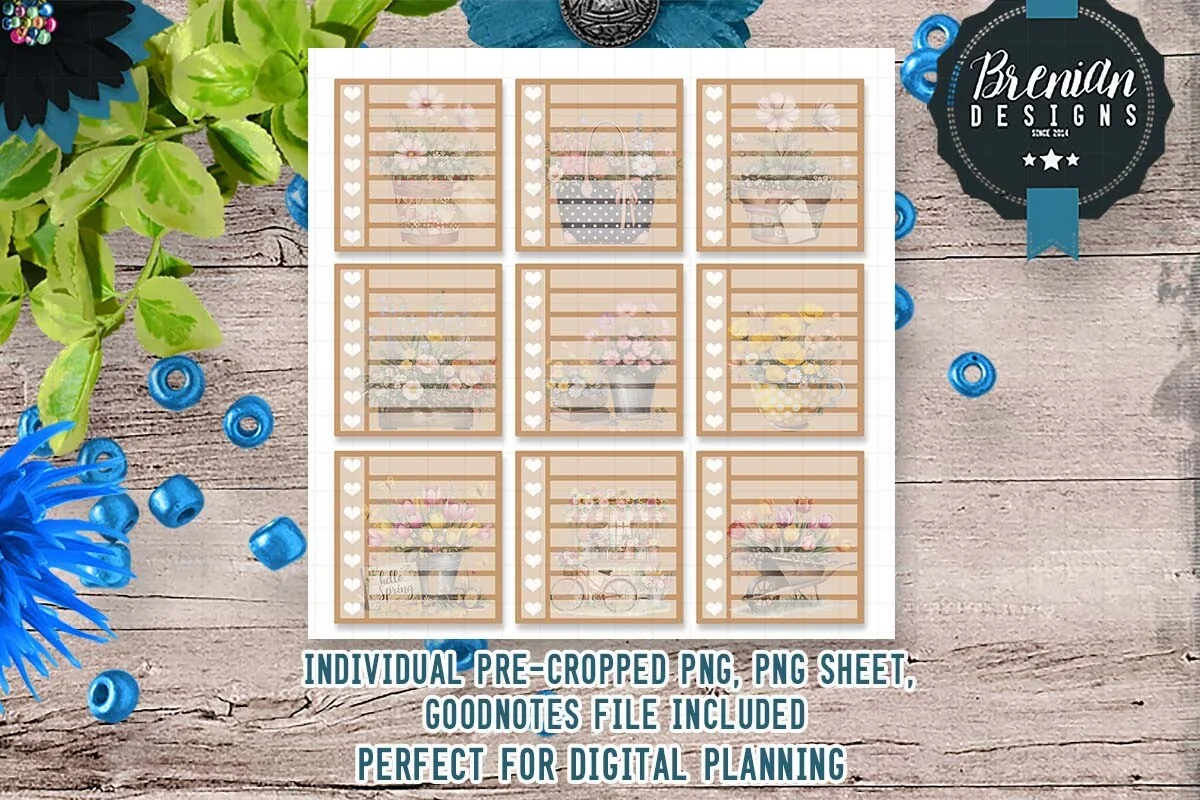
Stickers: 5+ checklist cardsFiles: Pre-cropped PNGs, GoodNotes, ZoomNotes, Noteful, PNG sheets
Best for: plant care trackers, watering lists, spring to-do lists. Designed by Bren Wotherspoon.
- Lined checklist cards in tan and cream with small potted plants and flowers, as shown on the cover
- Files for GoodNotes, ZoomNotes and Noteful plus PNGs
- Pre-cropped, made for the screen, not for printing
- From the same designer as several free fall kits
Each card is a ready mini list, which is exactly what a watering schedule needs: one card per shelf or room, ticked off on watering day. It’s small, but it saves drawing the boxes by hand.
FAQ
What are plant stickers?
They are stickers with houseplants, succulents, cacti, leaves and plant care items like watering cans and pots. Digital plant stickers come as PNGs with a transparent background or as a GoodNotes file for a planner or journal on a tablet.
Can you add stickers in GoodNotes?
Yes. Add a PNG with the image tool, or open a GoodNotes sticker file and copy stickers from it. To keep them handy, select a sticker with the lasso and add it to Elements, and it is there in every notebook.
How do I turn a PNG into a sticker in GoodNotes?
Insert the PNG on a page, select it with the lasso tool and tap “Add to Elements”. A PNG with a transparent background behaves like a sticker right away. If it is a full sheet, lasso one piece at a time and save each one.
Are there free plant stickers for GoodNotes?
Some designers share small free sets, and GoodNotes has its own sticker library. The packs in this list are on Creative Fabrica, where they’re paid individually or included with an All Access subscription.
Do plant stickers work in Notability?
Yes. PNG stickers work in any app that adds images to a page, including Notability, Noteshelf and ZoomNotes. A GoodNotes sticker file only opens in GoodNotes, so for other apps use the PNGs from the same pack.
Can I use plant stickers in a bullet journal?
Yes, in a digital bullet journal on the iPad they work the same way as in a planner: as headers, trackers and small accents. The boho botanical sheets are the closest to a bullet journal look. For layouts, see my digital bullet journal ideas.
Final Thoughts
The best plant stickers make a planner feel like a sunny windowsill and, with a simple tracker, help the real plants on it too. Start with the succulent and cactus set for everyday pages, add the plant chores pack for a watering tracker, and save both to Elements before the next watering day. For more styles, see my kawaii digital stickers, cozy digital stickers and the full planner stickers collection.
You May Also Like
This post contains affiliate links. If you buy through them, I may earn a small commission at no extra cost to you. Learn more.