Paper washi tape is lovely until it curls at the corners, tears in the wrong place or runs out halfway through a spread. Digital washi tape keeps the good part, the color and pattern that turn a plain header into a page you want to open, and drops the mess. On an iPad it is simply a transparent PNG strip: you place it in GoodNotes, stretch it, rotate it and use the same roll again next week.
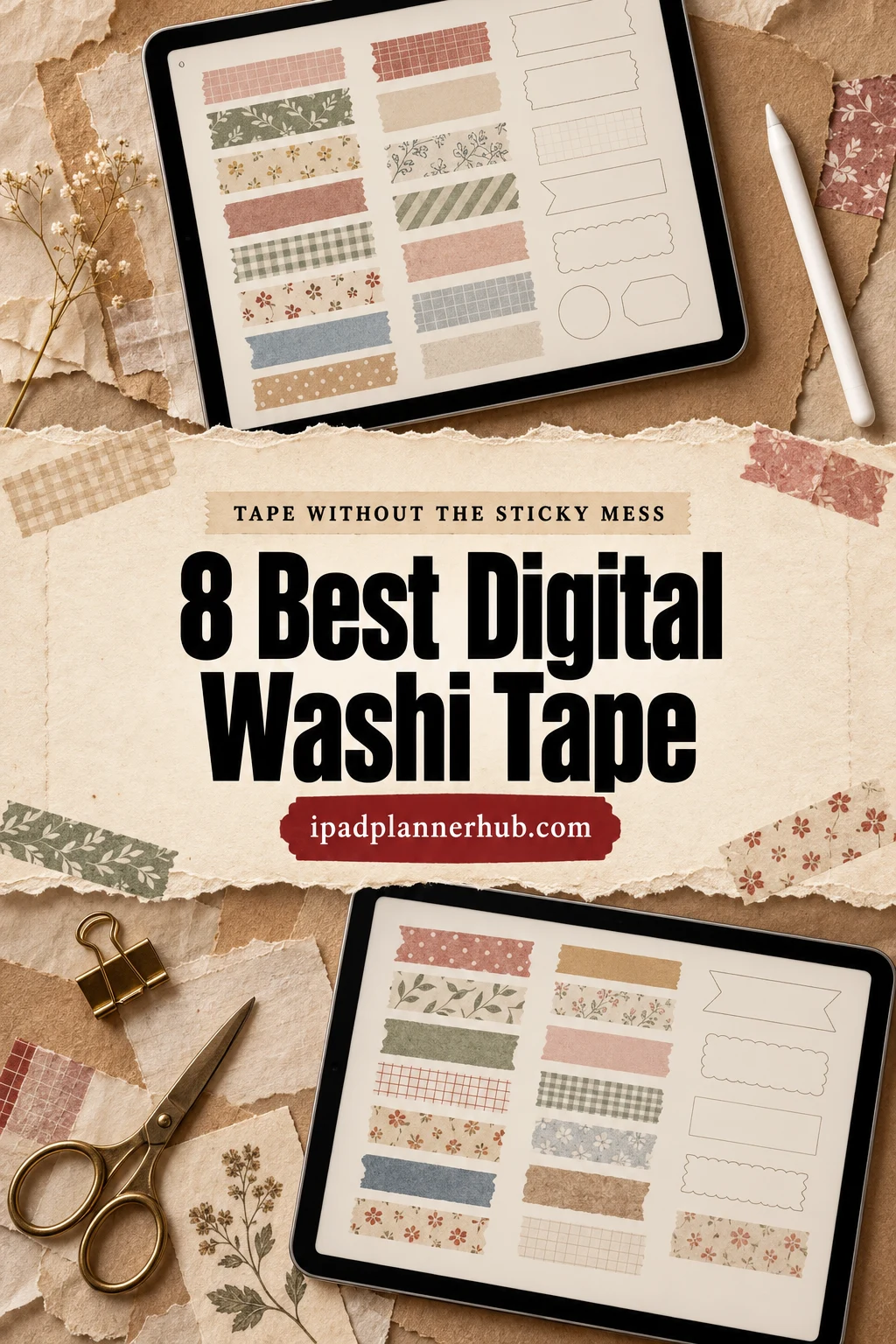
Below are 8 digital washi tape sets from Creative Fabrica I’d use in a GoodNotes planner, from boho florals and groovy retro strips to rose gold, quiet neutrals, semi-transparent tape and cute label tape. After the list: which set fits which planner, what to look for, 10 ways to use washi on planner and notes pages, and how to add it in GoodNotes so it takes one tap.
The 8 Best Digital Washi Tape Sets I Found for GoodNotes
I skipped printable-only sheets, Christmas and winter sets (they get their own season), Procreate brushes and anything without a note about GoodNotes, Notability or the iPad. Every set below is a pack of transparent PNG strips, and no designer appears more than twice. Floral sets come first, then retro and bold color, then metallic and neutral, then two handy extras.
TL;DR: 8 digital washi tape sets for GoodNotes and iPad planners, in four groups: floral and boho (two Sweet Shop Design packs), retro and bold (groovy 70s strips, watercolor gold), metallic and neutral (rose gold, a 60-piece neutral set) and handy extras (semi-transparent strips, cute label tape). The cards say which sets include a ready GoodNotes file and which come with a built-in shadow.
Quick Picks
- Best overall: Digital Washi Tape BOHO FLORAL
- Best for spring spreads: Digital Washi Tape Clipart HELLO SPRING
- Best for retro set: Groovy Retro Digital Washi Tape
- Best for bold color: Watercolor Gold Digital Washi Tape | PNG
- Best for metallic: Rose Gold Digital Washi Tape
- Best for neutral set: Digital Washi Tape Stickers
- Digital Washi Tape BOHO FLORAL – Best overall
- Digital Washi Tape Clipart HELLO SPRING – Best for spring spreads
- Groovy Retro Digital Washi Tape – Best retro set
- Watercolor Gold Digital Washi Tape | PNG – Best bold color
- Rose Gold Digital Washi Tape – Best metallic
- Digital Washi Tape Stickers – Best neutral set
- Digital Washi Tape Strips – Best see-through look
- Digital Planner Goodnotes Washi Tape – Best cute label tape

Best overall
1. Digital Washi Tape BOHO FLORAL
Best for: a calm boho planner in navy, mustard and peach. Designed by Sweet Shop Design.
- 14 washi tape strips as separate PNG files
- High resolution, 300 DPI
- Pre-cropped, so each strip goes on the page as one image
- Patterns: small flowers, scallops, plaid, quatrefoils, arrows and thin stripes in navy, mustard, peach and sage
- Step-by-step GoodNotes instructions in the description
This is the most saved washi set I found on Creative Fabrica, and the palette explains why: navy and mustard look good on white, cream and dotted pages alike. The mix of busy florals and quiet stripes means one set can frame a header and still not shout. The strips come without a shadow, so they read flat and clean; add your own if you want a 3D look.

Best for spring spreads
2. Digital Washi Tape Clipart HELLO SPRING
Best for: March to May monthly covers and fresh weekly pages. Designed by Sweet Shop Design.
- 12 washi tape strips as PNG files
- High resolution, 300 DPI
- Pre-cropped strips you tap to resize or crop in GoodNotes
- Patterns: white daisies on navy, leaves, blush diamonds, dusty blue polka dots and orange florals
It is the same designer as the boho set, with a lighter, more seasonal mood. I like that it mixes flower prints with simple diamonds and dots, so a spring spread doesn't turn into one big bouquet. Pair it with the boho pack and you have two seasons that match.
Best retro set
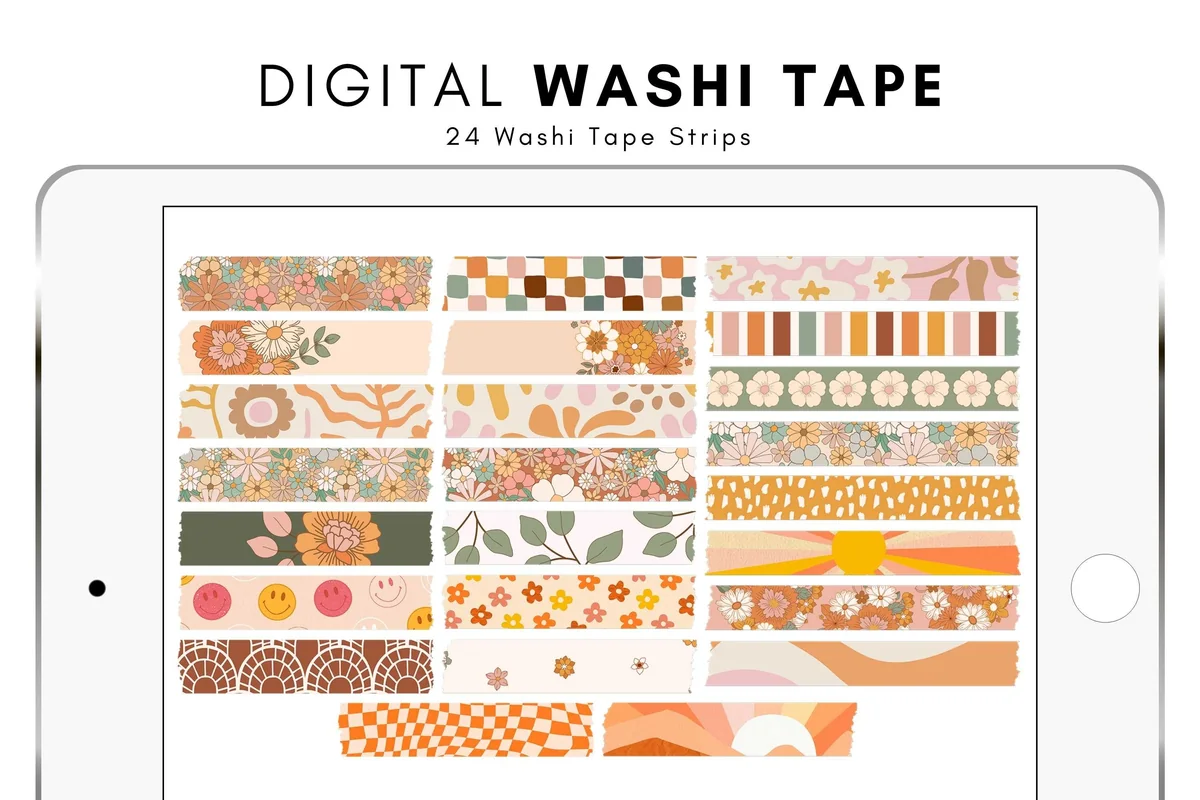
3. Groovy Retro Digital Washi Tape
Best for: fun 70s-style spreads, habit pages and journaling. Designed by thedigitaldoodle.
- 24 washi tape strips as PNG files
- A GoodNotes .collection file to import all strips at once
- Transparent background with a soft shadow
- 150 DPI, about 4 x 1 inch per strip
- Patterns: retro flowers, checkerboard, smiley faces, rainbows and waves in orange, pink and olive
If your pages are warm and playful, this is the one. The GoodNotes collection file saves the boring part: all 24 strips land in your Elements in one go. The built-in shadow makes each strip look like it sits on top of the paper. At 150 DPI the files stay light, which helps in a big planner.
Best bold color
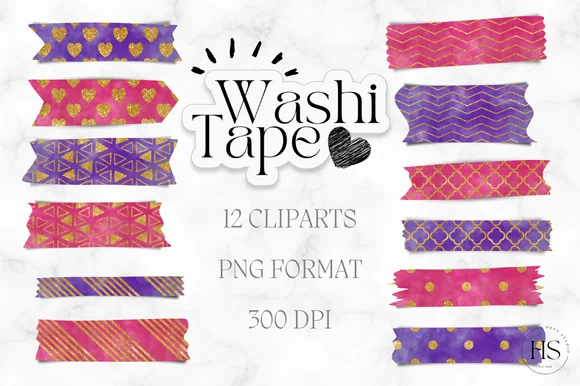
4. Watercolor Gold Digital Washi Tape | PNG
Best for: headers and dates that need to pop on a white page. Designed by Heyv Studio.
- 12 washi tape strips as PNG files
- High resolution, 300 DPI
- Hot pink and purple watercolor with gold zigzags, quatrefoils, hearts and dots
- Pre-cropped strips, GoodNotes instructions in the description
This set is loud on purpose. One strip of pink and gold under a month name does more than five pastel ones. I'd keep it for titles and special dates (birthdays, deadlines) rather than every row, or the page gets heavy. The torn ends look like real tape.
Best metallic
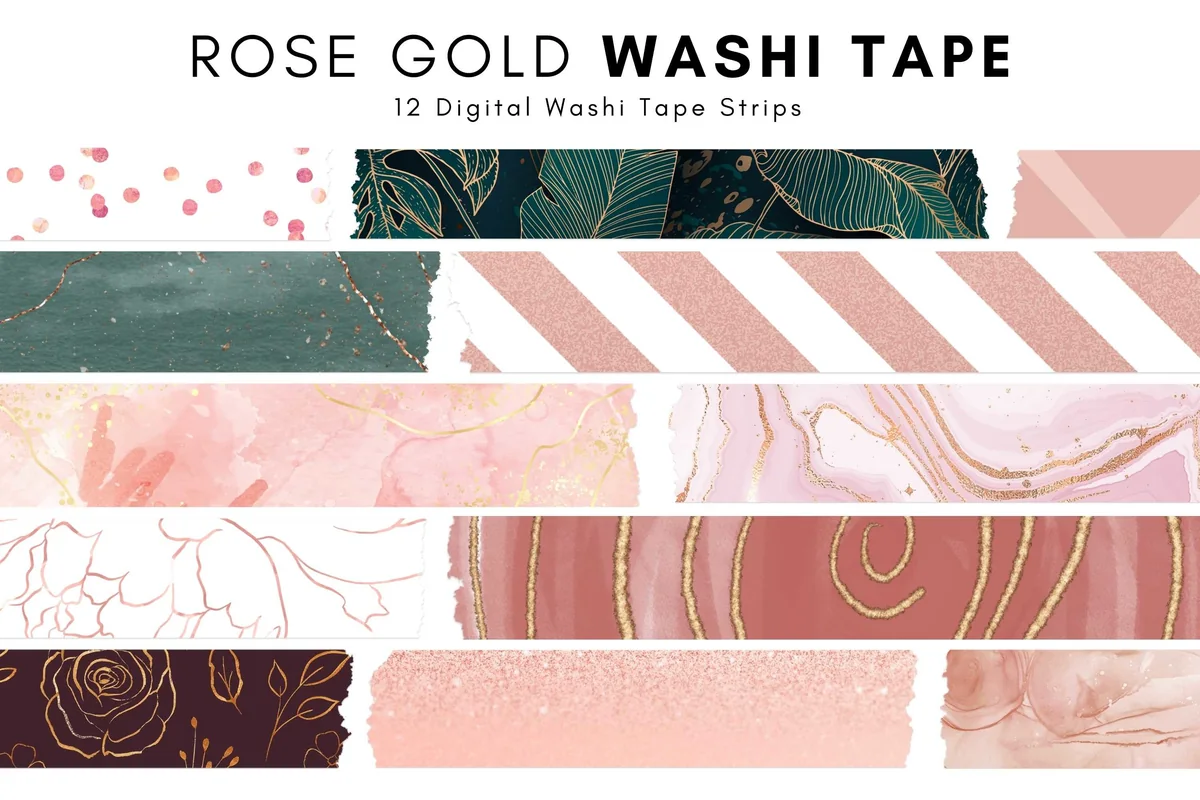
5. Rose Gold Digital Washi Tape
Best for: elegant planners in blush, green and gold. Designed by thedigitaldoodle.
- 12 washi tape strips as PNG files
- A GoodNotes .collection file
- 300 DPI, about 6 x 1.5 inch per strip, with a shadow
- Patterns: rose gold glitter, blush marble with gold veins, deep green leaves, pink stripes and dots
The wider 6-inch strips work well as a header band across a whole page. Glitter and gold-vein marble look more expensive than plain prints, and the deep green strip keeps the set from being only pink. Same designer as the retro set, same handy GoodNotes file.

Best neutral set
6. Digital Washi Tape Stickers
Best for: minimalist planners in beige, sage and grey. Designed by budianie.
- 60 washi tape strips as individual PNG files
- A GoodNotes file with all strips pre-cropped
- Works in Notability and other PDF notebook apps
- Soft textures, plaid and stripes in beige, sage, grey and taupe
Sixty strips is the biggest count in this list, and all of them are quiet colors. That makes it the safe pick for a neutral planner where bright tape would fight the layout. With the GoodNotes file you can open the set like a sticker book and drag strips straight onto the page.
Best see-through look
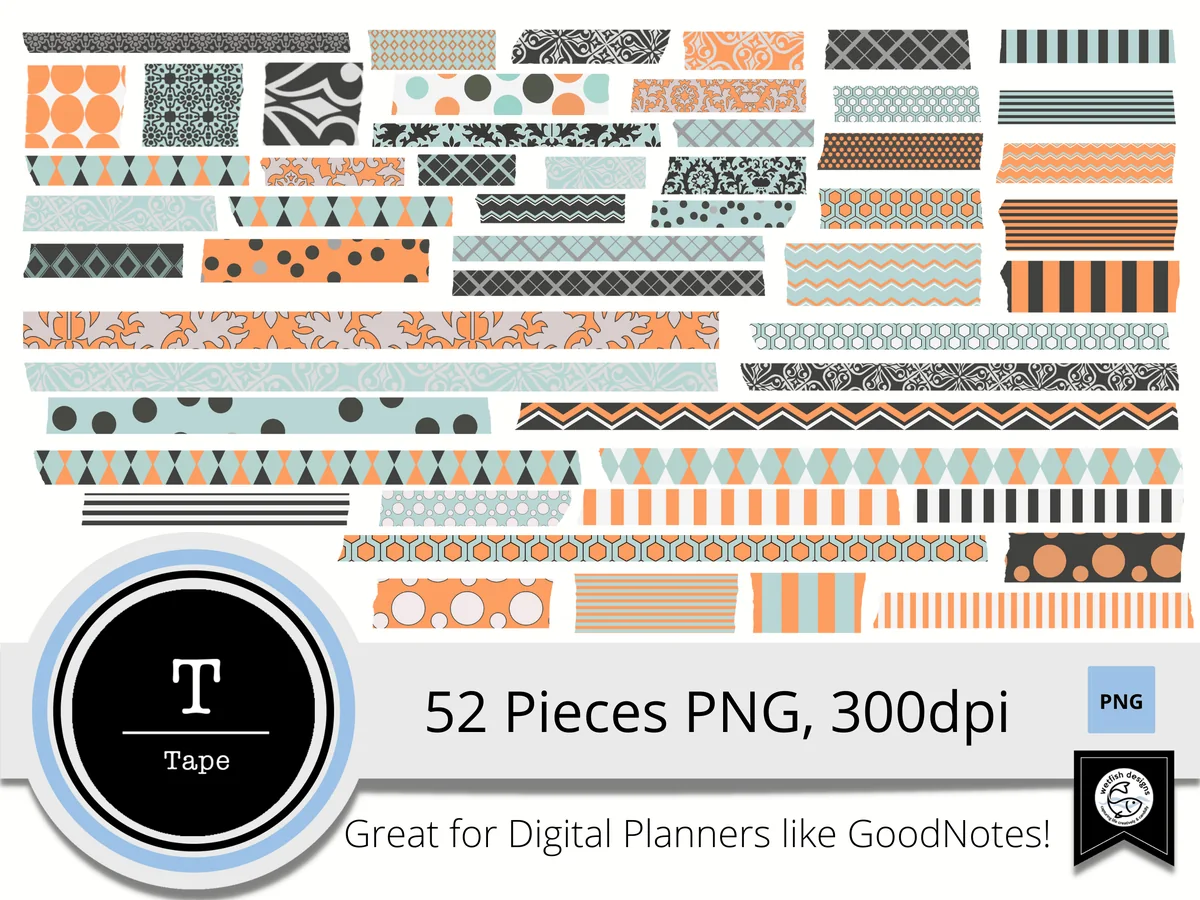
7. Digital Washi Tape Strips
Best for: tape over photos, quotes and journaling cards. Designed by Wetfish Designs.
- 52 washi tape strips as PNG files, 300 DPI
- Slightly transparent like real washi; the transparency can be changed
- Geometric prints, dots, stripes and waves in orange, teal, black and grey
- Made with digital planners like GoodNotes in mind
Real washi is a little see-through, and that is what this set copies: tape it over the corner of a photo and the photo still shows. Fifty-two strips in several widths give plenty of choice for borders and corners. The orange and teal palette suits a bright, graphic style more than a soft one.
Best cute label tape
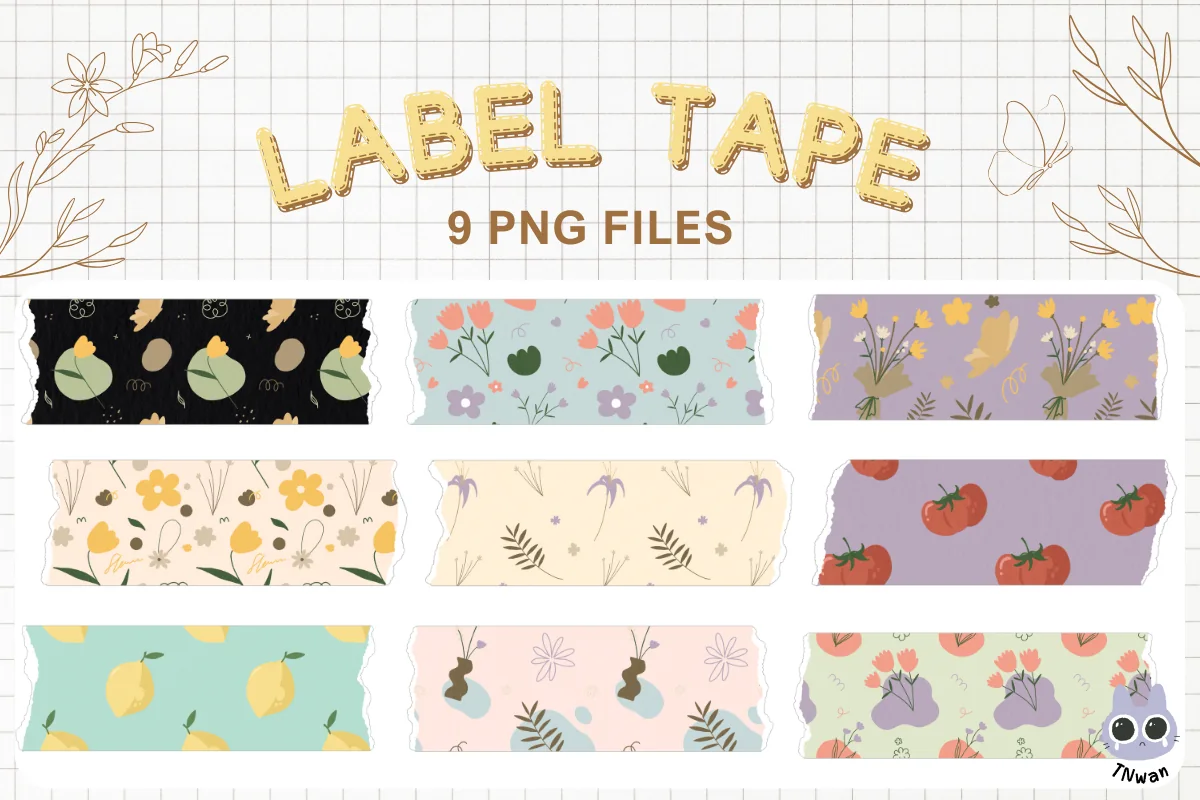
8. Digital Planner Goodnotes Washi Tape
Best for: small labels on weekly boxes and to-do lists. Designed by TNwan.
- 9 label tape strips as PNG files with a transparent background
- High resolution, 300 DPI
- Cute prints: flower bunches, tomatoes, lemons, tulips and little plants on lavender, mint, cream and black
A small set, but the prints are the most charming in the list. The strips are short and flat enough to work as labels: put one under "Groceries" or "This week" and write on top. It is the newest set here, and nine strips are enough for a cozy weekly spread.
Quick Comparison
| Washi set | Style | What you get | Stand-out extra |
|---|---|---|---|
| 1. Digital Washi Tape BOHO FLORAL | Boho florals, plaid, stripes | 14 PNG strips, 300 DPI | Most saved washi set on CF |
| 2. Digital Washi Tape Clipart HELLO SPRING | Spring florals, dots, diamonds | 12 PNG strips, 300 DPI | Matches the boho set |
| 3. Groovy Retro Digital Washi Tape | 70s flowers, checks, smileys | 24 PNG + GoodNotes collection | Shadow already added |
| 4. Watercolor Gold Digital Washi Tape | PNG | Pink and purple watercolor, gold | 12 PNG strips, 300 DPI | Torn tape ends |
| 5. Rose Gold Digital Washi Tape | Rose gold, marble, green leaves | 12 PNG + GoodNotes collection | Wide 6-inch header strips |
| 6. Digital Washi Tape Stickers | Neutral textures and plaid | 60 PNG + GoodNotes file | Largest set in the list |
| 7. Digital Washi Tape Strips | Geometric, orange and teal | 52 PNG strips, 300 DPI | Semi-transparent like real tape |
| 8. Digital Planner Goodnotes Washi Tape | Cute fruit and flower prints | 9 PNG strips, 300 DPI | Short strips that work as labels |
Floral, Retro, Metallic or Neutral: Which Washi Fits Your Planner
The 8 sets fall into four groups. Most people need one set that matches the planner’s colors and one accent set for headers and special dates.
Floral and boho
The BOHO FLORAL and HELLO SPRING sets come from the same designer, so they look good side by side. Boho is the everyday set; Spring is lighter and fits March to May covers.
Retro and bold color
Groovy Retro brings 70s flowers, checks and smileys with a shadow already added. Watercolor Gold is hot pink and purple with gold, best for one strong header per page.
Metallic and neutral
Rose Gold has wide strips with glitter and marble for an elegant planner. The 60-piece neutral set in beige, sage and grey is the safe pick for a minimalist layout.
Handy extras
The semi-transparent strips let photos and quotes show through, like real tape. The label tape is short and flat enough to write on, so it doubles as a label for weekly boxes.
When tape frames a memory photo, plan the picture and caption space before placing the strips. The digital scrapbook layout ideas offer arrangements for one image, a photo sequence or a longer written story, leaving decoration to support that structure.
What Is Digital Washi Tape?
Digital washi tape is a picture of a tape strip saved as a PNG with a transparent background, so only the strip shows on your page. It comes in two forms. Pre-cropped strips are one file per strip: you add them as images and they are ready to go. A sheet or sticker book is one page with many strips, usually a GoodNotes file; you cut a strip out with the lasso tool and copy it to your planner. Some sets also include a GoodNotes collection file, which adds every strip to Elements in one step.
It is not the same as the Tape tool in GoodNotes. That tool draws a cover over handwriting to hide answers for study and reveal them with a tap. Washi tape is decoration: color, pattern and a little structure on the page.
What I Look For in a Digital Washi Tape Set
- Colors that match the planner. One set in your planner’s palette beats three random sets. Look at the cover next to your page before you pick.
- Mix of busy and quiet strips. A set with only bold florals is hard to use every day. Stripes, dots and solid strips fill the gaps.
- Shadow or no shadow. A soft shadow makes tape look like it sits on the paper; flat strips look cleaner on a minimal page. Groovy Retro and Rose Gold have one built in, the Sweet Shop Design sets don’t.
- A GoodNotes file. A collection file or a ready sticker book saves time. Plain PNGs work too, they just take one more step.
- Resolution and width. 300 DPI stays sharp when you stretch a strip across a page; 150 DPI keeps a big notebook light. Wide strips work as header bands, narrow ones as dividers.
10 Ways to Use Digital Washi Tape in a Planner
- Header band. One wide strip behind the month or week name, text written on top.
- Section divider. A thin strip between work and personal tasks or between two days.
- Photo corners. Two short strips at opposite corners of a photo or ticket in a memory page.
- Habit rows. A strip at the start of each habit row in a tracker, a different pattern per habit.
- Date marker. A short strip over a birthday or deadline in the monthly calendar.
- Quote frame. A strip across the top of a quote card, as if it were taped in.
- Color code. One pattern per subject, project or family member, used the same way all year.
- Page edge. A vertical strip along the side of a cover page or a notes page.
- Label. A short flat strip under a list title like “Groceries” or “Calls”.
- Seasonal swap. Keep the layout, change the tape: spring florals in April, warm retro in autumn.
For notes rather than planner pages, two or three strips are enough: one for the title, one for the key idea. More ideas for pretty but readable notes are in my aesthetic notes ideas.
How to Add Digital Washi Tape in GoodNotes
- Unzip the file on your iPad in the Files app (tap the ZIP once).
- If the set has a GoodNotes collection file, open it with GoodNotes: the strips appear in Elements. If it has a sticker book PDF, import it as a new notebook.
- For plain PNGs, open a page in your planner, tap the image tool and pick the strip from Files or Photos.
- Resize with the corner handles, rotate with two fingers, and crop if you need a shorter piece.
- Save the strips you use most as Elements, so next time they are one tap away.
From a sticker book, select a strip with the lasso tool, copy it and paste it into your planner. In Notability and other PDF apps the steps are the same: insert the PNG as an image or copy it from the sticker book page.
Can You Make Your Own Digital Washi Tape?
Yes. In Procreate draw a long rectangle on a transparent canvas, fill it with a pattern, erase the ends in a zigzag for a torn look and export as PNG. It is a fun weekend project, but a good-looking set of 12 strips takes a few hours. A ready set saves that time and gives you matching patterns from the start.
FAQ
How do you use digital washi tape as a beginner?
Start with one set and one job: a strip behind each week’s title. Once that feels easy, add dividers or photo corners. Keep two or three strips per page so the tape frames the plan instead of hiding it.
Is there free digital washi tape?
Some blogs share free strips, and GoodNotes has a few built-in elements. Free strips are usually small sets of one style. The paid sets above cost a few dollars at most and come in matching groups of 9 to 60 strips, so the whole planner can share one look.
Does digital washi tape work in Notability?
Yes. PNG strips work in any note app that lets you insert images: Notability, Noteshelf, ZoomNotes and others. Only the GoodNotes collection files are specific to GoodNotes.
Is the GoodNotes Tape tool the same as washi tape?
No. The Tape tool hides handwriting under a cover you tap to reveal, which is great for flashcard-style study. Washi tape strips are images for decoration and structure.
Can I print digital washi tape?
Some designers allow it, but these sets are made for the screen, and a few say outright that they are not meant for physical use. Check the license on the product page before printing.
Final Thoughts
The best digital washi tape is the set that matches your planner and gets used every week, not the one with the most strips. Start with one everyday set, like the BOHO FLORAL pack or the neutral 60-piece set, add one accent set for headers, and save both to Elements. For more decoration, see my GoodNotes sticker packs and digital scrapbook stickers, or browse all planner stickers.
If you want bows as well as taped edges, compare these coquette digital stickers before decorating the same page.
You May Also Like
This post contains affiliate links. If you buy through them, I may earn a small commission at no extra cost to you. Learn more.