You want somewhere to put loose thoughts, but the search results offer everything from a single writing page to a whole planner. A brain dump template can be a dedicated notebook or just one extra section in a much bigger PDF. I compared three digital PDFs for GoodNotes with exactly those differences in mind. My first pick is the dedicated Planning Vault notebook, but the better purchase for you depends on whether you also want monthly journaling or a full planning system.
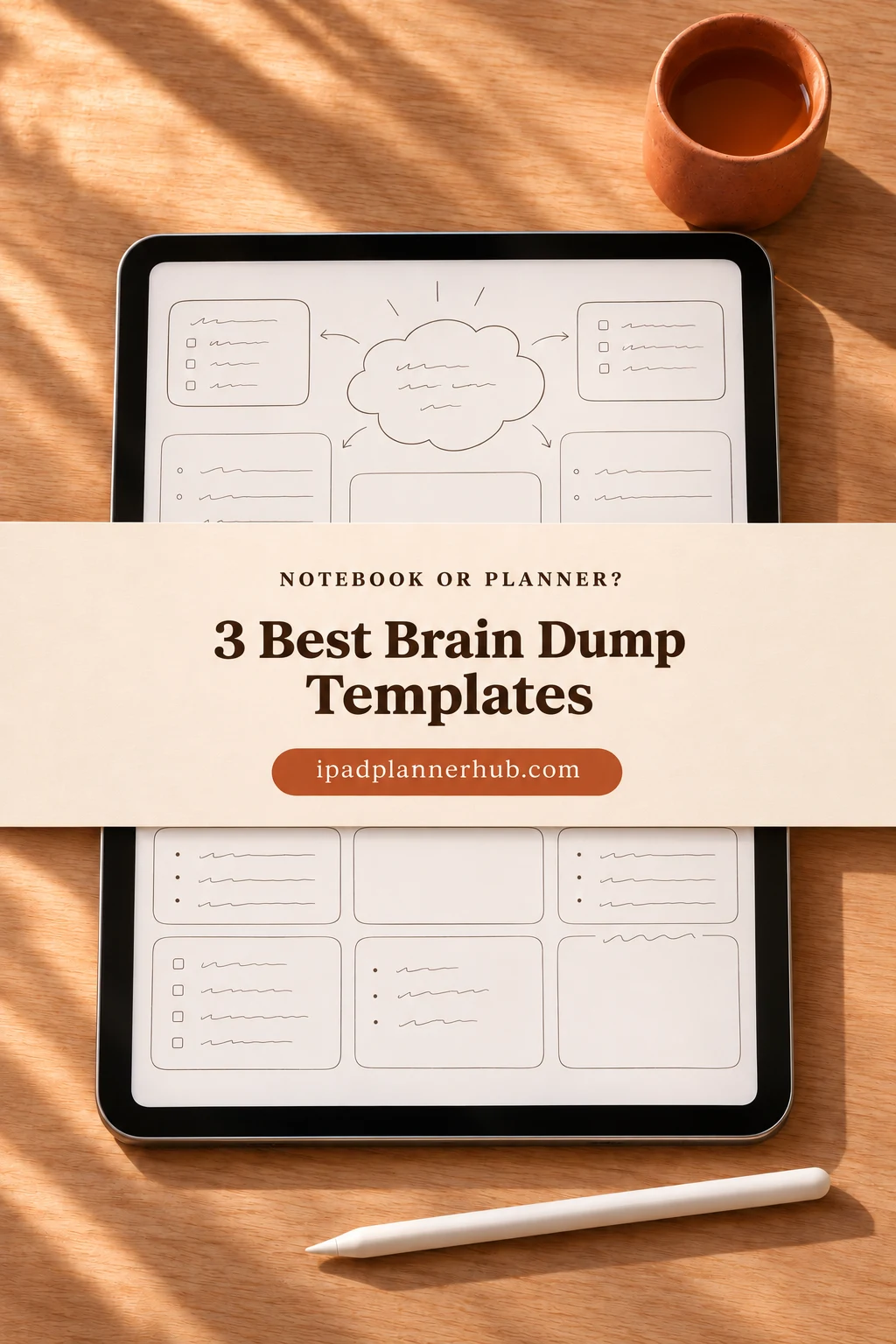
These are PDF products for annotation apps. I compared the sellers’ descriptions and previews, without testing purchased files. Only Planning Vault is a dedicated brain-dump notebook; the journal and planner offer the function within a larger document.
If you need the method rather than a product comparison, see the short brain-dump walkthrough in my ADHD planner guide.
Compare the Three Brain Dump Template Formats
Start with the kind of document you want to open. Planning Vault keeps the focus on a notebook spread; Sarah Doodles wraps the extra templates in a month-by-month journal; PlannerNook places the section inside a larger undated planner. The cards below compare those three roles, rather than treating more pages as an automatic advantage.
TL;DR: Three PDF formats, not three standalone brain-dump notebooks: Planning Vault pairs a dedicated writing area with priority boxes; Sarah Doodles adds brain-dump and priority pages to a monthly journal; PlannerNook includes a Brain Dump section within an undated planner. Only the first two show their relevant page layouts in the previews.
Quick Picks
- Best for dedicated notebook: Brain Dump Digital Notebook
- Best for journal with brain-dump pages: Digital GoodNotes Journal – Art Deco
- Best for broader planning option: Undated Digital Planner by PlannerNook
- Brain Dump Digital Notebook – Best dedicated notebook
- Digital GoodNotes Journal – Art Deco – Best journal with brain-dump pages
- Undated Digital Planner by PlannerNook – Best broader planning option
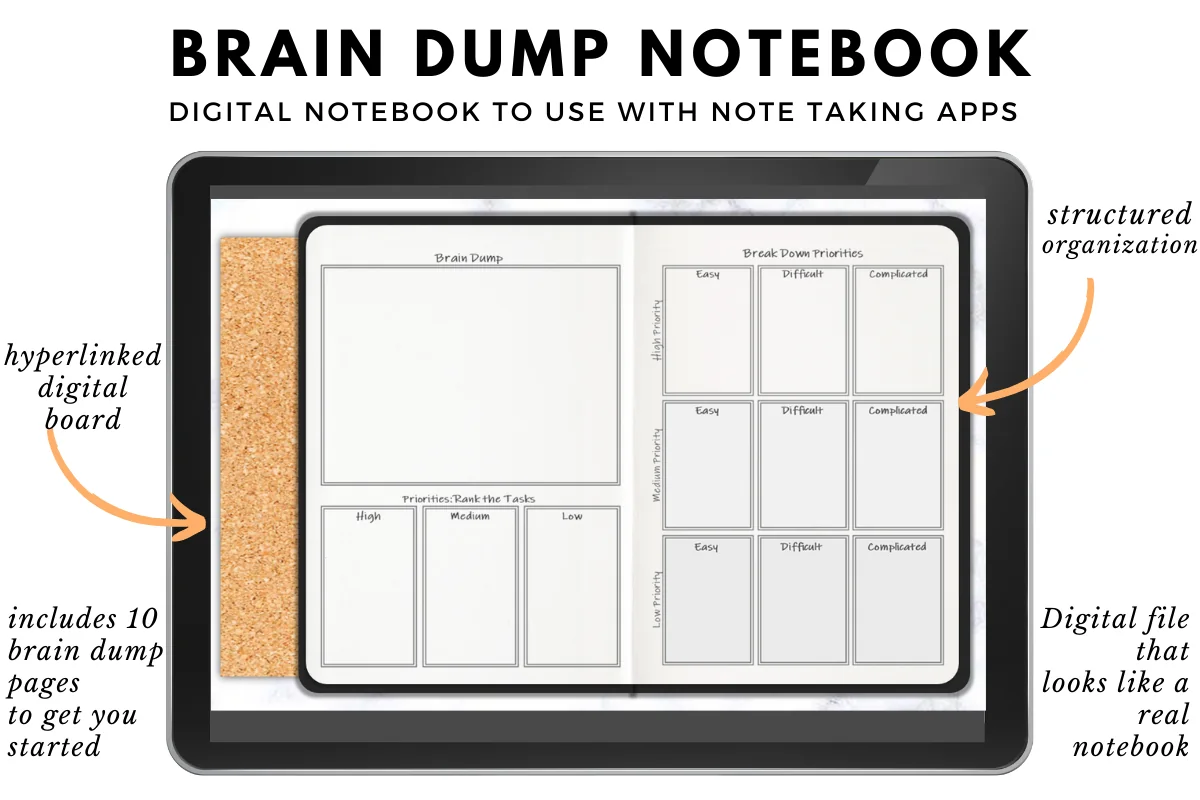
Best dedicated notebook
1. Brain Dump Digital Notebook
Orientation: Landscape spreadLayouts: Brain dump, priorities and blank pageFormat: Hyperlinked PDFDates: No fixed year shown
Best for: a focused place for thoughts with priorities on the same spread. Designed by Planning Vault.
- Hyperlinked PDF for GoodNotes, Noteshelf, Xodo and Notability; the note-taking app is separate
- Ten starter brain-dump pages, a guide and an additional blank page described by Planning Vault
- Landscape notebook spread with a large Brain Dump area, High/Medium/Low task boxes and a priority breakdown grid
- Corkboard-style background and illustrated notebook cover; stickers are not included
Planning Vault is my first pick when the brain-dump page is the reason for buying. The open area and priority boxes are visible together, making the choice between free writing and structured fields easy to assess. Several small boxes share the spread, and the corkboard takes up screen space, so long handwritten entries may need more zoom.
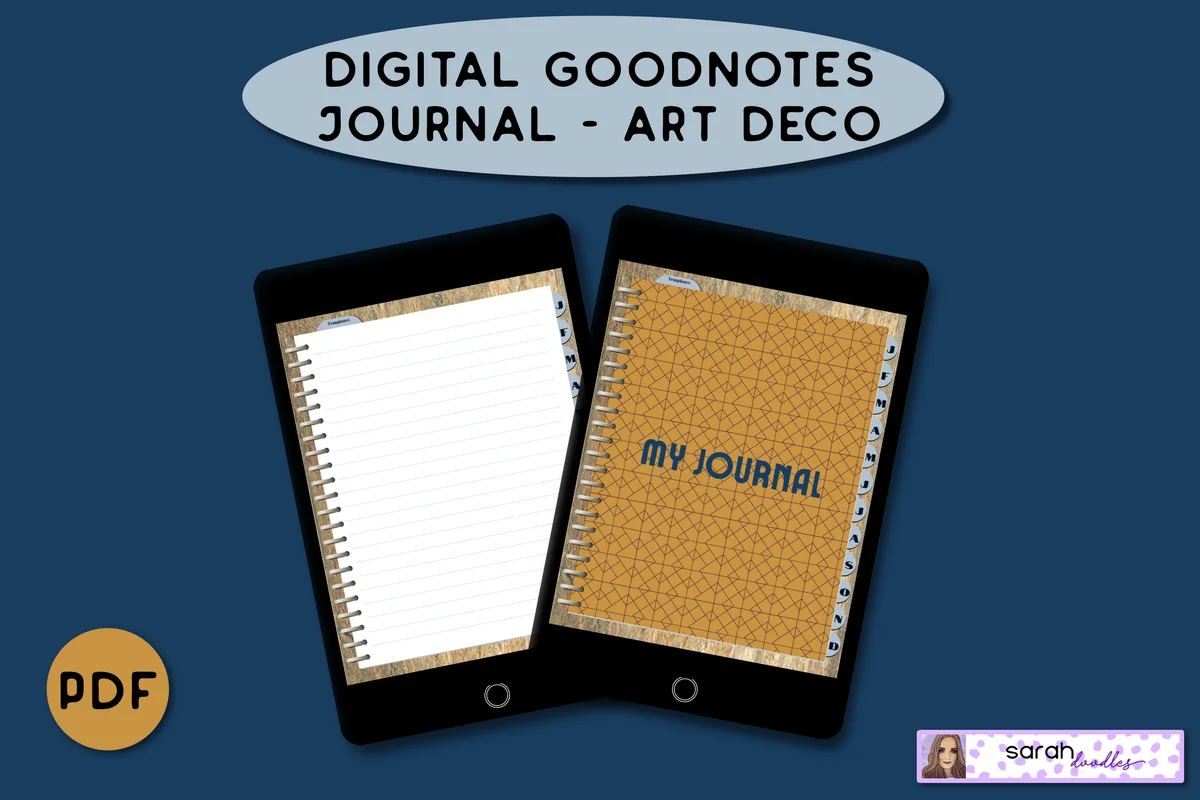
Best journal with brain-dump pages
2. Digital GoodNotes Journal – Art Deco
Orientation: Portrait pagesLayouts: Monthly journal, brain dump and priority pageFormat: Hyperlinked PDFDates: Undated
Best for: keeping loose thoughts beside monthly journal entries. Designed by Sarah Doodles.
- Undated hyperlinked PDF journal for iPad and Android PDF annotation apps
- Monthly dividers with linked tabs and five lined pages allocated per month
- A lined Brain dump page and a separate priority page visible in the final preview
- Priority page separates Important/Not Important columns and Urgent/Not Urgent rows
The Art Deco journal suits monthly journaling with an occasional page for loose thoughts. Its lined brain-dump page keeps priority sorting on a separate page, leaving a simpler writing layout. The monthly sections are the main reason to choose it over the dedicated notebook. The seller specifies personal use only.
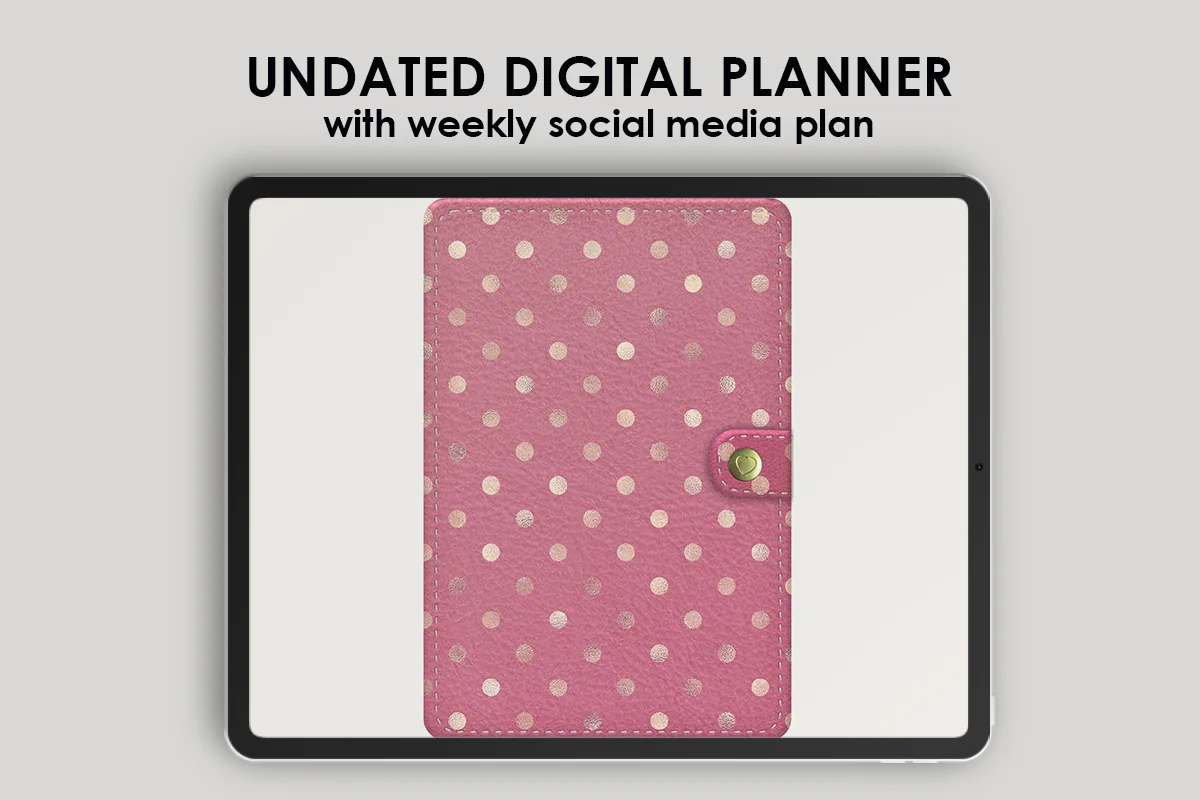
Best broader planning option
3. Undated Digital Planner by PlannerNook
Orientation: Landscape spreadsLayouts: General planner with Brain Dump sectionFormat: Hyperlinked PDFDates: Undated
Best for: buyers who also want monthly, weekly and daily planning pages. Designed by PlannerNook.
- Undated PDF planner described for GoodNotes, Notability, Xodo and other compatible annotation apps
- Brain Dump section included in the description, with a matching tab visible in the previews
- Monthly and weekly planning layouts, a daily spread, habit tracker and expenses pages appear in the gallery
- The listing includes a separate sticker archive; the planner has a pink binder-style design
The weekly, daily and tracking spreads make PlannerNook a broader planning purchase. Its Brain Dump section is included, but the gallery does not show that page. Its writing fields and priority structure therefore remain unknown. The strongest reason to choose it is the surrounding planner.
Quick Comparison
| Best for | Brain-dump layout | Surrounding structure | |
|---|---|---|---|
| 1. Brain Dump Digital Notebook | Focused thought notebook | Open area plus priority boxes | Guide, ten starter pages and blank page |
| 2. Digital GoodNotes Journal – Art Deco | Monthly journaling plus loose thoughts | Lined page; separate priority page | Month tabs and lined journal pages |
| 3. Undated Digital Planner by PlannerNook | Brain dump within a full planner | Section listed; exact layout not pictured | Monthly, weekly, daily and tracking pages |
Which PDF Gives You the Right Amount of Structure?
The useful difference is not simply how many pages you receive. It is how much of the document serves the reason you came looking for it. A small, dedicated notebook can be a more sensible purchase than a broad planner when you already have a calendar you like.
Choose a dedicated notebook if…
- 1Your main requirement is a visible brain-dump layout, rather than a new calendar. Planning Vault shows the writing area and priority structure together.
- 2You prefer a landscape spread and want to see the blank alternative before buying.
- 3You are comfortable with a decorative notebook board and several relatively small writing boxes.
Choose the monthly journal if…
- 1You want lined journal pages as well as a place for loose thoughts. Sarah Doodles provides both within an undated document.
- 2Month tabs are more useful to you than a large set of planning trackers.
- 3You prefer the brain-dump page and the priority page to be separate, rather than sharing a crowded spread.
Choose the broader planner if…
- 1You are also shopping for weekly and daily planning layouts. Those are visible strengths of PlannerNook.
- 2An included Brain Dump section is enough to put the planner on your shortlist, even though its precise layout is not pictured.
- 3You like the pink binder design and expect to use more than one part of the document.
Already happy with your calendar? The dedicated notebook adds the least unrelated material. Replacing a journal or planner gives the other two formats a clearer purpose.
Open Writing Space or Built-In Priority Fields?
Planning Vault and Sarah Doodles show two different approaches to page design. The first puts a large open area and multiple sorting boxes on the same spread. The second shows a lined page titled Brain dump, with the priority matrix on another page. That distinction matters more than the cover color if you tend to write long sentences.
- Planning Vault: the visible spread includes High, Medium and Low task boxes plus a priority breakdown grid. That gives the page a strong structure, but each box has a limited footprint.
- Sarah Doodles: the lined page provides a taller writing area. Its separate matrix uses importance and urgency labels, so the page design is different from Planning Vault’s high-to-low task boxes.
- PlannerNook: the description and tab establish that a Brain Dump section exists. They do not establish whether it uses lines, a grid, open space or priority boxes.
Short task names fit small fields more naturally than paragraphs, while a lined journal page favors a continuous list. Match the writing space to the kind of notes you expect to keep.
Once the list is on the page, deciding what belongs in the next few months is a separate step. These quarterly planning ideas help compare commitments with available time before moving selected work onto a three-month overview.
What the Notebook Styling Changes on an iPad
The previews let you assess more than decoration. All three use a notebook metaphor, but the space devoted to it differs. Planning Vault places a notebook on a corkboard-style background; the Art Deco journal shows tall pages with a spiral edge; PlannerNook uses a landscape binder spread surrounded by colorful tabs.
- Screen space: decorative borders and rings occupy part of the display. On a smaller iPad, inspect the writing fields at a realistic size rather than judging only the cover.
- Page shape: portrait journal pages and landscape spreads give handwriting different amounts of horizontal room. Sarah Doodles is the portrait choice here; the other two show landscape spreads.
- Navigation: month tabs help a journal organized around months; general section tabs serve a planner with many functions. A dedicated notebook has a narrower job.
- Visual density: Planning Vault’s priority grid and PlannerNook’s tabbed binder are busier than the Art Deco journal’s lined writing page. Decide whether those visible cues help you find your place.
The product photos are mockups, so they cannot prove comfortable handwriting at your preferred zoom or pen size. A layout that already looks tight in the gallery deserves a closer look before purchase.
GoodNotes Compatibility and What Is Actually Included
Each listing describes a PDF for use in a note-taking or PDF annotation app and names GoodNotes among the options. The app is separate from the template. Planning Vault explicitly says the app is not included; buying a PDF does not provide an annotation app or a stylus.
- Planning Vault: the seller describes a hyperlinked PDF, a guide, ten starter brain-dump pages and an extra blank page. The gallery includes a GoodNotes import illustration. Stickers are not included.
- Sarah Doodles: the seller describes a hyperlinked, undated PDF with month dividers, five lined pages per month and added brain-dump templates. The listing specifies personal use only.
- PlannerNook: the seller describes an undated hyperlinked PDF and a separate sticker archive. The gallery shows the monthly, weekly, daily and tracking layouts.
Hyperlinked means the seller describes links within the document. It does not establish automatic reminders, calendar synchronization or an app-based inbox. I have not tested the links inside purchased copies, so the comparison does not rank link reliability or opening speed.
The Sarah Doodles listing notes that links in certain annotation apps need a reading or navigation mode. Keep that distinction in mind if your pen tool is active: writing on a page and following a link are different actions. Check the current instructions for your chosen app and the product before buying for a particular device.
Questions Worth Settling Before You Buy
A good shortlist should also make it easier to decide that you do not need another template. If a blank page in your current notebook already gives you enough writing room, a dedicated purchase needs to offer a specific improvement you can point to, such as Planning Vault’s visible priority fields or the Art Deco journal’s monthly structure.
- Do you want a notebook or a whole planner? Buying PlannerNook only for one unpictured section carries more uncertainty than buying it for the weekly and daily spreads you can inspect.
- Do you want lines or boxes? Sarah Doodles shows lined writing; Planning Vault shows a mix of open space and boxes. Choose from those visible differences.
- Are the extras useful? A sticker archive or habit tracker adds little value if you want only a quiet writing page. Conversely, those features may matter when you are replacing an existing planner.
- Are the current terms right for you? Review the seller’s license, app requirements and checkout terms. A zero price shown in a listing is not enough by itself to establish an unconditional free offer.
Check the current offer at checkout. A sticker archive matters if you will use it, but it does not tell you whether the writing page suits your notes.
FAQ: Buying a Digital Brain Dump PDF
Which of these is a standalone brain-dump notebook?
Planning Vault’s Brain Dump Digital Notebook is the dedicated option. Sarah Doodles is a monthly journal with added templates, and PlannerNook is a general planner with an included Brain Dump section.
Which option shows a separate priority page?
The final Sarah Doodles preview shows a lined brain-dump page beside a separate priority matrix labeled by importance and urgency. Planning Vault instead shows the brain-dump area and several priority fields together on a landscape spread.
Can I use these PDFs in GoodNotes or Notability?
All three sellers name GoodNotes and Notability in their descriptions. They are PDF products for annotation apps, not apps themselves. Compatibility is based on those descriptions and the visible previews; I have not tested purchased files on individual devices.
Does PlannerNook show its brain-dump page?
The gallery shows a Brain Dump tab, and the description lists the section. The page itself is not pictured in the available previews, so its exact writing fields remain unknown in this comparison.
Is a paid template necessary for writing down thoughts?
No. A blank note can provide writing space. The reason to choose one of these PDFs is its visible structure or the journal and planning pages around it, rather than any requirement to buy a template.
Will a brain-dump PDF automatically schedule my tasks?
These listings describe PDFs for annotation apps, not automated task managers. Do not buy one expecting calendar synchronization, timed notifications or automatic task sorting. The visible priority boxes and journal lines are places for your own writing.
My Pick: Buy for the Page You Will Actually Use
For a focused brain dump template, Planning Vault is the clearest first choice here because its relevant spread is visible and central to the product. Sarah Doodles is the more appealing alternative when lined journaling and month tabs matter too. PlannerNook is worth considering when you want a broader undated planner, with the clear caveat that its brain-dump layout is not shown.
Choose by the writing space and surrounding pages you expect to use. Extras can settle a close choice once those basics fit.
You May Also Like
This article contains affiliate links. If you buy through them, I may earn a commission at no extra cost to you. Read my affiliate disclosure.