The prettiest pages on Pinterest often take an hour to make and are hard to study from. Good aesthetic notes are the opposite: a calm color scheme, one clear header, a little decor in the margins, and the content still easy to read the night before an exam. On an iPad that takes minutes, because the washi tape, sticky notes and headers are stickers you reuse on every page.
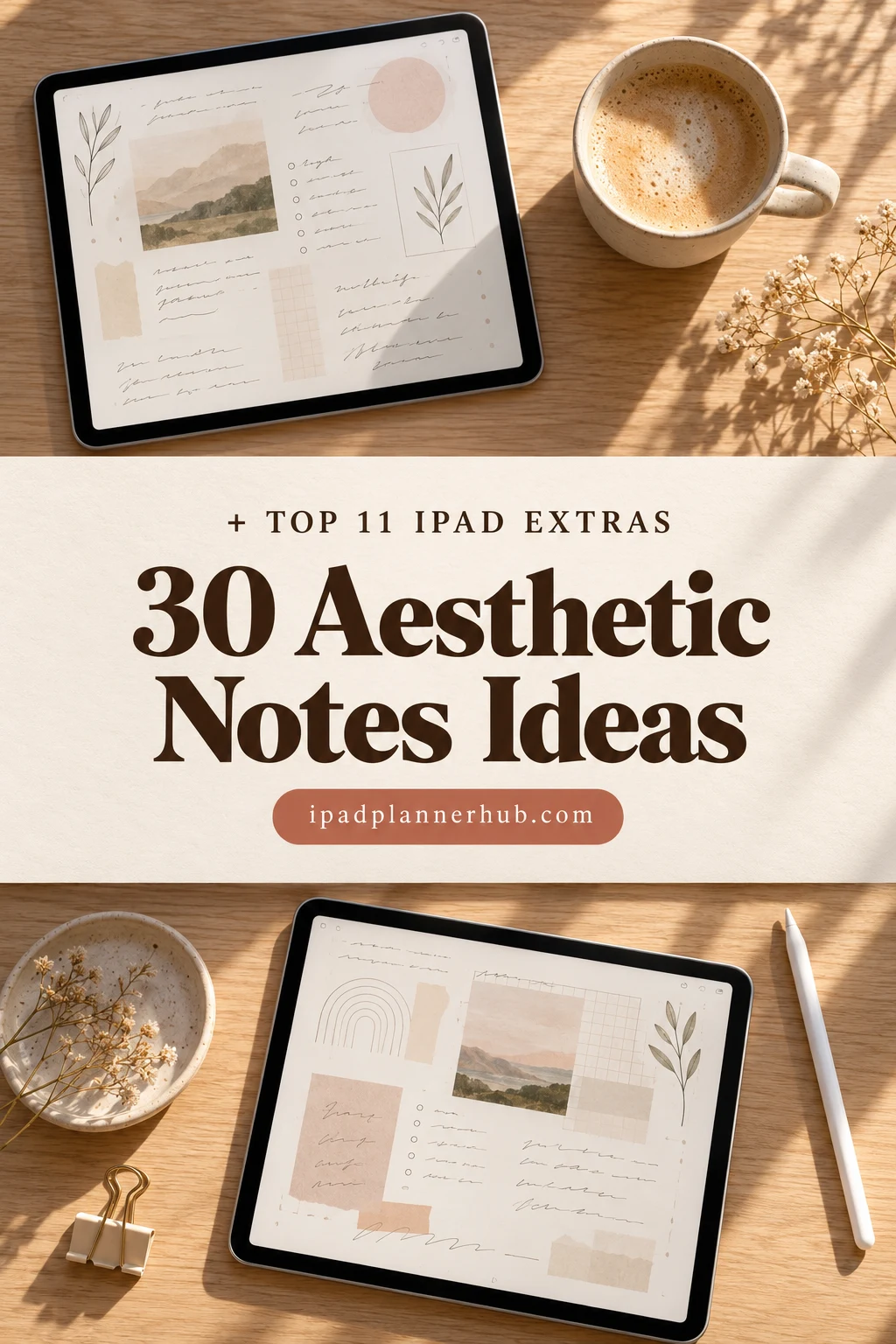
Below are 11 digital extras for the iPad that I’d use to make notes look good without slowing down: washi tape, sticky notes, header and tab stickers and two sticker packs. After the list: 30 aesthetic notes ideas, a 5-step routine, tips for neater handwriting and how to set it all up in GoodNotes. For neater headers, a few minutes a day with lettering practice sheets for iPad help, and digital sticky notes keep to-dos off the main page.
The Best Digital Washi Tapes, Sticky Notes and Stickers I Found
I went through digital washi tape, sticky notes and study stickers on Creative Fabrica and kept sets that come as PNG stickers or GoodNotes files for iPad apps; Canva templates, SVG cut files, clip art bundles and kids’ sets are out. The order follows how a page gets built: washi tape (1–3), sticky notes (4–6), headers, tabs and icons (7–9), and everyday decor (10–11).
TL;DR: 11 digital extras for aesthetic notes on iPad: 3 washi tape sets, 3 sticky note sets, 3 header, tab and icon sets and 2 everyday sticker packs. All are PNG stickers for GoodNotes and other iPad apps; most come with a ready GoodNotes sticker file.
Quick Picks
- Best for vintage washi: Vintage Digital Washi Tape
- Best for neutral washi: Neutral Marble Digital Washi Tape
- Best for colorful washi: Digital Washi Tape GOLD PINK FLORAL
- Best for paper-look sticky notes: Digital Sticky Note Stickers
- Best for color coding: Pre-cropped PNG Goodnotes Stickers
- Best for lined sticky notes: Digital Planners GoodNotes Planner Label
- Vintage Digital Washi Tape – Best vintage washi
- Neutral Marble Digital Washi Tape – Best neutral washi
- Digital Washi Tape GOLD PINK FLORAL – Best colorful washi
- Digital Sticky Note Stickers – Best paper-look sticky notes
- Pre-cropped PNG Goodnotes Stickers – Best for color coding
- Digital Planners GoodNotes Planner Label – Best lined sticky notes
- Digital Stickers – Words and Phrases – Best for headers
- Study Tabs & Flags Stickers – Best tabs for study notes
- Beige Study Icon Stickers – Best minimal icons
- Digital Planner Stickers, GoodNotes – Best big neutral set
- Cozy Study & Work Planner Stickers Vol. 5 – Best cozy study decor

Best vintage washi
1. Vintage Digital Washi Tape
Layouts: 12 vintage washi tape strips (~6 x 1.5 in, 300 dpi)Format: PNG + GoodNotes .collection
Best for: vintage style fans, journalers, dark academia fans. Designed by thedigitaldoodle.
- 12 digital washi tape strips as PNG files with a transparent background and a soft shadow
- A GoodNotes .collection file, so the strips land in the GoodNotes sticker panel
- 300 dpi, each strip roughly 6 × 1.5 inches
- Designs from the cover: old script, maps, kraft paper, pressed florals, stripes and gold keys
This is the most-saved set in the list, and I can see why: the colors are muted enough to sit under a header without fighting the text. One strip across the top corner of a page is all it takes to make plain lined paper look like a journal spread.
Best neutral washi
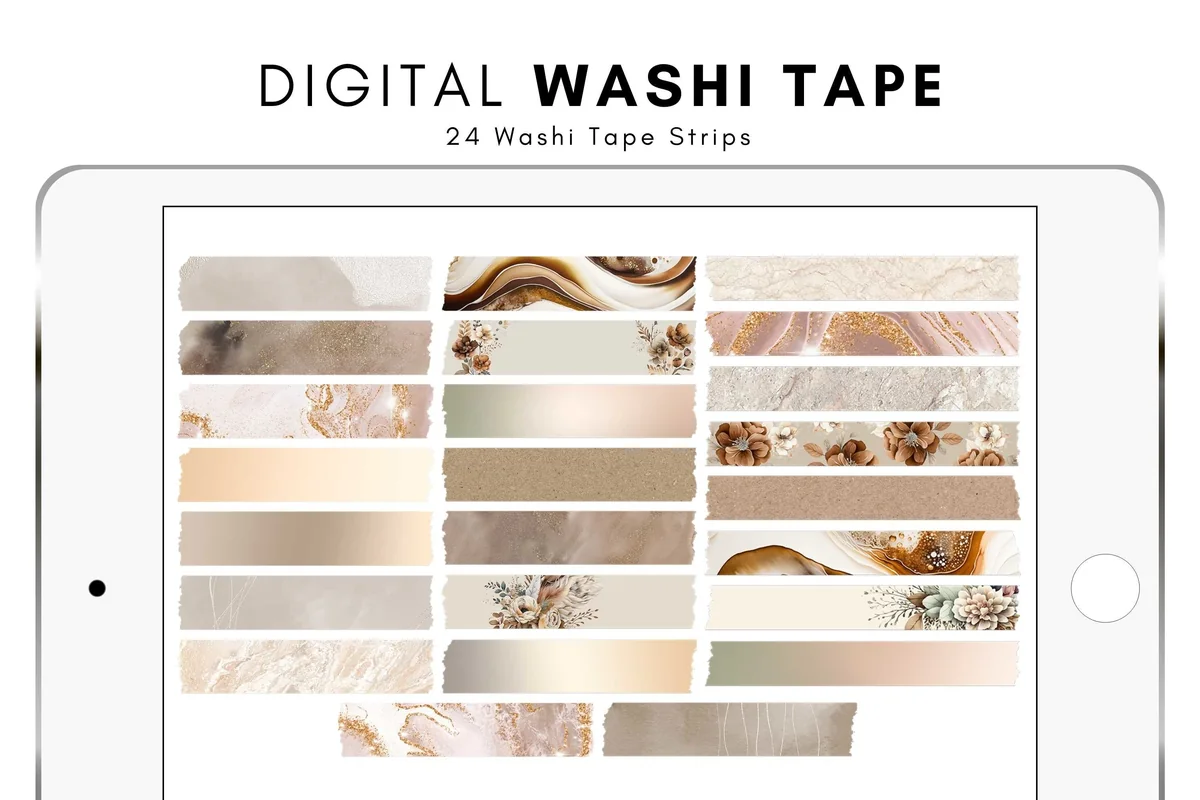
2. Neutral Marble Digital Washi Tape
Layouts: 24 neutral marble washi tape strips (~4 x 1 in, 150 dpi)Format: PNG + GoodNotes .collection
Best for: minimalists, beige lovers, students. Designed by thedigitaldoodle.
- 24 digital washi tape strips as PNG files with a transparent background and shadow
- A GoodNotes .collection file for the sticker panel
- 150 dpi, each strip roughly 4 × 1 inches, made for screens, not for print
- Beige, cream and brown marble, gold veins and a few floral strips (from the cover)
Twice as many strips as the vintage set, all in one calm palette, so every page of a notebook can match. The strips are smaller, which suits section dividers and the edges of a sticky note better than wide headers. Same designer as the vintage set, so the two mix well.
Best colorful washi
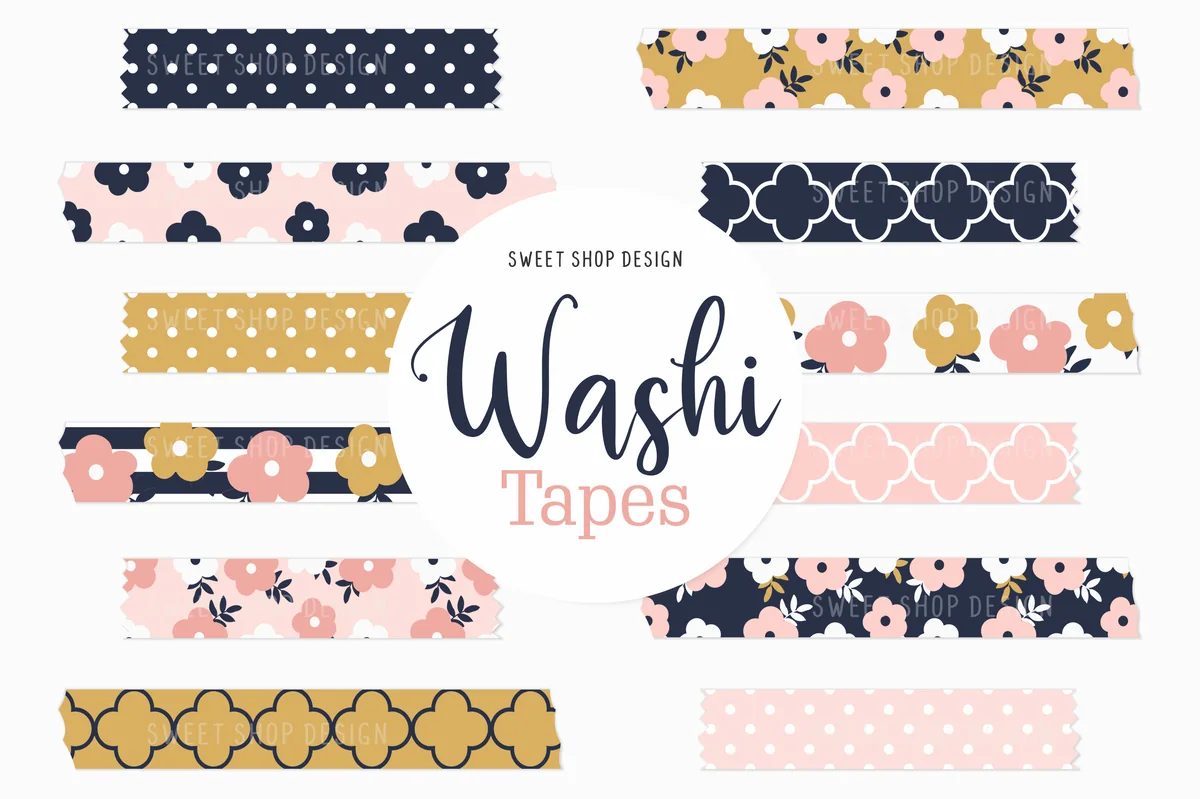
3. Digital Washi Tape GOLD PINK FLORAL
Layouts: 12 floral washi tape strips (navy, pink, gold)Format: Pre-cropped PNG, 300 dpi
Best for: colorful planners, floral fans, journalers. Designed by Sweet Shop Design.
- 12 pre-cropped washi tape PNGs, 300 dpi
- Navy, blush pink and mustard prints with flowers, dots and scallops
- Step-by-step notes in the description for adding the PNGs to GoodNotes from the Photos app
- Works with GoodNotes, Notability and other iPad planner apps, as the description says
If beige isn't your thing, this is the cheerful option: navy with pink and gold reads well even on a busy page. It has no GoodNotes sticker file, so you add the PNGs from Photos, which takes a minute once.
Best paper-look sticky notes
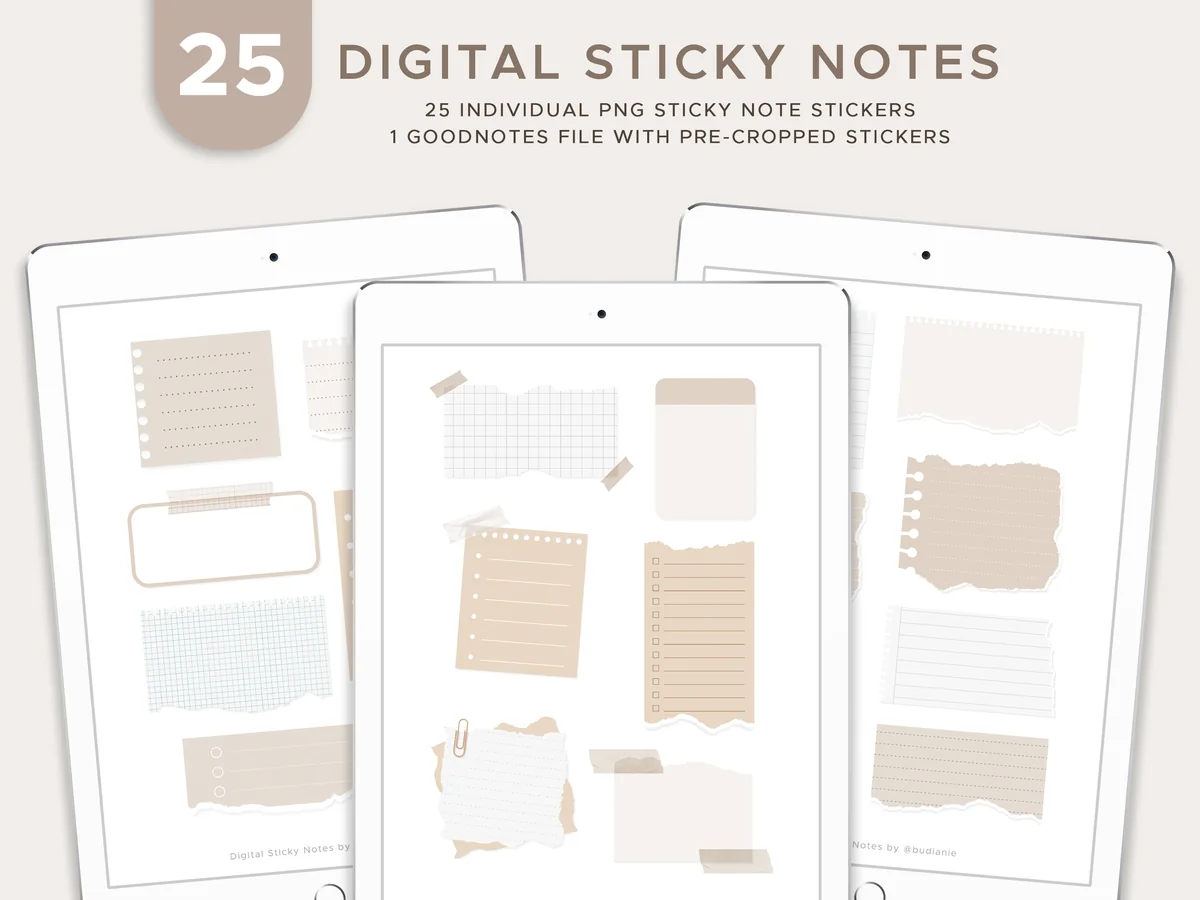
4. Digital Sticky Note Stickers
Layouts: 25 sticky notes (lined, grid, torn paper)Format: PNG + pre-cropped GoodNotes file
Best for: note takers, students, neutral lovers. Designed by budianie.
- 25 sticky note PNG stickers
- A GoodNotes file with the stickers already cropped
- For GoodNotes, Notability or any other PDF notebook app
- From the cover: lined, grid and torn-edge notes in beige, cream and soft blue, some with tape or clips
Sticky notes are the quickest way to make a page look planned: write the summary or the formula on one and it stands out without a single highlighter. These look like real paper with torn edges and grid lines, and with over 300 favorites this is one of the most-saved sticky note sets I found.

Best for color coding
5. Pre-cropped PNG Goodnotes Stickers
Layouts: 392 sticky notes: 7 shapes, 28 colors, opaque + transparentFormat: PNG + 2 pre-cropped GoodNotes files
Best for: color coders, students, list makers. Designed by jenstrokeandstyle.
- 392 sticky notes: 196 opaque and 196 transparent
- 28 color swatches and 7 shapes, in 7 theme colors (from the cover)
- 2 GoodNotes files with pre-cropped stickers (8 pages opaque, 7 pages transparent) and individual PNGs
- For GoodNotes, Notability and other note apps
This is the set for color-coded notes: the same shapes come in seven color families, so you can give each subject or topic its own color and keep it all year. The transparent versions sit over handwriting like a highlighter box. New in 2026, no reviews yet.
Best lined sticky notes
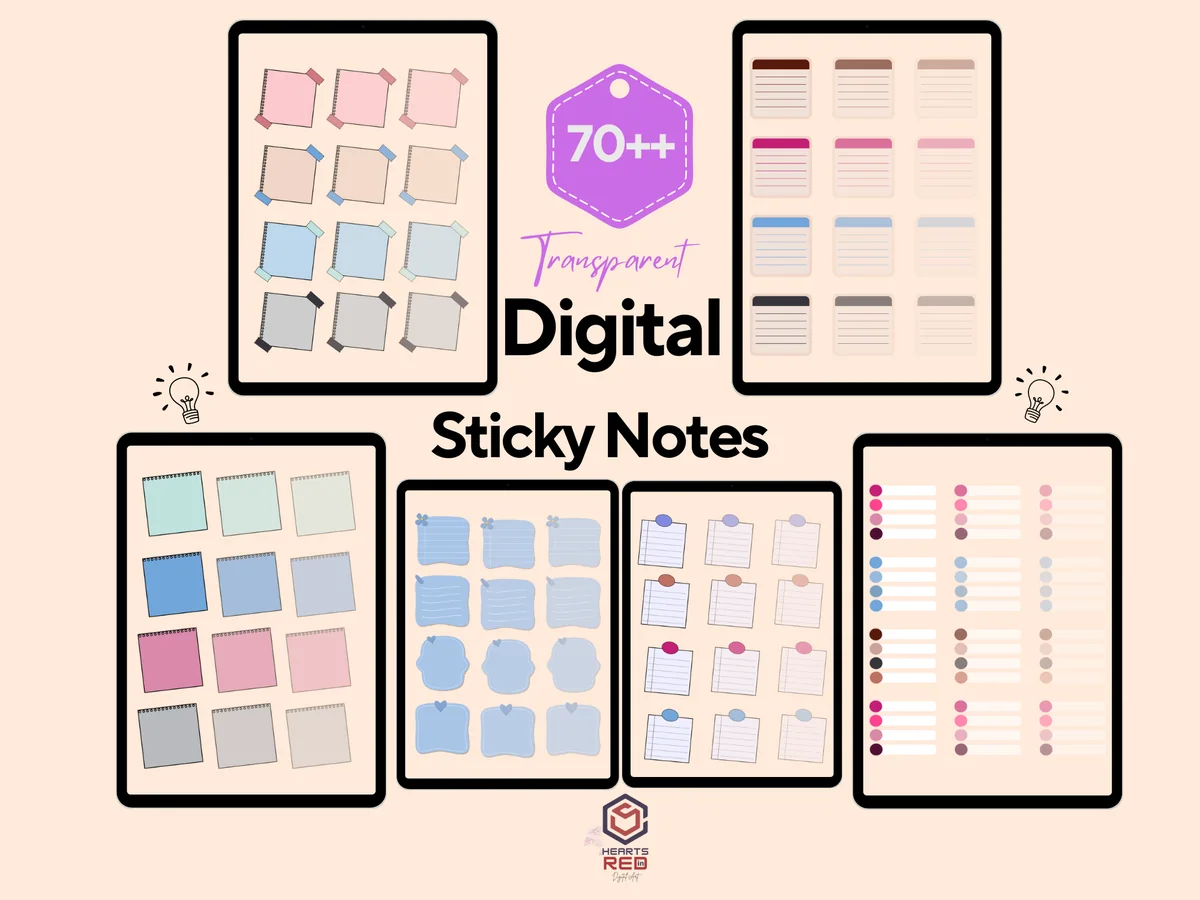
6. Digital Planners GoodNotes Planner Label
Layouts: 70+ sticky notes and labels on 6 sheets (square, lined, checklist)Format: 6 PNG sheets
Best for: list makers, note takers, pastel lovers. Designed by HEARTSinRED.
- 6 PNG sheets of digital sticky notes and planner labels
- From the cover: 70+ notes, including square notes, lined notes and checklist strips
- Soft blue, pink, mint and grey tones
- Works in GoodNotes, Notability, Xodo and other iPad apps
The lined and checklist notes are the useful part here: a short to-do list or 'questions for the lecture' box right on the notes page. The PNGs come as sheets, so you crop the notes you want with the lasso once and save them as stickers.

Best for headers
7. Digital Stickers – Words and Phrases
Layouts: 50+ script word and phrase stickers + watercolor swatchesFormat: Pre-cropped PNG + GoodNotes sticker file
Best for: header makers, weekly planners, students. Designed by Shades of Zen.
- 50+ word and phrase stickers in black script with a thin white border
- Watercolor swatches to put under the words for a ready heading
- Days of the week, months, study and work words (study, priority, email, call), home and money words
- Pre-cropped PNGs plus a GoodNotes sticker file
This solves the hardest part of aesthetic notes for me: the heading. Drop a watercolor swatch, put a script word on top, and the page has a title that looks hand-lettered. The cover calls it pack #7 'labels & headings', and the watercolor colors are soft pastels.
Best tabs for study notes
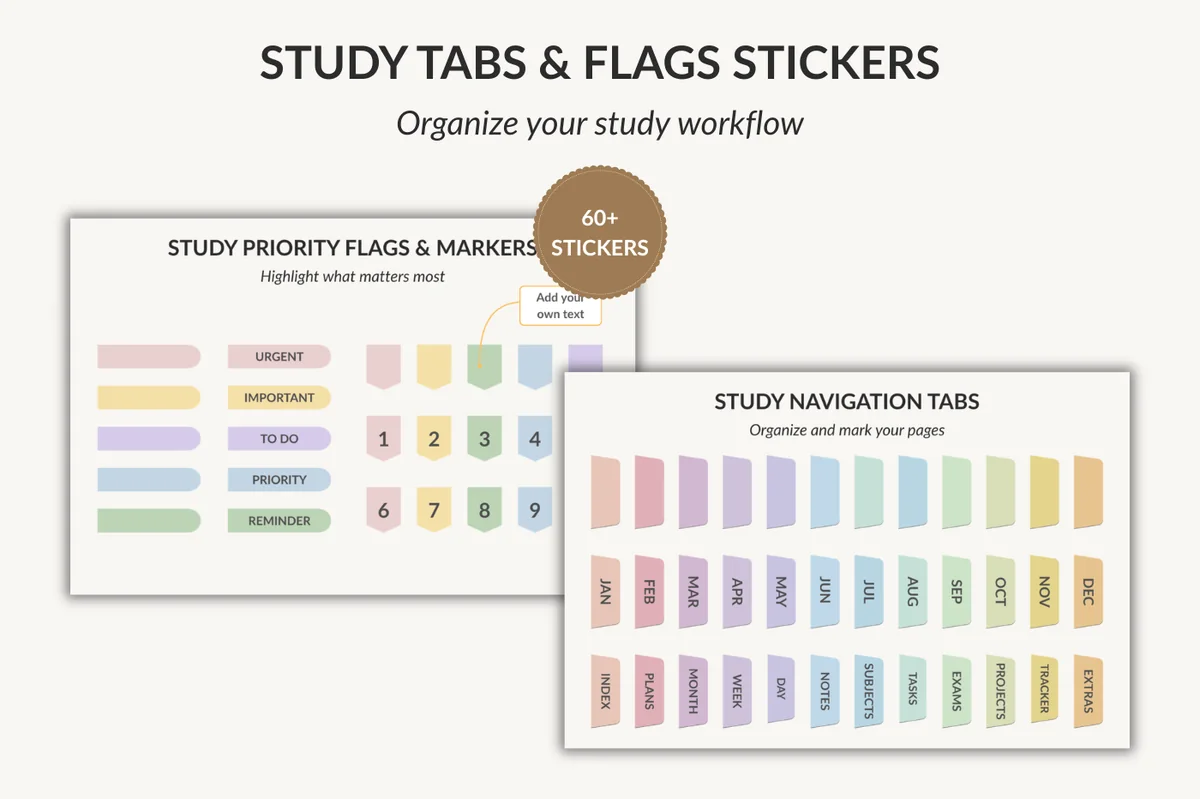
8. Study Tabs & Flags Stickers
Layouts: 60+ tabs and flags: navigation, monthly, subject, exam, priority, numbered, blank
Best for: students, exam planners, color coders. Designed by jamesinspires6.
- 60+ stickers (from the cover): pastel navigation tabs, monthly tabs and planning labels
- Subject markers, task and exam tabs, priority flags (urgent, important, to do, reminder)
- Numbered markers and blank flags for your own text
- Made for digital planners, study notes and GoodNotes on iPad
Tabs make a long notebook usable: a 'notes' or 'exams' flag on the page edge, and you can find the topic before a test in seconds. The rainbow pastels match the color-coding idea below. Brand new (September 2026), so no reviews yet.
Best minimal icons
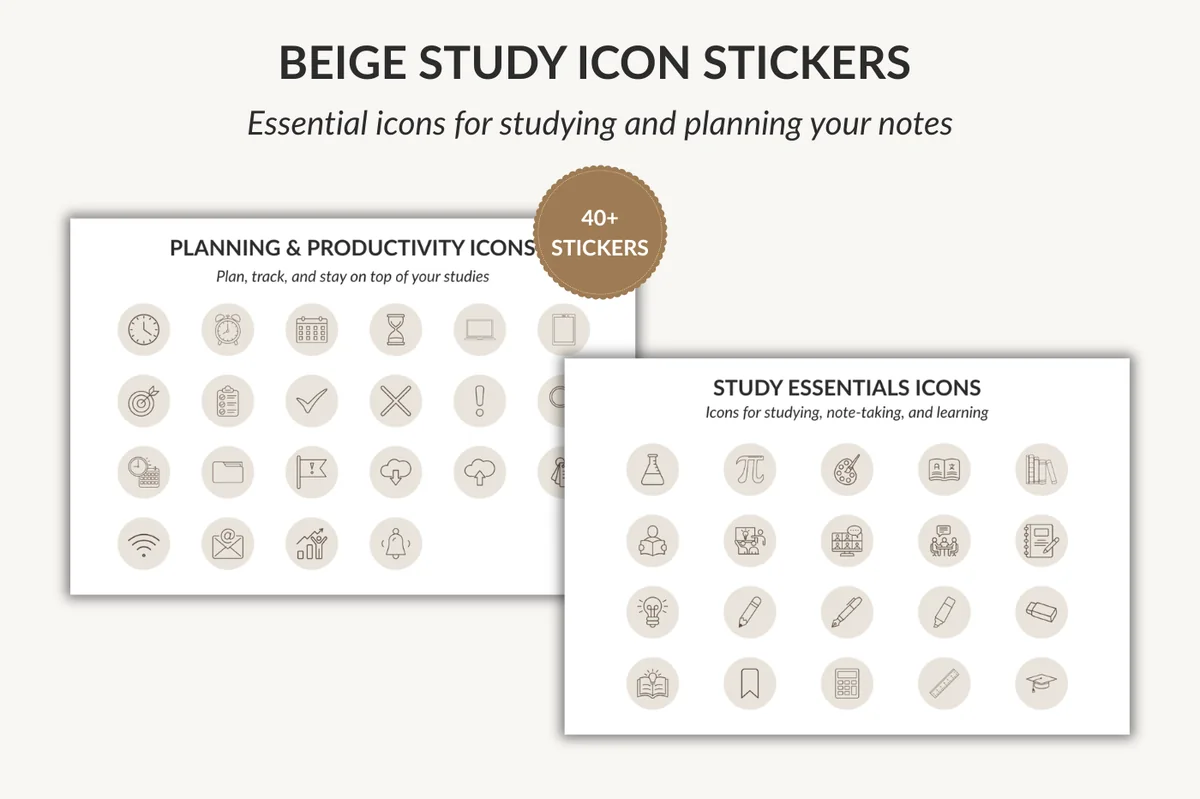
9. Beige Study Icon Stickers
Layouts: 42 beige study and planning icons
Best for: minimalists, students, beige lovers. Designed by jamesinspires6.
- 42 beige icon stickers in round frames
- Study icons: flask, pi, books, calculator, pencil, graduation cap (from the cover)
- Planning and productivity icons: clock, calendar, check, cross, flag
- For GoodNotes, digital planners and study notes on iPad
Small icons do the job of a colored heading without the noise: a flask next to the chemistry section, a clock next to deadlines. Beige on cream is about as calm as decor gets. Same designer and the same September 2026 release as the tabs above.
Best big neutral set
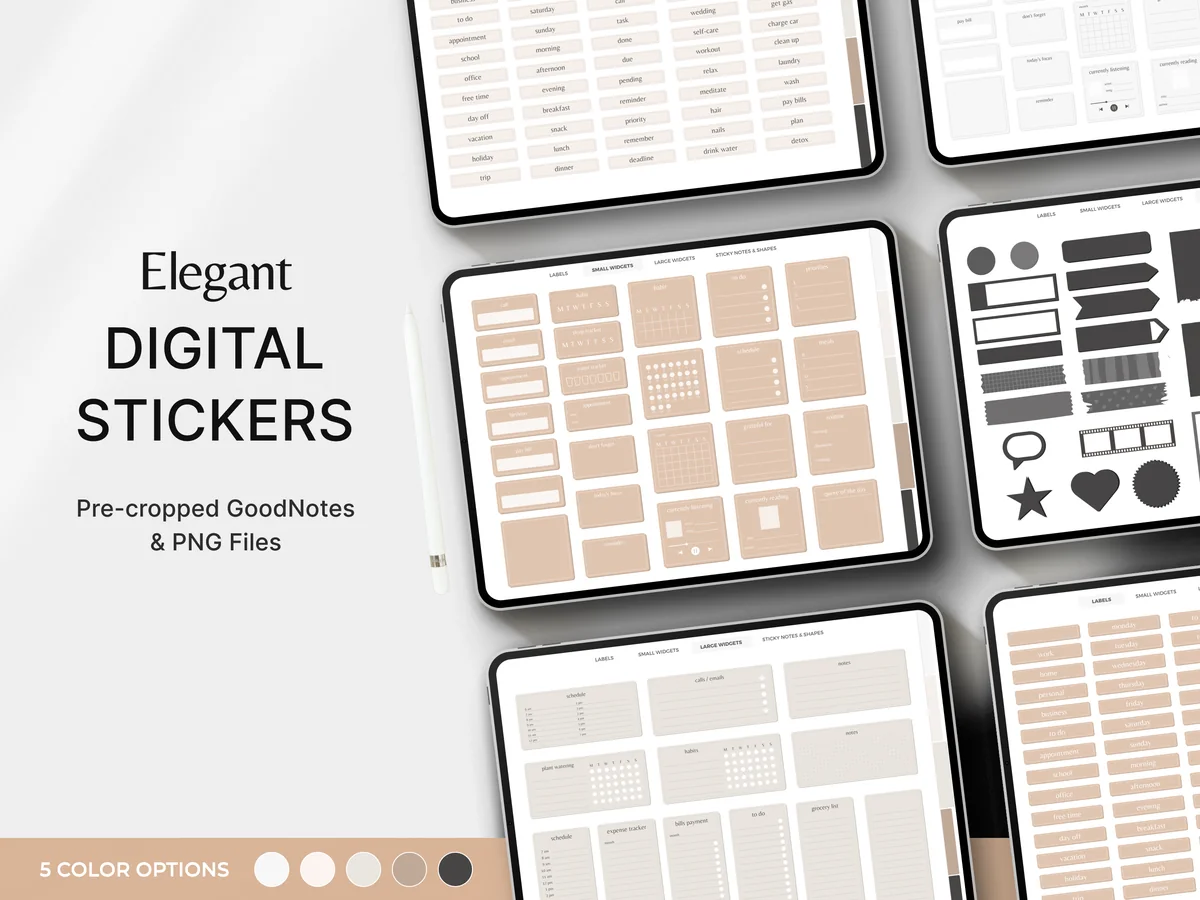
10. Digital Planner Stickers, GoodNotes
Layouts: 660 everyday neutral stickers, 5 color optionsFormat: Hyperlinked GoodNotes sticker book + PNG
Best for: minimalists, everyday planners, sticker book fans. Designed by Makii.
- 660 everyday stickers in a neutral palette, with 5 color options shown on the cover
- A fully hyperlinked GoodNotes sticker book, pre-cropped
- Individual PNG files and a digital sticker guide
- For GoodNotes, Notability, Xodo and Noteshelf; not for OneNote, reMarkable or print
If you'd rather buy one set and stop, this is it: boxes, labels, banners and note frames in muted tones, all in a sticker book you can open next to your notes. The hyperlinked tabs keep 660 stickers from turning into endless scrolling.
Best cozy study decor
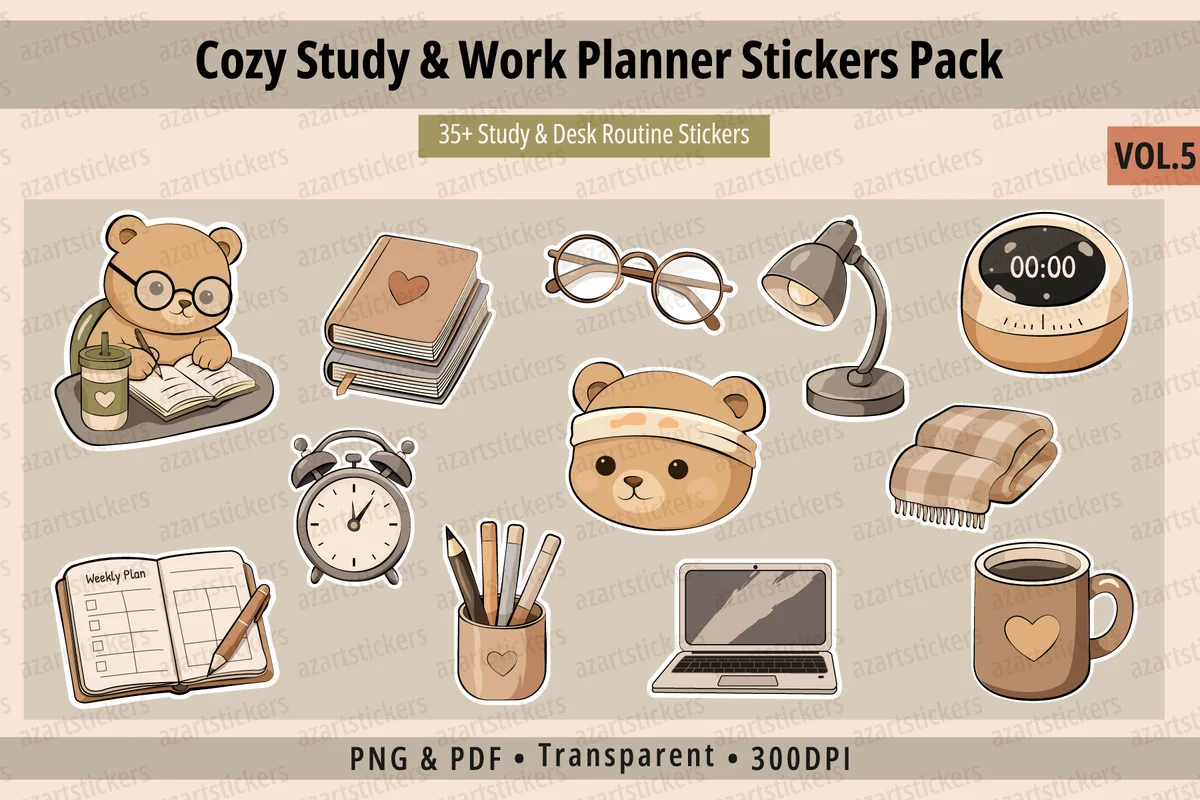
11. Cozy Study & Work Planner Stickers Vol. 5
Layouts: 35+ cozy study and desk stickers with focus labelsFormat: PNG 300 dpi + print-ready PDF sheets
Best for: cozy style fans, students, remote workers. Designed by azartstickers.
- 35+ illustrated stickers: notebooks, laptop, desk lamp, coffee, candles, blankets
- Small motivational labels like Take a Break, Focus Time and Deep Work (from the cover)
- PNG files with a transparent background, 300 dpi, for GoodNotes and digital planners
- Also comes with print-ready sticker sheets (CMYK PDF), if you want paper copies too
This one is pure mood: a cup of coffee in the corner of the page and a 'Focus Time' label over the study block. Use one or two per page so the notes stay the main thing. A few stickers are a cute bear, so it leans cozy rather than minimal. New in 2026.
Quick Comparison
| Set | Type | What's inside | Stand-out extra |
|---|---|---|---|
| 1. Vintage Digital Washi Tape | Washi tape | 12 strips + GoodNotes file | Vintage script and map prints |
| 2. Neutral Marble Digital Washi Tape | Washi tape | 24 strips + GoodNotes file | One beige palette for a whole notebook |
| 3. Digital Washi Tape GOLD PINK FLORAL | Washi tape | 12 PNG strips | Navy, pink and gold florals |
| 4. Digital Sticky Note Stickers | Sticky notes | 25 notes + GoodNotes file | Torn paper and grid textures |
| 5. Pre-cropped PNG Goodnotes Stickers | Sticky notes | 392 notes, 7 colors | Opaque and transparent versions |
| 6. Digital Planners GoodNotes Planner Label | Sticky notes + labels | 6 sheets, 70+ notes | Lined and checklist notes |
| 7. Digital Stickers – Words and Phrases | Word stickers | 50+ words + swatches | Script headers in 2 taps |
| 8. Study Tabs & Flags Stickers | Tabs + flags | 60+ stickers | Exam, subject and priority tabs |
| 9. Beige Study Icon Stickers | Icon stickers | 42 icons | Subject icons in beige |
| 10. Digital Planner Stickers, GoodNotes | Sticker book | 660 stickers | Hyperlinked sticker book |
| 11. Cozy Study & Work Planner Stickers Vol. 5 | Illustrated stickers | 35+ stickers | Focus Time and Deep Work labels |
30 Aesthetic Notes Ideas for iPad
Pick three or four ideas and use them on every page of one notebook, instead of trying something new each time. A consistent look is what makes notes feel aesthetic; variety just makes them busy.
Headers and Titles 1–6
- 1A watercolor swatch with the title written on top
- 2Bubble letters for the main title, plain print for subheadings
- 3A strip of washi tape behind the header instead of a highlight
- 4A typed title in a handwritten font, notes by hand below
- 5Header in a banner or label sticker with the date in the corner
- 6A chapter number in a large outlined digit next to the title
Color 7–12
- 7Three colors per notebook: one for headers, one for key terms, one for notes
- 8One color per subject, used for its tabs, headers and sticky notes
- 9Pastel highlighter on dark ink, never a dark highlighter on dark ink
- 10Beige or cream paper instead of bright white
- 11A dark page with light ink for night study
- 12Gray for side comments, so the main notes stay in front
Layouts 13–18
- 13Cornell layout: cues on the left, notes on the right, summary at the bottom
- 14Two columns: definitions on one side, examples on the other
- 15A mind map in the middle of the page for a whole chapter
- 16A summary box on a sticky note at the top of every lecture
- 17Wide margins for doodles, questions and later additions
- 18Dot grid paper for boxes and diagrams that line up
Decor That Helps You Study 19–24
- 19Washi tape across a corner, as if a photo or note were taped in
- 20A sticky note with the formula or date you must remember
- 21Small icons as bullet points: a flask for experiments, a clock for deadlines
- 22Exam and priority flags on the page edge
- 23Pasted diagrams or screenshots framed with washi tape
- 24A small doodle or sticker that matches the topic, one per page
Notebook-Wide Style 25–30
- 25A matching cover for each subject notebook
- 26A contents page with links or tabs to every chapter
- 27One theme per notebook: vintage, beige minimal, pastel or cozy
- 28The same header style on every page, saved as a sticker
- 29A review page at the end of each chapter with key terms only
- 30A sticker book open in split view next to your notes
Ideas 7 and 28 do most of the work. A fixed palette and one saved header style make even plain lined paper look designed. For ready color schemes, see my GoodNotes color palettes, and for Cornell, grid and dot paper, my GoodNotes note templates.
What Makes Notes Look Aesthetic
It’s rarely the decor. Pages look aesthetic when they follow a few quiet rules:
- A limited palette. Two or three colors plus your ink. More than that and nothing stands out.
- Clear hierarchy. Title, subheading and text look different from each other, and every title looks the same.
- White space. Margins and gaps between sections let the page breathe.
- Alignment. Headers start at the same spot and boxes line up, which is where grid or dot paper helps.
- Decor with a job. A sticky note holds the summary, a flag marks an exam topic, washi tape frames a diagram.
How to Make Aesthetic Notes on iPad in 5 Steps
- Choose a style for the notebook. Vintage, beige minimal, pastel or cozy. Pick a matching washi tape set and sticky notes once, so you never choose again mid-lecture.
- Set up the paper. Lined or dot grid in cream or white; Cornell if you want cues and a summary built in.
- Write first, decorate later. In class, take notes in one ink color and leave space for the header. Decor comes after, in five minutes.
- Add the header and one or two accents. A header sticker or swatch, a strip of washi tape, a sticky note with the summary. Stop there.
- Color the key terms. Highlight or recolor only definitions and things you’ll be tested on, so the color still means something.
The order matters. Decorating while you listen is how pretty notes miss half the lecture; decorating after is also a quick first review of the material.
How to Write Neater on iPad
- Zoom in. Use the zoom window in GoodNotes or zoom the page, so you write at the size that’s comfortable and it shrinks on the page.
- Slow down for headers only. Normal speed for notes, careful letters for the title.
- Use lines or a grid. They keep the baseline straight even if you hide them later.
- Try a matte screen protector. A paper-like surface adds friction, and many people find their writing gets steadier.
- Turn on palm rejection and rest your hand on the screen as you would on paper.
- Let a font do the titles. If your headers never look right, type them in a handwritten font and keep your own writing for the notes.
Are Aesthetic Notes a Waste of Time?
They can be, if the decorating becomes the studying. Two checks keep them useful: the page should be readable at a glance a month later, and decor should take no more than five minutes per page. With saved stickers and a fixed style that’s easy on an iPad. What you get back is notes you actually want to open again, and a page structure (summary, key terms, flags) that makes review faster.
How to Set Up Stickers and Fonts in GoodNotes
- Unzip the files in the Files app on your iPad.
- Sets with a GoodNotes file: open the pre-cropped sticker file or import the collection file, as the seller’s guide explains, and the stickers show up in your GoodNotes elements panel.
- Sets with PNGs only: save the images to Photos or Files and add them to a page with the image tool. Once one is on the page, select it with the lasso and save it as an element, so it’s one tap away next time.
- Sheets of stickers: crop the pieces you want with the lasso and save each one the same way.
- Fonts: install the .otf file on the iPad (iPadOS needs a font installer app for this), then pick the font in the GoodNotes text tool.
- Keep a sticker book open in split view or as a tab next to your notebook, and drag stickers across.
Notability and other iPad note apps work the same way with PNG stickers: insert an image, resize, done. For more sticker sets, see my GoodNotes stickers and digital scrapbook stickers; for a notebook to put it all in, my GoodNotes covers and digital study planners.
Inserting a PNG is only part of the routine. The iPad note-taking app comparison also looks at reusable sticker libraries and PDF navigation, useful differences when your decorated notes share an app with a planner.
FAQ
What are aesthetic notes?
Aesthetic notes are study or meeting notes laid out to look calm and pretty: a small color palette, clear headers, white space and a little decor like washi tape or sticky notes. Good ones are still easy to read and review.
How do I make my notes look aesthetic on iPad?
Choose two or three colors for the whole notebook, use the same header style on every page, leave margins, and add one or two accents per page, such as a strip of digital washi tape or a sticky note with the summary. Saving your stickers in GoodNotes makes this a few taps.
What is the best app for aesthetic notes on iPad?
GoodNotes and Notability are the most popular for handwritten notes because they handle stickers, custom paper and PDFs well. I compare the two in GoodNotes vs Notability. Apple Notes works for simple pages but has fewer options for paper and stickers.
Can I make aesthetic notes without an Apple Pencil?
Yes. Type the notes with the text tool, use a handwritten font for headers, and add washi tape, sticky notes and icons as stickers. A cheaper stylus also works for short handwriting; the Apple Pencil mostly helps with neat small writing.
How do I add digital washi tape in GoodNotes?
If the set includes a GoodNotes file, import it and the strips appear with your stickers. If it’s PNGs only, add a strip with the image tool, resize and rotate it, then lasso it and save it as an element for next time.
How do I take aesthetic notes faster?
Take the notes first and decorate after, in one five-minute pass. Keep a fixed palette and a saved header, so there are no choices to make. And use templates with the layout already on the page, like Cornell or two-column paper.
Final Thoughts
Aesthetic notes come from a few fixed choices, not from more decor: one palette, one header style, a strip of washi tape, a sticky note for the summary. Make those choices once per notebook, save them as stickers, and every new page looks good in five minutes. If you’re starting from scratch, pair one washi set with one sticky note set and the words-and-phrases headers, then add more only when you miss something. For more ideas, browse all how-to guides or my study planner ideas. If you sketch headers in Procreate first, my Procreate color palettes make that one palette easy to pick. A few flower stickers or study stickers make good accents once the basics are set.
You May Also Like
This post contains affiliate links. If you buy through them, I may earn a small commission at no extra cost to you. Learn more.