You draw a tiny coffee cup beside Monday, then spend longer searching through brushes than sketching the handle. Choosing Procreate sketch brushes for iPad gets easier when you separate the marks you draw yourself from the textures you add afterward.
The cup’s sketch lines and a wisp above it are separate brush jobs. For that second detail, compare Procreate smoke brushes by the control you need over a small trail, rather than choosing another pencil texture.
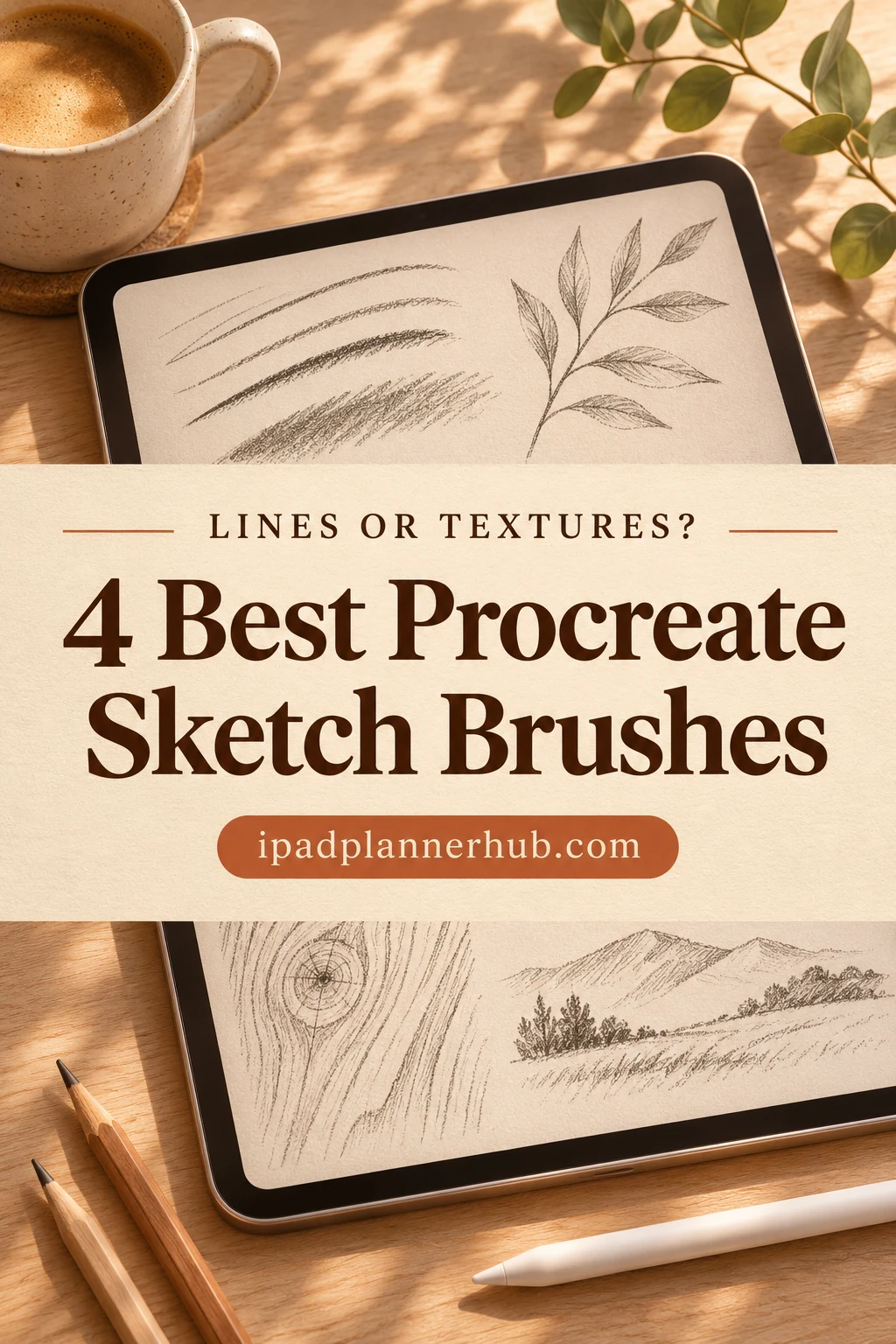
I selected four sets with distinct jobs: a compact sketching kit, a larger soft illustration collection, wood grain and foliage. The first two are starting points for freehand drawing. The other two are optional additions for a particular scene, so you do not need all four to begin.
Four Procreate Sketch Brushes for iPad, Sorted by the Marks They Make
I compared the product descriptions and stroke previews to give each set a clear role. I have not tested these brushes hands-on.
TL;DR: Four sets with different jobs: an 8-brush sketch kit, a 39-brush sketch-to-color collection, and specialist wood and foliage textures. Start with a general drawing set; add a texture pack only when your planned doodles need it.
Quick Picks
- Best for a small sketching kit: Sketch Brushes for Procreate
- Best for sketching into soft color: Procreate Sketch Soft Brushes
- Best for sketchy wood surfaces: Procreate Wood Sketch Brushes X 18
- Best for foliage in a sketched scene: Procreate Foliage Sketch Brushes X 22
- Sketch Brushes for Procreate – Best for a small sketching kit
- Procreate Sketch Soft Brushes – Best for sketching into soft color
- Procreate Wood Sketch Brushes X 18 – Best for sketchy wood surfaces
- Procreate Foliage Sketch Brushes X 22 – Best for foliage in a sketched scene
Best for a small sketching kit
1. Sketch Brushes for Procreate
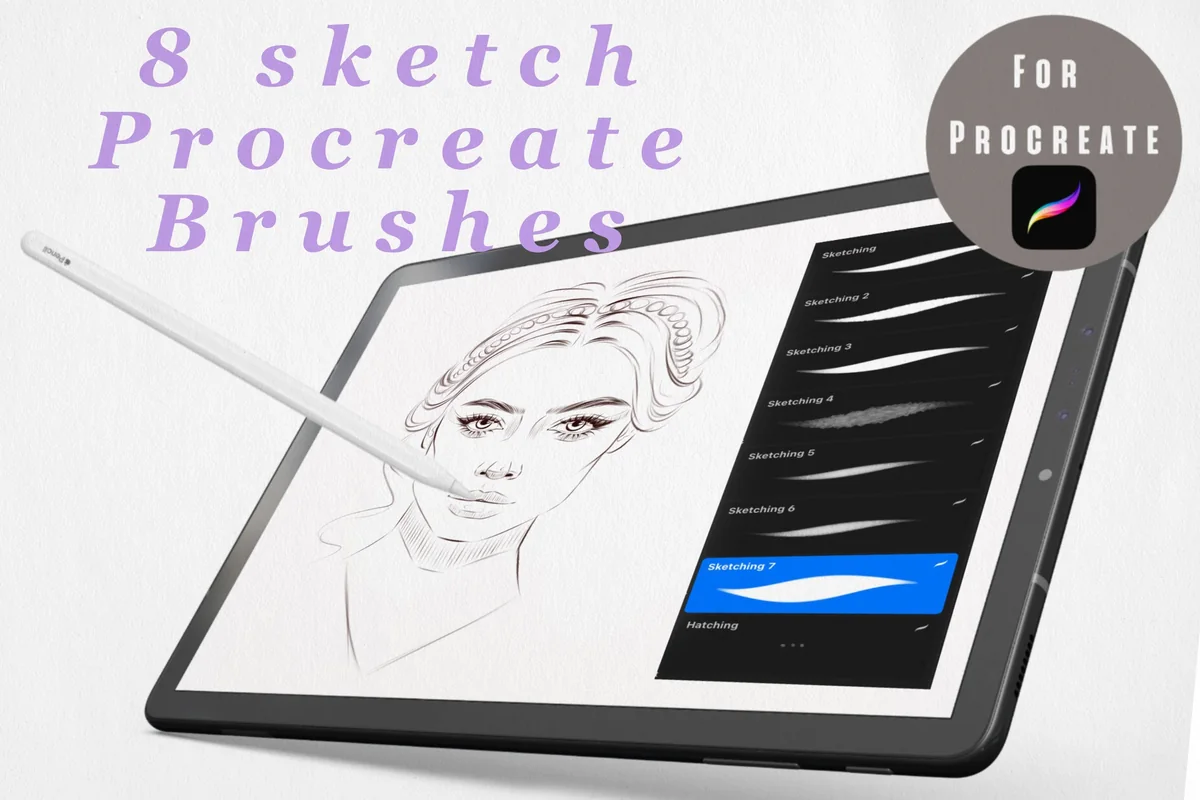
Best for: drawing your own outlines and shaded doodles. Designed by Ssolovyeva Designs.
- 8 sketch brushes for Procreate on iPad
- Preview shows seven sketching brushes and a hatching brush
- Samples include fine dark lines, softer gray strokes and hatching
I like the clear split between sketching strokes and hatching in this small kit. For a plant-pot doodle, that gives you an outline option and a way to suggest shadow without sorting through a painting collection. Pressure and tilt behavior are not specified, so check with the seller if either is essential.
Best for sketching into soft color
2. Procreate Sketch Soft Brushes
Best for: developing a rough character doodle into a shaded illustration. Designed by EasyProcreate.
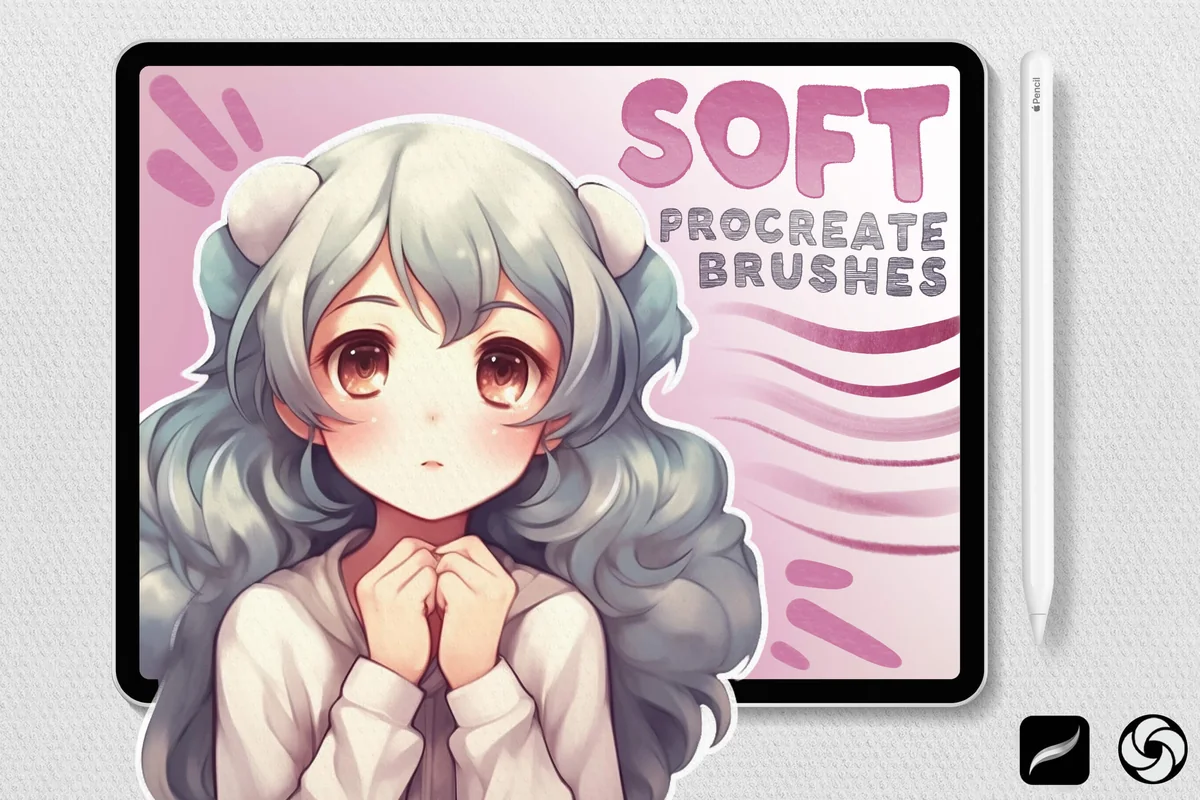
- 39 Procreate brushes in the set
- Sketch, drawing, shading, blending, pencil and paper brushes
- Previews show pencil-like outlines and soft anime-style finished art
- Paper-texture comparison shown in the gallery
The broadest sketch-to-color option here pairs pencil and sketch tools with shading, blending and paper brushes. It suits a doodle you want to develop into the soft illustrated style shown in the gallery. For a rough monochrome outline, much of the 39-brush collection may go unused.
Best for sketchy wood surfaces
3. Procreate Wood Sketch Brushes X 18
Best for: adding grain to a drawn cabin, shelf or wooden sign. Designed by Mini Trezò Design.
- 18 digital Procreate brushes for sketch-style wood effects
- Preview includes a sheet of varied grain and broken textured marks
- Listing describes resizing and opacity adjustments
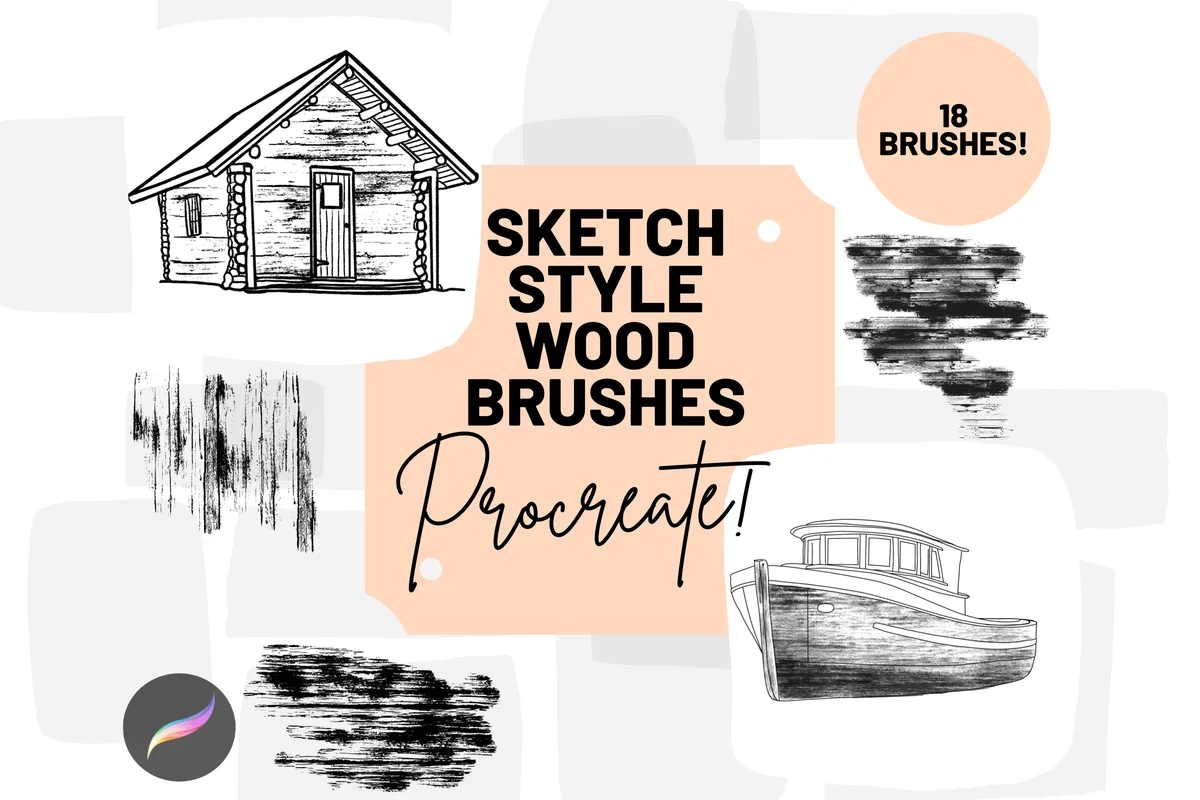
The cabin and boat on the cover show where these grain marks belong: inside a wooden form you have drawn. I see this as an addition for rustic journal art, with broken scratches and denser textures to compare on the sample sheet. It offers surface detail rather than a general-purpose outline kit.
Best for foliage in a sketched scene
4. Procreate Foliage Sketch Brushes X 22
Best for: building leafy shrubs, grassy ground and garden backgrounds. Designed by Mini Trezò Design.
- 22 Procreate digital brushes
- Paper brush plus foliage, shrubbery, floral and ground-cover sketch brushes
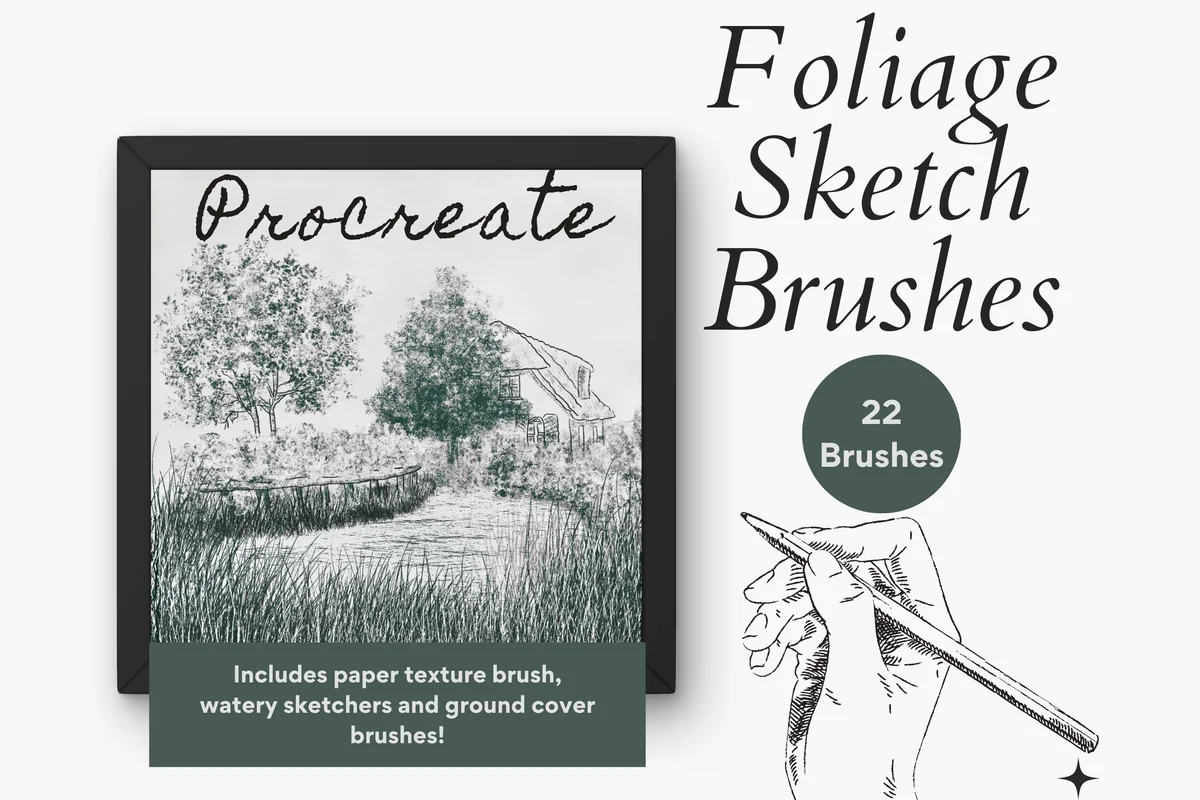
- Gallery shows varied leafy masses, grass strokes and a paper-texture sample
- Listing specifies Procreate, an Apple Pencil and iPad Pro
Sparse leaf clusters, dense shrubs and grass strokes give this pack a specific job in a garden scene. The seller requires an iPad Pro and Apple Pencil, so check your setup before buying. The included paper brush can add another texture; use it sparingly on a planner page that already has a textured background.
Quick Comparison
| Set | Role | Contents | Main distinction |
|---|---|---|---|
| 1. Sketch Brushes for Procreate | General sketching | 8 brushes | Lines and hatching |
| 2. Procreate Sketch Soft Brushes | Sketch and painting kit | 39 brushes | Shading, blending and paper |
| 3. Procreate Wood Sketch Brushes X 18 | Specialist texture kit | 18 brushes | Wood-grain effects |
| 4. Procreate Foliage Sketch Brushes X 22 | Specialist nature kit | 22 brushes | Foliage, grass and paper |
A Pencil Line and a Texture Brush Solve Different Problems
Choose the mark your drawing needs before choosing the biggest pack. A main drawing set and a specialist texture set do different jobs.
A sketch can also become the starting layer for a painting. If your next step calls for visible bristle strokes or thick-looking petals, these Procreate oil paint brushes compare those painting roles separately from the pencil lines and specialist surface textures in this shortlist.
Draw the outline
- 1Small sketching kit: Ssolovyeva offers eight brushes for lines, softer marks and hatching.
- 2Sketch into soft color: EasyProcreate adds shading, blending and paper effects across 39 brushes.
Add a surface
- 1Wood: use the wood-grain set when the drawing includes a desk, sign or other wooden surface.
- 2Foliage: choose leaves and grass for a plant or garden scene. These specialist packs do not replace a general outline set.
My first choice would be the main drawing set. Add a specialist effect when a particular page calls for it.
Read Stroke Samples Before Falling for the Finished Artwork
The plain stroke sheet is often more useful than the finished portrait. Inspect these details at the scale of a small planner illustration:
- Line edge: Ssolovyeva shows narrow dark marks, diffuse gray strokes and hatching. Compare the outline you need with the shadow you want.
- Soft finish: EasyProcreate shows sketch stages, finished illustrations, blending examples and a with/without-paper comparison. The pack is broader than a set of interchangeable pencils.
- Texture density: compare fine wood scratches with darker marks, and sparse foliage with dense clusters. A texture that suits large sketchbook drawings may crowd a weekly-page corner.
Still untested: pressure response, tilt and feel under your hand cannot be established from a product picture. Ask the seller if one of these is essential.
Give One Doodle a Clear Path from Rough Shape to Finished Mark
Use one ordinary subject for comparison, such as a mug with a leaf beside it. Keeping the subject the same makes the brush differences easier to judge.
Shape → shadow
- 1Keep a readable contour. Decide whether the mug should retain rough searching lines or have a cleaner sticker-like edge.
- 2Choose one shadow approach. Use visible hatching or a soft tone before layering extra textures.
Detail → page size
- 1Give texture a job. Wood grain belongs on the tabletop; foliage belongs where a plant helps the composition. Leave space for writing.
- 2Zoom out. Check the doodle at its intended journal size. Simplify crowded interior detail before adding another brush.
For smoother contours, compare our Procreate lineart brushes. This shortlist focuses on rough marks and textured drawing.
For a sketch intended as a digital flash illustration, the next choice is how the contour and shadow work together. The Procreate tattoo brush comparison separates liners, soft shading and dotwork for drawing on an iPad, with a workflow that starts from your own rough motif.
Keep the Brush Pack in Procreate and the Planner Page in Mind
Before buying
- 1App: these are Procreate tools, not new writing pens for GoodNotes.
- 2Device: the foliage seller specifies iPad Pro and Apple Pencil. Ask about other setups; the remaining listings do not provide a complete compatibility table.
Before drawing
- 1Import brushes: a .brush file holds one brush; .brushset holds a set. Follow the official Procreate guide and the purchase instructions. A preview image is not the brush file.
- 2Keep the page simple: start with a small color range and retain the original artwork while deciding where it belongs.
A book beside a reading list or a mug by a morning routine can be enough. For coordinated soft colors, see our Procreate color palettes.
FAQ: Choosing a Sketch Brush Pack
Do I need a paid brush pack to start sketching?
No purchase is required just to decide what kind of mark you like. Try the brushes already available in your installed app first. Consider an extra pack when you can name the missing effect, such as a particular sketch line or a wood-grain texture, rather than buying a large collection before making a first doodle.
Which of these sets makes sense for a beginner?
Ssolovyeva’s eight-brush set offers the smaller menu; compare its stroke samples with the brushes you already have. EasyProcreate adds tools for soft shading and color. Neither pack is described as a drawing course, so choose tutorials separately if you need instruction.
If the missing effect is broken, crayon-like color rather than another sketch line, compare these Procreate pastel brush sets. The selection distinguishes painting marks from paper backgrounds and a dedicated smudger, so you can identify which part belongs in your illustration.
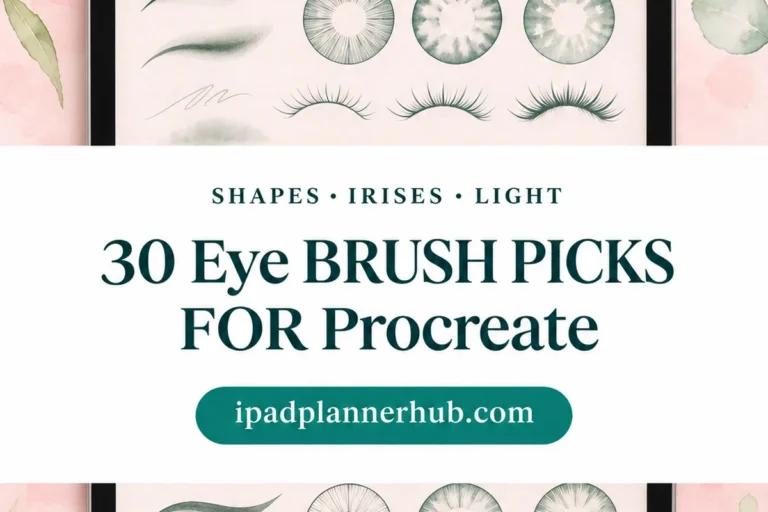
For a character study, a general sketching kit and a prepared eye shape offer different kinds of help. The Procreate eye brush comparison distinguishes outlines, irises and catchlights, so you can identify the missing component without expecting a stamp to teach portrait drawing.
Are the wood and foliage packs substitutes for pencil brushes?
Their purpose is specialist sketch-style effects. Wood grain, leafy clusters and grass can support a scene, but they do not provide the same role as a general outline brush. Choose one only if that surface or subject is part of your intended drawing.
A building scene may need masonry alongside its wood and foliage. The Procreate brick brush comparison separates loose architectural marks from continuous wall textures, so you can choose a surface that suits the weight of your sketch lines.
Leafy texture will not necessarily give you the outline of a whole tree. If that is the missing subject in your sketch, these Procreate tree brushes compare complete silhouettes and branching forms rather than treating foliage marks as interchangeable with trees.
Does a bigger brush count mean a better set?
The counts describe contents, not a quality score. EasyProcreate’s 39 brushes cover several stages of illustration, while Ssolovyeva’s eight stay focused on sketching. A smaller set can be the better fit when you want fewer choices; the larger one makes more sense when you need its additional roles.
Can I use these brushes in GoodNotes?
The listings describe Procreate brushes, not GoodNotes pen tools. Use them for creating artwork in Procreate. Do not buy them expecting the brush files to install as a new GoodNotes writing instrument.
Will the finished drawing look exactly like the cover?
The covers show examples made with an artist’s drawing and composition decisions. They are useful style references, but they do not establish what a brush will produce in your hand. Look at stroke samples and stated contents before judging a pack by the finished artwork alone.
Choose the Mark You Are Missing
My starting point for Procreate sketch brushes for iPad is one unresolved drawing problem. For a compact selection of lines and hatching, compare the eight-brush Ssolovyeva set. For a sketch that you want to develop into soft color, look more closely at EasyProcreate’s wider kit. Leave wood and foliage for the drawing that actually needs them.
Before buying, sketch the intended object with your current tools and name what is missing. “A broken wood texture” is a useful answer. “More brushes” is harder to act on. For other planner-art directions, browse our Procreate brushes for planner art.
When a sketch moves on to hair, compare these Procreate hair brushes to choose between drawing strands and placing a stamp. For a separate surface treatment, see these Procreate paper texture brushes and decide whether a paper finish belongs in your sketch.
You May Also Like
This article contains affiliate links. I may earn a commission if you purchase through them, at no extra cost to you. See our affiliate disclosure.