Lettering looks easy on Pinterest and wobbly on your own page. What fixes it is repetition on a guide: you trace the same stroke and the same letter until your hand knows the shape. Lettering practice sheets give you that guide, and on the iPad you never run out of copies. Drop a sheet into Procreate or GoodNotes, trace it, clear it, and trace again.
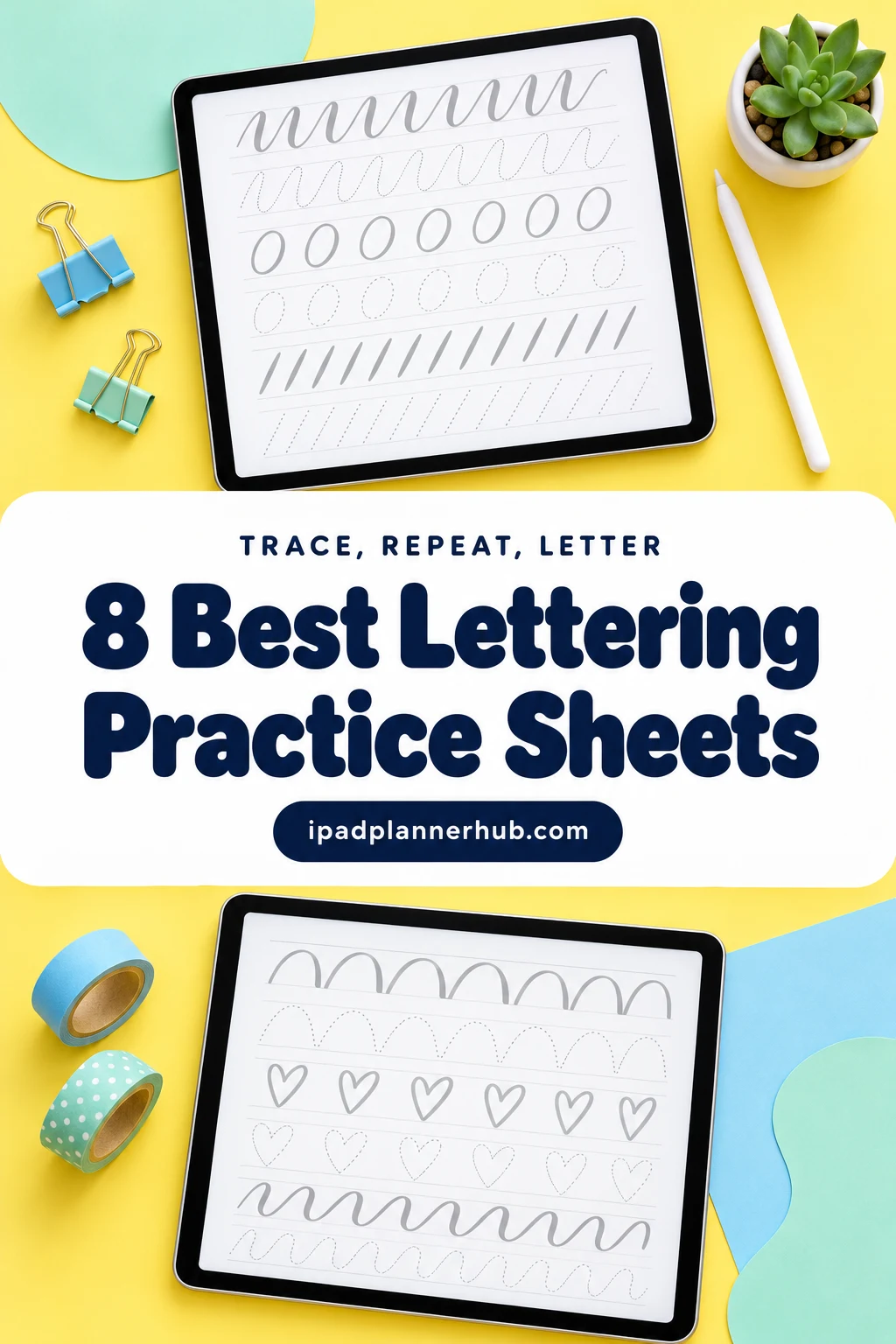
Below are 8 practice sheet sets from Creative Fabrica that I’d pick for the iPad, from basic strokes and full script alphabets to faux calligraphy, bouncy letters and a 30-day quote drill. After the list: how to set a sheet up in Procreate and GoodNotes, which style to start with, brush settings that help, and a 10-minute daily drill.
The 8 Best Lettering Practice Sheets for iPad I Found
I skipped paper-only workbooks, Canva templates, kids’ handwriting tracing and sets without a file you can open on the iPad. Every pick names Procreate, GoodNotes or the iPad in its description. The list goes in four groups: where to start (1–2), script alphabets (3–4), modern styles like faux calligraphy and bounce lettering (5–6), and monoline letters plus daily practice (7–8).
TL;DR: 8 lettering practice sheet sets from Creative Fabrica that work on the iPad: 2 to start with (mixed styles and basic strokes), 2 script alphabets, 2 modern styles (faux calligraphy and bouncy), plus monoline letters and a 30-day quote drill. Each card says what's inside, the paper size and whether there's a Procreate file or a brush in the set.
Quick Picks
- Best overall: Hand Lettering Practice with 6 Styles
- Best for your first strokes: Beginners Basic Brush Stroke Worksheets
- Best for a full script alphabet: Brush Lettering Practice Sheets
- Best for practice in GoodNotes: Digital and Printable Calligraphy Sheets
- Best for faux calligraphy: Faux Calligraphy Practice Sheets 3
- Best for bounce lettering: Bouncy Hand Lettering Worksheets
- Hand Lettering Practice with 6 Styles – Best overall
- Beginners Basic Brush Stroke Worksheets – Best for your first strokes
- Brush Lettering Practice Sheets – Best for a full script alphabet
- Digital and Printable Calligraphy Sheets – Best for practice in GoodNotes
- Faux Calligraphy Practice Sheets 3 – Best faux calligraphy
- Bouncy Hand Lettering Worksheets – Best bounce lettering
- Monoline Hand Lettering Worksheets – Best monoline letters
- 30 Days Lettering Worksheet Practice – Best daily practice

Best overall
1. Hand Lettering Practice with 6 Styles
Layouts: 100 words in 6 styles, 100+ pages, blank sheetFormat: PDF + 2 Procreate brushes + color palette
Best for: lettering beginners, style explorers, journal header makers. Designed by jenstrokeandstyle.
- 100 words written in 6 styles: modern, bouncy, faux, expanded, capital and flourished
- Days of the week, months, greetings, seasons, positive words and quotes, plus a blank practice sheet
- PDF in A4 and US Letter, more than 100 pages
- A hand lettering brush, a monoline brush and a color palette for Procreate (the brushes are pressure sensitive)
Most beginners don't know yet whether they like a bouncy script or a clean capital, and this set lets you try all six on the same word, line after line. The two Procreate brushes are a nice touch: you can trace with the exact brush the sheets were made for instead of guessing which one matches.
Best for your first strokes
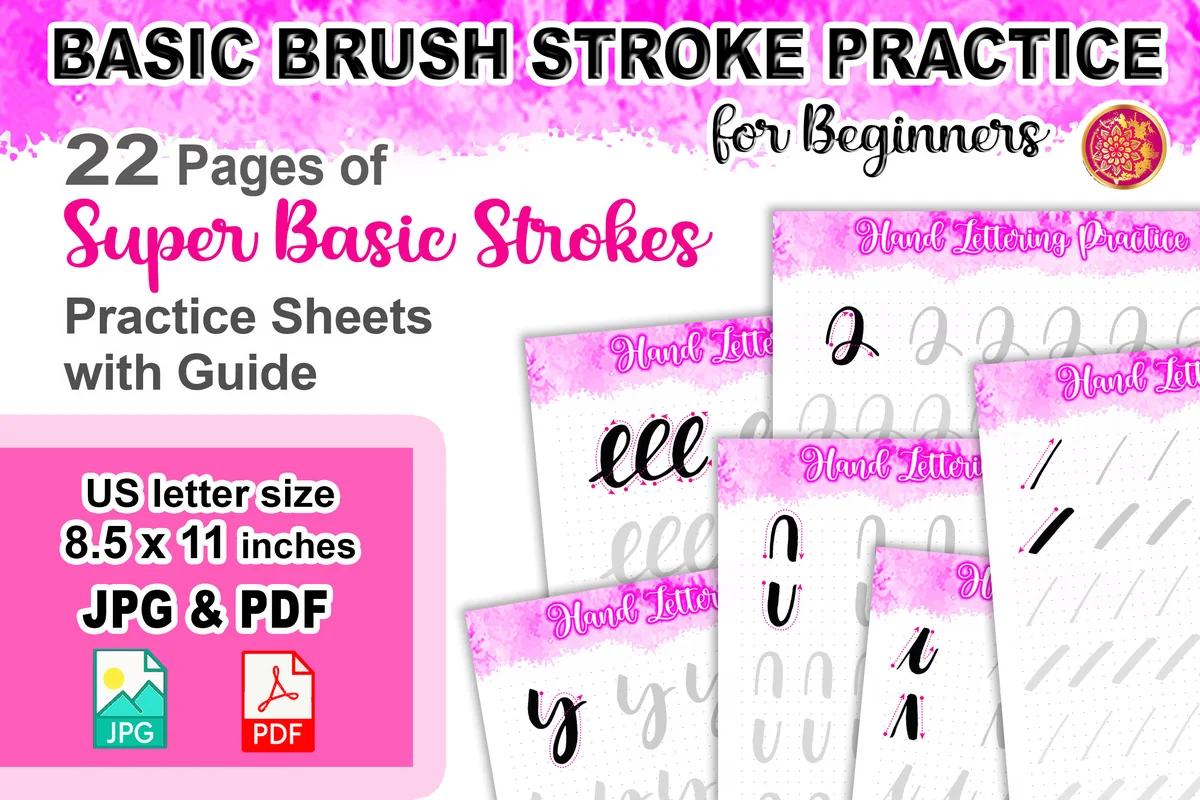
2. Beginners Basic Brush Stroke Worksheets
Layouts: 22 basic stroke sheets with guideFormat: PDF + 22 JPG
Best for: absolute beginners, Procreate users, brush pen learners. Designed by V Design Stock.
- 22 pages of basic strokes with a guide: thin upstrokes, thick downstrokes, ovals, loops and curves
- 1 PDF with all 22 pages plus 22 separate JPG files
- US Letter size (8.5 x 11 in)
- Made for Procreate with an Apple Pencil, or to print for brush pens
Letters are just basic strokes joined together, and this set drills the strokes before any alphabet shows up. It's the least exciting page you'll trace, and the one that fixes the most later. The separate JPGs make it easy to drop one stroke at a time onto a Procreate canvas.
Best for a full script alphabet
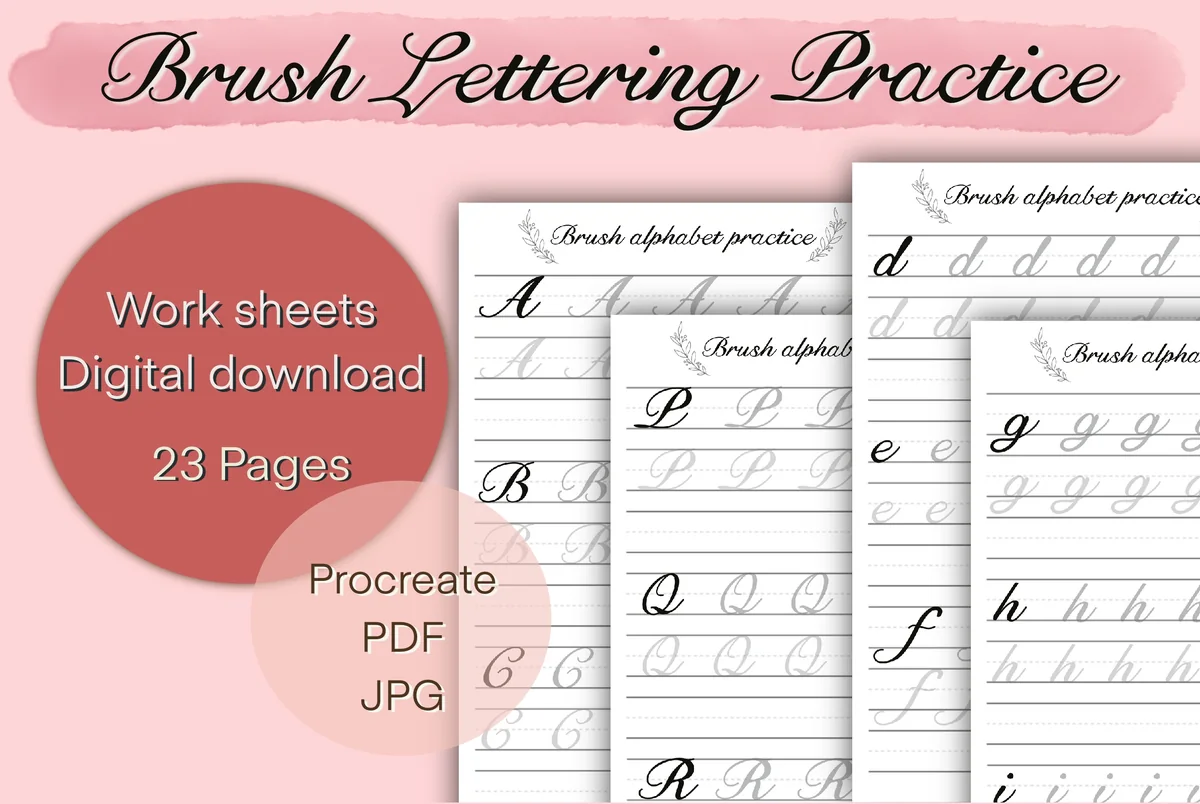
3. Brush Lettering Practice Sheets
Layouts: A–Z, a–z, 0–9, days of the week, blank sheets (23 pages)Format: PDF + Procreate files + JPG, 300 DPI
Best for: script lovers, Procreate users, beginners. Designed by Aloe_wannaart.
- Uppercase A–Z, lowercase a–z and numbers 0–9
- Days of the week sheet and blank lettering sheets
- 23 A4 pages, 300 DPI
- PDF, Procreate files and JPGs in one ZIP
This one comes with Procreate files next to the PDF and JPGs, so the sheets go straight into the app you letter in. The classic script with thin and thick strokes is the style most people picture when they think of brush lettering, and the blank sheets are handy once the alphabet feels easy.
Best for practice in GoodNotes
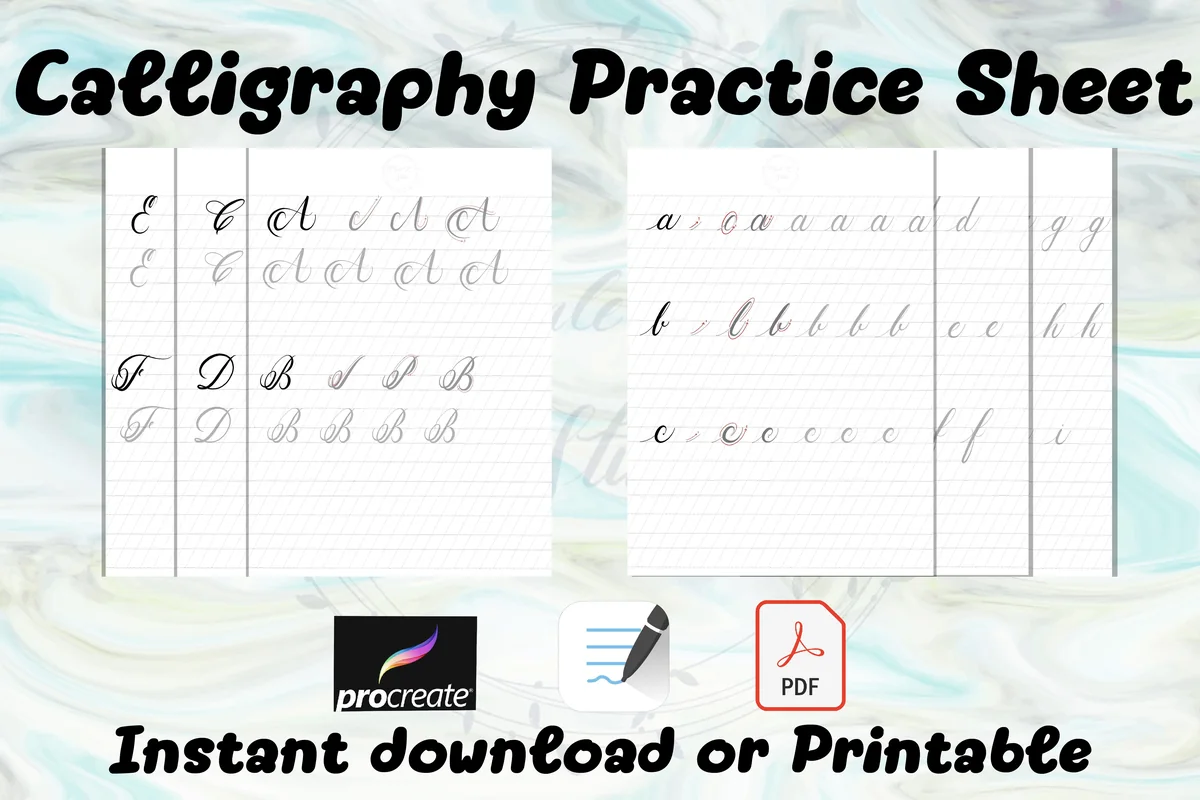
4. Digital and Printable Calligraphy Sheets
Layouts: Capital and lowercase calligraphy letters with stroke guidesFormat: PDF + Procreate file
Best for: GoodNotes users, Notability users, calligraphy beginners. Designed by koravee.k.
- Capital and lowercase calligraphy letters in two folders
- Pink guide strokes show where each thick and thin line goes
- PDF files in A4 plus a Procreate file
- Imports into GoodNotes, Notability or Procreate on the iPad
If GoodNotes is your main app, a PDF sheet is the easiest format: import it as a notebook and write over it with the fountain pen tool. The colored guide strokes inside the letters are what I like here, because they show the stroke order rather than only the finished shape.
Best faux calligraphy
5. Faux Calligraphy Practice Sheets 3
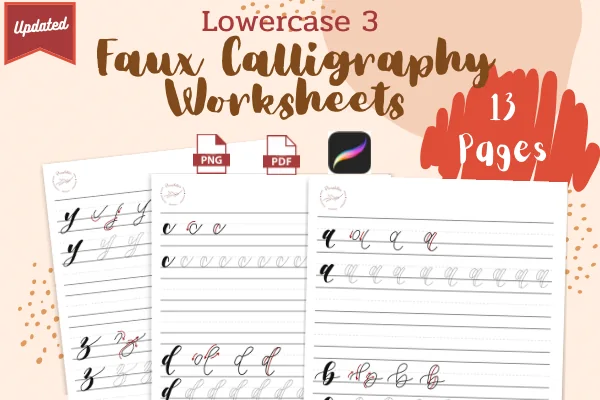
Layouts: 13 lowercase faux calligraphy sheetsFormat: JPG + PDF
Best for: no-pressure-brush letterers, beginners, journalers. Designed by Panchitas Designs.
- 13 pages of lowercase faux calligraphy
- Each letter is broken into red steps that show where the second line thickens the downstroke
- 8.5 x 11 in sheets
- JPG and PDF files to bring into Procreate or to print
Faux calligraphy is the shortcut for anyone without a pressure brush: you write the word with a monoline pen and then thicken the downstrokes by hand. The red step-by-step strokes on these sheets show where that extra line goes, which is the part people usually get wrong.
Best bounce lettering
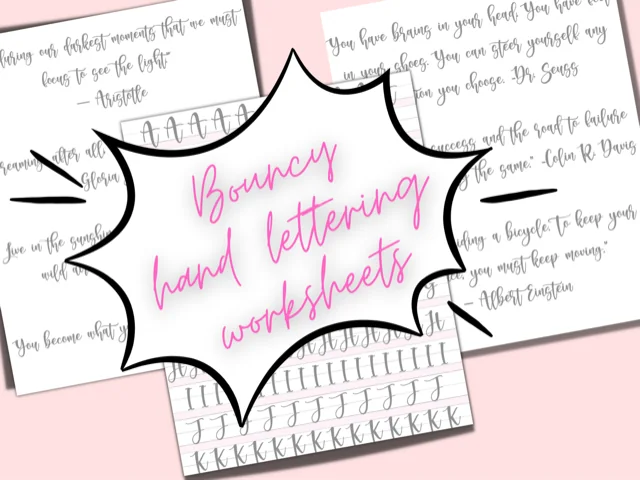
6. Bouncy Hand Lettering Worksheets
Layouts: 6 alphabet pages + 8 quote pagesFormat: Procreate worksheets + PDF + 3 Procreate brushes
Best for: journal header makers, quote letterers, Procreate users. Designed by craftynerdco.
- 14 Procreate worksheets: 6 pages of upper and lowercase letters, 8 pages of quotes
- 3 Procreate hand lettering brushes
- PDF versions of the worksheets too
- Step-by-step notes for opening the ZIP and importing on an iPad
Bounce lettering, where letters sit above and below the line, is what makes a journal header look relaxed instead of formal. This is the most Procreate-ready set on the list: worksheets made for the app, three brushes and short iPad import notes for anyone who has never unzipped a file on a tablet.

Best monoline letters
7. Monoline Hand Lettering Worksheets
Layouts: 26 uppercase, 26 lowercase, 10 numbers (62 sheets)Format: PDF + 62 JPG
Best for: planner label writers, beginners, neat note takers. Designed by V Design Stock.
- Playful monoline style: 26 uppercase, 26 lowercase and 10 number sheets
- 62 JPG worksheets plus one PDF with everything
- US Letter size (8.5 x 11 in), a stroke guide on every sheet
- For Procreate with an Apple Pencil, or to print
Monoline is the friendliest style to start with because every line has the same width, so pressure doesn't matter. With one sheet per letter, it's easy to pick only the letters you keep getting wrong. This style also fits planner labels best: short, readable words.
Best daily practice
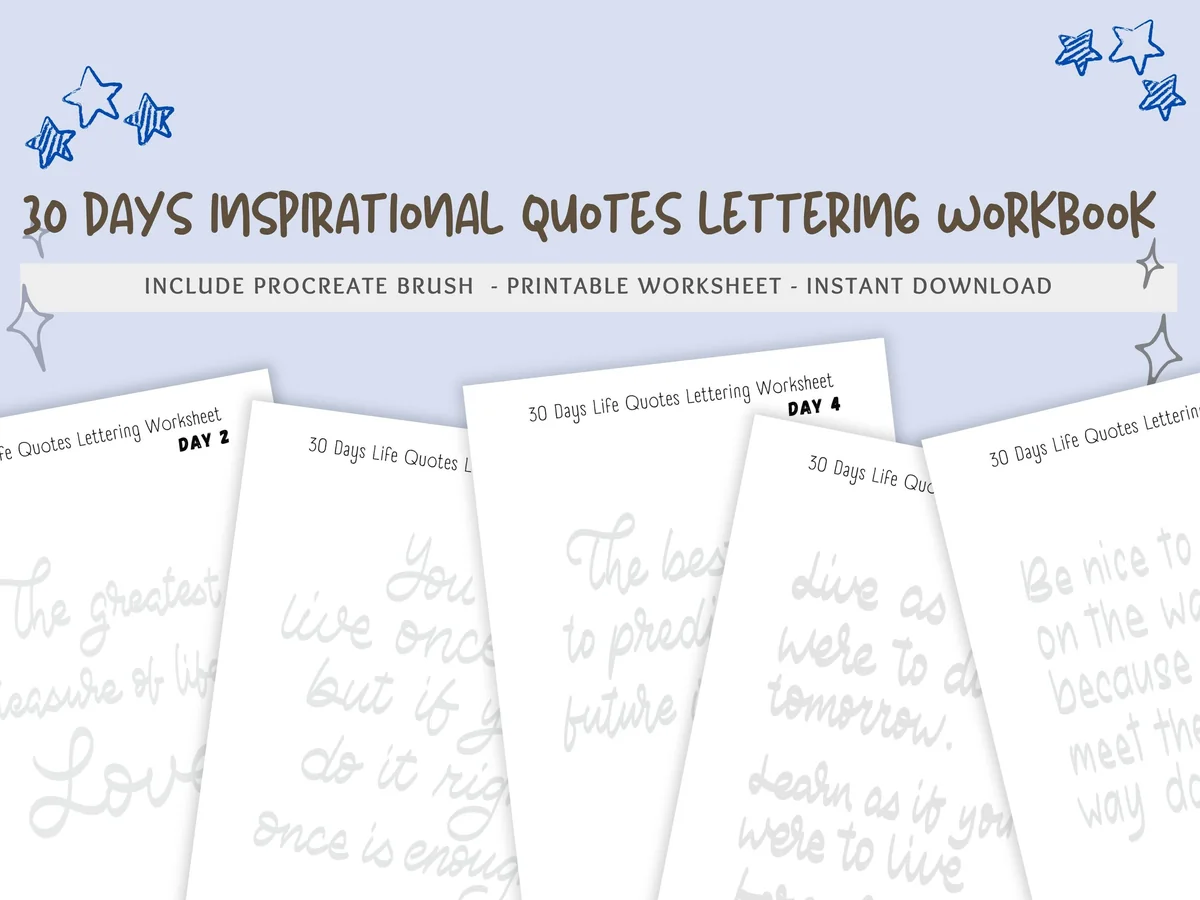
8. 30 Days Lettering Worksheet Practice
Layouts: 30 daily quote pagesFormat: PDF + Procreate file + 1 Procreate brush
Best for: habit builders, quote lovers, intermediate beginners. Designed by jenstrokeandstyle.
- 30 pages, one inspirational quote for each day
- PDF in A4 and A5
- 1 Procreate file to practice on the iPad
- 1 Dreamy brush for Procreate (not pressure sensitive)
Once the alphabet stops being scary, writing whole sentences is the next step, and a quote a day keeps that small enough to actually do. The brush isn't pressure sensitive, which makes it forgiving for beginners. I'd pair it with a habit tracker so the 30 days don't quietly turn into five.
Quick Comparison
| Sheet set | Style | What you get | Stand-out extra |
|---|---|---|---|
| 1. Hand Lettering Practice with 6 Styles | 6 mixed styles | 100 words, PDF A4 + Letter | 2 Procreate brushes + palette |
| 2. Beginners Basic Brush Stroke Worksheets | Basic strokes | 22 pages, PDF + JPG | Strokes before letters |
| 3. Brush Lettering Practice Sheets | Brush script | 23 pages, A4 | Procreate files included |
| 4. Digital and Printable Calligraphy Sheets | Pointed pen script | Upper + lowercase, A4 PDF | Stroke guides in color |
| 5. Faux Calligraphy Practice Sheets 3 | Faux calligraphy | 13 pages, lowercase | Shows where to thicken |
| 6. Bouncy Hand Lettering Worksheets | Bounce lettering | 14 worksheets | 3 Procreate brushes |
| 7. Monoline Hand Lettering Worksheets | Monoline | 62 sheets, Letter | One sheet per letter |
| 8. 30 Days Lettering Worksheet Practice | Script quotes | 30 pages, A4 + A5 | Procreate file + brush |
How to Use Lettering Practice Sheets in Procreate
Procreate is the most comfortable place to trace, because the sheet and your letters sit on separate layers. A setup that takes two minutes:
- Open the sheet. If the set has a Procreate file, tap it in the Files app and it opens as a ready canvas. For a JPG or PDF, create a canvas in the same size (A4 or US Letter), then tap Actions (the wrench) → Add → Insert a file or Insert a photo.
- Fade and lock the guide. In the Layers panel, lower the sheet’s opacity to about 50% and lock the layer, so you can’t draw on it by accident.
- Letter on a new layer. Add a layer above the sheet and trace there with a lettering brush.
- Clear and repeat. When the page is full, swipe the top layer left and tap Clear. The guide stays, and you start again on a clean sheet.
Keep each finished round instead of clearing it now and then: hide the old layer and add a new one. A week later, switching between the first and the latest layer shows your progress better than any app.
How to Use Practice Sheets in GoodNotes
GoodNotes works too, especially for PDF sets like #4. Import the PDF as a new notebook, or add a single page as a custom template so every new page in that notebook is a fresh sheet. Before you start writing, duplicate the page you want to practice, so the clean original stays untouched.
For thick and thin strokes, use the fountain pen or the brush pen, both react to pencil pressure. The ball pen keeps one width, which suits monoline sheets like #7. GoodNotes has no layers, so you can’t fade the guide; pick a pen color that stands out from the gray letters, like dark blue or black.
Brush Lettering, Faux Calligraphy or Monoline: Which Style First?
- Monoline (#7) has one line width, so pressure doesn’t matter at all. It’s the gentlest start and the most useful style for planner labels.
- Faux calligraphy (#5) gives you the thick-and-thin look with a plain pen: you write the word, then add a second line to every downstroke and fill the gap. Slower, but no pressure control needed.
- Brush lettering (#2, #3) is the real thing: light pressure on upstrokes, heavy on downstrokes. It looks best and takes the most practice, so start with the stroke sheets in #2 before whole letters.
- Bounce lettering (#6) is brush lettering where letters jump above and below the baseline. Try it once regular script feels steady.
Not sure? Set #1 has six styles written over the same words, which is a quick way to find the one you like before you buy a whole alphabet in it.
What I Look For in Lettering Practice Sheets
- Strokes before letters. A good set teaches the upstroke, downstroke, oval and loop first, because every letter is built from them.
- A file the iPad can use. A Procreate file is the easiest, a PDF suits GoodNotes, JPGs work everywhere. A paper-only workbook isn’t on this list.
- Guide lines you can read. Baseline, x-height and slant lines, or at least clear gray letters to trace, plus blank rows to write on your own.
- Enough repetition. One line per letter isn’t practice. I looked for sets that repeat each letter across a row or a whole page.
- A matching brush is a bonus. Sets #1, #6 and #8 include Procreate brushes, so your strokes match the guide’s thickness without hunting for the right brush.
Procreate Brush Settings That Make Practice Easier
Shaky lines are usually a settings problem as much as a hand problem. Three things worth changing:
- StreamLine. Open the brush in the Brush Studio and raise StreamLine (under Stroke Path) a little. It smooths small wobbles in curves. Too high, and the line lags behind the pencil.
- Pressure curve. In Actions → Prefs → Pressure and Smoothing, you can make the curve softer if your downstrokes never get thick, or firmer if everything comes out heavy.
- Brush size. Match the thickest downstroke on the sheet. A brush that’s too thin makes your letters look nothing like the guide, and you’ll blame your hand for it.
If you want more lettering brushes than the ones in these sets, I listed my favorites in Procreate brushes for planner doodles and lettering.
Trace, Repeat, Letter: A 10-Minute Daily Drill
Ten minutes a day does more than one long session on Sunday, because your hand remembers shapes through repetition. A simple order:
- Minutes 1–3: strokes. One row each of upstrokes, downstrokes, ovals and loops (set #2). Slow is the point.
- Minutes 4–7: three letters. Trace three letters a full row each, then write them once without the guide.
- Minutes 8–10: one word. Write a word that uses today’s letters, or the quote of the day from set #8.
Work through the alphabet three letters at a time and you cover it in about nine days. Then move to whole words. A small row in a digital habit tracker helps the drill survive the first busy week.
Lettering Practice Ideas for Your Planner
Small Daily Pieces 1–4
- 1Today’s date in script at the top of a daily page
- 2Day names in monoline for your weekly spread
- 3One word for the day, written three times in three styles
- 4Your name in bounce lettering until it feels like a signature
Planner Headers 5–8
- 5Month names in brush script, saved as stickers for the whole year
- 6Section labels like To Do, Notes and Meals in faux calligraphy
- 7A seasonal word (Autumn, Cozy, Holidays) for a monthly cover page
- 8Habit tracker titles in small, neat monoline
Bigger Projects 9–12
- 9A favorite quote as a full page for a journal spread
- 10A handmade greeting card, exported from Procreate as an image
- 11A lettered cover for a GoodNotes notebook
- 12A before-and-after page: day 1 next to day 30 of your practice
Lettered headers look even better in a consistent color set; my Procreate color palettes and GoodNotes color palettes have ready hex codes.
Digital or Printed Practice Sheets?
Every set on this list can also be printed, and paper with real brush pens has its place: the feel of the tip on paper is something a glass screen can’t fully copy, even with a matte screen protector. But the iPad wins on the parts that make you practice more often. You never run out of sheets, there’s no ink to buy, undo fixes a single bad stroke, and your practice is in the same bag as your planner. If you plan to letter mostly in a digital planner anyway, practicing digitally trains exactly the hand movements you’ll use there.
Who These Sheets Are For
- Digital planner users who want their own handwritten headers instead of stickers.
- Bullet journal fans who moved to the iPad and miss lettering their spreads.
- New Procreate owners looking for a relaxing first project that isn’t a full illustration.
- Anyone with messy handwriting who wants neater notes in GoodNotes: monoline sheets help there too.
A Free Basic Strokes Sheet for Warm-Ups
If you want to see whether daily practice sticks before buying a full workbook, start with this one. It’s a freebie on Creative Fabrica, with no price and no trial attached, and it covers the part every lettering style begins with: basic strokes.
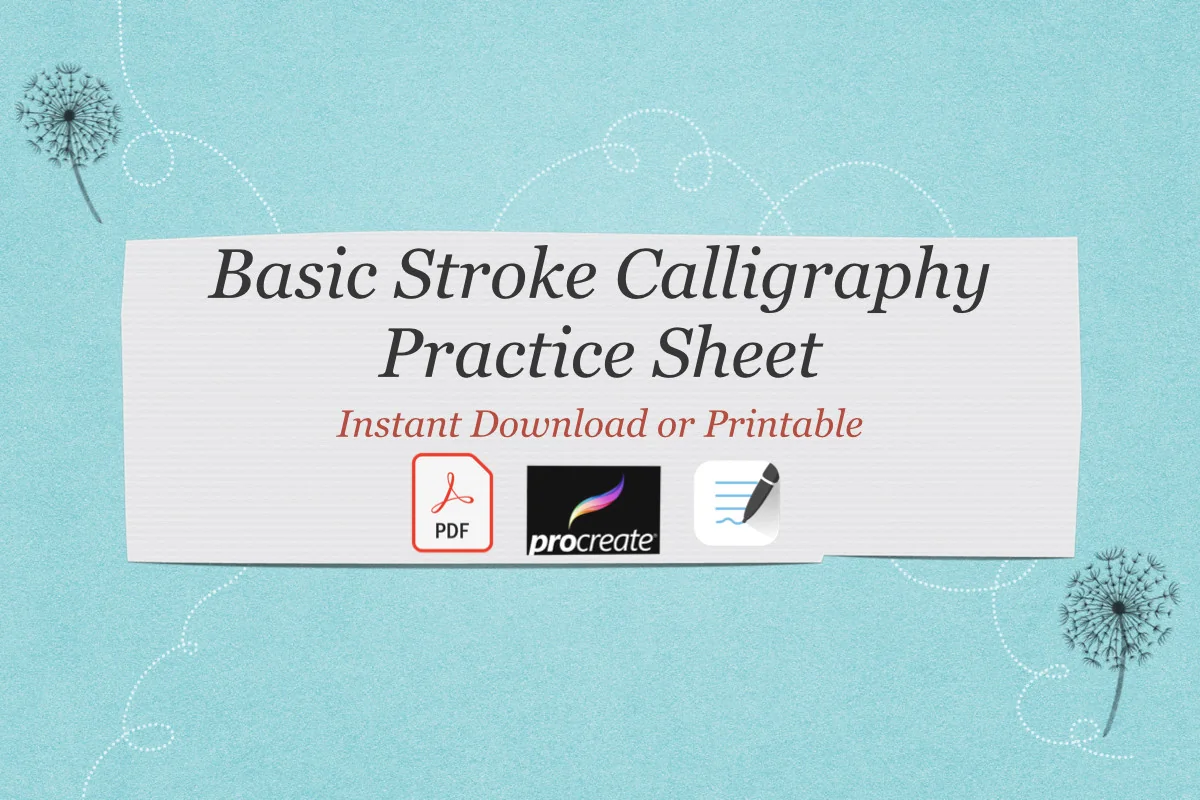
Free basic strokes
Basic Calligraphy Practice Sheets
Pages: 2 practice sheetsFormat: PDF, A4Apps: GoodNotes, Notability, Procreate
Best for: first warm-ups, brush lettering beginners, a 5-minute drill. Designed by koravee.k.
- Two A4 sheets of basic calligraphy strokes
- Made to import into GoodNotes, Notability or Procreate on the iPad
- Can also be printed from the same PDF
- One of the more saved free lettering sheets on Creative Fabrica
Two pages sounds small, but basic strokes are the drill worth repeating every day: upstrokes, downstrokes, ovals and loops. Import it once, duplicate the page and trace over it before you start a heading.
FAQ
Are there free lettering practice sheets?
Yes. Many lettering artists share a free sheet or two on their blogs, and Creative Fabrica has free products now and then. Free sheets are usually a single alphabet; paid sets like the ones above add stroke drills, several styles, Procreate files and brushes. Check the license if you want to use your lettering in something you sell.
Can I use lettering practice sheets in GoodNotes?
Yes. Import a PDF as a notebook, or add a page as a custom template. Write with the fountain pen or brush pen for thick and thin lines, and duplicate the page before you start so the clean sheet stays reusable.
Do I need an Apple Pencil for lettering on the iPad?
For brush lettering and calligraphy, yes: thick and thin strokes depend on pencil pressure, and a finger can’t do that. A pressure-sensitive third-party stylus also works in Procreate. For monoline and faux calligraphy, any stylus is fine, because line width stays the same.
How do I learn hand lettering step by step?
Start with basic strokes (upstroke, downstroke, oval, loop), then lowercase letters, then uppercase, then whole words and short quotes. Trace first, then write each letter once without the guide. Ten minutes a day, as in the drill above, works better than one long session a week.
What is the difference between hand lettering and calligraphy?
Calligraphy is writing letters in one go with a pen that makes thick and thin strokes. Hand lettering is drawing letters, often in several passes, like faux calligraphy or decorated headers. On the iPad the line is blurry, and the practice sheets above work for both.
Can I print these practice sheets too?
Yes. Every set here includes a PDF or JPG in A4 or US Letter, so you can print a page for brush pens on paper. Most people who letter in a digital planner end up practicing on the iPad, because the sheets never run out.
Final Thoughts
Good lettering is mostly patience on a guide, and the iPad makes the guide endless. If you’re new, start with the basic strokes in #2 or the six styles in #1, pick one style you like and give it ten minutes a day. The right lettering practice sheets plus a month of short sessions are usually enough to letter your own planner headers. To decorate those pages further, see my GoodNotes stickers and Procreate brushes, or browse all how-to guides.
You May Also Like
This post contains affiliate links. If you buy through them, I may earn a small commission at no extra cost to you. Learn more.