You remember a useful example from the morning keynote, but by the last session you cannot remember which speaker shared it. These conference notes ideas keep each talk identifiable while giving recommendations and your own thoughts a place to go.
Start with one event index and a fresh page for every session. The five iPad tools below support different parts of that system; none is a ready-made conference workbook. After the comparison, choose from 20 layouts for a professional or academic event with several talks, then use the worked example to connect them.
Five iPad Tools for Sessions and the Work That Follows
I compared the product descriptions and preview galleries for page structure and iPad compatibility. A notebook is the main writing space; the project worksheet is an optional follow-up tool, not another notebook you need to buy.
TL;DR: Five alternatives for different parts of the process: sectioned notes, chronological writing, a simple ruled page, monthly filing with brain-dump pages, or a follow-up project worksheet. The 20 ideas below are page layouts you create yourself.
Quick Picks
- Best for separating sessions: Digital Notebook
- Best for chronological notes: Digital Ruled Journal
- Best for a simple session page: DaisyNotes | Digital Notebook | Purple
- Best for sorting ideas afterward: Digital GoodNotes Journal – Art Deco
- Best for one follow-up project: Project Planner – Printable & Digital
- Digital Notebook – Best for separating sessions
- Digital Ruled Journal – Best for chronological notes
- DaisyNotes | Digital Notebook | Purple – Best for a simple session page
- Digital GoodNotes Journal – Art Deco – Best for sorting ideas afterward
- Project Planner – Printable & Digital – Best for one follow-up project
Best for separating sessions
1. Digital Notebook
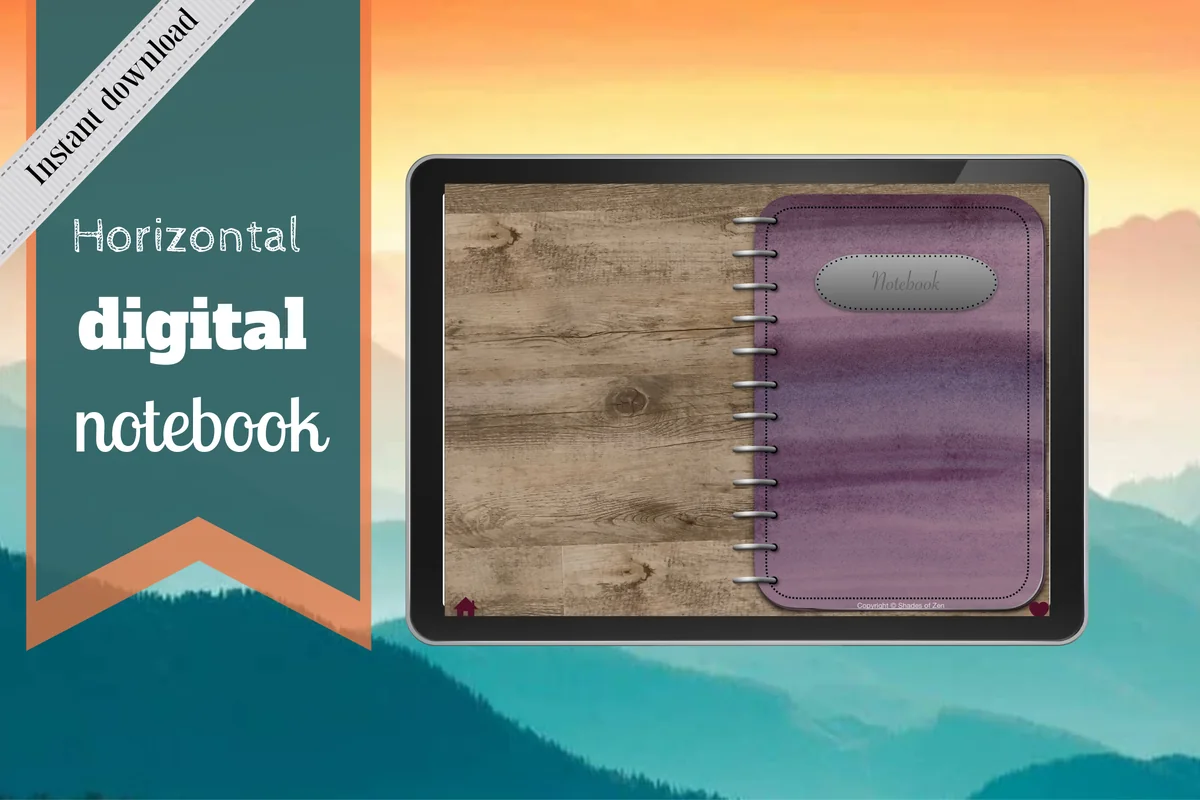
Orientation: LandscapeLayouts: 12 sections; 16 note templates
Best for: keeping speaker notes in separate sections. Designed by Shades of Zen.
- Twelve expandable sections with individual dividers
- Sixteen templates including Cornell, two-column, lined and dot-grid pages
- Hyperlinked tabs; GoodNotes and PDF annotation apps named
A sectioned notebook is my first choice for an event with several tracks. The Cornell and two-column pages give questions a place beside the main notes, while dividers separate speakers or days. Give each talk a short code and write that code on your event index. The notebook provides the structure; it does not come with conference-specific fields.
Best for chronological notes
2. Digital Ruled Journal
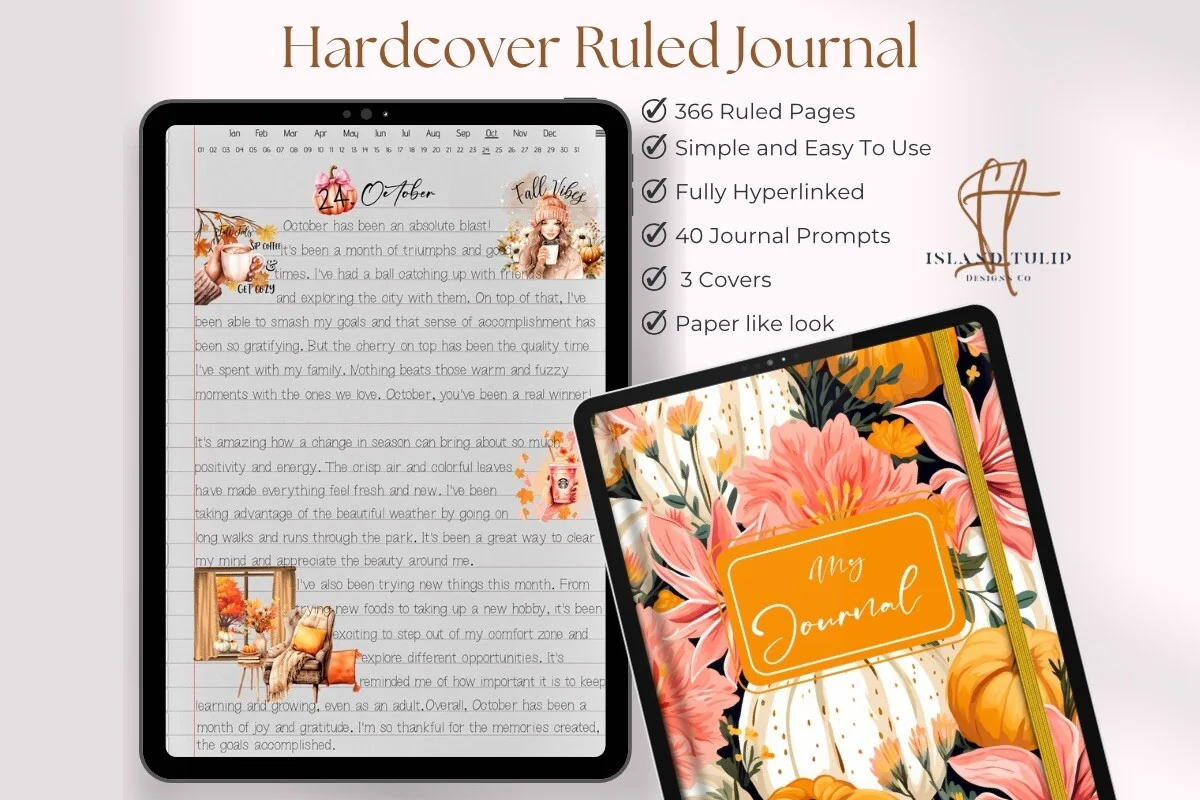
Orientation: PortraitLayouts: 366 ruled pages; month and day index
Best for: writing fuller session summaries in date order. Designed by Island Tulip Designs Co.
- 366 ruled pages and three floral covers
- Hyperlinked month and numbered-day navigation shown
- Forty journal prompts in PNG and precropped GoodNotes formats
Choose this if a talk tends to fill several pages. Its ruled layout leaves room for an argument and the example supporting it, rather than a crowded collection of keywords. Month-and-day navigation organizes time, not speakers: add session titles and continuation references yourself. The general journal prompts are extras, not a conference workbook.
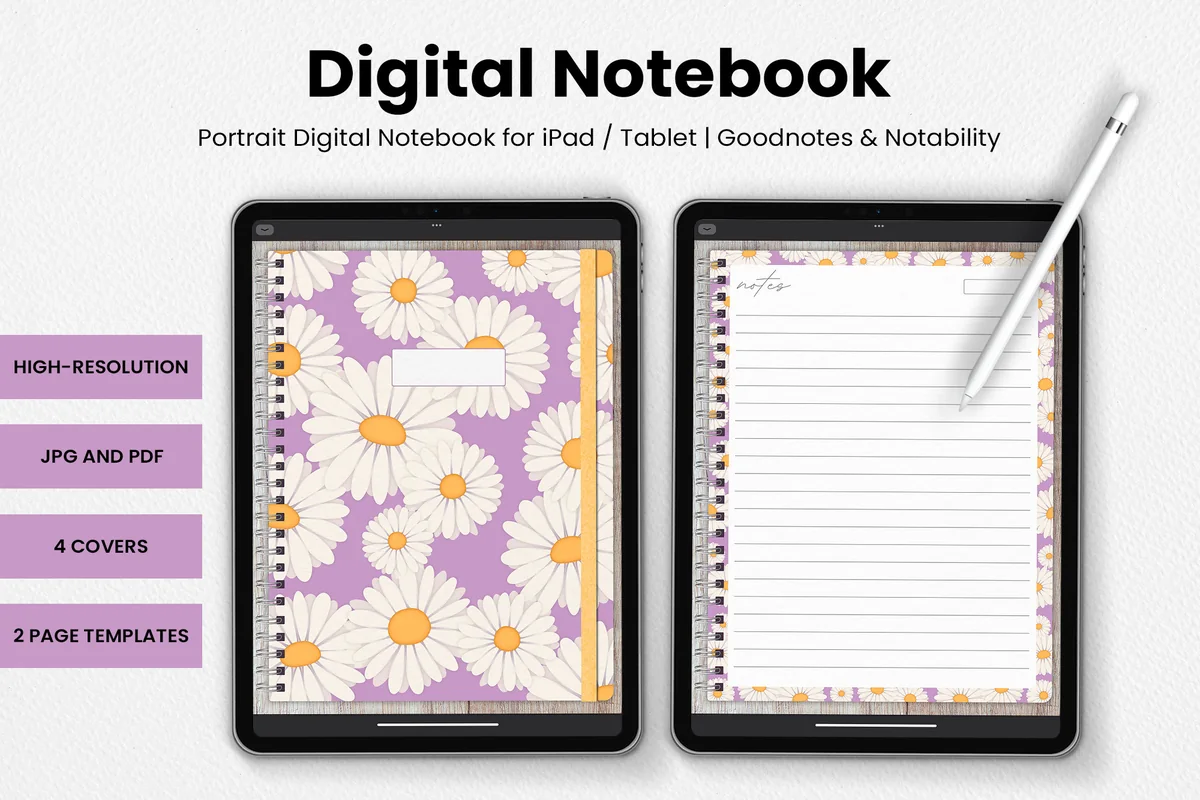
Best for a simple session page
3. DaisyNotes | Digital Notebook | Purple
Orientation: PortraitLayouts: 2 page templates; 4 covers
Best for: short notes with a clear heading and date. Designed by catsquills.
- Portrait notebook for GoodNotes and Notability
- Four covers and two page templates
- JPG and PDF formats; decorated ruled pages pictured
DaisyNotes suits someone who wants a heading, a date and a ruled page without a larger filing system. Reserve the first page for the event index and label each session manually. The floral border takes some writing space, so it is less appealing for dense diagrams. The listing does not promise hyperlinked sections.
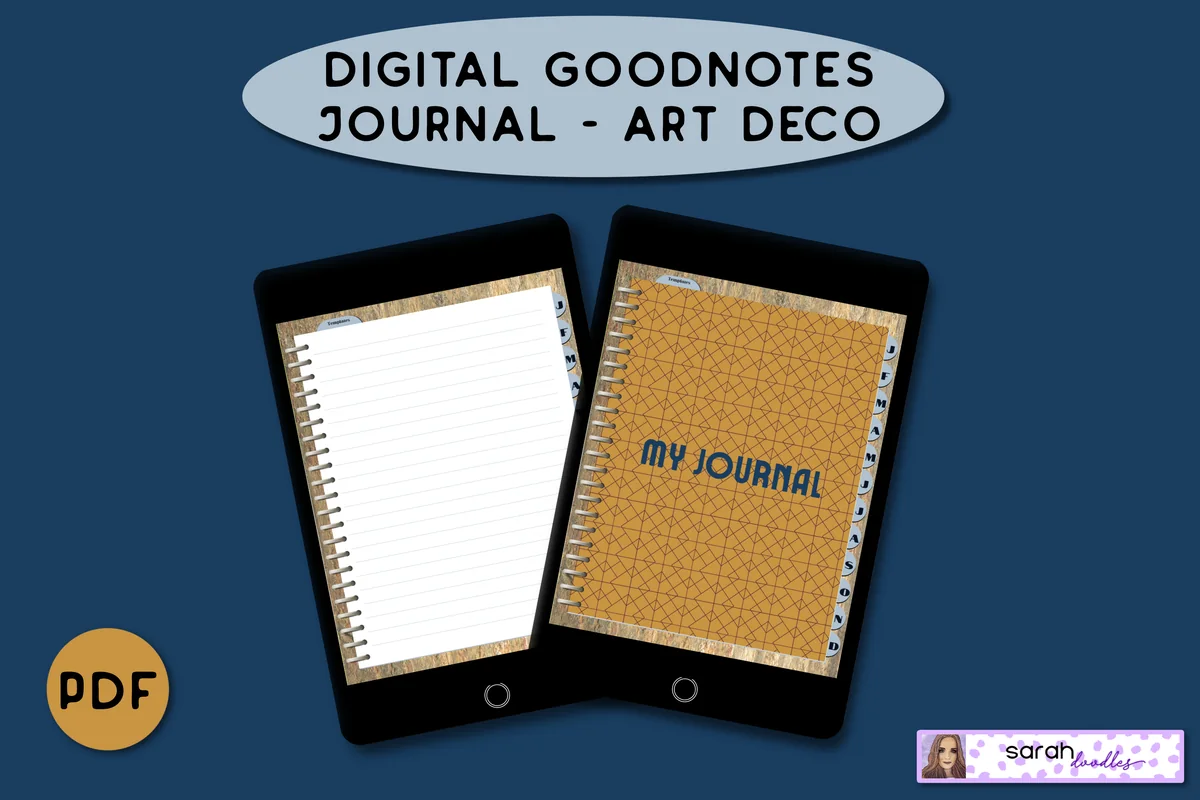
Best for sorting ideas afterward
4. Digital GoodNotes Journal – Art Deco
Orientation: PortraitLayouts: Monthly dividers; lined and brain-dump pages
Best for: monthly filing and a separate end-of-event brain dump. Designed by Sarah Doodles.
- Undated hyperlinked PDF for iPad annotation apps
- Five lined pages per month initially, with page duplication described
- Brain-dump and Important / Not Important templates pictured
The brain-dump and priority pages give loose ideas somewhere to go after a full day of talks. After the event, the two-column priority page can separate ideas worth pursuing from those you are setting aside. The month tabs suit an ongoing professional-learning archive; within a busy month, you still need an event and session index. Five initial pages per month are not a limit on notes when you duplicate a page in the app.
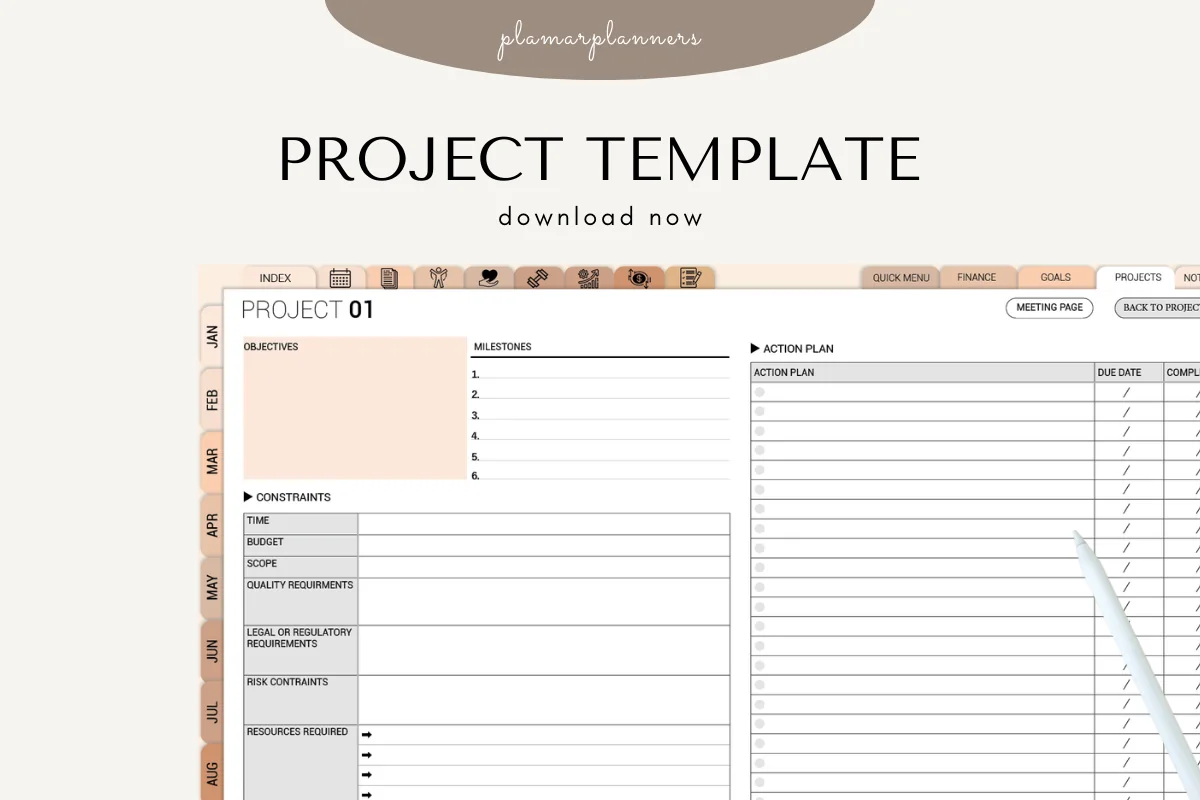
Best for one follow-up project
5. Project Planner – Printable & Digital
Orientation: LandscapeLayouts: Objectives, constraints, milestones and action plan
Best for: turning a selected takeaway into an action plan. Designed by Plamarplanners.
- Digital tablet version and printable A4 / US Letter PDFs described
- GoodNotes, Notability and Xodo named
- Gallery shows objectives, constraints, resources, milestones and an action plan
This belongs after the conference, once you have chosen an idea to try. The visible worksheet connects objectives and constraints to milestones, with due-date and completion fields for actions. Keep the speaker's original claim in your notes and use this for your own implementation. The description lists several page types, but the gallery mainly shows one project layout in different colors; the previews do not establish seven distinct layouts. Small fields may need zooming, and pictured tabs do not prove working links.
Quick Comparison
| Tool | Structure | Useful for | Keep in mind |
|---|---|---|---|
| 1. Digital Notebook | Sectioned notebook | Separate talks and questions | Create the event index yourself |
| 2. Digital Ruled Journal | Ruled journal | Detailed notes by event day | Manual session labels needed |
| 3. DaisyNotes | Digital Notebook | Purple | Decorated notebook | Brief handwritten summaries | No section navigation promised |
| 4. Digital GoodNotes Journal – Art Deco | Monthly journal | Sort ideas after the event | Keep your own session index |
| 5. Project Planner – Printable & Digital | Project worksheet | Implement one takeaway | Not a session-notes notebook |
20 Conference Notes Ideas, from the Event Index to the Debrief
Use these as a menu, not 20 forms to finish during every talk. For a first event, choose the index, session header, main notes and resource queue. Add the other pages only when they solve a problem you actually have.
Before the first talk: make notes findable1–5
- 1Write an event cover sheet. Record the event name, dates and venue or online platform. Add one sentence about why you are attending so the notebook has a purpose beyond storing slides.
- 2Build a session index. Give each talk a code such as D1-S2, then record its title, speaker and note-page location. Keep the code on every continuation page; use page numbers or app bookmarks where available.
- 3Keep a track-choice page. When sessions overlap, write your first choice and a backup beside the time slot. Add the question that made you choose that talk, rather than copying the whole program.
- 4Prepare a speaker header. Leave space for the name, organization, session title and date. Add a public profile or website only when you have the correct one; similar names are easy to confuse.
- 5Park your learning questions. Write two or three questions before the event. Leave room beside each for session codes that might help answer it, including talks that challenge your initial assumption.
During each session: separate the claim from your reaction6–10
- 6Use a main-notes and questions split. On a Cornell or two-column page, put the speaker’s argument in the larger area and questions in the margin. Add a short summary after the talk rather than trying to finish it while listening.
- 7Capture an example with its point. Write the claim and the example used to support it together. Note the audience or setting in the example so a result from one context does not become a universal rule in your summary.
- 8Mark quotations carefully. Use quotation marks only when you have captured the exact wording. Otherwise label the line “paraphrase” and keep the speaker and session code attached.
- 9Draw a process with decision points. If a speaker explains a sequence, sketch arrows and the conditions for moving between steps. Leave an explicit gap where you missed something instead of inventing a connecting step.
- 10Give recommendations a queue. List book titles, tools, articles and people to look up later. Put the source session beside each entry and mark uncertain spellings for checking; a recommendation is not yet your endorsement.
Across the event: connect talks without mixing them11–15
- 11Make a recurring-theme map. Choose a theme in the center and add the session codes around it. Write what each talk contributed so repeated buzzwords do not look like agreement without evidence.
- 12Compare conflicting claims. Create columns for claim, context and supporting example. A different audience, scale or constraint may explain the disagreement; if it does not, leave the question open for later research.
- 13Keep your own idea inbox. Label a page “My ideas” and reference the session that prompted each thought. This keeps a possible project separate from what the presenter actually recommended.
- 14Add context to contact notes. Record the person’s name, where you spoke and the resource or question you discussed. Keep personal contact details private and avoid putting them in a shared event summary.
- 15Close each day with a recap. Write the most useful point, the question still unresolved and one session to revisit. Check these against the original pages before the next morning brings another set of talks.
After returning: turn the pile into an archive you can use16–20
- 16Create a handout register. Pair each useful slide deck, handout or scan with its session code and filename. Keep the original in an event folder; a filename reference is enough if your app cannot link to the file.
- 17Verify the resource queue. Check titles and URLs before adding them to a reading or tools list. Separate “mentioned by a speaker” from “reviewed by me” so an unexamined suggestion does not become a recommendation to colleagues.
- 18Write a shareable synthesis. Summarize a theme in your own words, with the contributing sessions and unresolved questions. Share a concise explanation rather than circulating raw notes that mix private conversations with public talks.
- 19Choose one follow-up experiment. State the takeaway, a small action and the evidence you would look for afterward. Carry this into a project page only if it needs milestones; not every useful note needs a new project.
- 20Leave a return-to-it page. Record where the notes and handouts live, what remains unchecked and when you intend to review them. Set any reminder in your calendar app separately; a PDF does not create one.
A Session-to-Archive Example You Can Copy
Here is a fictional example for a professional-learning event. It shows how to take notes at a conference without merging the speaker’s claims, your questions and later actions. These conference notes examples are fields to draw on any suitable page, not included product features.
| Location | Example entry | Connection |
|---|---|---|
| Event index | D1-S2: Making workshops more accessible; Alex Rivera | Session notes, pages 6–8 |
| Session page | Claim: send preparation material before a workshop. Question: which format worked for the participants? | Mark the question as unresolved |
| Handout register | D1-S2-workshop-checklist.pdf | Event folder; verify the exact filename |
| My idea inbox | Try an accessible preparation sheet for our next workshop | My proposal, prompted by D1-S2 |
| Follow-up page | Ask the team which preparation format participants can use | One action; schedule separately |
The session code is the thread through the system. You can change apps or move a handout without losing the reference, provided you update its location in the register.
How Much Structure Should Your iPad Notebook Have?
- Several parallel tracks: choose section dividers and keep an event-wide index. Name sections by day or theme, but give every talk its own header.
- A short event with long talks: ruled pages may be enough. Put the speaker and code at the top of each new page instead of creating elaborate navigation.
- Repeated events through the year: month tabs help file events chronologically. Add a session index within each event so several conferences in one month stay distinct.
- A takeaway that becomes a project: move only that idea into a worksheet. Keep the original notes intact so later planning does not rewrite the source.
For more page formats, compare the GoodNotes note templates. If your task is recording decisions and assigned actions from one meeting, use the meeting notes guide instead of stretching this event index into meeting minutes.
Why Keep Both Speaker Notes and an Event-Wide Review?
The distinction comes from two useful approaches. Dunclyde’s event-note method separates individual speakers from an event-wide collection of ideas and recommendations. ACRLog’s post-conference reflection adds rereading, follow-up actions and filing useful handouts.
- Keep the context: both approaches connect notes to an identifiable speaker or program entry. A session header preserves that connection on a digital page.
- Keep useful resources retrievable: recommendations and handouts need a place you can return to. The queue and register serve different jobs: one is for checking resources, the other for locating files.
- Keep interpretation visible: my theme map and idea inbox are suggested adaptations. They do not mean the sources prescribe this exact 20-page system.
FAQ: Taking Conference Notes on iPad
Do I need to write down every slide?
Capture the argument, a useful example and any question the slides do not answer. If the organizer provides the slides, reference the relevant slide or section rather than copying it in full. Record where the file is stored.
How do these conference notes ideas work in a PDF?
Draw your own headers and fields on a suitable notebook page in a PDF annotation app. Confirm the file format and app requirements before choosing a product. This article provides layout ideas rather than a separate PDF file.
What if two talks cover the same subject?
Keep a separate original page for each speaker, then connect them in the theme map. Compare the context and examples before saying they agree or disagree. The event-wide review should point back to both sessions.
Should networking notes go in a shared conference summary?
Keep private contact details and personal conversations out of the shared version. Write the public session takeaways separately, and ask before sharing material that was not intended for wider circulation.
Will a PDF planner remind me to follow up?
The PDF itself does not sync tasks to your calendar or send notifications. Add a reminder in your chosen calendar or task app and include the event or session reference so you know which notes to reopen.
Leave the Event with Notes You Can Trace
Choose conference notes ideas that let you answer two questions later: who said this, and what do I want to do with it? A session index and clear source labels matter more than filling every possible page. Once one takeaway becomes an actual project, the project planner comparison can help you choose a separate place for that work.
You May Also Like
This article contains affiliate links. If you choose a product through them, I may earn a commission at no extra cost to you. Read the affiliate disclosure.