The mover estimate is in one email, the new apartment payment is in another, and you have already bought packing supplies. A moving budget planner brings those amounts together before a small purchase becomes one more forgotten cost.
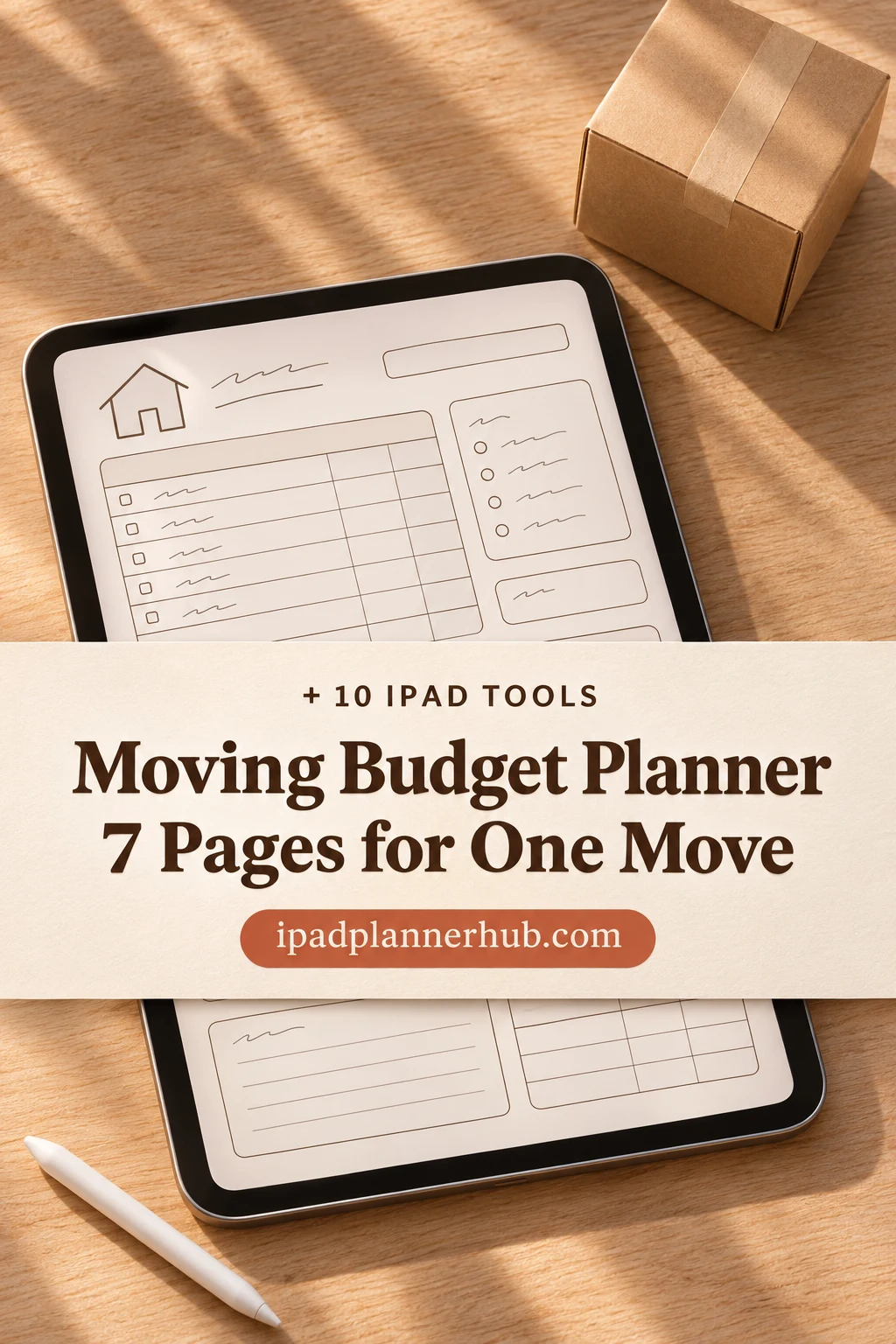
Organize the move around seven records: scope, estimates, payments, housing overlap, deposits, revisions and a final check. Below are page ideas you can draw on your iPad, followed by ten planning tools with useful budget, expense or project layouts. None is being presented as a ready-made seven-page moving kit.
Set up a moving budget planner around one move
Give the file a start and finish boundary. For example, your budget might cover packing purchases through the last utility bill at the old address. A new sofa bought after you settle in can belong to a separate home budget. Decide where it goes before comparing the total with your available money.
A budget total and the amount still to pay answer different questions. Keep estimated costs, payments already made and remaining commitments in separate fields. That also gives a refundable deposit somewhere to sit without calling it a guaranteed refund.
- Estimated: your current best figure, labeled as a quote or an assumption.
- Paid: money that has actually left your account, linked to a receipt.
- Remaining: the amount still expected for that same item.
- Due date: when the next payment needs to be available.
Seven page ideas, from the first estimate to the final bill
Use these as page designs rather than a requirement to buy seven templates. A notes page, a calendar and a general expense ledger can hold most of the structure. Add columns or labels in your annotation app where the underlying layout allows it.
1. Move scope and money available
Start with a short definition of the job: which addresses, which dates, whose belongings and what kind of transport. Then record the money you have set aside for this move. Keep ordinary monthly spending visible so that the moving fund does not quietly absorb money needed for other bills.
- Scope: origin, destination, target moving date and the services you are considering.
- Available now: money already allocated to the move, without assuming a future refund has arrived.
- Next contribution: a date and amount you can revisit against your normal budget.
- Outside this budget: future decorating, upgrades or other purchases you choose to track separately.
The CFPB recommends using account history and receipts to understand spending, including less frequent costs. Its spending assessment guidance is a useful starting point for checking the ordinary bills that will continue while you move. The move fund is only one part of that wider picture.
2. Written estimate comparison
Compare the same job across providers. A low headline number is hard to judge when one estimate includes packing and another leaves it out. Date every estimate and keep the original document beside the comparison, so a later revision does not erase what you first received.
- Provider and estimate date: a clear identifier for the document you are comparing.
- Scope included: packing, transport, unloading and any other services explicitly listed.
- Open questions: stairs, access, parking, storage or services whose treatment is unclear.
- Payment schedule: the stated amount, due date and any deposit already paid.
- Estimate type and version: preserve the wording on the document instead of treating all figures as fixed prices.
For U.S. interstate moves, FMCSA explains binding and non-binding estimates. A non-binding estimate does not guarantee the final cost. Keep that distinction in your comparison and ask the provider to clarify the written scope; a planner cannot decide your contractual rights.
3. Packing and transport payment log
Once you choose a service, switch from comparing alternatives to recording the costs of the plan you actually chose. Give each expense a unique label, such as M01 for the mover and P01 for packing materials. This makes a receipt easier to match when several small payments happen on the same day.
- Item and category: packing supplies, transport, storage or another category relevant to your move.
- Current expected total: the latest amount for that item, with the estimate date.
- Paid so far and remaining: two columns for one commitment, rather than two separate expenses.
- Receipt reference: a filename or private note identifying the supporting document.
- Status: estimated, booked, part-paid, settled or awaiting clarification.
If a $200 booking payment is part of a $1,200 service, the expected service cost is still $1,200. Record $200 paid and $1,000 remaining. Adding the $200 again as a separate expense would count the same commitment twice. These figures are an illustration, not a price estimate for your move.
4. Old and new housing overlap calendar
Put dates beside amounts when the two homes overlap. The calendar is there to show which period each bill relates to, not to calculate a landlord or utility company’s charge. Use the actual agreements and statements for the amounts you enter.
- Old address: the last covered date and any bill still expected.
- New address: the first covered date and the payment needed before arrival.
- Services: requested start or stop dates, confirmation reference and the next follow-up.
- Overlap: the days when both addresses may create costs.
- Next due amount: the payment you need to prepare for, separate from the period it covers.
An end date on the calendar does not prove that a service has stopped billing. Keep the item open until you have the relevant confirmation or final bill. If a date is uncertain, label it provisional and add a follow-up instead of filling the amount with zero.
5. Deposits, refunds and reimbursements
Keep money awaiting return in a separate status record. A possible refund can affect the eventual net cost of the move, but it is not money available for tomorrow’s payment until it has actually arrived. The same approach works for an employer reimbursement you are waiting to receive.
- Original payment: amount, date and what the payment was for.
- Expected return: the amount you currently expect, clearly marked as pending.
- Supporting record: agreement, statement or reimbursement submission reference.
- Follow-up: who to contact and when you will check again.
- Received: the actual amount and date, including any difference you still need to query.
This is an administrative record, not a statement of deposit law or reimbursement eligibility. Do not invent a return deadline or assume a full refund. If the amount is disputed, keep the evidence and seek the appropriate local advice rather than treating the planner balance as a legal answer.
6. Revised costs and the next decision
Give unexpected costs a place where you can see what changed. Otherwise the original plan survives at the top of the page while the real spending grows below it. Keep both versions: a revision is useful information, not a reason to erase the estimate.
- Change: the extra service, changed date or revised amount.
- Reason and source: the email, receipt or conversation you need to follow up in writing.
- Budget effect: the new expected cost and how much remains unpaid.
- Decision: accept, clarify, defer an optional purchase or change the plan.
- Next review: a specific time to revisit unresolved items before more spending.
There is no universal cushion that makes every move affordable. Choose a reserve with your own circumstances in mind, keep it visible, and update the plan as actual estimates arrive. The CFPB includes moving costs among the amounts to consider when planning a home purchase; do not let that money disappear into a general available-to-spend figure.
7. Final reconciliation and open items
After arrival, compare the payment log with receipts and account activity. Keep the file open for the bills or returns you are still waiting for. A move can be physically finished before its last financial record is settled.
- Settled costs: actual payments matched to the supporting records.
- Outstanding commitments: amounts you still expect to pay, with dates or follow-ups.
- Returns received: actual refunds and reimbursements recorded separately.
- Differences: duplicated entries, changed invoices or missing receipts to investigate.
- Closing note: what remains unresolved and when you will check it again.
Ten iPad tools for keeping these records
I selected these for the layouts visible in their product galleries and their stated digital compatibility. Some focus on savings and expenses; others add calendars or project notes. I have not purchased or tested the paid planners. An annotation app is needed separately, and you will adapt the general pages to the move.
TL;DR: Choose a tool for the record you need: contributions before the move, actual payments during it, or dates and project decisions. These ten planners are general planning tools. You add the moving categories and calculate the totals yourself.
Quick Picks
- Best for dedicated move fund: Digital Budget Planner, Financial Planner
- Best for small savings record: Simple Savings Planner, Digital Planner
- Best for goal and budget overview: Budget Digital Planner Hyperlinked Tabs
- Best for separate money ledgers: Gold Budget Digital Planner/Hyperlinked
- Best for spending summary: Undated Budget Planner for GoodNotes
- Best for wider finance workbook: Digital Budget Planner, Finance Tracker
- Digital Budget Planner, Financial Planner – Dedicated move fund
- Simple Savings Planner, Digital Planner – Small savings record
- Budget Digital Planner Hyperlinked Tabs – Goal and budget overview
- Gold Budget Digital Planner/Hyperlinked – Separate money ledgers
- Undated Budget Planner for GoodNotes – Spending summary
- Digital Budget Planner, Finance Tracker – Wider finance workbook
- Expenses Tracker 4years Interactive PDF – Monthly cost check
- Undated Digital Planner, Life Planner – Calendar and expense log
- All-in-One Digital Planner ( 112 Pages ) – Schedule and project notes
- Project Planner – Printable & Digital – Project decisions
Build the move fund
Dedicated move fund
1. Digital Budget Planner, Financial Planner
Orientation: PortraitFormat: Hyperlinked PDF
Best for: saving toward the move before payments begin. Designed by ThePlannersDelight.
- Sinking Funds and savings pages
- Monthly and biweekly budgets, daily spending logs and bill trackers
- Hyperlinked PDF for GoodNotes, Noteshelf or Notability
- Seller requires an Apple tablet that supports writing with a stylus, such as Apple Pencil; app, tablet and stylus are not included
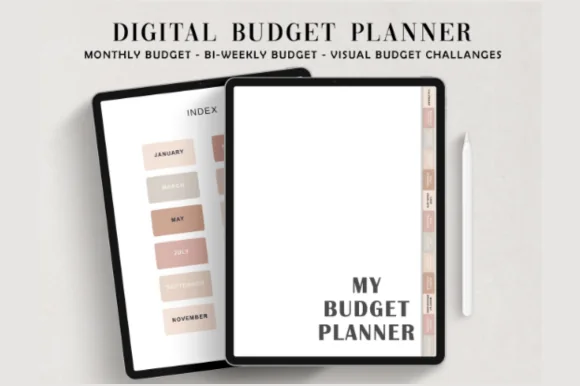
The separate Sinking Funds page is useful before you have booked anything. Give the fund your move date and a target, then keep contributions here while paid invoices go in the spending log. That separation keeps a transfer into savings from being counted as another moving expense. The templates are general financial pages; you add the move labels and work out the totals yourself.
Small savings record
2. Simple Savings Planner, Digital Planner
Format: Hyperlinked PDF
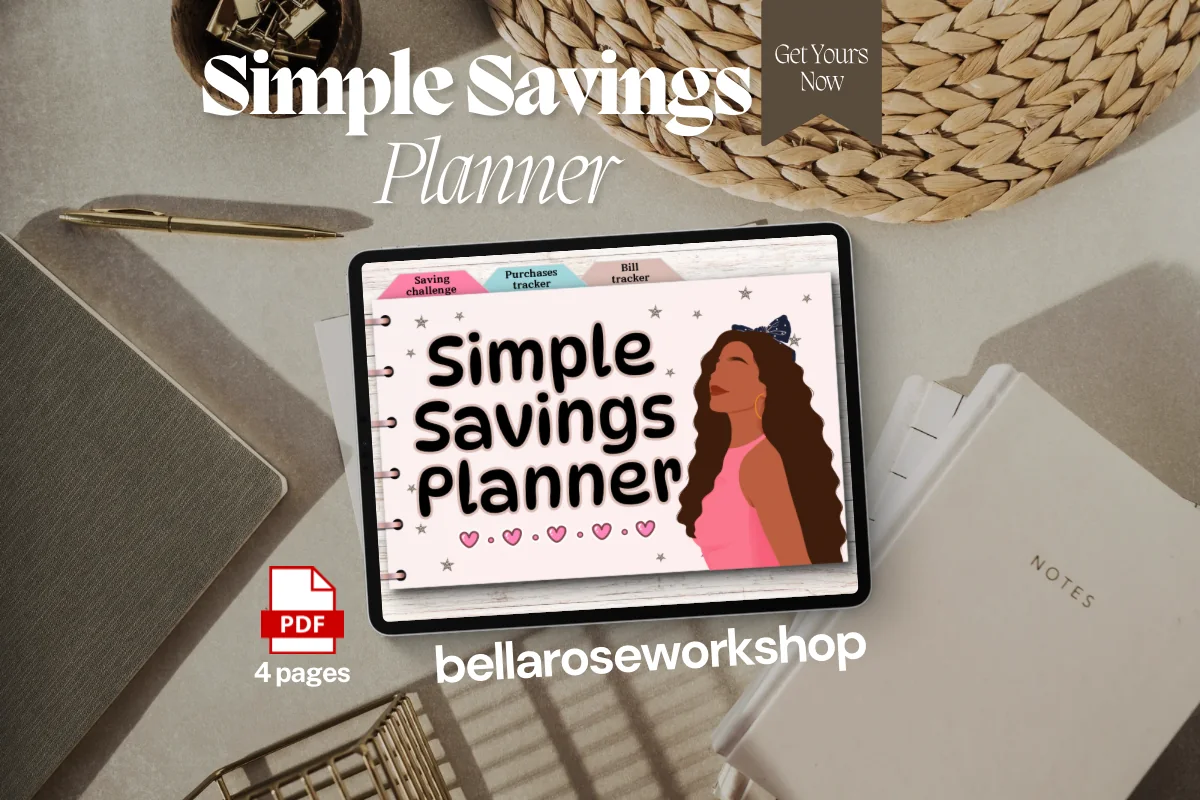
Best for: keeping a compact contribution and bill record. Designed by bellaROSEworkshop.
- Saving challenge with goal and contribution rows
- Purchases Tracker and Bill Tracker
- Four-page hyperlinked PDF; personal use
A small set can be easier to keep open while you are packing. The savings page gives the move fund a home, and the bill page can hold the payments you need to watch. There is no dedicated quote comparison or housing-overlap calendar here. Keep those as your own notes, and do not expect to edit the underlying PDF design.
Goal and budget overview
3. Budget Digital Planner Hyperlinked Tabs
Orientation: PortraitFormat: Hyperlinked PDF
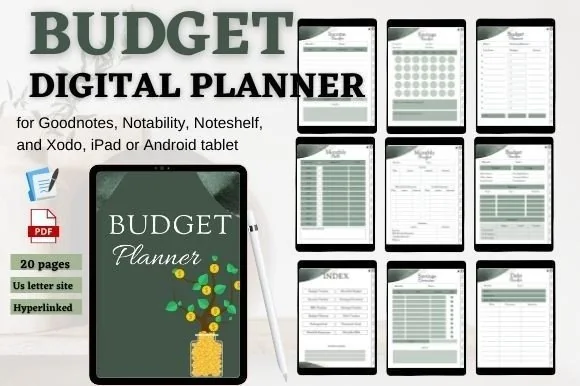
Best for: putting the move savings goal beside monthly costs. Designed by mixxdigitaldesign.
- Savings Goal, Savings Overview and Savings Tracker
- Monthly Budget, income, expense and bill pages
- 20-page hyperlinked PDF, US Letter size
The goal page pairs the amount with a deadline, which suits a move with a fixed handover date. Use the overview to see the goal beside other savings rather than treating every available dollar as move money. Its preset monthly categories still need adapting. Put quote exclusions on the notes or extra pages so the amount columns stay readable.
Record payments and review the costs
Separate money ledgers
4. Gold Budget Digital Planner/Hyperlinked
Orientation: PortraitFormat: Hyperlinked PDF
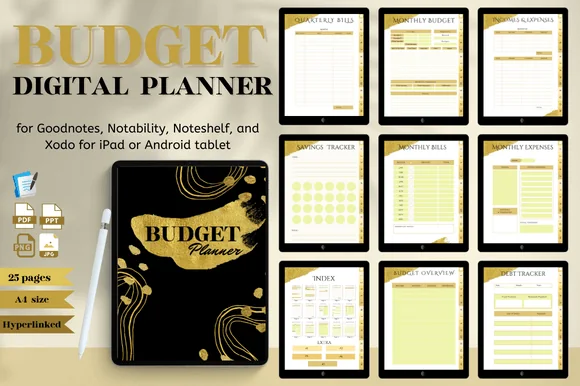
Best for: using distinct income, expense and bill records. Designed by Nann Digital Art.
- Budget, expense and income trackers
- Savings Goal, Monthly Bills and notes layouts
- 25-page hyperlinked digital planner in A4 size
Black and gold makes this visually different from the softer planners here, but the practical distinction is the set of separate ledgers. Keep the expense tracker for actual move payments and use notes for the remaining commitments. The savings illustration is a manual progress aid. It does not calculate a safe amount to spend or turn a rough mover quote into a final bill.
Spending summary
5. Undated Budget Planner for GoodNotes
Format: Hyperlinked PDFDates: Undated
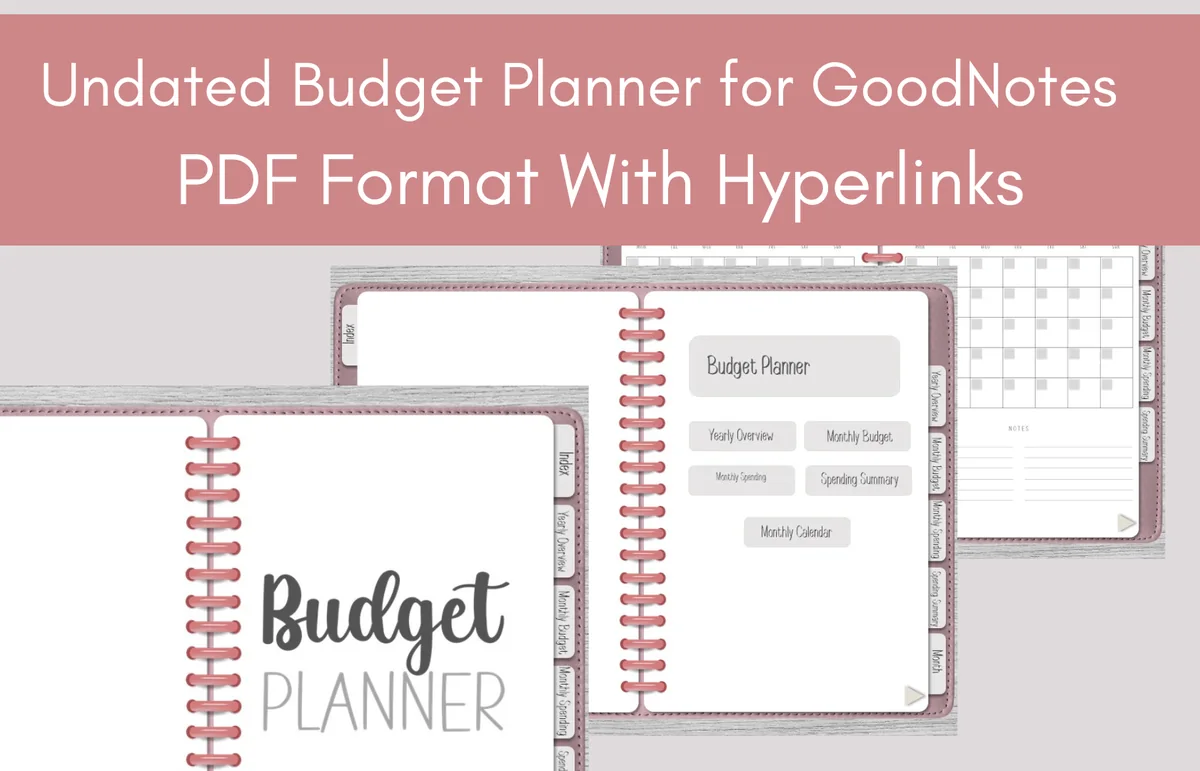
Best for: reviewing the move beside your regular monthly spending. Designed by Perla Designs.
- Monthly Spending and Spending Summary layouts shown
- Yearly Overview and monthly calendar shown
- Undated hyperlinked PDF for GoodNotes; 30 slides listed
Use the spending summary for the final review, bringing the categories together after the move. The preview also shows monthly spending groups, so ordinary household costs can stay visible during the disruption. The description is brief. Treat this as a budget record, with your own payment-status labels, rather than buying it for a promised relocation checklist.

Wider finance workbook
6. Digital Budget Planner, Finance Tracker
Orientation: Portrait shownFormat: Digital workbook
Best for: keeping move expenses within broader financial records. Designed by PlannersByBee.
- Expense Tracker and Spending Planner visible in gallery
- Upcoming Expenses and budget overview layouts visible
- GoodNotes planner named in the listing
The preview shows a broad workbook with expense and upcoming-cost pages. That makes it an option if the move is one part of a larger financial reset. The listing gives little detail about the individual forms; a dedicated deposit ledger and automatic calculations are not established. Use the expense record for payments and keep your quote documents separately.
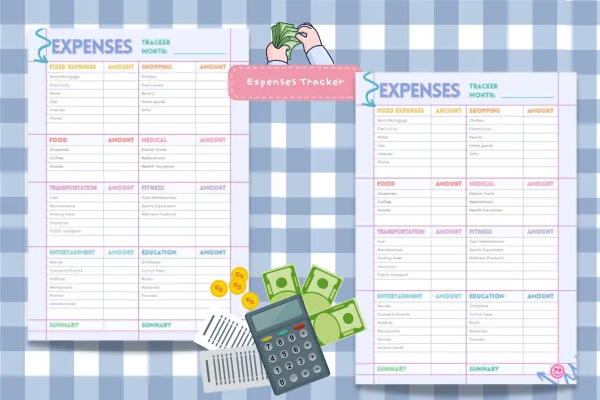
Monthly cost check
7. Expenses Tracker 4years Interactive PDF
Format: PDF
Best for: spotting ordinary costs that continue during the move. Designed by Zoom4Design.
- Monthly expense sheet with fixed and variable categories
- Summary areas visible in the preview; Notes sections listed by the seller
- PDF listed for iPad and GoodNotes
This is the narrowest role in the selection: keeping the normal month visible while the move consumes your attention. Rent, utilities and transportation have their own places in the preview. Those fixed category labels are less flexible for comparing movers or splitting a deposit payment. The seller describes interactive fields, but their behavior in individual iPad apps and any automatic totals are untested.
Keep the dates and decisions beside the budget
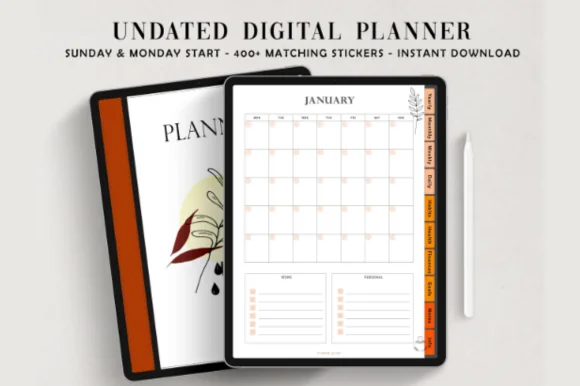
Calendar and expense log
8. Undated Digital Planner, Life Planner
Orientation: PortraitDates: UndatedWeek start: Monday and Sunday
Best for: pairing housing-overlap dates with actual expenses. Designed by ThePlannersDelight.
- Monthly and weekly calendars
- Monthly Budget, Expense Tracker and Revenue Tracker
- Notes layouts; Monday- and Sunday-start PDF versions
The calendar and finance sections belong together for a move: mark the old and new housing dates in one place, then record what was actually paid in the expense section. The notes layouts give you room to draw your own quote grid. Autumn Hues is a general life planner, so the seven moving pages in this guide are ideas you create, not seven included relocation forms.
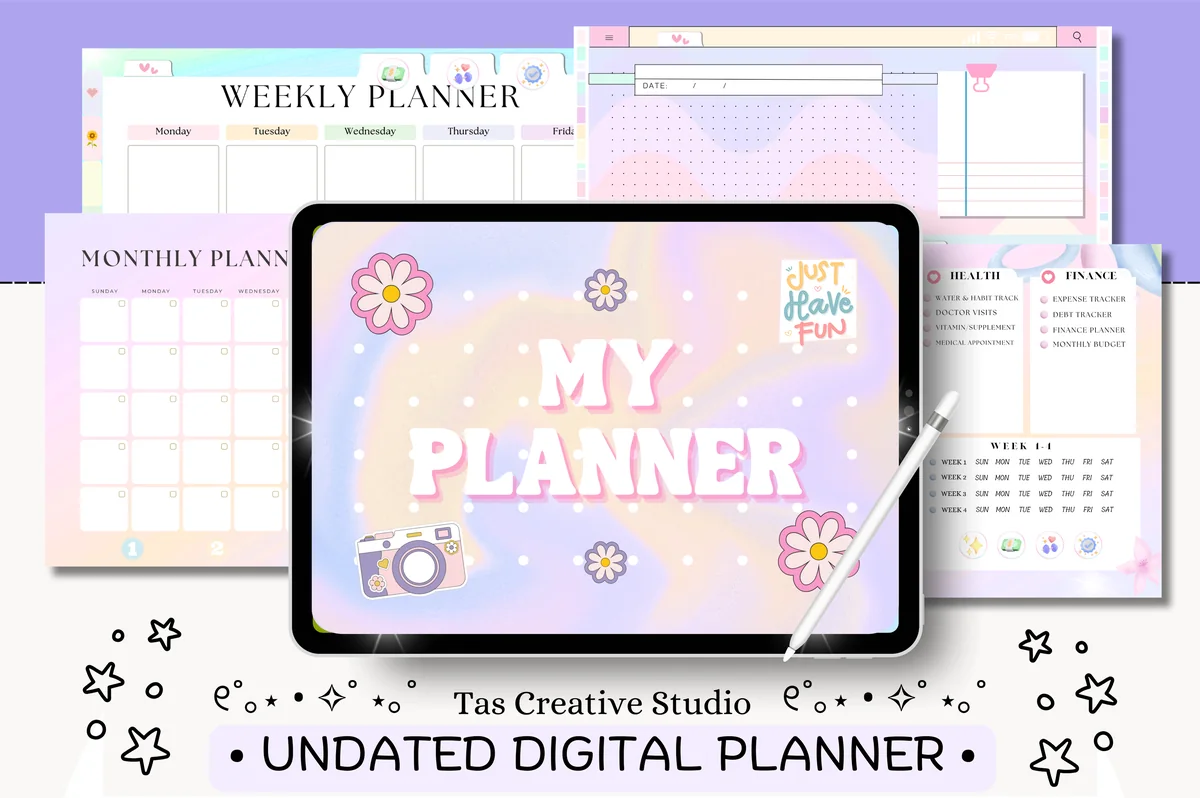
Schedule and project notes
9. All-in-One Digital Planner ( 112 Pages )
Orientation: LandscapeFormat: 112-page PDF listedDates: Undated listing
Best for: keeping moving tasks near financial pages. Designed by Tas Creative Studio.
- Undated daily, weekly and monthly layouts
- Monthly Budget, finance, savings and bill pages shown
- Project planner and dotted note layouts visible
This landscape planner has space for project planning as well as finance. Use the project area to note which booking decision triggers a payment, then keep the actual amount on the financial page. The pastel gaming-style notes will appeal to some readers more than a plain ledger. The product is sold as undated. Add your own move dates and check the figures manually.
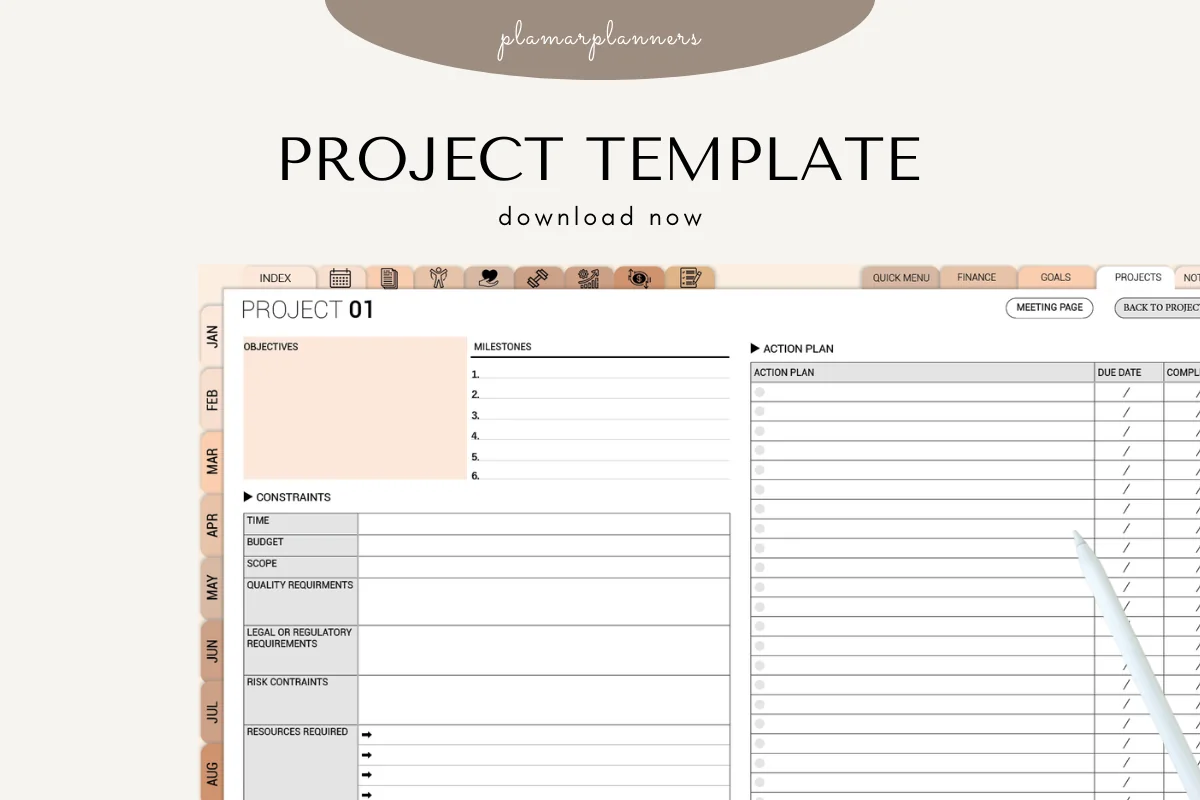
Project decisions
10. Project Planner – Printable & Digital
Format: Digital and printable PDF
Best for: keeping the move scope and budget limit together. Designed by Plamarplanners.
- Project form with Objectives and Milestones
- Constraints include Budget; Resources and Action Plan shown
- Digital use with GoodNotes, Notability or Xodo listed
The Budget field is a project constraint, not a detailed expense ledger. That is still useful at the start: write the limit beside the move scope and the action plan so each extra service becomes an explicit decision. The gallery shows color variants of a project form. Pair this project form with a separate spending record; the gallery does not establish seven distinct page types.
Quick Comparison
| Planner | Useful role | Relevant pages | Limit |
|---|---|---|---|
| 1. Digital Budget Planner, Financial Planner | Move fund | Sinking Funds and spending logs | Add move categories manually |
| 2. Simple Savings Planner, Digital Planner | Compact savings | Savings, purchases and bills | No detailed move estimate |
| 3. Budget Digital Planner Hyperlinked Tabs | Goal overview | Savings goal and monthly budget | Preset categories need adapting |
| 4. Gold Budget Digital Planner/Hyperlinked | Separate ledgers | Expense tracker, bills and notes | Manual progress and totals |
| 5. Undated Budget Planner for GoodNotes | Spending summary | Monthly spending and overview | Add payment-status labels |
| 6. Digital Budget Planner, Finance Tracker | Wider workbook | Expense and upcoming-cost pages | Detailed form behavior untested |
| 7. Expenses Tracker 4years Interactive PDF | Monthly check | Fixed and variable categories | Not a quote comparison form |
| 8. Undated Digital Planner, Life Planner | Calendar plus costs | Monthly dates, budget and expenses | Create the move pages yourself |
| 9. All-in-One Digital Planner ( 112 Pages ) | Schedule plus budget | Project, monthly budget and notes | General planner, manual setup |
| 10. Project Planner – Printable & Digital | Project scope | Budget constraint and action plan | Pair with a spending ledger |
Try a small moving budget example before filling every page
Here is a fictional check of three commitments. It is not an average moving budget or a recommendation for how much to spend. The point is to keep the total cost separate from the cash you still need.
| Item | Expected total | Paid | Remaining |
|---|---|---|---|
| Transport | $1,200 | $200 | $1,000 |
| Packing supplies | $80 | $80 | $0 |
| Temporary storage | $150 | $0 | $150 |
| Total | $1,430 | $280 | $1,150 |
The commitments total $1,430. The $280 already paid is part of that figure, leaving $1,150 to pay. If a $500 housing deposit might be returned later, put it on the pending-return page; it does not reduce the $1,150 you need for these commitments now.
- 1Before booking: replace the transport placeholder with the written estimate you are considering.
- 2After each payment: update paid and remaining on the same item.
- 3After a revision: change the expected total, preserve the earlier version and check the remaining figure.
- 4When a return arrives: record the received amount separately, then revisit the overall cash position.
Use a moving budget template to catch costs between addresses
Before booking, use the payment log as a checklist for costs that sit outside the main transport estimate. Add rows for packing materials, temporary storage and any overlap between the two homes. Ask moving companies to explain fees for access, special handling or extra services, then record only the charges that apply to your move.
Keep a separate line for dining or takeaway meals you plan to buy while the kitchen is packed. If you are a college student moving between terms, put the accommodation end date beside the date you can enter the next place. This makes a gap that might require storage or a temporary stay visible before you commit money.
Compare ways to save money before you book
Request comparable estimates for multiple dates if your schedule is flexible, and ask what changes when you pack your own stuff. Compare the cost of necessary packing materials with the packing service you would remove; keep supplies needed to protect your belongings in the plan. Record both options on the estimate page so you can decide whether the saving is worth the extra work.
Check what your moving budget calculator needs to total
For a manual calculation, add the expected costs once, then subtract payments already made to find the remaining commitments. Group those unpaid amounts by due date to see the cash flow you need before each payday. Keep recurring expenses for the household alongside that schedule so the move does not use money already assigned to bills.
Keep revised estimates consistent across your move records
If you track costs in a spreadsheet and keep estimates on your iPad, give each expense the same reference in both places. When a mover sends a revised estimate, update the expected cost in the payment log and note which document supports it. Keep the earlier estimate labeled as an older version so it does not become a second expense.
Before the next payment, compare the recorded total with the latest estimate and receipts. Check that the paid and remaining amounts add up to that total. If the figures differ, mark the item for follow-up before carrying it into the final summary.
A short review routine while the move is in progress
- 1Gather the records. Put new estimates, receipts and service confirmations in one private location. Give each one a reference you can recognize in the payment log.
- 2Update one source of truth. Change the relevant row before writing a new summary. If you also use a spreadsheet, decide which file holds the authoritative amounts.
- 3Check the next dates. Review the payments due before your next income arrives and the service dates still awaiting confirmation.
- 4Close or carry forward. Mark settled items clearly and keep pending bills and refunds on a short follow-up list.
For recurring household costs after the move, the broader budget planner ideas can help you build the next monthly routine. If payment timing is the problem, use the biweekly budget guide to see the move commitments alongside your paydays.
FAQ: Moving budget planner questions
How much should I budget for moving costs?
Use estimates for your actual move and a list of the costs within your chosen scope. Distance, services and housing arrangements differ, so the fictional figures here are not a benchmark. Check ordinary bills as well as the move costs before deciding what is affordable.
Can I use an undated digital budget planner for one move?
Yes, if its budget, expense and notes layouts give you enough space. Add the move dates and categories yourself. An undated planner is a place to record the plan; it does not supply a personalized estimate or guarantee a particular saving.
Do I count a booking deposit twice?
If it is part of the agreed total, record it as paid against that item and reduce the remaining amount. Check the actual agreement for how the payment is treated. A refundable housing deposit belongs in its own payment-and-return record, with its status clearly labeled.
Does a PDF moving planner add up my costs automatically?
A PDF file or a description of interactive fields alone does not establish that a planner calculates totals. For your move, check each total against the written estimate and receipts, including any booking payment already made. Keep the amount still due separate from the full service cost.
When should I get financial or legal help?
If essential bills are at risk, ask a qualified financial counselor for help with the wider budget. Questions about deposits, contracts, disputed charges or reimbursement rights need advice appropriate to your location and agreement. Keep the records, but do not treat a planner as professional advice.
Keep the last open item visible
A useful moving budget planner shows what you know, what you have paid and what still needs an answer. Start with the scope and written estimates, keep the seven records connected, and leave uncertain amounts labeled. The final check is easier when every total leads back to a real payment or document.
You May Also Like
This article contains affiliate links. If you buy through them, I may earn a commission at no extra cost to you. Read the affiliate disclosure.