Your old planner still holds half-finished lists, but January is about to arrive with a clean page. An iPad new year reset gives those open loops a deliberate end: finish, carry forward, or release them before you open the next planner.
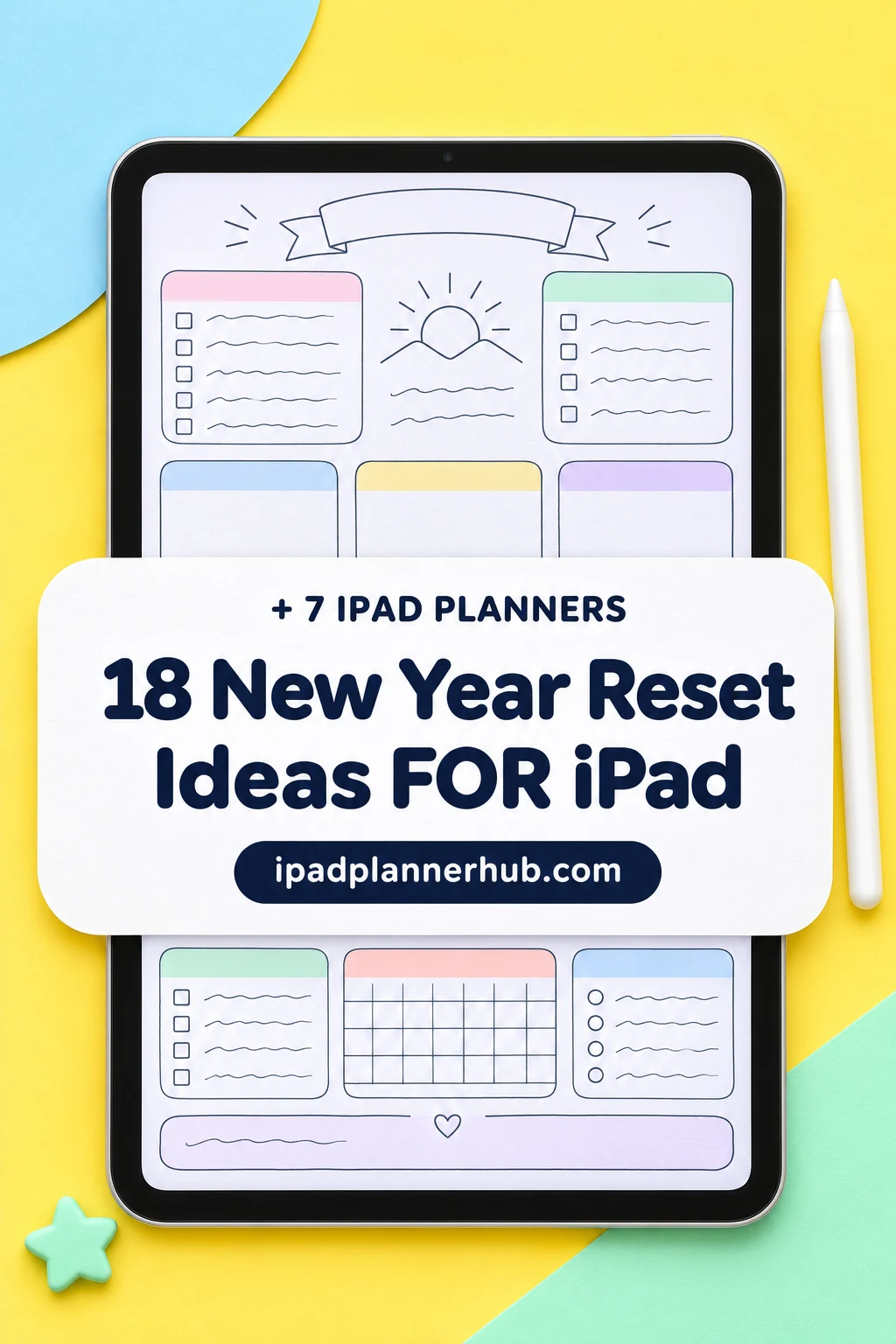
Work with one temporary page instead of copying everything. The ideas below are pages you create yourself, rather than prefilled forms. You can use them in any of the seven digital planners at the end.
Do the iPad new year reset in three passes
Pass one collects the loose ends from the closing year. Pass two makes the only three choices that keep the handoff manageable: finish, carry, or release. Pass three checks the first January week before it becomes overcrowded. Keep this handoff separate from setting new resolutions.
- Collect: open tasks, dated events, reference notes and old fragments.
- Decide: mark every item with one of three choices.
- Check: load the first week with a small number of carried actions.
18 page ideas for the year-end handoff
The first six pages gather the old planner without rewriting it. The next six help you make a finish, carry or release decision. The last six protect the first January week before it fills with new obligations.
Collect the loose ends
- 1.One-page open-loop inventory. In a notebook section, list every unfinished area: tasks, events, notes and recurring reminders. Write enough to recognize the item, not the full history.
- 2.Three-column sort. Divide a page into calendar events, action items and reference notes. Keep something out of the action column until it needs a dated step.
- 3.Current status strip. Next to each open item, add the last date you touched it and the next action you could take.
- 4.Date check. Flag every item that depends on a date. Ask whether that date still matters before you give it space in the new planner.
- 5.Fragment page. Collect screenshots, sticker notes and small pieces of text on one holding page. Label each one with its source.
- 6.Archive index page. Record the closing planner’s filename, saved location and final date on one page. Keep an untouched copy before moving pages, and use the index to find it later.
Apply the finish, carry or release decision
- 7.Completed-items log. Give finished tasks a dated closing page with a short outcome. Keep cancelled items in a separate section so a completed task is easy to distinguish from one you dropped.
- 8.Next-action carry sheet. When a task moves forward, copy only the next small verb and the date it can fit.
- 9.Release log. Put a short reason and a date next to anything you are leaving behind. The explanation helps you reconsider it later without starting from scratch.
- 10.Action rewrite worksheet. Turn carried items into verbs with a rough size, for example call dentist or map two project steps. Vague labels make the first week harder.
- 11.Capped carry list. Set a page or a number for carried items. If the page fills, you have a natural checkpoint for what truly belongs now.
- 12.Wishes and obligations spread. Use two columns: wishes for later and obligations with a time, owner and next action. Do not give every old wish a daily box.
Check the first January week
- 13.New-planner setup page. Note the dated or undated file you will use, its working sections and where you keep archived files. Use this page as a map when you start January.
- 14.First-week panel. Use a weekly page and block only three to five carried actions. Test the size before spreading items across all 52 weeks.
- 15.Overflow box. A small space on the week or a nearby notes page catches later additions without squeezing more tasks into the existing boxes.
- 16.First-week review page. Make three prompts: what moved, what stalled and what needs another decision. Date the page for the last day of your first January week.
- 17.Handoff note. Write one page that says what you were carrying and why. Use the note at your next quarterly review rather than reconstructing the full history.
- 18.Next-December starter page. End the closing planner with a starter note: what worked, what should not repeat, and where the unresolved items live.
7 iPad planners for a smoother handoff
These files give you a place to hold the three passes. They are selected as general planners and worksheets rather than as a prefilled New Year reset pack. You still make the decisions and move pages by hand. A yearly companion list for new year goals, a broader yearly planner review, and a weekly Sunday reset can sit beside this handoff without repeating the same task lists.
TL;DR: Choose an undated review planner, a full dated 2027 planner, or a weekly worksheet for your manual year-end handoff. The compact 2027 Weekly Planner includes only 18 week spreads. Keep the old year separately and copy the actions you still need.
Quick Picks
- Best for the old-year review: Undated Digital Planner for Goodnotes
- Best for carrying into a dated 2027 goal year: Goal Getter Planner 2027 Landscape
- Best for emptying the mental load first: Premium ADHD Time Blocking System
- Best for a large all-in-one January setup: 2027 Bundle Digital Planner, Goodnotes
- Best for the first-week review: Weekly Planner & Review
- Best for a compact dated review set: 2027 Weekly Planner
- Undated Digital Planner for Goodnotes – Best for the old-year review
- Goal Getter Planner 2027 Landscape – Best for carrying into a dated 2027 goal year
- Premium ADHD Time Blocking System – Best for emptying the mental load first
- 2027 Bundle Digital Planner, Goodnotes – Best for a large all-in-one January setup
- Weekly Planner & Review – Best for the first-week review
- 2027 Weekly Planner – Best for a compact dated review set
- Savings Goal Planner 2027 Portrait – Best for the optional financial carry-over
Best for the old-year review
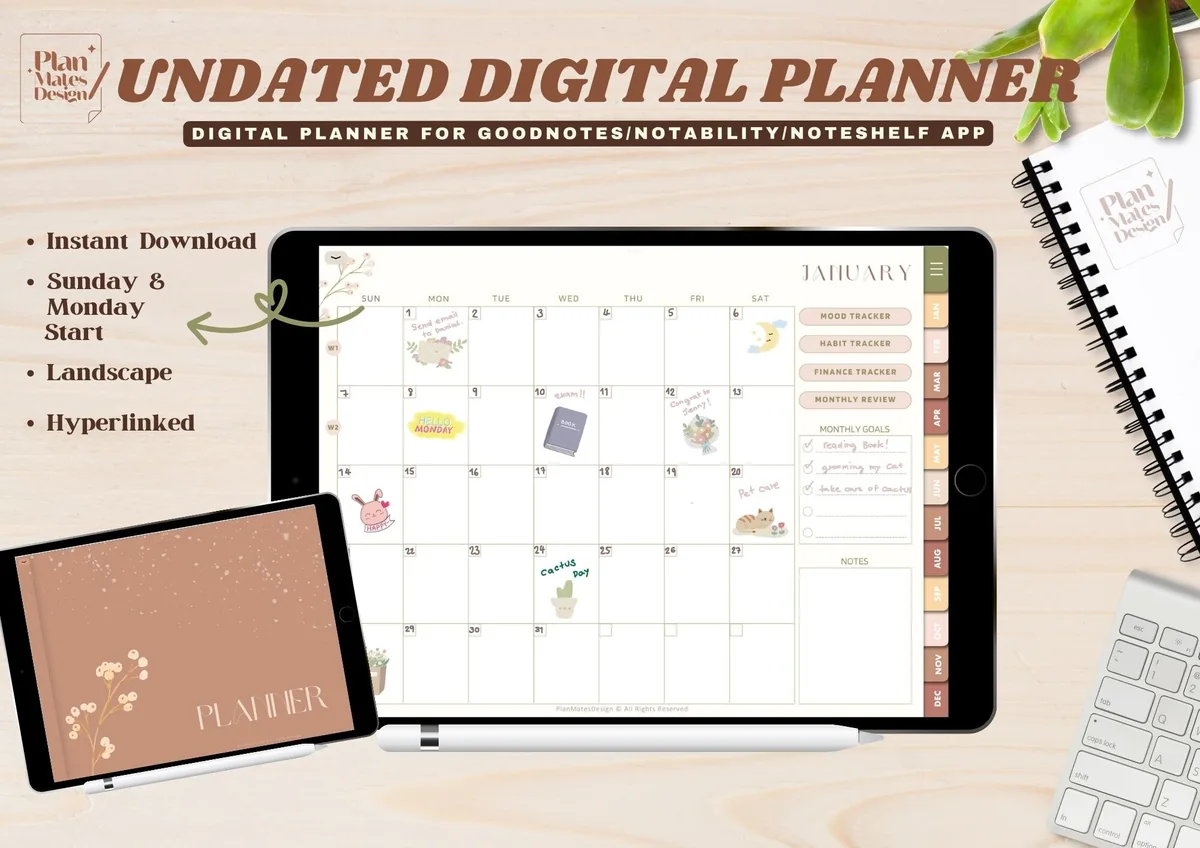
1. Undated Digital Planner for Goodnotes
Orientation: LandscapeLayouts: End-of-year review, resolutions, monthly and weekly pages, trackers, notebook sectionsDates: Undated
Best for: closing the past year and naming what to carry. Designed by TinyGoong Studio.
- Monday and Sunday start PDFs with 10 JPEG covers
- Undated calendar, key dates, end-of-year review, resolutions and yearly overview pages
- Monthly planner and review, weekly planner, mood, habit and finance trackers
- Four notebook sections with blank, grid and dot paper
This is the most direct match to a year-end handoff because it has an end-of-year review page and a place for resolutions. Use those pages for the finish, carry or release decision without claiming the file will migrate older pages. Since it is undated, you can open it whenever the handoff happens and reuse the layout year after year.
Best for carrying into a dated 2027 goal year
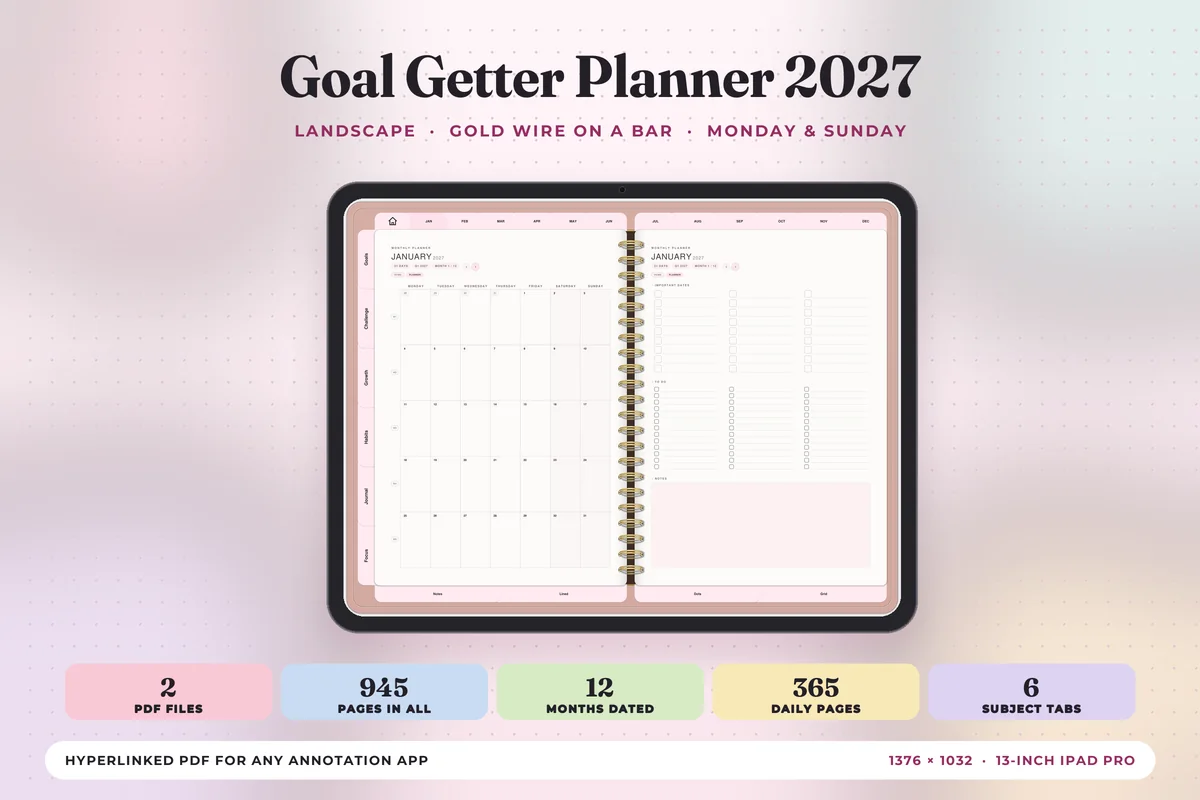
2. Goal Getter Planner 2027 Landscape
Orientation: LandscapeLayouts: Month, week, day, subject tabs, goals, habits and focus pagesDates: Dated 2027
Best for: turning carried tasks into dated weekly action. Designed by Print Magic StudioX.
- Two hyperlinked landscape PDFs with Monday and Sunday start
- 472 pages in the Monday file and 473 in the Sunday file
- 12 month grids, 12 monthly planners, a weekly planner for every week and 365 daily pages
- Goals, Challenge, Growth, Habits, Journal and Focus tabs with 24 subject templates
- Requires an app that accepts PDF files and stylus input; sized for a 4:3 tablet
The weekly spread lists wins and what rolls over, so it fits the handoff between old and new tasks. Use the foot of the week for carried items, then move them into the dated day page when they belong to a specific date. Its dated pages cover 2027; you create the reset routine yourself.
Best for emptying the mental load first
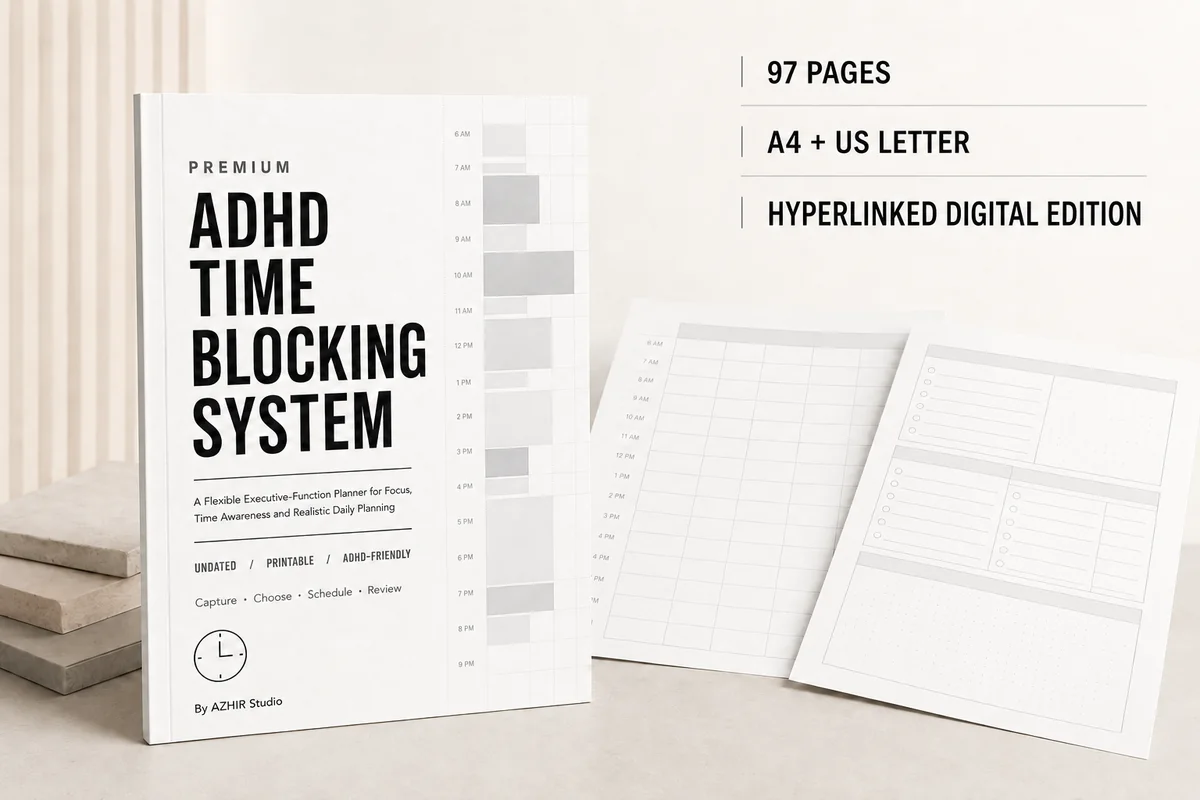
3. Premium ADHD Time Blocking System
Orientation: Not listedLayouts: Brain dump, priority filter, time blocking, reset, reviewsDates: Undated
Best for: brain dumping open loops and choosing a realistic first list. Designed by Azhir.
- 97-page hyperlinked digital PDF plus A4 and US Letter printable PDFs
- Brain and mental-load dump, priority filter and task breakdown pages
- Daily, weekly and monthly planning with half-hour time blocking
- Overwhelm reset, recovery worksheets, weekly, monthly and quarterly reviews
This is the sorting tool, not a purchase that resets your year for you. A mental-load dump gives you a place to write everything that feels unfinished, and the priority filter helps you label what actually deserves a January slot. Mark which items become next actions and leave the rest on a closed page.
Best for a large all-in-one January setup
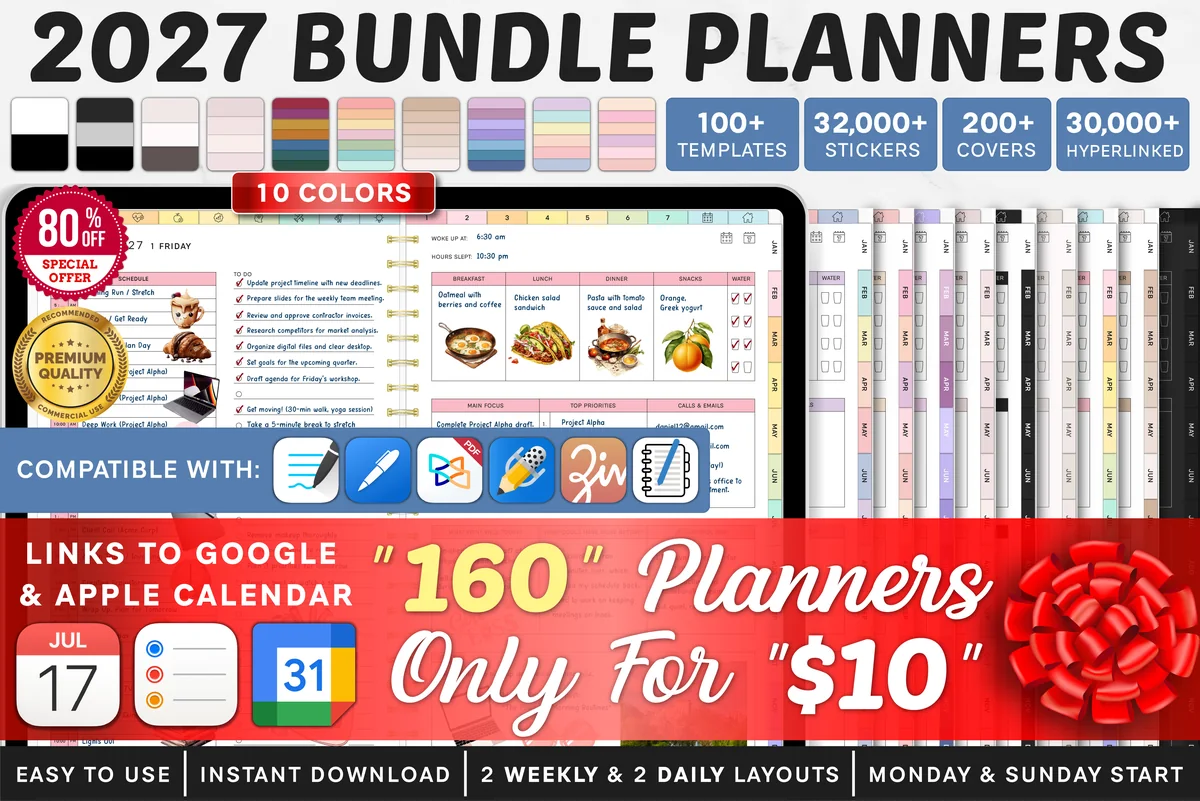
4. 2027 Bundle Digital Planner, Goodnotes
Orientation: Not listedLayouts: Yearly, quarterly, monthly, weekly, daily, projects, notesDates: Dated 2027
Best for: carrying priorities into monthly and weekly reviews. Designed by SuperDigitalPlanners.
- 160 planner variants in one offer with Monday and Sunday start
- Yearly and monthly goals, quarterly overview, monthly and weekly reflection pages
- Daily planning, 12 project sections, 15 note templates and 7 custom pages
- For GoodNotes, Notability, Xodo and Noteshelf; not designed for OneNote
For a large dated home for carried priorities, this bundle offers weekly and monthly reflection pages. Use them to check whether an unfinished item still belongs. Its calendar links let you initiate adding events to Apple or Google Calendar. Follow the included instructions for your app and device.
Best for the first-week review
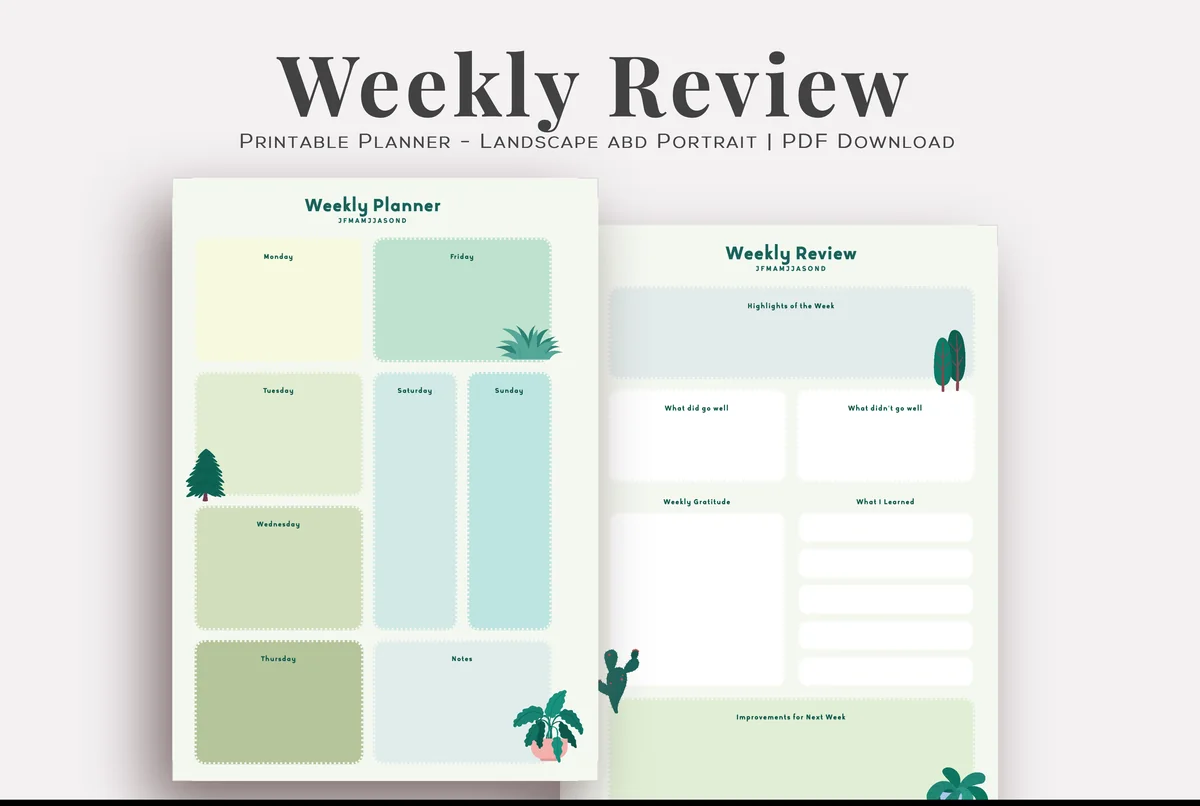
5. Weekly Planner & Review
Orientation: Not listedLayouts: Weekly planner, notes, weekly review promptsDates: Undated
Best for: checking highlights, lessons and improvements after the handoff. Designed by Print Magic StudioX.
- Printable PDF compatible with Goodnotes, Notability, Penly and Xodo
- Planner section for Monday through Sunday plus a notes section
- Weekly review prompts for highlights, what went well and what did not
- Gratitude, what I learned and improvements for next week
Use this as a light checkpoint after the first January week. The weekly review is already structured, so you can ask whether the carried list still fits. It is a weekly worksheet, not a yearly archive or a full reset system, which makes it easy to keep next to a dated planner.
Best for a compact dated review set
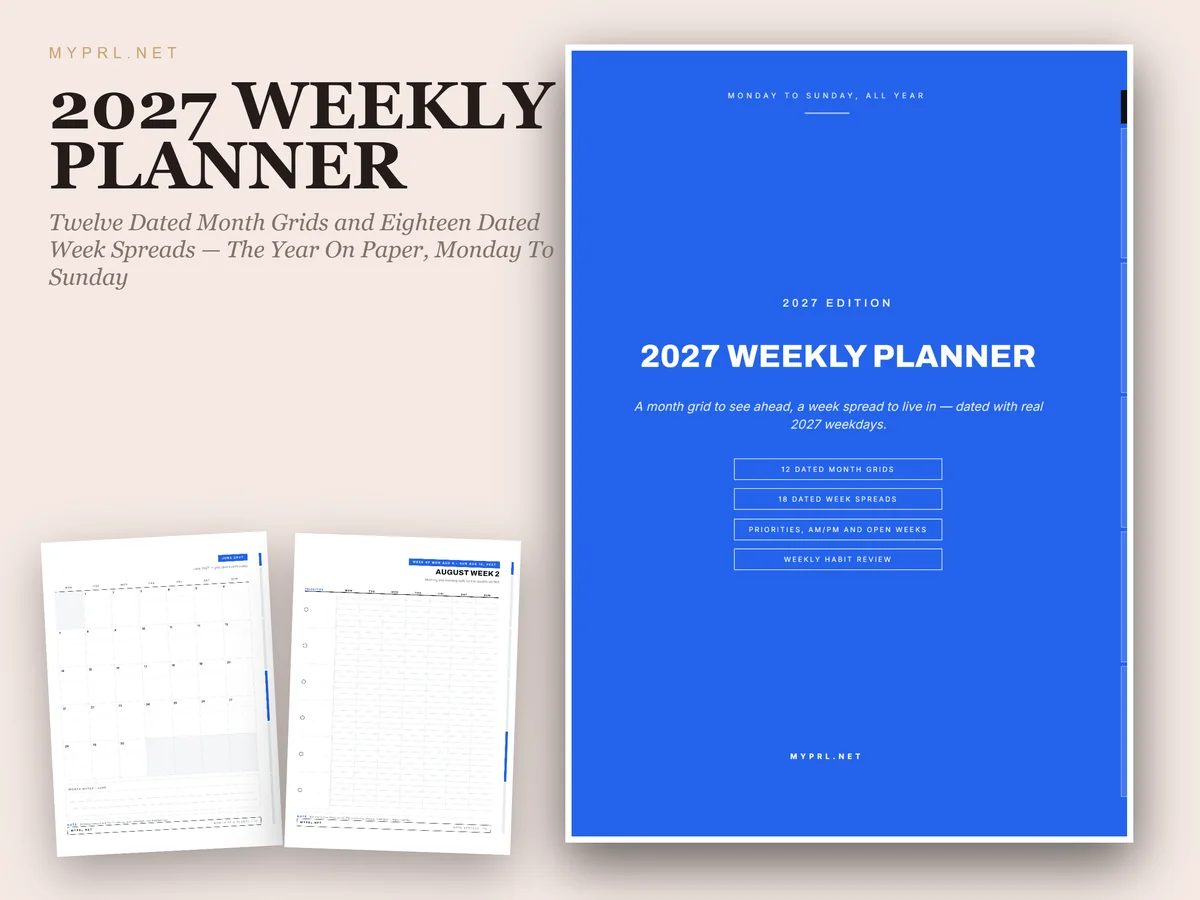
6. 2027 Weekly Planner
Orientation: Not listedLayouts: Month grids, week spreads with priorities, habit reviews, year-in-reviewDates: Dated 2027
Best for: a small 2027 file with month grids and a year-in-review. Designed by Healers Hub co.
- 36 pages total with 12 dated month grids and 18 dated week spreads
- Each page also delivered as PNG
- Priorities and AM/PM blocks on the week spreads
- Weekly habit reviews and a year-in-review
This is a small dated companion if a 500-page system feels too heavy. It is important to read the scope correctly: 18 week spreads are dated for 2027, not a week-for-every-week planner. Use it as a seasonal checkpoint or a lightweight first-month file rather than depending on it for the whole year.
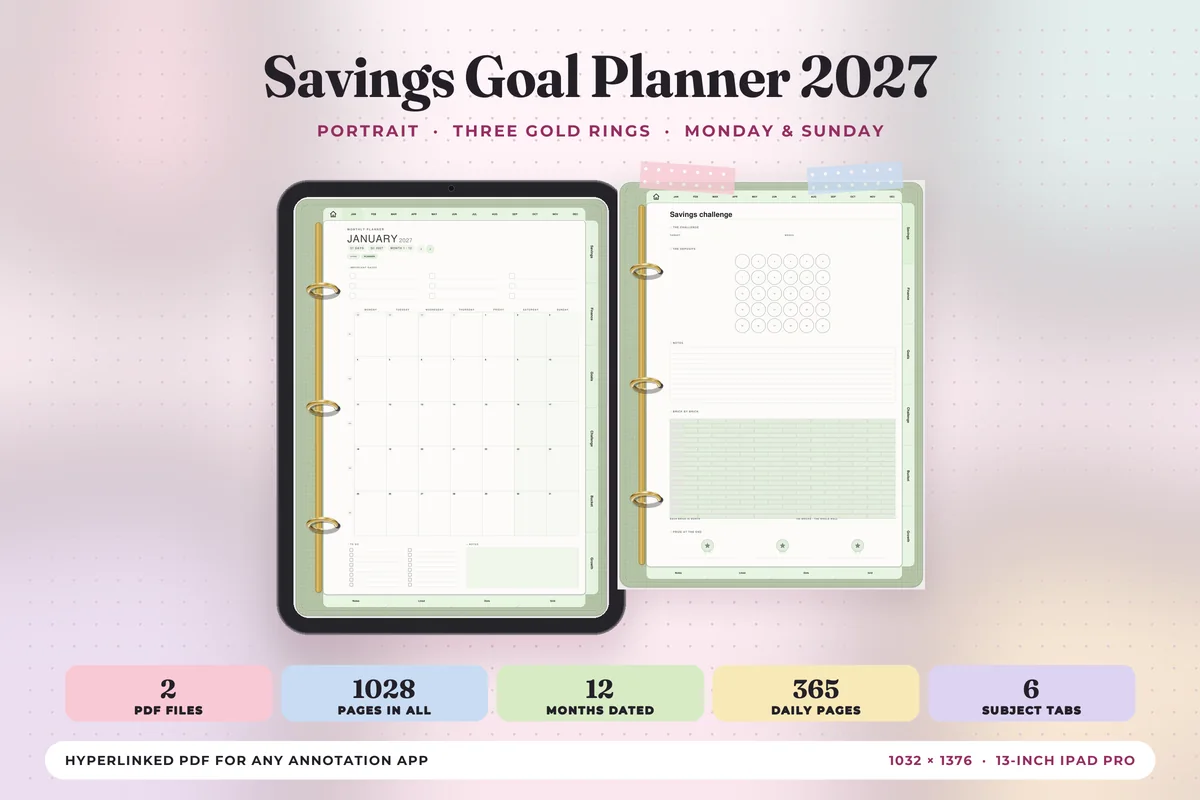
Best for the optional financial carry-over
7. Savings Goal Planner 2027 Portrait
Orientation: PortraitLayouts: Month, week, day, savings, finance, goals, challenge, bucket, growthDates: Dated 2027
Best for: moving savings goals and financial obligations into the new year. Designed by Print Magic StudioX.
- Two hyperlinked portrait PDFs with Monday and Sunday start
- 513 pages in the Monday file and 515 in the Sunday file
- 12 month grids, 12 monthly planners, a weekly planner for every week and 365 daily pages
- Savings, Finance, Goals, Challenge, Bucket and Growth tabs with 24 subject templates
- Requires an app that accepts PDF files and stylus input; sized for a 4:3 tablet
If your handoff includes a savings goal or a bill that resets in the new year, this portrait planner gives those items a separate set of tabs. Treat it as an optional second workbook. Use its Savings and Finance pages to record your plan manually. The entries are your planning notes, not a guarantee of a financial result.
Quick Comparison
| Planner | Reset use | Page structure | Main distinction |
|---|---|---|---|
| 1. Undated Digital Planner for Goodnotes | Year-end review | Undated pages | Linked PDF |
| 2. Goal Getter Planner 2027 Landscape | Dated rollover | 472 or 473 pages | Weekly wins and rollover |
| 3. Premium ADHD Time Blocking System | Mental-load sort | 97 pages | Digital plus printable |
| 4. 2027 Bundle Digital Planner, Goodnotes | Large dated bundle | 160 variants | Monthly and weekly review |
| 5. Weekly Planner & Review | First-week check | Weekly review | Botanical worksheet |
| 6. 2027 Weekly Planner | Compact dated review | 36 pages | 18 week spreads |
| 7. Savings Goal Planner 2027 Portrait | Savings handoff | 513 or 515 pages | Finance and goals tabs |
Set up the manual planner transfer
Use a clean page for each pass and date it. You can adapt the ideas to whatever app you already have; the file does not need special buttons. Keep one untouched template before writing your first entry so spacing can be corrected later.
A small setup you can repeat
- 1.Create three destinations. Make an open-loops page, a carried-actions page and a first-week review page. In a linked planner, use its existing sections for each pass.
- 2.Write the decision key once. Put Finish, Carry and Release at the top of the open-loops page. Use the same three words on every item.
- 3.Move only the next action. Copy a carried item as one verb plus a date. Do not copy the whole project unless the new planner already has a specific section for it.
- 4.Check the week before adding goals. Open the first weekly spread and count the carried actions. If it feels tight, move lower-priority items to an overflow page.
- 5.Keep a recoverable copy. Use the backup or export options available in your app and confirm that you can open a saved copy without relying on the new file alone.
Planner template or app: what handles the rollover?
The planner supplies page layouts; your annotation app handles writing, copying and backups. A PDF does not automatically sync your task list with a calendar. The large 2027 Bundle includes links for adding calendar events; follow its instructions for the supported app and device. Check its app instructions before relying on that workflow.
Example: a carried-task list for the first week
This is an invented example of sorting, not a suggested resolution list. The old planner has five open items. After the pass, two are finished, one becomes a January phone call, one moves to an ideas list, and one is released with a note. The January week gets the phone call plus two already dated events. The other open wishes wait.
- Open loops: five items collected from tasks, events and notes.
- Decision: finish two, carry one, move one to ideas and release one.
- First week load: three dated placements, not a full list of new goals.
- Review note: after the week, move the carried phone call to done or release it if it no longer fits.
FAQ: iPad New Year reset and planner handoff
What is a New Year reset in an iPad planner?
It is a manual handoff between the old planner and the new one. Use a closing-year inventory, a short carried-actions list and a first-week review to keep the transition manageable.
Do I need a dated 2027 planner for this routine?
No. An undated file works because you write the dates yourself. A dated 2027 planner is useful when you want the year and weeks already aligned. The page ideas do not depend on a specific file.
Will these planners move my old pages automatically?
No. These are planner files used in a PDF annotation app, rather than a migration service. Hyperlinks move between pages inside a file. You keep the original file, decide what to carry, and copy the next actions by hand.
Should I delete the old planner after transferring?
Prefer to keep a read-only copy of the closing year. The old file is the record, and the new planner is the working space. If storage is limited, export or save one copy using the backup options in your app and confirm you can open it before deleting anything.
What should I do with financial items during a reset?
Treat them as a separate optional carry-over page. Use the Savings and Finance pages to record your plan manually, including goals and due dates. Your entries do not guarantee a financial result. If a financial matter is urgent, use your bank or a qualified financial professional.
Can a time-blocking planner treat ADHD?
No. The Premium ADHD Time Blocking System is an organizational and self-reflection tool. It is not medical advice, diagnosis or treatment. Use it for planning and speak with a qualified professional for care questions.
Keep the handoff small enough to use
An iPad new year reset is about a clean boundary, not a complete personal audit. Choose the few pages you will actually revisit during January. When the old planner can stay closed, the handoff has worked.
You May Also Like
Purchases through selected links may earn this site a commission without changing your price. Our affiliate disclosure explains the arrangement.