Search for a digital planner template and you get everything at once: single monthly pages, 600-page all-in-one planners, Canva files you can’t write on, and “free” templates that turn out to be a sign-up form. If you just want something that opens in GoodNotes and works, the choice is less obvious than it should be.
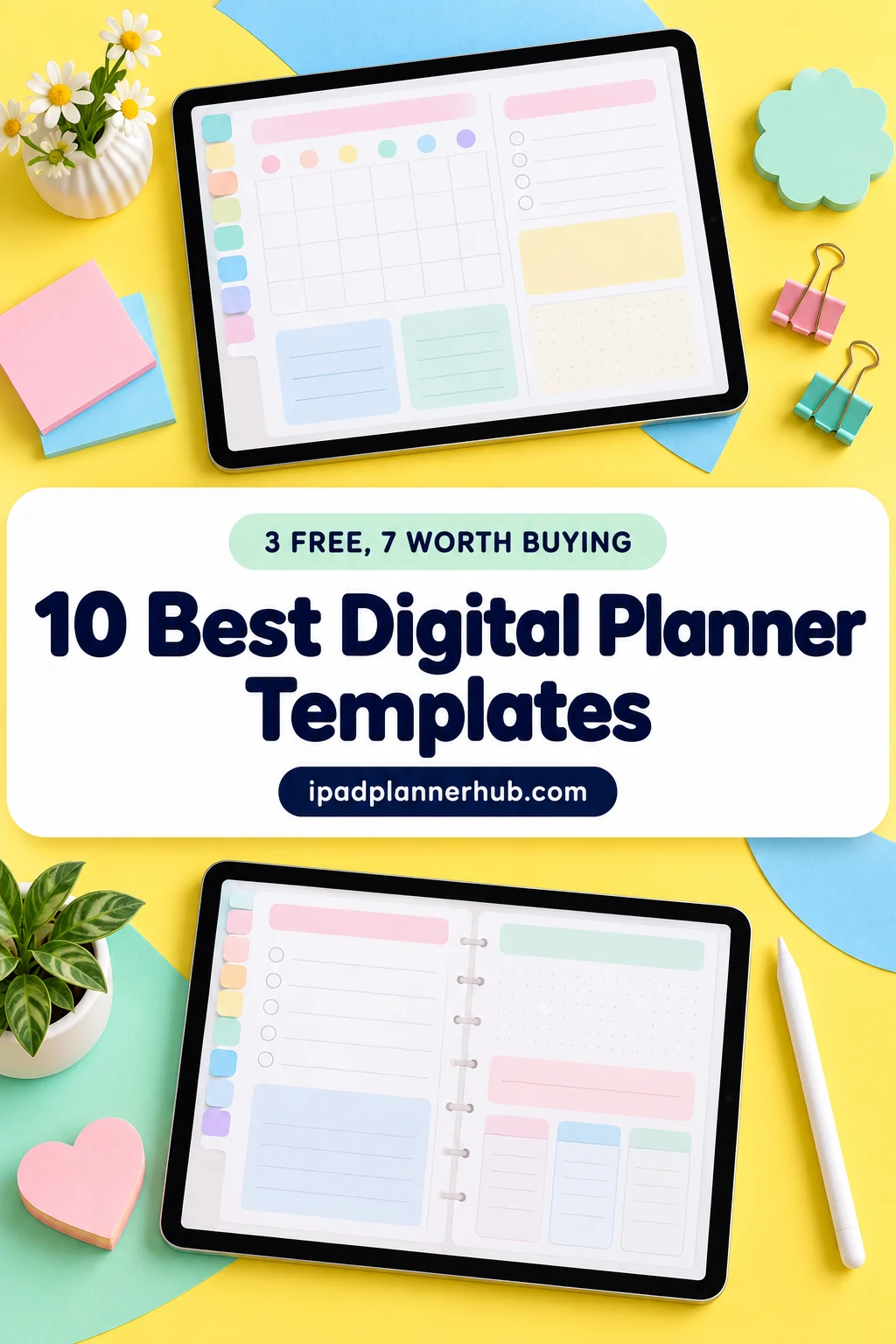
So I sorted it for you: 10 digital planner templates from Creative Fabrica that open in GoodNotes on the iPad. The first 3 are free digital planner templates for iPad, the other 7 are paid and go from a simple base template to a full all-in-one planner. After the list: the difference between a template and a full planner, whether free templates are worth it, and how to build your own planner from single templates.
The 10 Best Digital Planner Templates I Found
Every template here is a PDF made for GoodNotes, Notability or similar apps: no Canva-only files, no print-only sheets, nothing dated for a past year. Free ones first, then paid, from simplest to biggest.
TL;DR: 10 digital planner templates for GoodNotes on the iPad: 3 free (a monthly planner, a daily page and a Cornell notes page) and 7 paid, from a simple base template to an all-in-one with 86 templates. Each card lists orientation, layouts and dates, plus who it suits.
Quick Picks
- Best for free monthly template: FREE Undated Monthly Digital Planner
- Best for free daily page: Digital Daily Planner Freebie (5 Colors)
- Best for free notes template: Free Goodnotes Cornell Notes Template
- Best for blank base for creators: Floral Undated Digital Planner
- Best for romantic floral template: Digital Planner Template
- Best for neutral essentials: Undated Digital Planner for Goodnotes
- FREE Undated Monthly Digital Planner – Best free monthly template
- Digital Daily Planner Freebie (5 Colors) – Best free daily page
- Free Goodnotes Cornell Notes Template – Best free notes template
- Floral Undated Digital Planner – Best blank base for creators
- Digital Planner Template – Best romantic floral template
- Undated Digital Planner for Goodnotes – Best neutral essentials
- Digital Planner for Goodnotes – Best budget all-rounder
- Undated Digital Planner Goodnotes – Best cute and colorful
- Digital Planner for Ipad, GoodNotes – Best for layout choice
- All-in-One Digital Planner – Best all-in-one (most reviewed)
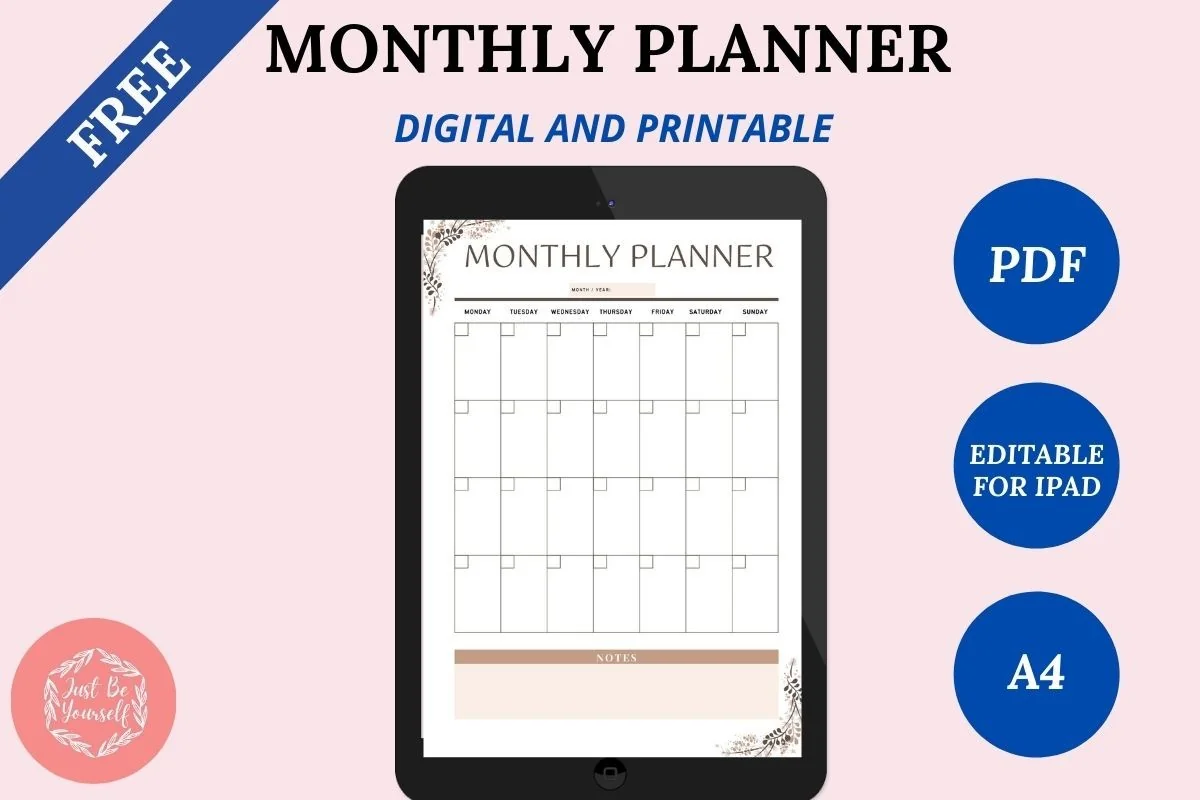
Best free monthly template
1. FREE Undated Monthly Digital Planner
Layouts: MonthlyDates: Undated
Best for: beginners, monthly planners. Designed by JustBeYourSelf.
- Free undated monthly planner, A4
- Editable digital PDF plus a printable PDF
- Duplicate as many months as you need
- Works in GoodNotes, Notability and Noteshelf
The easiest way to find out whether you like planning on the iPad: one clean monthly page, duplicated twelve times. It's free and has good reviews, so there's no reason not to try it first.
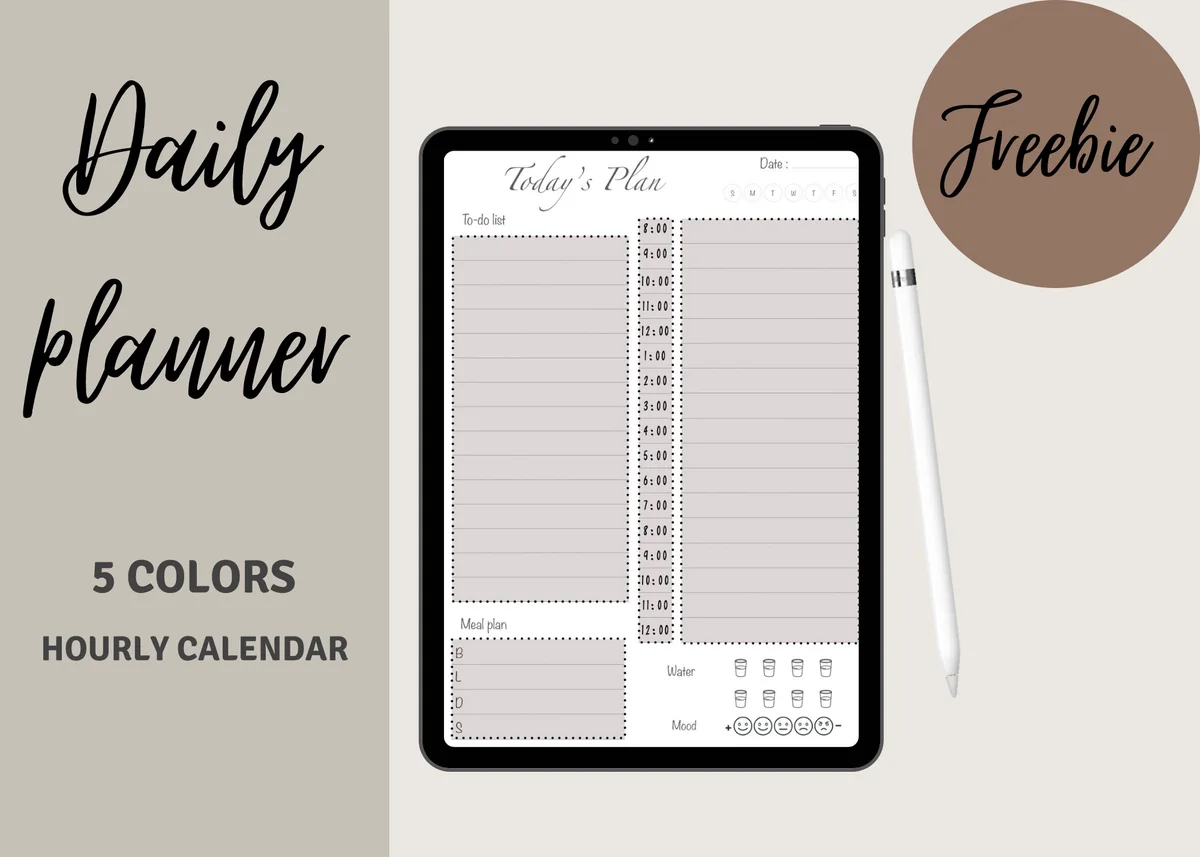
Best free daily page
2. Digital Daily Planner Freebie (5 Colors)
Orientation: PortraitLayouts: DailyDates: Undated
Best for: beginners, free planner seekers, daily planners. Designed by yarasdigitalshop.
- Free undated daily page, A5, in 5 color versions
- To-do list and an hourly schedule from 8:00 to 12:00
- Meal plan boxes plus water and mood trackers
- Works in GoodNotes, Notability or any PDF app
Not a calendar but one day on a single page: to-dos on the left, hours on the right, and small boxes for meals, water and mood. Duplicate it for every day you plan, and use the five colors to tell work days from weekends.
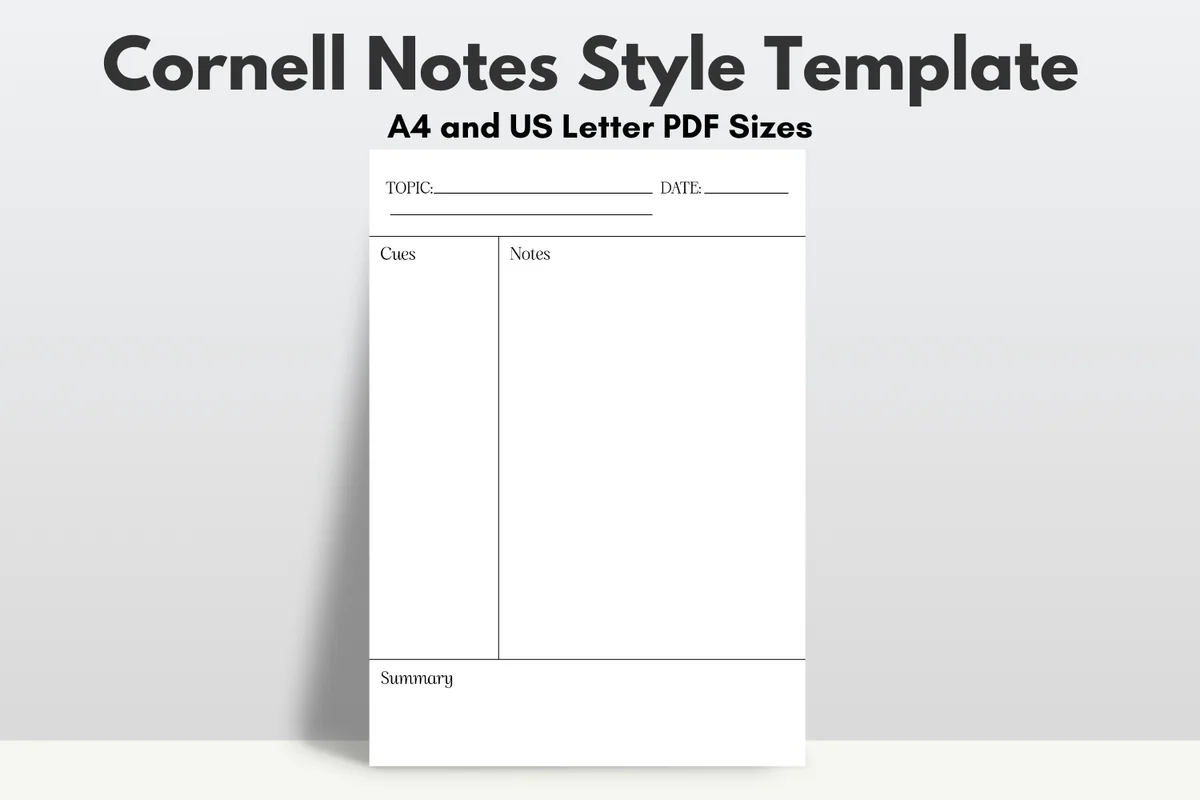
Best free notes template
3. Free Goodnotes Cornell Notes Template
Orientation: PortraitLayouts: Cornell notes page
Best for: students, note takers, meeting notes. Designed by diyhomeprintables.
- Cornell notes layout: cues column, notes and a summary box
- Topic and date at the top
- A4 and US Letter PDF
- Free
Not a calendar, but the template I'd add to any planner: the Cornell method makes you write the key questions and a summary, which is what helps notes stick. Import it as a custom page template in GoodNotes and add it wherever you need it.
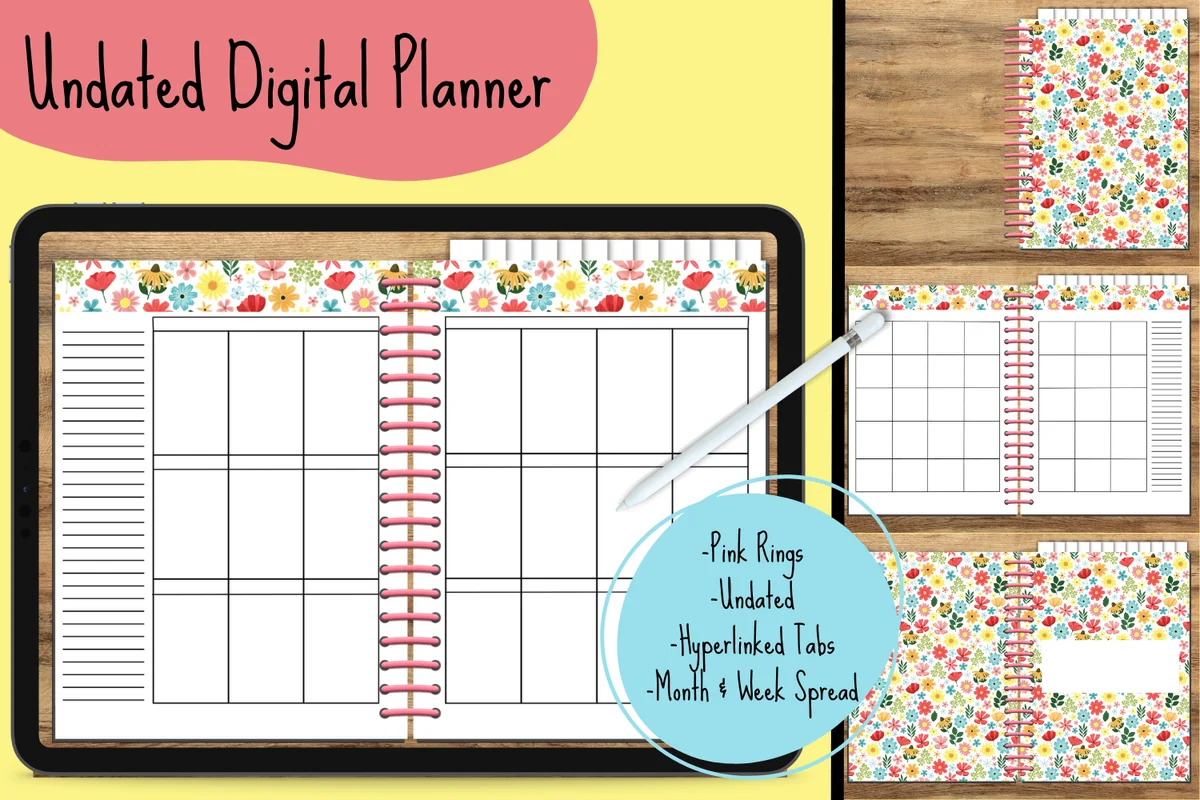
Best blank base for creators
4. Floral Undated Digital Planner
Orientation: LandscapeLayouts: Monthly, WeeklyDates: Undated
Best for: creative planners, beginners, floral lovers. Designed by Georgia White.
- Monthly and weekly spreads, undated
- Hyperlinked tabs to blank monthly dividers
- Colorful floral design
- PDF for GoodNotes
A starting point rather than a finished planner: the month dividers are blank, waiting for your own stickers and lettering. Great for beginners who like to decorate, and for anyone who wants to try making a planner their own.
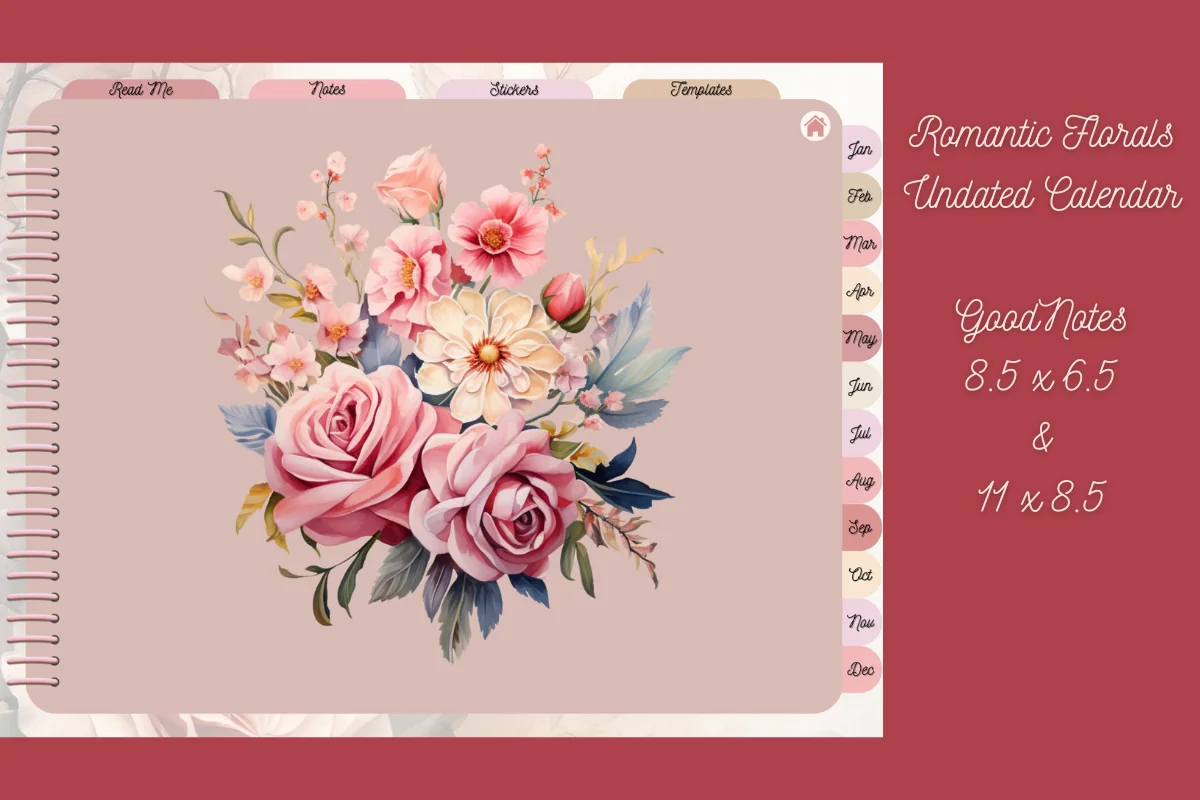
Best romantic floral template
5. Digital Planner Template
Orientation: LandscapeLayouts: Monthly, Weekly, 7 extra templatesDates: Undated
Best for: floral lovers, sticker lovers, list makers. Designed by ImaginativeInkWorks.
- Undated monthly calendar with five weekly pages per month
- Day planner, dot grid, graph, notes, shopping and to-do templates
- Notes section with 10 customizable tabs
- 4 covers and 130+ PNG stickers; 2 sizes
Soft watercolor roses, but the inside is practical: every month comes with its weeks, and the extra templates (shopping list, to-do, meal ideas) cover most of the small lists in life.
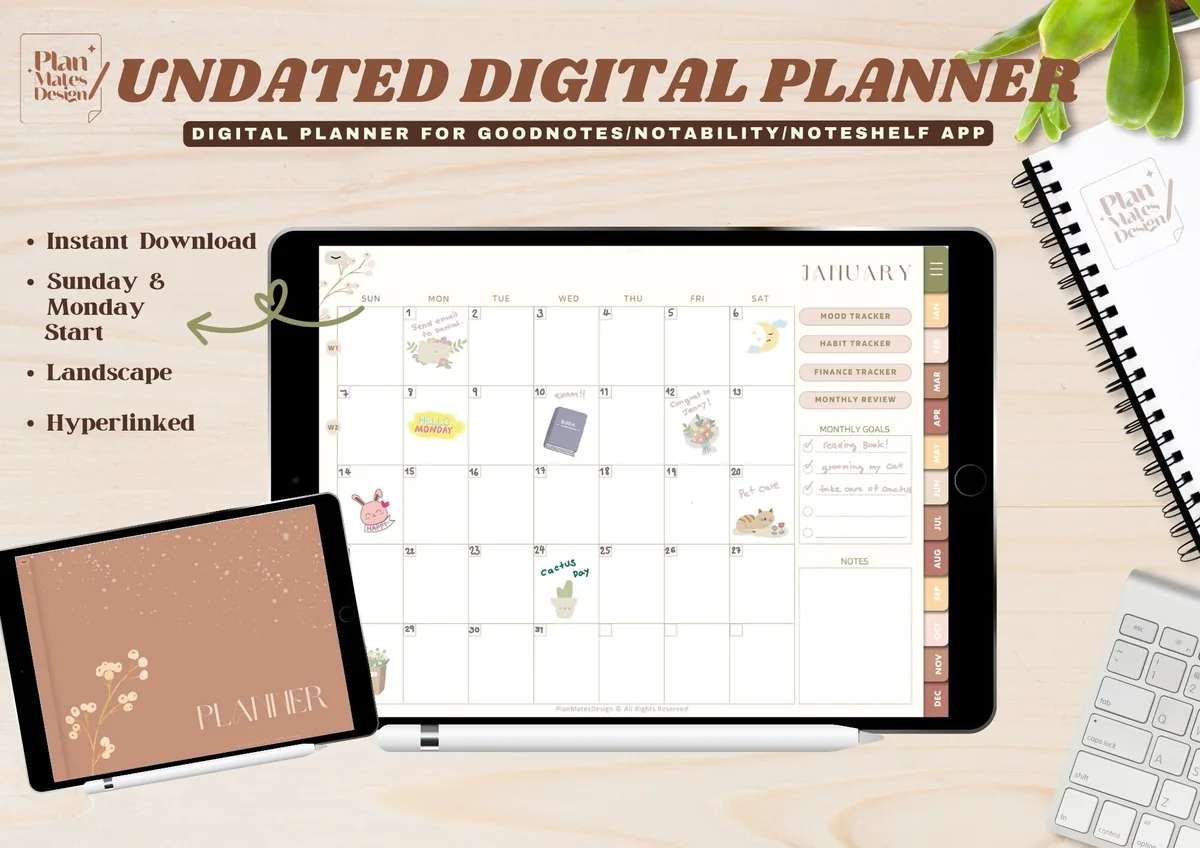
Best neutral essentials
6. Undated Digital Planner for Goodnotes
Orientation: LandscapeLayouts: Yearly, Monthly, Weekly, TrackersDates: UndatedWeek start: Monday or Sunday
Best for: minimalists, neutral lovers, beginners. Designed by TinyGoong Studio.
- Monday and Sunday start PDFs, undated, landscape
- Yearly overview, key dates, end-of-year review, resolutions
- Monthly planner and review, weekly planner
- Year in pixels, habit and finance trackers; 10 covers
Simplicity over complexity, as the designer puts it: year, month, week and three trackers, in a soft neutral theme. A great step up from a free monthly template without drowning in sections.
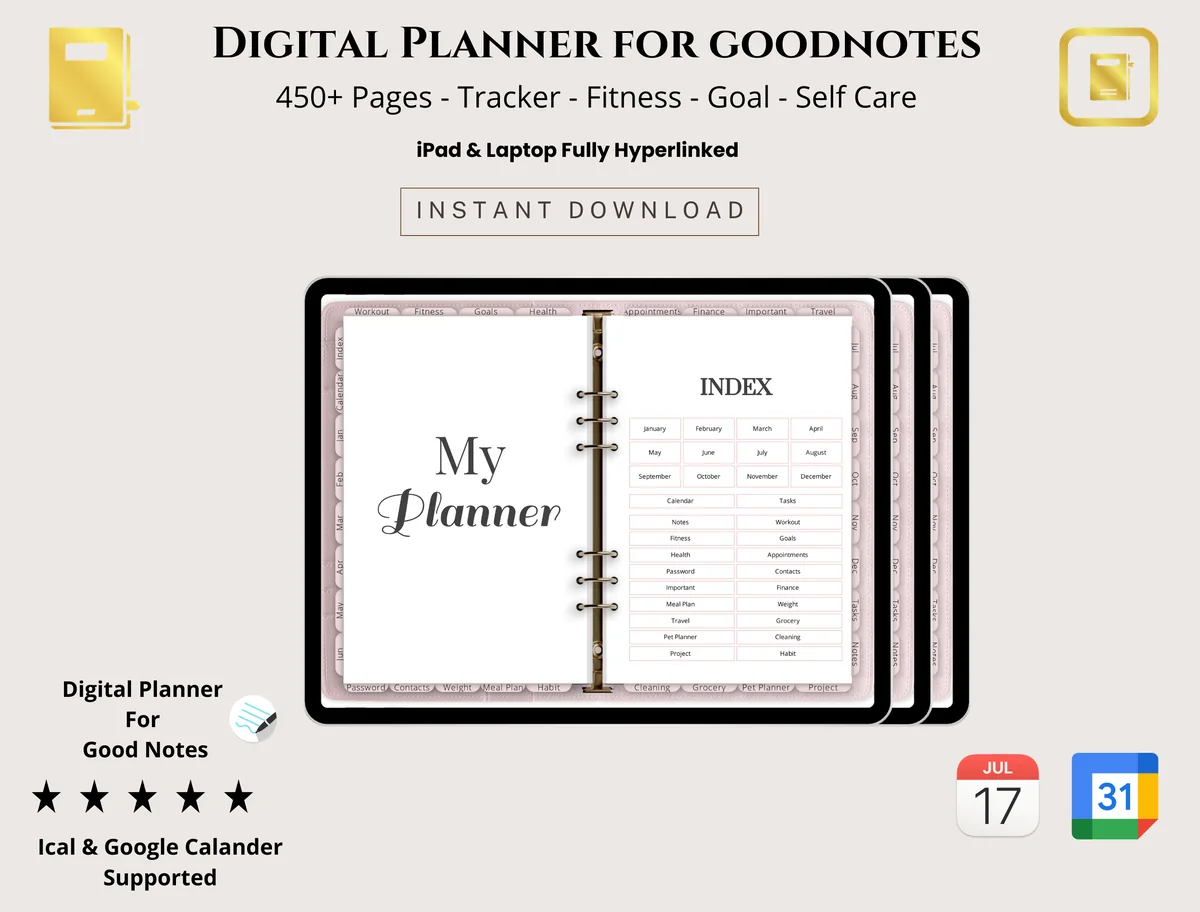
Best budget all-rounder
7. Digital Planner for Goodnotes
Layouts: Monthly, Weekly, Daily, Trackers
Best for: students, professionals, budget shoppers. Designed by PlannerPlanet.
- Daily, weekly and monthly layouts
- Goal setting, to-do lists and checklists
- Budget and expense tracker, habit tracker
- 450+ pages with trackers (per the cover)
A lot of planner for the price: all three time views plus goals, budget and habits. The design is simple and neutral, so it suits students and work as well as home.
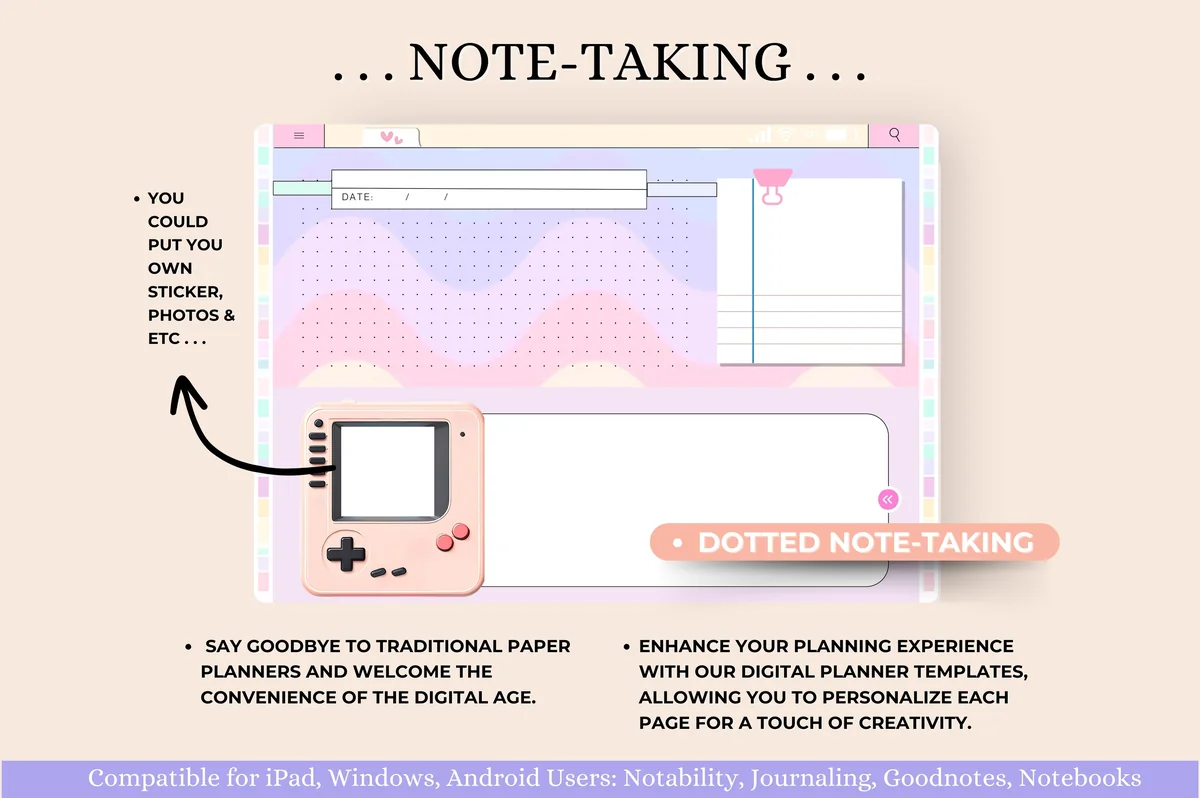
Best cute and colorful
8. Undated Digital Planner Goodnotes
Orientation: LandscapeLayouts: Monthly, Weekly, Daily, TrackersDates: Undated
Best for: pastel lovers, self-care planners, budgeters. Designed by Tas Creative Studio.
- Hyperlinked, undated, 12-month modules, horizontal
- Self-care, mood and water trackers
- Goal planner, vision board, reading log, movie tracker
- Budget, expense, savings, bill and debt trackers; bonus sticker book
Playful pastel pages with a surprising amount of structure: wellness, productivity and a full finance section. If you want your planner to be fun to open every morning, this is the one.
Best for layout choice
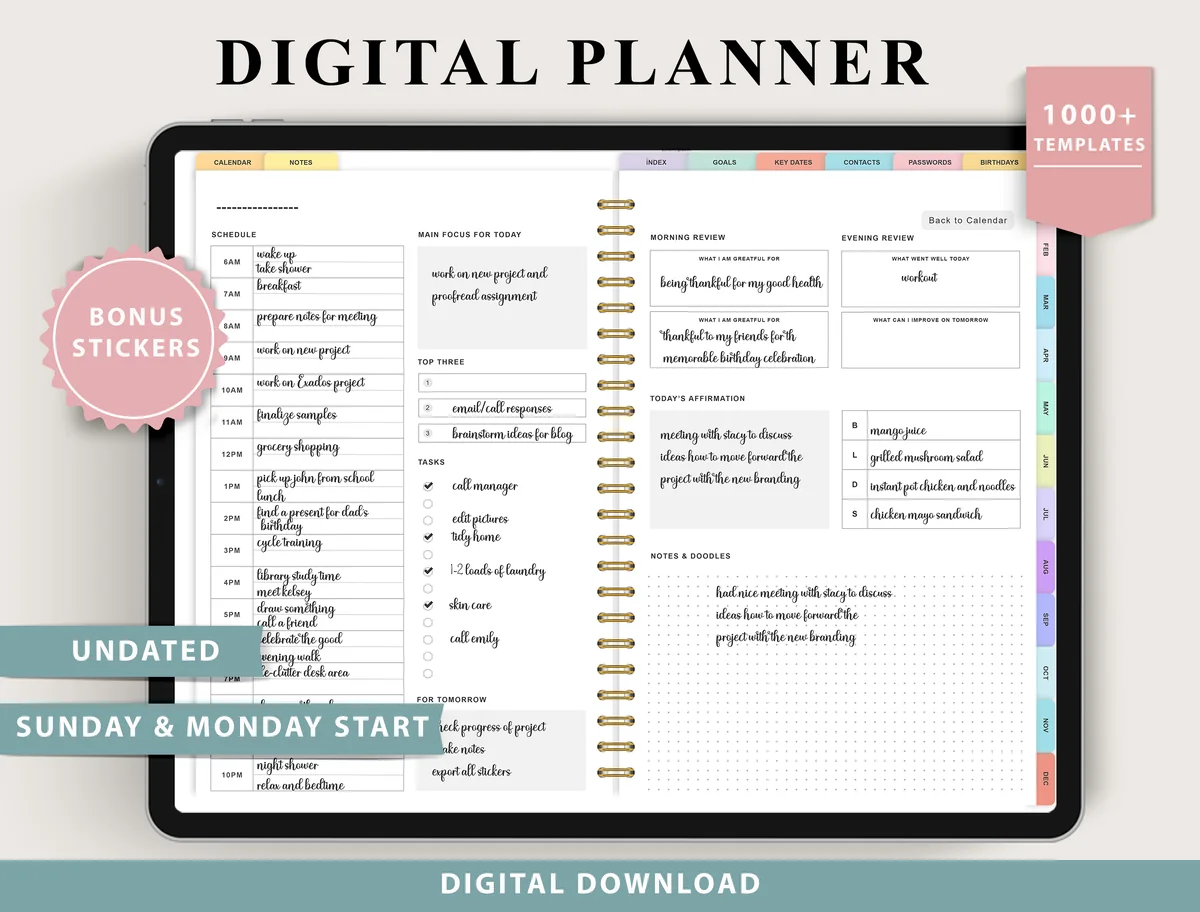
9. Digital Planner for Ipad, GoodNotes
Layouts: Monthly, Weekly (4 layouts), Daily (4 layouts), 100+ templatesDates: UndatedWeek start: Monday or Sunday
Best for: indecisive planners, fitness trackers, finance trackers. Designed by ThePlannersDelight.
- Undated, Monday and Sunday start
- 4 weekly and 4 daily layout options
- 100+ templates: fitness, finance, nutrition, wellness, productivity
- Bonus digital stickers
Four weekly and four daily layouts mean you can switch styles without buying a new planner. The tracker list is huge (from sinking funds to a pain tracker), and it's well reviewed.
Best all-in-one (most reviewed)
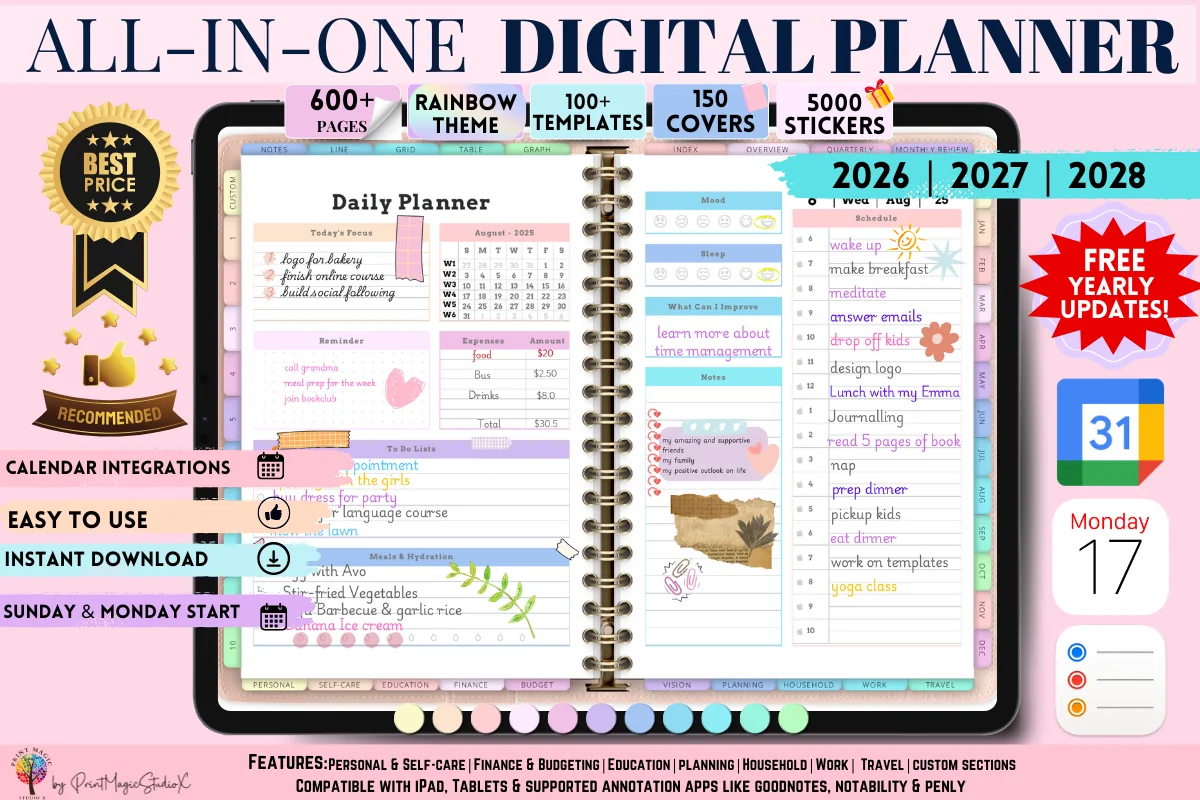
10. All-in-One Digital Planner
Orientation: LandscapeLayouts: Yearly, Monthly, Weekly, Daily, 86 templatesDates: 2026–2028
Best for: people who want one planner for everything, sticker lovers, colorful planners. Designed by Print Magic StudioX.
- Dated 2026, 2027 and 2028, with free yearly updates
- 86 templates in sections from personal to budgeting and travel
- 10 custom sections and 12 note paper templates
- 5,000 stickers and 150 covers, rainbow theme
The biggest one here and the most reviewed by far. If you know you want everything in a single notebook, from goals to travel plans, this saves you from building it yourself. Note the file is large; the designer says a paid GoodNotes account is needed to open it.
Quick Comparison
| Template | Price | What you get | Stand-out extra |
|---|---|---|---|
| 1. FREE Undated Monthly Digital Planner | Free | Monthly page | Clean, rated 5 stars |
| 2. Digital Daily Planner Freebie (5 Colors) | Free | Daily page | 5 color versions |
| 3. Free Goodnotes Cornell Notes Template | Free | Cornell notes page | A4 and Letter |
| 4. Floral Undated Digital Planner | Low price | Monthly and weekly | Blank dividers to decorate |
| 5. Digital Planner Template | Low price | Monthly, weekly, 7 templates | 130+ stickers |
| 6. Undated Digital Planner for Goodnotes | Low price | Yearly, monthly, weekly | Year in pixels |
| 7. Digital Planner for Goodnotes | Low price | Daily to monthly + trackers | 450+ pages |
| 8. Undated Digital Planner Goodnotes | Mid price | Full planner + trackers | Bonus sticker book |
| 9. Digital Planner for Ipad, GoodNotes | Mid price | Full planner, 100+ templates | 4 + 4 layouts |
| 10. All-in-One Digital Planner | Higher price | 86 templates, 3 years | 5,000 stickers |
Digital Planner Template vs Full Digital Planner
People use both words for the same thing, but there’s a useful difference:
- A template is one layout or a small set of pages: a monthly calendar, a Cornell notes page, a habit tracker. You duplicate it as often as you need. Simple, light, often free.
- A full digital planner is a whole hyperlinked notebook: yearly, monthly, weekly and daily pages connected by tabs, plus trackers and notes. Everything is already linked, so you jump from a month to a day in one tap.
If you’re new to digital planning, start with a template or two and see what you actually use. If you already know you want everything in one place, a full planner saves you the work of building it. On my list, #6 to #10 are that kind of GoodNotes digital planner: several sections linked by tabs, with trackers included.
Once you have chosen between a few pages and a full planner, the next step is learning to move around it. My GoodNotes tips for planning explain page duplication, bookmarks and reusable stickers, so you can set up the file you already chose.
Are Free Digital Planner Templates Worth It?
For trying digital planning, yes. If you’re looking for a free GoodNotes planner, the three freebies at the top of my list are a good test: a free monthly template tells you in a week whether you like writing on the iPad. What free templates usually don’t have:
- Hyperlinks: without tabs, you scroll through pages instead of tapping.
- Weekly and daily pages that match the monthly one. A free digital weekly planner template is hard to find on its own: the free picks here are a monthly, a daily and a notes page, and weekly spreads start with #4.
- Trackers for habits, budget or meals.
- Several layouts to choose from.
That’s exactly what the paid templates in this list add. A simple paid template costs about as much as a coffee, and Creative Fabrica’s All Access subscription includes many of them.
What I Look For in a Digital Planner Template
- A real PDF for note-taking apps, not a Canva link or a print-only file.
- Undated pages (or current years only), so it’s not out of date the day you buy it.
- Monday and Sunday start versions if you care about the week layout.
- Landscape or portrait that matches how you hold your iPad.
- Hyperlinked tabs for anything longer than a few pages.
- Room to write: boxes big enough for Apple Pencil handwriting, not just typed text.
Which Template Fits What You Plan
Most digital planners for GoodNotes are sold by design, but it’s easier to choose by what you plan most. Here is how the picks above line up:
- Your days: #9 has four daily layouts to switch between, and #5 includes a day planner page among its extra templates. For a cute day planner template, the pastel #8 has daily pages in a playful style. To try a day page first, the free #2 has to-dos, hours and meals on one sheet.
- School and study: the free Cornell notes page (#3) plus the daily, weekly and monthly pages of #7 make a simple school planner template set for students.
- Money: #7, #8 and #9 all include budget or finance trackers, and #8 adds savings, bill and debt pages.
- Just the month: the free #1 is enough if you only track dates and deadlines.
- Everything in one file: #10, with 86 templates from personal planning to travel.
How to Build Your Own Planner from Templates in GoodNotes
You can mix single templates into one notebook that fits you better than any ready-made planner:
- Pick a base: a monthly template (like the free ones above) for the calendar.
- Add the pages you’ll use every week: a weekly layout, a to-do list, a habit tracker.
- Import them as custom templates. In GoodNotes you can add your own PDF pages to the template library, then pick them whenever you add a new page.
- Keep the order simple: month → its weeks → notes. Use the outline or bookmarks to jump around, since single templates don’t have tabs.
- Give it a cover so it feels like a real planner on your shelf.
To make mixed templates look like one set, use the same pen colors everywhere; my GoodNotes color palettes have hex codes ready to copy. If you plan late in the evening, a dark mode digital planner with black pages and light lines is easier on the eyes. If your iPad lives in a keyboard case, a landscape planner for iPad uses the whole wide screen instead of a narrow page in the middle.
Planner Template or Planner App?
Planner apps sync with your calendar and send reminders; a PDF template in GoodNotes doesn’t. Some planners add calendar “integration” links that open Apple or Google Calendar, but they still don’t sync your events automatically. What templates do better: handwriting (which helps you remember), complete freedom of layout, and no subscription. Many people keep appointments in the calendar app and do the actual planning in the template.
How to Use Digital Planner Templates
- Save the ZIP from Creative Fabrica and unzip it in the Files app on your iPad.
- Open GoodNotes (or Notability), tap New → Import and choose the PDF.
- Write with the Apple Pencil; tap tabs to jump between pages (in GoodNotes, use read-only mode if a tap starts drawing instead).
- Duplicate pages you need more of: tap the page thumbnail → Duplicate.
- Add stickers by dragging PNG files from Photos or Files onto the page.
FAQ
Are there free digital planner templates for iPad?
Yes. The first three templates in this list are free on Creative Fabrica: an undated monthly planner, an undated daily page and a Cornell notes template. They’re simple but work fine in GoodNotes and Notability on iPad. When you want hyperlinks, weekly pages and trackers, move up to one of the paid templates below them.
How does a digital planner work?
It’s a PDF you open in a note-taking app and write on with a stylus. Hyperlinked tabs work like the dividers of a paper planner: tap “March” and you jump to March. You can duplicate, delete and rearrange pages, and nothing ever runs out.
Can I create a digital planner template in Canva?
You can design pages in Canva and export them as a PDF to write on in GoodNotes. Hyperlinks between pages take extra work and don’t always survive the export. If you buy a template, check that it’s a ready PDF and not just a Canva link you have to edit first.
What app do I need for a digital planner template?
A PDF note-taking app: GoodNotes and Notability are the most popular on the iPad; Noteshelf, Xodo and Samsung Notes (on Android tablets) also work. Hyperlinks work in all of them.
Does Apple have a digital planner?
Not as a dedicated planner. Apple’s Calendar, Reminders and Notes cover parts of it, but for a handwritten planner with monthly and weekly pages you need a planner template in a note-taking app.
Landscape or portrait template: which is better?
Landscape gives you a two-page spread like a paper planner and fits an iPad in a keyboard case. Portrait feels more like a notebook and is easier to write on with the iPad flat on a desk. Most templates in this list are landscape.
Page orientation is only part of how handwriting feels on the iPad. These Apple Pencil planning tips cover paper spacing, gestures and writing practice, giving you a way to assess your writing setup alongside the template layout.
Is Notability or GoodNotes better for digital planner templates?
Both open the same PDF templates and keep the hyperlinks working. GoodNotes is the more popular pick for planners: it handles big hyperlinked files smoothly and makes it easy to duplicate pages and add stickers. Notability is better if you also record audio with your notes. If you want a Notability planner, the free #1 and #2 name Notability in their descriptions, and most of the other picks are standard PDFs that open there too, though #10 is built around GoodNotes. For planning alone, GoodNotes is my choice.
Does GoodNotes work without Wi-Fi?
Yes. Your notebooks are stored on the iPad, so you can open and write in your planner offline. You only need a connection to sync with iCloud and your other devices, and that happens automatically once you’re back online.
Final Thoughts
Start free: grab the monthly or the daily template and use it for a couple of weeks. If you find yourself wanting weekly pages and trackers, move up to an undated digital planner template or a full all-in-one. For more full planners, see my best digital planners for iPad and undated digital planners, or browse all everyday planners. Not sure which format suits you? These digital planner layout ideas help you pick before you buy.
Not sure which GoodNotes plan you need for these templates? Here is how much GoodNotes costs and five ways to pay less.
You May Also Like
This post contains affiliate links. If you buy through them, I may earn a small commission at no extra cost to you. Learn more.