Writing New Year goals is the easy part; still caring about them in March is the hard part. The goals that last usually have three things the forgotten ones don’t: there are only a few of them, each one has a first small step, and they live on a page you open every week, not on a note you wrote at midnight on January 1.
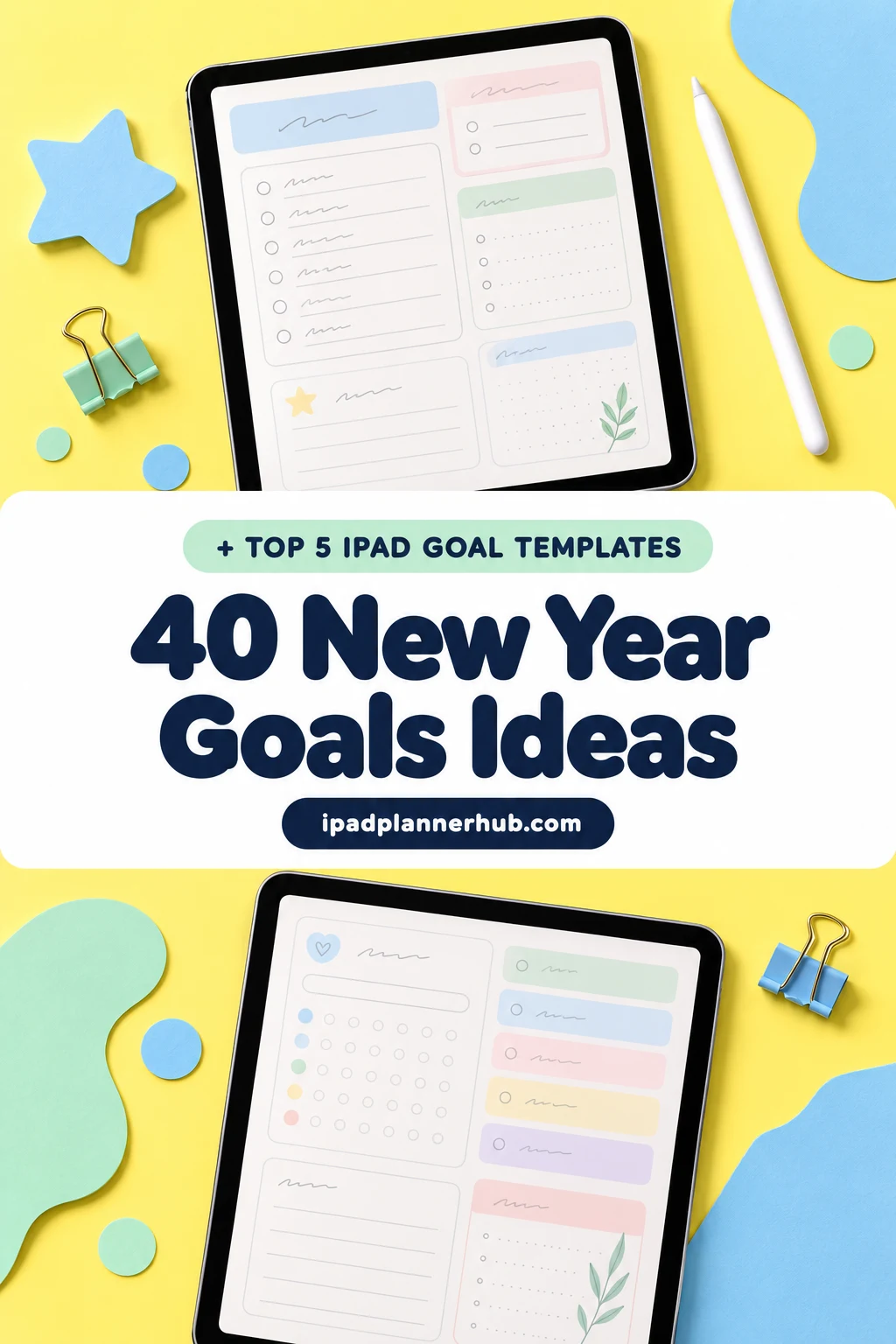
Below are 5 digital goal templates for the iPad that I’d use for 2027, from planners with a New Year’s Resolutions page to a single-goal fitness planner. After the list: 40 New Year goals ideas by life area, a goals bingo card, 10 questions to review the old year, and how to turn one goal into monthly steps in GoodNotes.
The Best New Year Goals Templates for iPad I Found
Separate “New Year goals” files are rare on Creative Fabrica, and most goal planners there are printables, Canva templates or KDP interiors. So I kept undated digital planners and journals for GoodNotes and Notability that have a real goals page inside: a New Year’s Resolutions spread, a yearly goals page or a yearly reflection. Anything with pages for past years is out.
TL;DR: 5 digital templates for New Year goals on iPad and GoodNotes: an undated planner with a New Year's Resolutions page, a goal-setting workbook planner, an undated planner with a yearly goals page and a goals wheel, a journal with a yearly reflection page and a fitness goals planner. All are undated PDFs for iPad apps, so they work for 2027 and after.
Quick Picks
- Best for review first, then resolutions: Undated Digital Planner for Goodnotes
- Best for figuring out what you want: Manifest & Achieve Life Digital Planner
- Best for goals by life area: Deep Blue Undated Digital Planner
- Best for a yearly reflection: Digital Gratitude Journal
- Best for a fitness goal: Fitness Goals Planner – Set, Track
- Undated Digital Planner for Goodnotes – Best for review first, then resolutions
- Manifest & Achieve Life Digital Planner – Best for figuring out what you want
- Deep Blue Undated Digital Planner – Best for goals by life area
- Digital Gratitude Journal – Best for a yearly reflection
- Fitness Goals Planner – Set, Track – Best for a fitness goal
Best for review first, then resolutions
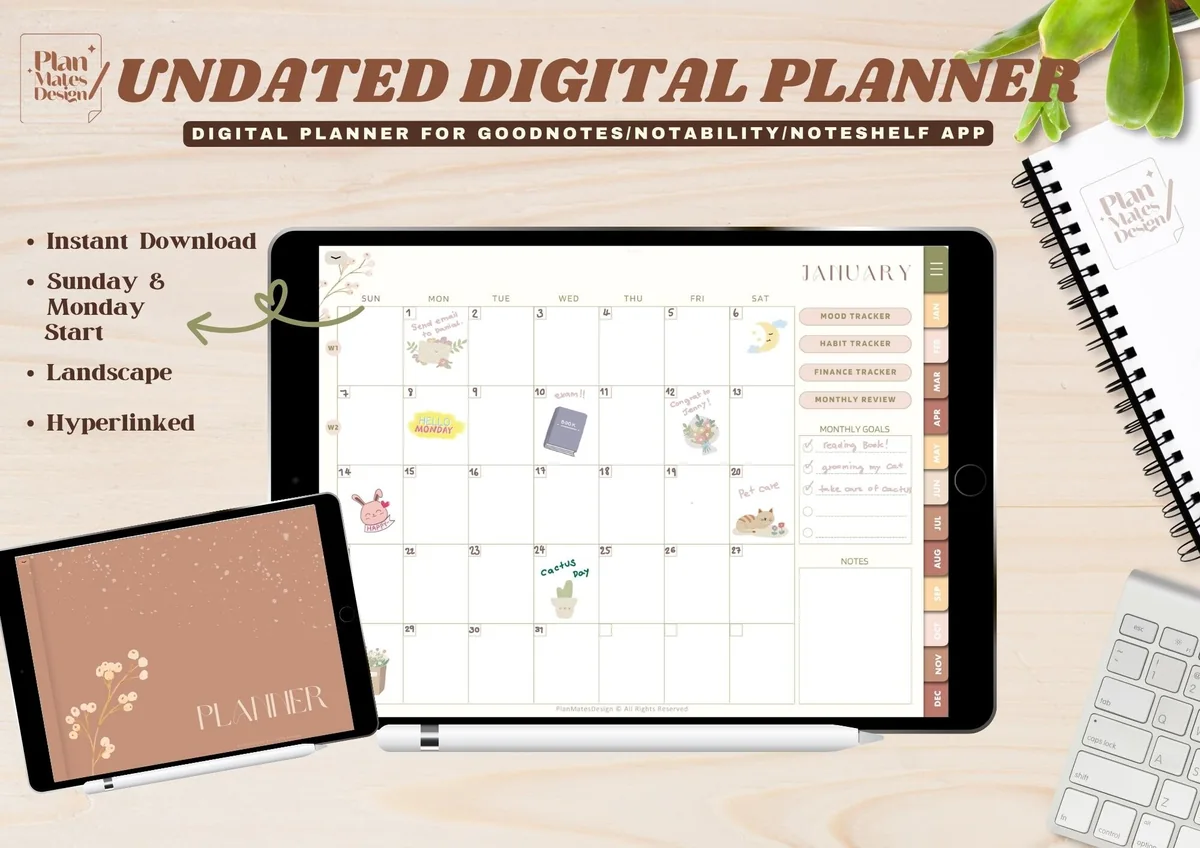
1. Undated Digital Planner for Goodnotes
Orientation: LandscapeLayouts: End-of-year review, New Year's Resolutions, Monthly review, WeeklyDates: UndatedWeek start: Monday or Sunday
Best for: neutral lovers, minimalists, year-end reviewers. Designed by TinyGoong Studio.
- Yearly pages in this order: undated calendar, key dates, End-of-Year Review, New Year's Resolutions, yearly overview
- Undated monthly planner with a Monthly Review page, plus undated weekly pages
- Trackers: Year in Pixels for mood, habit tracker, finance tracker
- 124 hyperlinked pages, Monday and Sunday start PDFs, 10 bonus covers; for GoodNotes, Notability and Noteshelf
This is the order I'd want: an End-of-Year Review page sits right before New Year's Resolutions, so you look back before you write anything new. The Monthly Review pages then give you a place to check the goals twelve times a year instead of once. The warm neutral design is calm enough to live with until December.
Best for figuring out what you want
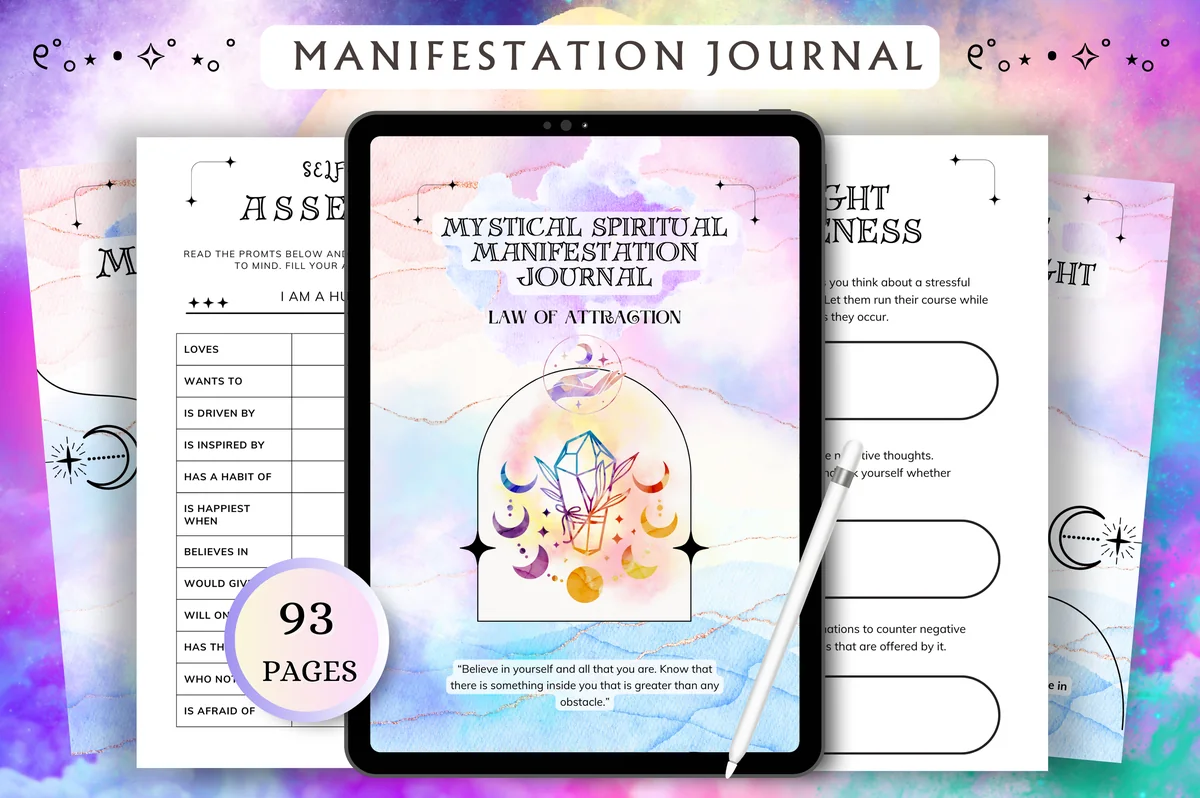
2. Manifest & Achieve Life Digital Planner
Layouts: Goals & vision board section, Wheel of Life, Daily, Weekly, MonthlyFormat: 93-page hyperlinked PDFDates: Undated
Best for: manifestation fans, self-discovery journalers, big-picture planners. Designed by Tas Creative Studio.
- Goals & Vision Board section: short and long term goals, vision board, SMART goals, bucket list, life goals, decision-making worksheet
- Self-discovery pages before the goals: Wheel of Life, Ikigai purpose, self-evaluation, limiting beliefs
- Weekly goals tracker, 7-day habit tracker, weekly and monthly reflection pages
- Pastel watercolor design with mystical line art; undated, hyperlinked daily, weekly and monthly pages
This one is for the step most of us skip: figuring out what we actually want. The Wheel of Life and the self-evaluation pages come first, then a SMART goals page and a bucket list, so the goals you write have a reason behind them. The look is soft and spiritual, so it suits you if you like a manifestation journal more than a business planner.

Best for goals by life area
3. Deep Blue Undated Digital Planner
Orientation: PortraitLayouts: Yearly goals, Goal planner, Goals wheel, Vision board, Monthly, Weekly, DailyDates: UndatedWeek start: Monday or Sunday
Best for: life organizers, botanical lovers, budgeters. Designed by ThePlannersDelight.
- Yearly Goals Planner page with a box for each area of life, plus a goal planner, a goals wheel and a vision board
- 10 hyperlinked sections, each with its own divider cover: yearly, monthly, weekly, daily, habits, health, finance, goals, notes and info
- Health pages (meal planner, mood tracker, workout log, body progress) and finance pages (budget, revenue, expenses)
- 112 pages, Monday and Sunday start, 400+ PNG stickers and install guides for GoodNotes and Noteshelf
The Yearly Goals page splits the year into boxes, which is the easiest way I know to stop every goal from being about work or weight. The goals wheel and the goal planner come later in their own section, so you can go deeper on one or two goals. With green leaf dividers and soft coral accents it reads calm, not corporate. It also has 5.0 stars from its first reviews.

Best for a yearly reflection
4. Digital Gratitude Journal
Orientation: LandscapeLayouts: Yearly reflection, Letter to your future self, Monthly reflection, Daily (365 pages)Dates: Undated
Best for: reflective writers, first-time journalers, minimalists. Designed by Makii.
- A Yearly Reflection page with questions about the past year: highlights, challenges, lessons and the three things you want to achieve next
- A Letter to Your Future Self page to read when the year is over
- 12 monthly reflection pages and 365 daily gratitude pages
- Hyperlinked index, 8 notepaper templates; for GoodNotes, Notability and Xodo, not made for printing
Not a goal planner, and that's the point: the Yearly Reflection page is the best warm-up for New Year goals I found, and it ends by asking what you want to achieve next. Write the letter to your future self in January and open it in December. It has 5.0 stars from its reviews, and the daily gratitude pages keep you coming back to the file all year.

Best for a fitness goal
5. Fitness Goals Planner – Set, Track
Orientation: LandscapeLayouts: SMART fitness goal sheet, Monthly & weekly fitness goals, Progress tracker, MilestonesDates: Undated (month tabs)
Best for: gym-goers, home workout fans, runners. Designed by Plamarplanners.
- A Fitness Goal Setting sheet in SMART format, then monthly and weekly fitness goals
- Goal progress tracker, workout milestones, motivation and habit-building worksheets, notes and reflection
- The Fitness Goals page has a My Goals row, before/after photo boxes and a measurement tracker
- Digital version with month tabs for iPad apps like GoodNotes and Notability (US Letter and A4 PDFs come too)
Getting fit is one of the most common resolutions and one of the easiest to let slide, and this planner fixes the vague part: the SMART sheet makes you name the goal, the deadline and the first step. The measurement table is optional; the milestones and weekly goals work just as well for a first 5K or a number of workouts a week. It's the only single-goal planner on this list, so pair it with any planner above.
Quick Comparison
| Template | Goal pages | Stand-out extra |
|---|---|---|
| 1. Undated Digital Planner for Goodnotes | Year review + resolutions | End-of-year review, resolutions, monthly reviews |
| 2. Manifest & Achieve Life Digital Planner | Goal-setting workbook | SMART goals, short/long term, bucket list |
| 3. Deep Blue Undated Digital Planner | Goals by life area | Yearly goals, goal planner, goals wheel |
| 4. Digital Gratitude Journal | Yearly reflection | Yearly reflection, letter to future self |
| 5. Fitness Goals Planner – Set, Track | One fitness goal | SMART sheet, monthly and weekly goals |
Want a planner built entirely around goals, with quarterly and weekly steps? My digital goal planners list goes deeper, and the best iPad planners for 2027 cover the whole year in one file.
40 New Year Goals Ideas by Life Area
Pick one or two ideas from two or three areas, not one from every box. Each idea is written as something you can do or count, because “be healthier” is a wish and “walk 30 minutes, five days a week” is a goal.
Health and Fitness 1–5
- 1Walk 30 minutes a day, five days a week
- 2Train for your first 5K and pick a race date
- 3Go to bed at the same time on weeknights
- 4Cook dinner at home four nights a week
- 5Drink a glass of water before your morning coffee
Money 6–10
- 6Build a starter emergency fund, one small transfer a week
- 7Pay off one credit card completely
- 8Try one no-spend month
- 9Do a 52-week savings challenge
- 10Check your budget every Sunday for 10 minutes
Career and Learning 11–15
- 11Read 12 books, one a month
- 12Finish one online course you’ve been putting off
- 13Update your resume or portfolio once a quarter
- 14Practice a new language 10 minutes a day
- 15Ask for feedback at work every three months
Relationships 16–20
- 16Call a parent or grandparent every week
- 17Plan one date night a month
- 18Host a dinner for friends every season
- 19Send birthday messages on the day, not a week later
- 20Keep phones off the table at dinner
Mind and Well-Being 21–25
- 21Write three lines in a journal every night
- 22Meditate for five minutes after you wake up
- 23Write down three good things each day
- 24Keep one screen-free evening a week
- 25Take one full rest day each quarter, with nothing planned
Home and Life Admin 26–30
- 26Declutter one drawer or shelf a week
- 27Do a 15-minute reset of the house every evening
- 28Plan the week’s meals every Sunday
- 29Sort your phone photos into albums by year
- 30Clear your inbox once a week
Fun and Adventure 31–35
- 31Visit one new place a month, even in your own town
- 32Take the trip you keep postponing
- 33Try one new recipe every week
- 34Pick up a creative hobby: drawing, pottery, baking
- 35Write a bucket list of 27 things for 2027
Digital Habits 36–40
- 36Keep the first hour of the day phone-free
- 37Set a daily time limit on social media apps
- 38Unsubscribe from five newsletters every week in January
- 39Back up your iPad and photos once a month
- 40Move your paper planner fully onto the iPad
Money goals are easier with a page made for them: my savings challenges for 2027 already add up the totals for you. For the health ideas, a digital workout planner gives you somewhere to log every session, and for the small daily ones (water, journaling, no phone in the morning), the habit tracker ideas work better than a goals page.
New Year Goals Categories: How Many to Set
The eight areas above are the usual New Year’s goals categories, but you don’t need a goal in each one. Three goals is a good number for most people: one big goal that needs the whole year, one that is mostly a habit, and one just for fun. More than five and they start to compete for the same evenings.
A quick way to choose: rate each area from 1 to 10 for how it feels right now (the Wheel of Life does exactly this), then set goals for the two lowest scores. That’s also why the planners above have a page with one box per life area.
Make a New Year Goals Bingo Card
A goals bingo card is a 5×5 grid with 24 small goals and a free square in the middle. Instead of three big goals, you collect small wins all year and cross off a square each time. It suits fun and adventure goals better than serious ones, and a full row by summer is a nice reason to keep going. Some squares to borrow:
- Watch a sunrise
- Read a book in one weekend
- Try a new café
- No-spend weekend
- Hike a new trail
- Call an old friend
- Cook a new cuisine
- Donate a bag of clothes
- Go to a concert
- Write a letter by hand
- Visit a museum
- Plant something
To make one in GoodNotes, open a grid paper page, draw a square with the shape tool, split it into five rows and five columns, and write one goal in each box. Mark finished squares with a highlighter or a sticker. Keep the card right after your resolutions page so you see it when you open the planner.
Look Back First: 10 Questions to Review the Old Year
New goals are better when you know what happened to the old ones. Answer these in December or on New Year’s Day, before you write anything new:
- What three words describe this year?
- What am I most proud of?
- What was the hardest part, and what got me through it?
- Which goals did I reach, and which did I drop? Why?
- What habit helped me most?
- What took my time but didn’t matter?
- Who did I want to see more often?
- What did I learn about myself?
- What do I want to stop doing next year?
- What would make next year feel like a good one?
The answers to questions 4, 9 and 10 usually point straight at your New Year goals. The Undated Digital Planner and the Digital Gratitude Journal above both have a yearly review page for this. To keep the review and the new goals on one spread, my yearly planner page ideas include a year at a glance, yearly trackers and a review page.
Resolution or Goal: What’s the Difference?
A resolution is a promise to change something (“I’ll stop wasting money”). A goal has a finish line, a deadline and steps (“save $1,000 by June, $40 every week”). Resolutions tend to be all or nothing, so one bad week feels like failure. A goal can be behind schedule and still be on track for the year, which makes it much easier to keep.
How to Turn a Goal into a Plan That Lasts Past January
- Write it as a SMART goal. Specific, measurable, achievable, relevant and time-bound: “read more” becomes “read 12 books by December 31, one a month.”
- Name the first step. Something you can do this week: make a list of 12 books and borrow the first one.
- Split the year into months. Write one milestone per month on your monthly pages. For the book goal that’s simply “book 1 finished” in January, “book 2” in February.
- Check in every week. Five minutes on Sunday: did I move forward, and what’s the next step? A weekly page with a goals box makes this a habit.
- Review in March, June and September. Keep, change or drop each goal. Changing a goal in March is planning, not failing.
- See it every day. Put the goal on your planner’s home page, or pair it with a digital vision board so there’s a picture next to the words.
What to Put on a New Year Goals Template
Whether you use a ready template or make your own page, these sections cover everything a goal needs:
- The goal in one sentence
- Why it matters to you
- Deadline
- First step
- Monthly milestones
- Possible obstacles and a plan for them
- Who can help
- Reward when you finish
- Progress bar or tracker
The “obstacles” line is the one most templates skip and the one I’d keep. If you know a busy week at work will break your gym routine, write the backup plan now: a 20-minute home workout instead of nothing.
How to Set Up Your New Year Goals in GoodNotes
- Import the planner PDF into GoodNotes (or Notability, Noteshelf) from the Files app.
- Fill in the yearly review page first, then the resolutions or yearly goals page.
- Copy each goal’s monthly milestone onto your monthly pages for January to December in one sitting.
- Add a goals box to your weekly page, or a sticky note with this week’s step.
- Bookmark the goals page (or the bingo card) so it’s one tap away, and add a calendar reminder for your March review.
Since these planners are undated, you can start on January 1 or on any Monday in January when the holidays are finally over. If the planner you already have has no goals page, any grid or lined notes page works for the template above, and my GoodNotes stickers will make it look less like a to-do list.
FAQ
What are good New Year goals?
Good New Year goals are specific, measurable and small enough to start this week: walk 30 minutes five days a week, read 12 books, save a set amount every month, call family weekly. Pick the ones that matter to you, not the most popular ones.
How many New Year goals should I set?
Three is a good number: one big yearly goal, one habit and one fun goal. If you love long lists, put the extra ideas on a bingo card instead of the main goals page.
Can you give an example of a SMART goal?
“Save $1,200 for a trip by December 31 by moving $100 to a savings account on the first of each month.” It is specific (a trip fund), measurable ($1,200), achievable ($100 a month), relevant (you want the trip) and time-bound (December 31).
What’s the difference between a resolution and a goal?
A resolution is a promise to change, often without a finish line. A goal has a clear result, a deadline and steps, so you can see your progress and adjust it during the year.
Is a digital planner better than paper for New Year goals?
For goals that run all year, a digital planner has two advantages: hyperlinks take you from the goals page to any month in one tap, and you can duplicate a page or rewrite a goal without starting a new notebook. Paper wins if you plan better away from screens.
Is it okay to set weight-loss or money goals?
Yes, but keep them safe and realistic. Before a big change in diet or exercise, talk to your doctor, especially if you have a health condition, and consider goals about habits (sleep, steps, home-cooked meals) rather than only a number on the scale. If debt feels unmanageable, a nonprofit credit counselor can help you make a plan before you set a payoff goal.
Final Thoughts
New Year goals last when they are few, written as steps and kept on a page you see every week. Review the old year first, pick three goals from the 40 ideas above, give each one a monthly milestone, and check in again in March. Any of the five templates will hold that plan; for more, see my digital goal planners and digital vision board ideas, or browse all everyday planners. If you like writing goals as if they already happened, see my manifestation journal ideas. To keep goals, budget and health in one file, see my digital life planner picks.
You May Also Like
For a seasonal page accent beside those goals, these New Year digital stickers compare three undated sets for countdowns and everyday planning.
This post contains affiliate links. If you buy through them, I may earn a small commission at no extra cost to you. Learn more.