Every dated planner has the same sad moment: you skip two busy weeks, open it again and find a stack of empty pages with dates that are already gone. An undated digital planner doesn’t do that. There are no printed dates, so you write them in when you start, skip a week without wasting a thing and pick up again on any Tuesday in March.
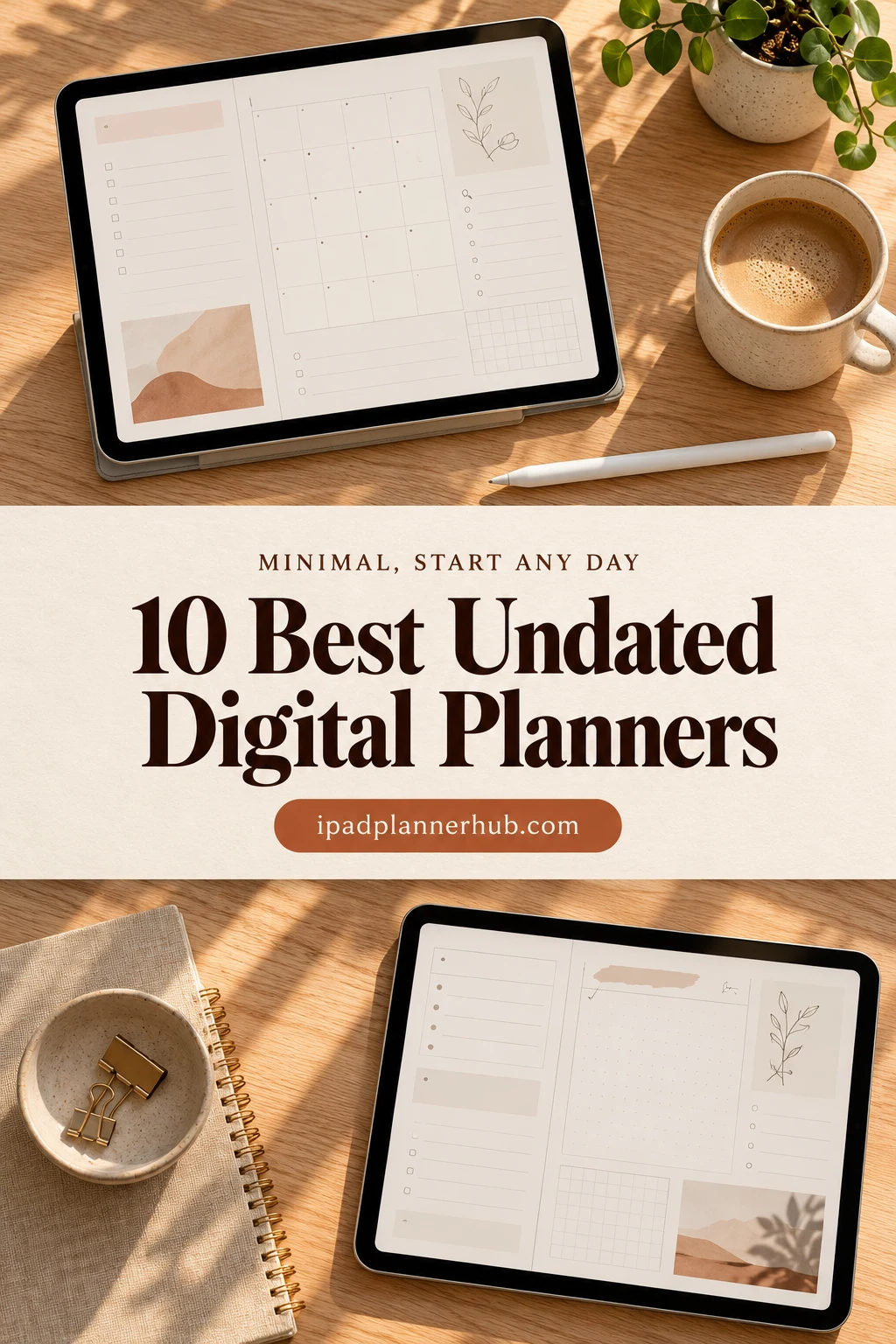
Below are the 10 best undated planners from Creative Fabrica I’d pick for the iPad: five minimalist planners in neutral colors with nothing extra on the page, and five fuller ones for people who want trackers, colors or a whole life system. After the list: dated vs undated, why minimal works so well here, and how to start your planner on any day you like.
The 10 Best Undated Digital Planners for iPad I Found
I kept only planners that are truly undated and made for the iPad (GoodNotes, Notability and similar apps). I skipped printables, Canva templates, and planners that call themselves undated but show an old year on the cover. The first five lean minimal, the second five are fuller.
TL;DR: 10 undated digital planners for iPad from Creative Fabrica: 5 minimalist and neutral ones with nothing extra on the page, and 5 fuller undated planners, from a soft life planner to a pastel all-in-one. No dates are printed, so each one starts on whatever day you open it. Each card lists orientation, layouts and week start, plus who it suits.
Quick Picks
- Best overall: Undated Digital Planner
- Best for minimalist daily: Digital Minimalist Daily Planner
- Best for budget minimalist: Undated Minimal Digital Planner
- Best for neutral colors: GoodNotes Minimalist Undated Daily Planner
- Best for the big picture: Neutral Undated Yearly Digital Planner
- Best for all-in-one bundle: Undated Digital Planner Bundle
- Undated Digital Planner – Best overall
- Digital Minimalist Daily Planner – Best minimalist daily
- Undated Minimal Digital Planner – Best budget minimalist
- GoodNotes Minimalist Undated Daily Planner – Best neutral colors
- Neutral Undated Yearly Digital Planner – Best for the big picture
- Undated Digital Planner Bundle – Best all-in-one bundle
- Undated Digital Daily Life Planner – Best soft and simple
- Undated Daily Digital Planner – Best simple & reusable
- All-in-One Undated Digital Planner – Best colorful undated
- All in One Digital Planner Undated V2.3 – Best for fitness and wellness
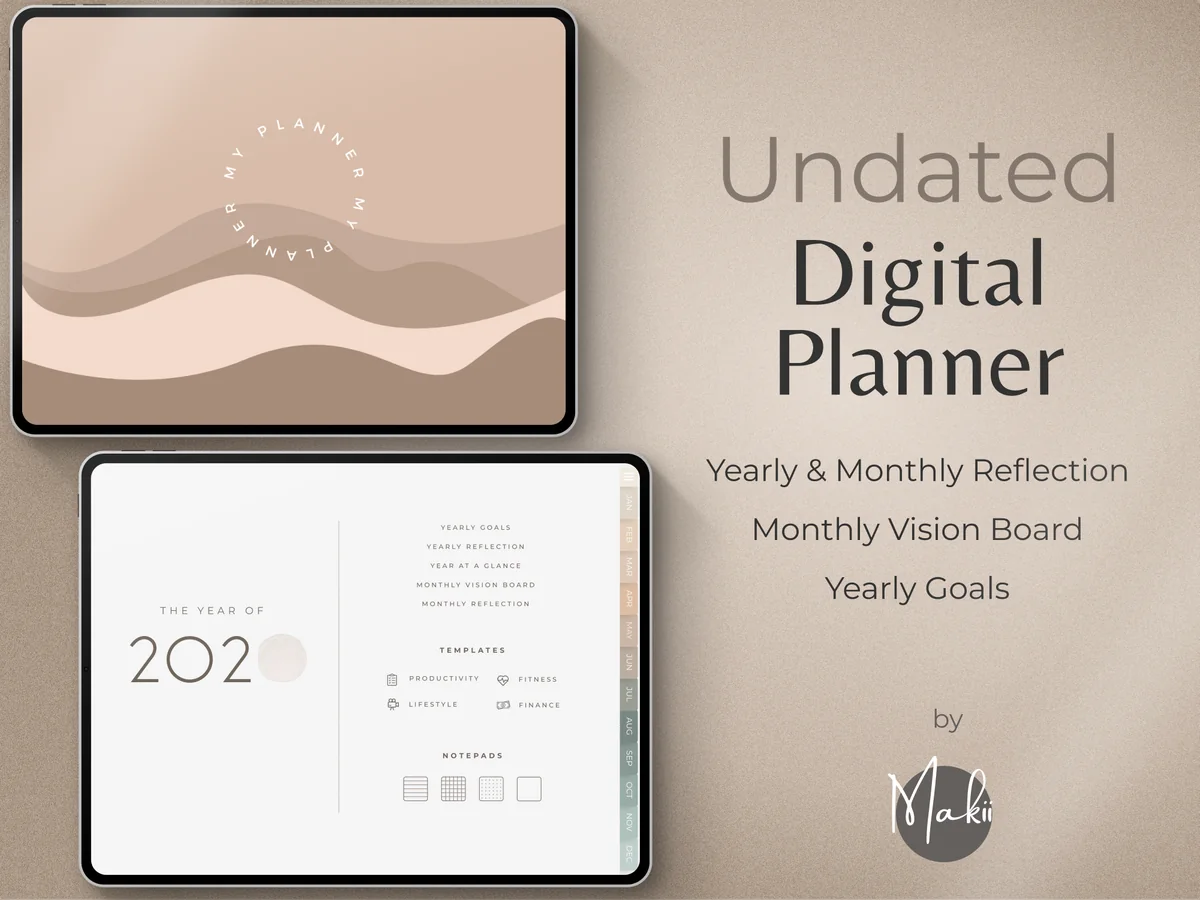
Best overall
1. Undated Digital Planner
Layouts: Yearly, Monthly, Weekly, DailyDates: UndatedWeek start: Monday or Sunday
Best for: minimalists, reflective planners, goal setters. Designed by Makii.
- 400+ hyperlinked pages: yearly, monthly, weekly and daily planning
- Monday and Sunday start versions
- Yearly goals, year at a glance, monthly vision board and reflection pages
- 42 extra templates for productivity, fitness, lifestyle and finance
- 250 pre-cropped stickers and modern covers
If I could keep only one planner from this list, it would be this one. The design is soft beige and white with lots of breathing room, yet nothing is missing: year, month, week, day and a monthly reflection. Pages can be duplicated or removed, so the planner bends to your year instead of the other way round.
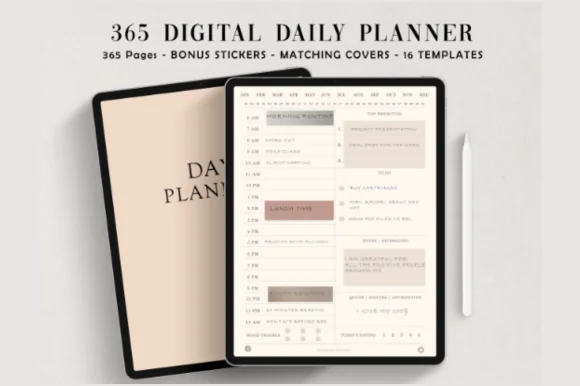
Best minimalist daily
2. Digital Minimalist Daily Planner
Layouts: DailyDates: Undated
Best for: minimalists, daily planners. Designed by ThePlannersDelight.
- 365 undated daily pages, fully hyperlinked (384 pages in total)
- Two versions: the day starts at 5 AM or at 6 AM
- Ivory white base with a clean, minimalist layout
- 16 extra page templates, 5 covers and 100+ matching stickers
This is minimalism done properly: an ivory page, a time column, a few priorities and nothing shouting for attention. With 365 undated pages you can skip a weekend or a whole week and simply carry on, without a pile of empty dated pages behind you.
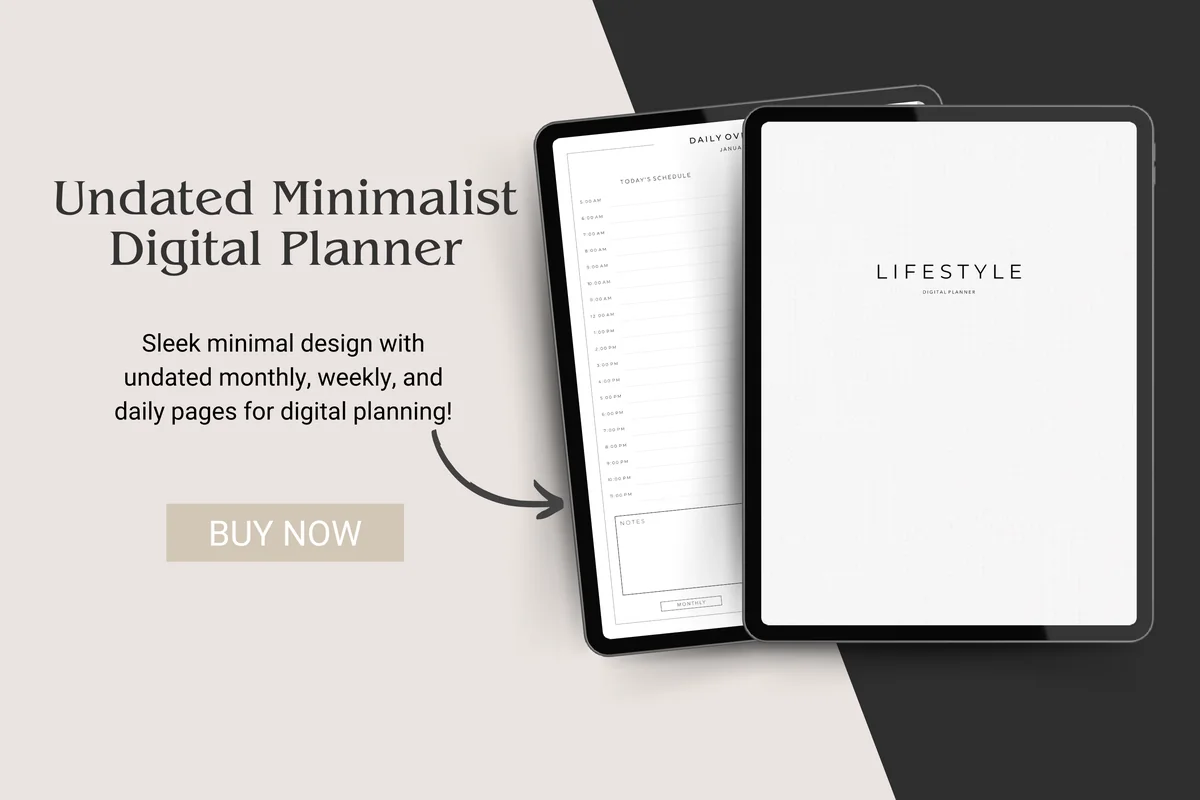
Best budget minimalist
3. Undated Minimal Digital Planner
Orientation: PortraitLayouts: Monthly, Weekly, DailyDates: Undated
Best for: minimalists, budget shoppers, note takers. Designed by CotswoldCoDesigns.
- Undated monthly, weekly and daily spreads, all hyperlinked
- Hyperlinked index page and monthly tabs
- Hyperlinked notebook sections for meeting, class or brainstorm notes
- Minimal “Lifestyle” cover in white and grey
Proof that a minimal planner doesn't need hundreds of pages. You get a month, a week, a day and a notebook, in plain black and white, for about the price of a coffee. A good first undated planner if you are not sure the format is for you.
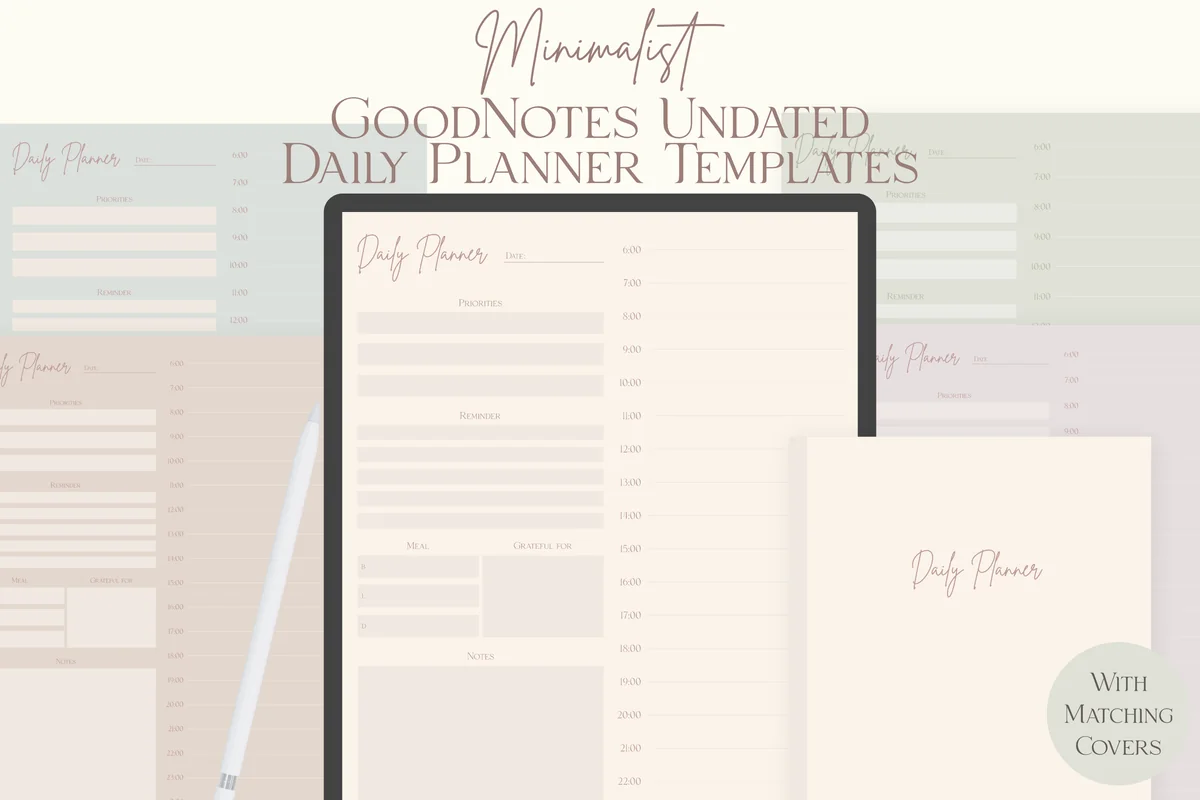
Best neutral colors
4. GoodNotes Minimalist Undated Daily Planner
Orientation: PortraitLayouts: DailyDates: Undated
Best for: minimalists, neutral color lovers, daily planners. Designed by lilyuri0205.
- Undated daily planner template in 5 neutral colors
- Matching notebook covers for every color
- US Letter size, portrait, made for GoodNotes on the iPad
- Single-page files, so you can add it to GoodNotes as a page template
Five muted shades, from sage to sand, and one honest daily page with a time column down the side. Because it comes as a single page, you can save it as a GoodNotes template and add a fresh day only when you need it. Nothing goes to waste.
Best for the big picture
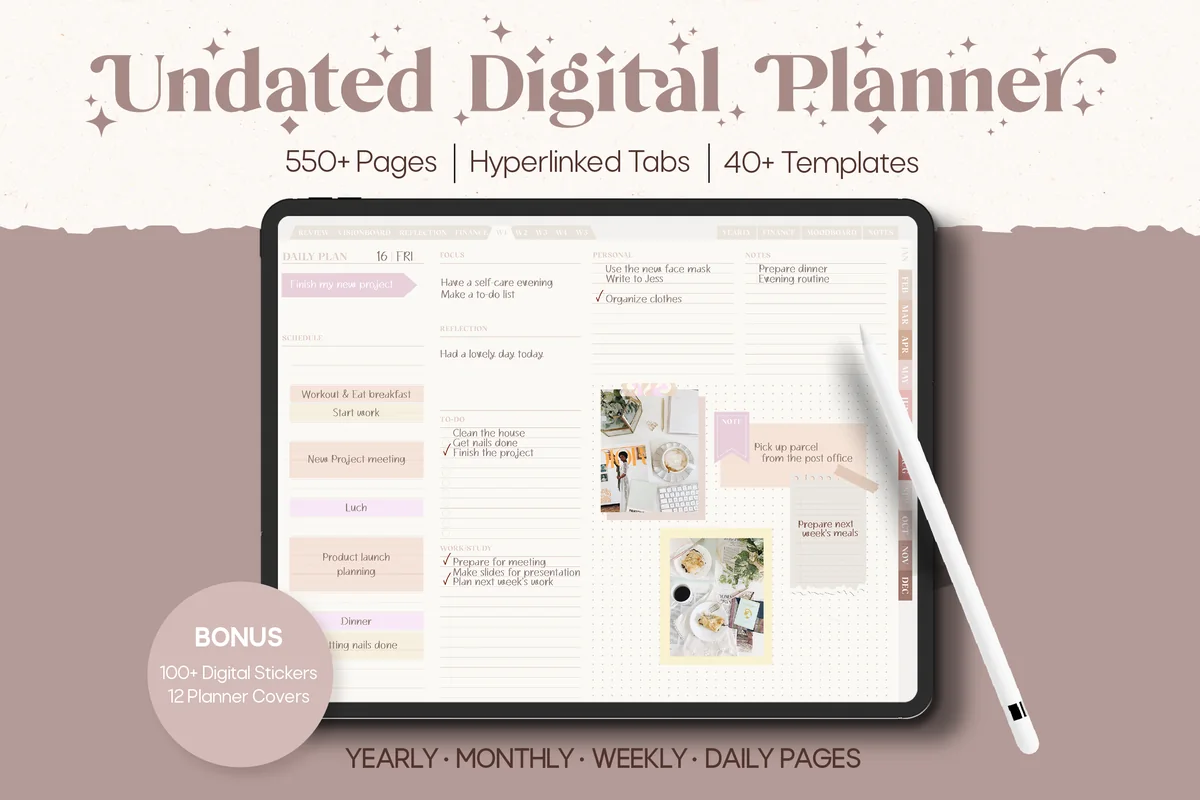
5. Neutral Undated Yearly Digital Planner
Orientation: LandscapeLayouts: Yearly, Half-year, Quarterly, Monthly, Weekly, DailyDates: Undated
Best for: big-picture planners, neutral lovers, moodboard fans. Designed by Felicia Notes.
- 550+ hyperlinked pages and 40+ templates, landscape
- Undated yearly, half-year and quarterly pages, plus monthly, weekly and daily pages
- Finance pages for savings and purchases, and moodboard pages
- Bonus: 12 covers, stickers in 6 colors and 12 washi stickers
Most planners zoom in on the day; this one is also built for zooming out. Half-year and quarterly pages are rare, and they are exactly where an undated planner shines: you set the quarters to start whenever your year really starts. The palette is warm taupe and cream, minimal without feeling cold.
Best all-in-one bundle
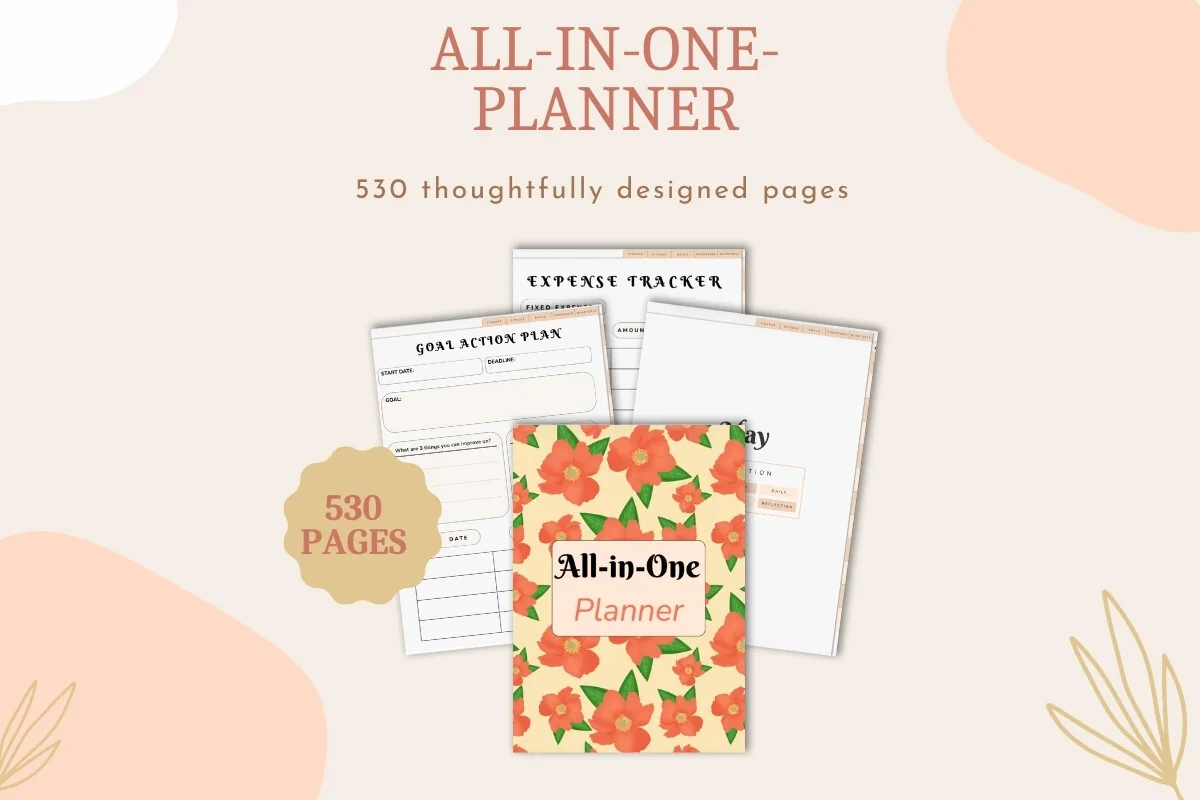
6. Undated Digital Planner Bundle
Layouts: Yearly, Quarterly, Monthly, Weekly, DailyDates: Undated
Best for: goal setters, people who want one planner for everything, brain dumpers. Designed by Dina Art Studio.
- 530-page undated planner: yearly, quarterly, monthly, weekly and daily layouts
- Goal tracking with milestones, habit trackers and reflection pages
- Finance and productivity sections
- Bonus: a matching digital notebook for notes and brain dumps, and a yearly calendar overview
If you want one undated file to run your whole life, this bundle has the most in it. I like that the notebook comes separately: brain dumps go there and the planner stays tidy. The goal pages with milestones fit the undated idea well, because goals rarely start on January 1 anyway.

Best soft and simple
7. Undated Digital Daily Life Planner
Orientation: PortraitLayouts: Yearly, Monthly, Weekly, DailyDates: UndatedWeek start: Monday
Best for: minimalists, soft neutral lovers, beginners. Designed by studiopattern.
- Calendar and yearly overview
- Monthly, weekly and daily planner pages, Monday start
- 4 extra templates and a blank section page for your own areas
- Hyperlinked PDF for GoodNotes, Notability and Xodo
Not every planner needs a hundred trackers. This one keeps the essentials in warm beige with small illustrations, plus a blank section you can turn into whatever your life needs right now. Cozy rather than strict, which makes it easy to come back to after a break.
Best simple & reusable
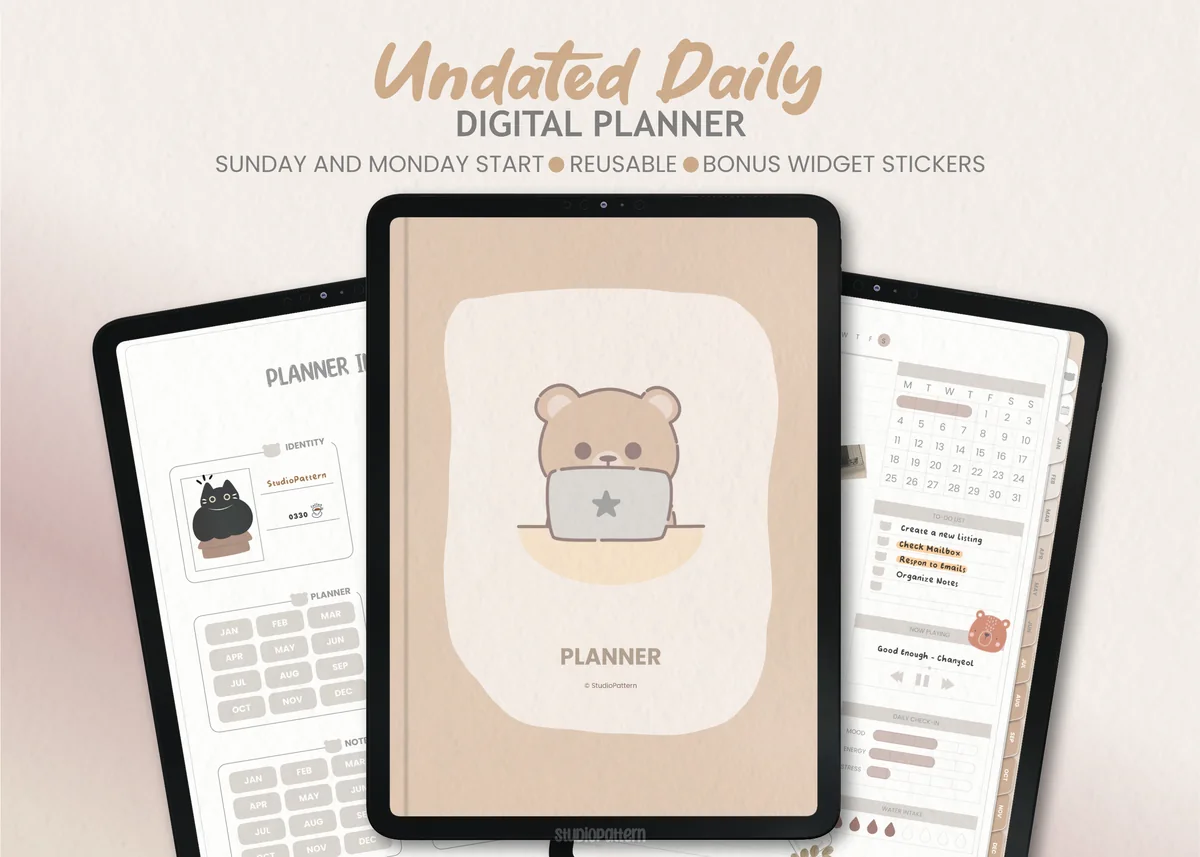
8. Undated Daily Digital Planner
Layouts: DailyDates: UndatedWeek start: Monday or Sunday
Best for: daily planners, minimalists. Designed by studiopattern.
- Two hyperlinked PDFs: Sunday start and Monday start
- Index page with links to the calendar and monthly sections
- Calendar stickers and 16 widget stickers as PNG files
- A PDF manual on how to use it
A clean, friendly option with a little bear on the cover. The widget stickers are a smart idea: you drop a small block onto the page only on days you need it, so the page stays simple the rest of the time. Fill in the dates for any year and use it again the next.
Best colorful undated
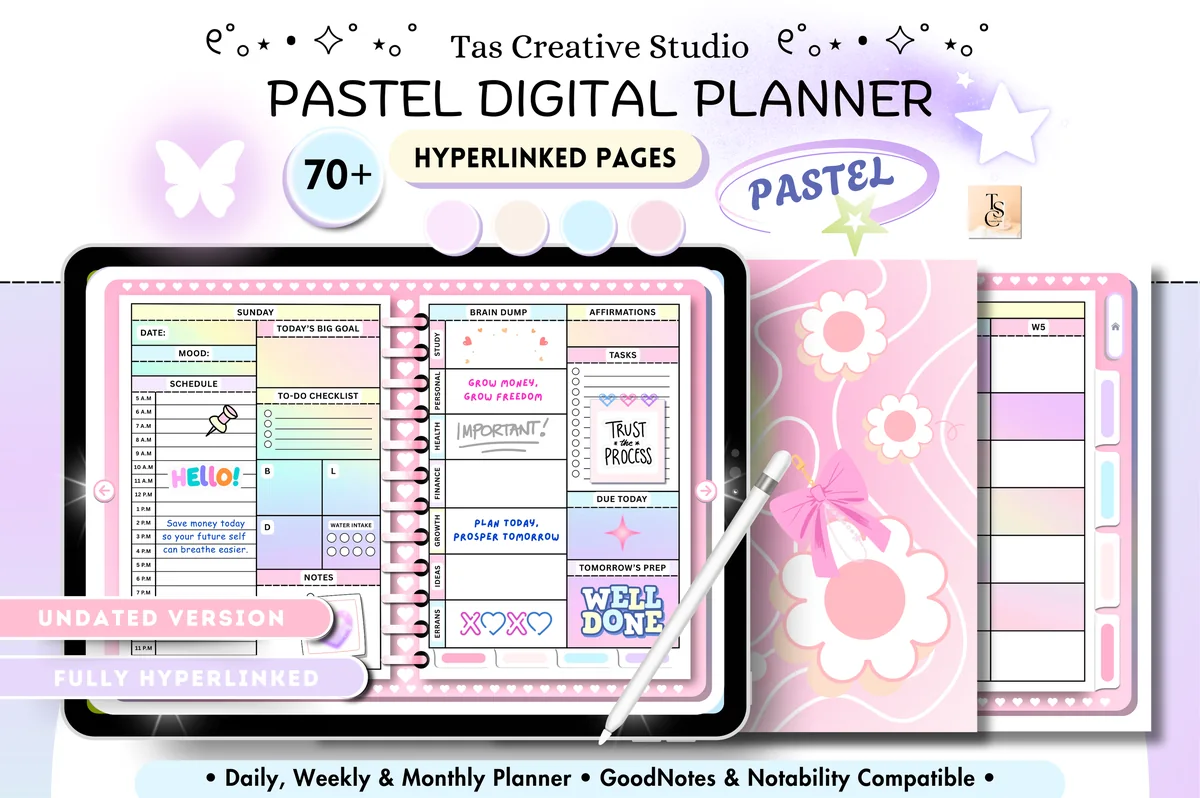
9. All-in-One Undated Digital Planner
Orientation: LandscapeLayouts: Monthly, Weekly, DailyDates: Undated
Best for: pastel lovers, wellness trackers, budgeters. Designed by Tas Creative Studio.
- 68 hyperlinked pages, landscape (11 x 8.3 in)
- Daily pages for each weekday, a weekly planner, self-care checklist and meal tracker
- Habit tracker, reading log, workout plan, 30-day fitness and mental health challenges
- Monthly budget, 30-day no-spend challenge, debt, savings and subscription trackers
Undated doesn't have to mean minimal. If soft pastels make you want to plan, this one packs health, habits and money into a compact 68 pages. The 30-day challenges are a nice fit for an undated planner: start one on any day and the boxes are still there for you.

Best for fitness and wellness
10. All in One Digital Planner Undated V2.3
Orientation: LandscapeLayouts: Yearly, Monthly, Weekly, DailyDates: UndatedWeek start: Monday or Sunday
Best for: fitness fans, wellness planners, pink lovers. Designed by CraftAddicted.
- 900 hyperlinked pages, Sunday and Monday start
- Undated year calendar, year overview, monthly, weekly and daily pages
- Weekly planners and trackers for workouts, meals and a skin care routine
- Free stickers and widgets, delivered through links in a PDF
The biggest planner here, with a clear focus: fitness, nutrition and wellness. The pink cherry blossom design is the opposite of minimal, but the index page keeps 900 pages easy to move around. The designer suggests keeping an undated copy for future years, which is good advice for any planner on this list.
Quick Comparison
| Planner | Best for | Style | Stand-out extra |
|---|---|---|---|
| 1. Undated Digital Planner | Complete and calm | Minimal beige | Monthly reflection pages |
| 2. Digital Minimalist Daily Planner | Distraction-free days | Ivory minimalist | 5 AM or 6 AM start |
| 3. Undated Minimal Digital Planner | Trying the format | Black and white | Notebook sections |
| 4. GoodNotes Minimalist Undated Daily Planner | Add-a-page planners | 5 neutral colors | Works as a page template |
| 5. Neutral Undated Yearly Digital Planner | Quarters and half-years | Warm neutral | Half-year review pages |
| 6. Undated Digital Planner Bundle | Running your whole life | Warm and floral | Separate notebook |
| 7. Undated Digital Daily Life Planner | Essentials only | Soft beige, cozy | Blank section page |
| 8. Undated Daily Digital Planner | Simple daily planning | Beige with a cute bear | Widget stickers |
| 9. All-in-One Undated Digital Planner | Pastel fans | Pastel rainbow | 30-day challenges |
| 10. All in One Digital Planner Undated V2.3 | Health and fitness goals | Pink cherry blossom | Workout and meal trackers |
What I Look For in an Undated Digital Planner
- Truly undated pages. Blank date fields on the monthly calendar, weekly and daily pages. A year on the cover or the yearly overview is a red flag.
- Hyperlinks that still work without dates. Month tabs (January to December) and an index page let you jump around even when the days have no numbers yet.
- Monday or Sunday start. Undated weekly pages still assume a first day of the week, so check that the version you want is included.
- Pages you can duplicate. A good undated planner is a set of templates: you copy a week when you need one more and delete what you don’t use.
- The right amount of extra. Minimal planners give you a calendar and a page; all-in-ones add trackers. Choose by what you will really fill in.
Dated vs Undated Digital Planner: Which One Will You Stick With?
A dated planner is ready to go: every day already has its number, the calendar is filled in and links jump straight to “today.” If you plan every single day and like opening a page that is waiting for you, a dated 2027 digital planner is the easier choice.
An undated planner asks for a minute of setup (writing in the dates) and gives back freedom:
- You can start any day. In October, after a holiday, on your birthday or at the start of a semester.
- Missed weeks cost nothing. No empty pages with old dates making you feel behind.
- It lasts more than one year. Keep a clean copy of the file and start a fresh one next year without buying again.
- It fits irregular lives. Shift work, freelancing, school terms or a new baby rarely follow a neat Monday-to-Sunday rhythm.
The honest trade-off: the “jump to today” link doesn’t exist, because the planner doesn’t know what today is. A bookmark in GoodNotes solves that in two taps.
Why a Minimalist Planner? Nothing Extra on the Page
Undated and minimalist go together naturally. Both are about planning what is really there instead of filling boxes because they exist. A minimalist page has a few calm sections (a time column, priorities, notes) and plenty of white space, so the page looks good even on a quiet day with three lines on it.
Minimal suits you if colorful planners feel noisy, if you want your own handwriting and highlighter to be the color on the page, or if you have started (and abandoned) a big tracker-heavy planner before. If you love stickers and pastels, the fuller planners in the second half of the list, or my cute digital planners, will make you happier.
Who an Undated Planner Is For
- People who start mid-year. No need to wait for January or buy a half-empty dated planner in October.
- On-and-off planners. If you plan hard for three weeks and then pause, undated pages forgive the pause.
- People with irregular schedules. Students, shift workers, freelancers and parents whose weeks don’t repeat.
- Anyone who hates re-buying. One file can serve several years if you keep a clean copy.
- Minimalists. Most minimalist digital planners are undated, because a blank page is the most flexible page.
How to Start Any Day You Like (and Restart After a Break)
- Start with the month you are in. Open the monthly tab for the current month and write the numbers into the calendar grid. It takes about a minute.
- Date only the current week. Write the dates on this week’s spread and on the daily pages you will use. Future weeks can stay blank until you get there.
- After a break, don’t backfill. If you skipped two weeks, leave them out and date the next empty week with today’s dates. That is the whole point of undated.
- Use the yearly page as your index. Note which month starts on which page number, so you can find old weeks later.
- Start a new year from a clean copy. Duplicate the untouched file in GoodNotes before you write in it, and you’ll have a fresh planner ready next year.
The Undated Weekly Planner: One Spread, Any Week
If you plan in weeks rather than days, an undated weekly planner is the most forgiving format there is. You write seven dates on one spread, and a skipped week simply never happens on paper. Seven planners on this list have undated weekly pages: #1, #3, #5, #6, #7, #9 and #10. The three daily-only picks (#2, #4 and #8) are for people who want a page per day instead.
- Simplest weekly planner, undated: the Undated Minimal Digital Planner (#3) has monthly, weekly and daily spreads and nothing else, so the week stays the center of the planner.
- Weekly plus the big picture: the Neutral Undated Yearly Planner (#5) and the bundle (#6) add yearly and quarterly pages above the week, so you can see where each week fits in your goals.
- Weekly with trackers: the V2.3 planner (#10) has weekly planners and trackers for workouts, meals and a skin care routine.
- Monday or Sunday start: #1 and #10 come in both versions; #7 starts on Monday.
My routine for an undated planner, weekly style: on Sunday, date the next spread, copy over anything unfinished, and add the three things that matter most. If you’d rather have the dates printed for you, my weekly digital planner shortlist has dated options too.
How to Set Up an Undated Planner in GoodNotes
- Save the file from Creative Fabrica, unzip it in the Files app if needed, then tap Share → GoodNotes → Import as New Document.
- Before writing anything, duplicate the document and name the copy “clean master.”
- Pick the Monday or Sunday start version and delete the other one to keep things simple.
- Fill in the current month and week, then bookmark this week’s spread (the bookmark icon at the top), since there is no “today” link.
- To follow the hyperlinks, switch to read-only mode (the pen icon) or tap with your finger while the pencil tool is off.
- Delete sections you will never use, or duplicate pages you need more of, such as extra notes or weekly spreads.
FAQ
What is an undated planner?
It’s a planner without printed dates. The calendar grids, weekly spreads and daily pages have blank date fields that you fill in yourself, so you can start in any month and skip time without wasting pages.
Is a dated or undated digital planner better in GoodNotes?
A dated one is better if you plan daily and want links that jump to today. An undated one is better if you start mid-year, plan on and off, or want to reuse the same file next year. In GoodNotes, a bookmark on the current week covers the missing “today” link.
Are undated planners more cost effective?
Usually, yes. If you keep a clean copy, one undated digital planner can serve several years, while a dated one needs replacing every year. You also don’t lose money on months you didn’t use.
How do you use an undated planner?
Date only the week or day you are in: write the dates on the spread and plan as usual. When the week ends, move to the next empty page and date it, even if you skipped a week or two, and don’t backfill the weeks you missed. Planners with a hyperlinked index, like #1 or #3, make it easy to jump back to the current week; in GoodNotes, a bookmark on this week’s page does the same.
What is the best minimalist digital planner?
For a complete minimalist planner, I’d pick the Undated Digital Planner at the top of this list (year to day, with reflection pages). If you want the simplest possible setup, the Undated Minimal Digital Planner (#3) has just a month, a week, a day and notes in plain black and white, and #7 keeps the same essentials in warm beige. For daily pages only, the Digital Minimalist Daily Planner with 365 ivory pages is the calmest option.
Should I get an undated daily planner or an undated weekly planner?
It depends on how much happens in your day. An undated daily planner gives every day its own page with a time column, like #2, #4 and #8 on this list, and works best if your days are full. An undated weekly planner keeps the whole week on one spread, which is enough for most people with a steady routine. If you can’t decide, pick one that has both, like #1, #3 or #7, and use the monthly pages as an undated monthly planner for the big dates.
Is there a free undated digital planner?
Some designers give away simple undated pages as freebies, and they are fine for trying the format. Paid planners add hyperlinks, more layouts, stickers and both week starts, and the ones in this list cost a few dollars each.
Do I need an iPad for a digital planner?
These planners are PDF files, so any tablet with a PDF annotation app works, including Android tablets with apps like Xodo or Samsung Notes. They were designed for the iPad with an Apple Pencil in GoodNotes or Notability, and that’s where handwriting and hyperlinks feel best.
Final Thoughts
An undated digital planner is the most forgiving way to plan: start today, skip a week, start again. Pick a minimalist one if you want calm pages and nothing extra, or a fuller one if trackers keep you going. Prefer pages with the dates already in? See my best digital planners for 2027 and daily digital planners. For a planner that covers every area of life, try the all-in-one life planners, or browse all everyday planners. Planning mostly for your job? See my digital work planners. Prefer to build your own from single pages? See my digital planner templates, including 3 free ones. Teachers who plan week by week can start with my lesson plan template ideas. If calm pages matter most, see my minimalist digital planners. For night owls, most of my dark mode digital planners are undated too. Planning with the iPad sideways, or next to another app in Split View? My landscape iPad planners are made for the wide screen.
You May Also Like
This post contains affiliate links. If you buy through them, I may earn a small commission at no extra cost to you. Learn more.