Most of a daily page is the same every day: the date, a to-do list, an appointment, a reminder to pay a bill or take out the trash. Daily planner stickers that do a job, like a checkbox, a “Meeting” icon or a weekday label, write those parts for you in one tap. On the iPad they never run out, so a functional set bought once covers every day of the year, in GoodNotes or any other note app.
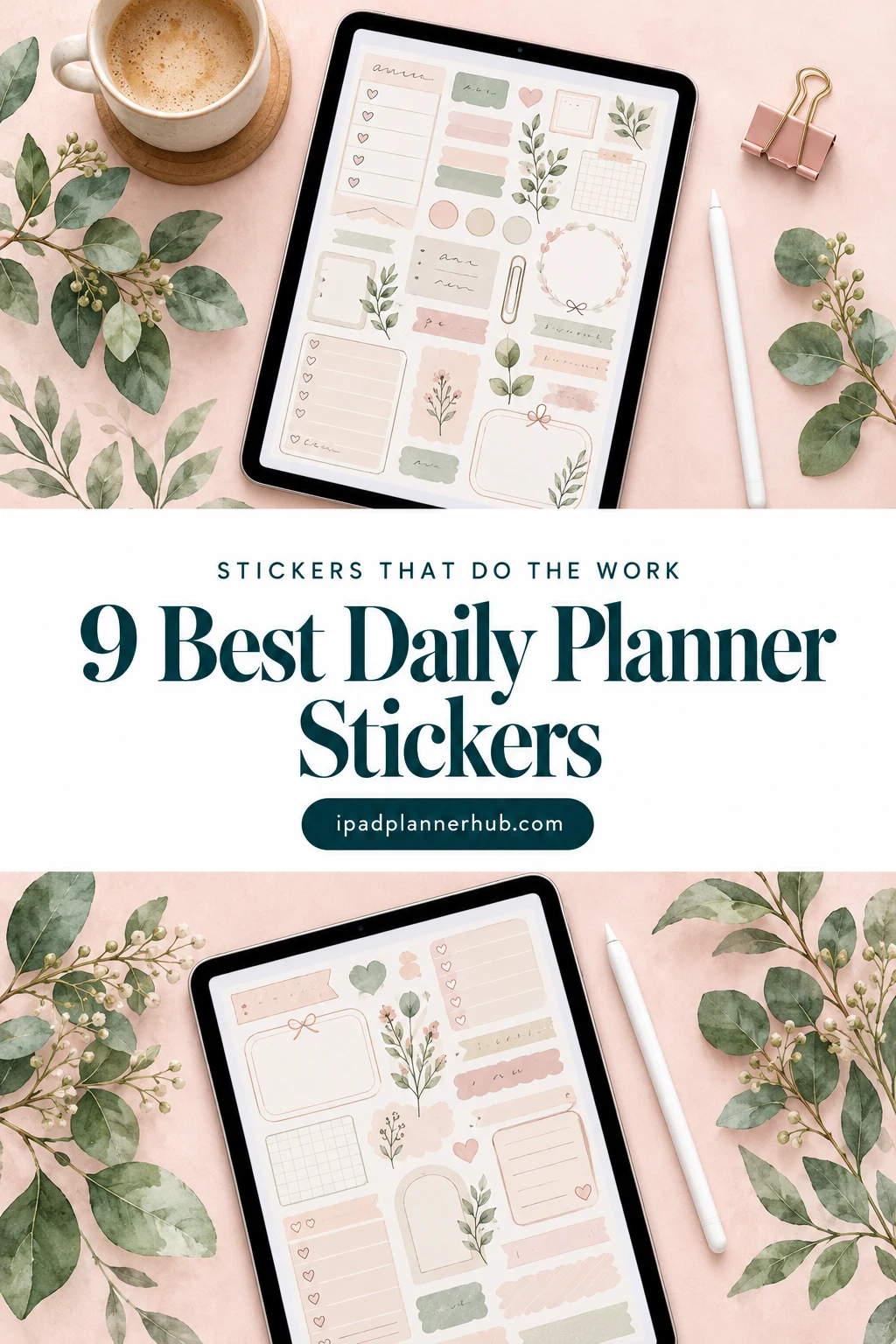
Below are 9 functional sticker packs from Creative Fabrica I’d use in a digital planner, from complete kits with a ready GoodNotes sticker book to everyday icons for errands and appointments, cute productivity icons and plain boxes, flags and shapes for color-coding. After the list: which type fits which page, what to look for, a 5-minute sticker system for every day, functional vs decorative stickers and how to set up a sticker book in GoodNotes.
The 9 Best Daily Planner Stickers I Found for GoodNotes
I skipped print-and-cut sheets for Cricut, sets sold mainly as SVG cut files, seasonal packs and narrow themes like pet care or a single school subject. Every pack below names GoodNotes, Notability, the iPad or a digital planner in its description, and no designer appears more than once. Packs from my GoodNotes sticker list and study stickers aren’t repeated here.
TL;DR: 9 functional daily planner sticker packs for GoodNotes and iPad planners, in three groups: complete kits with sticker books (hand-drawn earthy and rustic blue daisy), everyday icons for tasks and routines (weekday and errand icons, a 208-icon library, cute productivity icons, cozy routine icons) and boxes, flags and shapes for color-coding. The cards say which packs include a GoodNotes file.
Quick Picks
- Best overall: 100+ Digital Planner Stickers GoodNotes
- Best for big kit with a sticker book: Daisy Blue – Digital Planner Stickers
- Best for everyday life icons: Digital Planner Stickers
- Best for big icon library: 208 Cute Digital Planner Sticker Bundle
- Best for cute productivity icons: Digital Cute Productivity Icons Stickers
- Best for cozy routine stickers: Cozy Planner Sticker Bundle Vol 1-2
- 100+ Digital Planner Stickers GoodNotes – Best overall
- Daisy Blue – Digital Planner Stickers – Best big kit with a sticker book
- Digital Planner Stickers – Best everyday life icons
- 208 Cute Digital Planner Sticker Bundle – Best big icon library
- Digital Cute Productivity Icons Stickers – Best cute productivity icons
- Cozy Planner Sticker Bundle Vol 1-2 – Best cozy routine stickers
- Digital Planner Stickers V2 – Best for color-coding
- Essential Shape Stickers – Best minimal shapes
- To Do Digital Planner Stickers – Best to-do flags
Best overall
1. 100+ Digital Planner Stickers GoodNotes
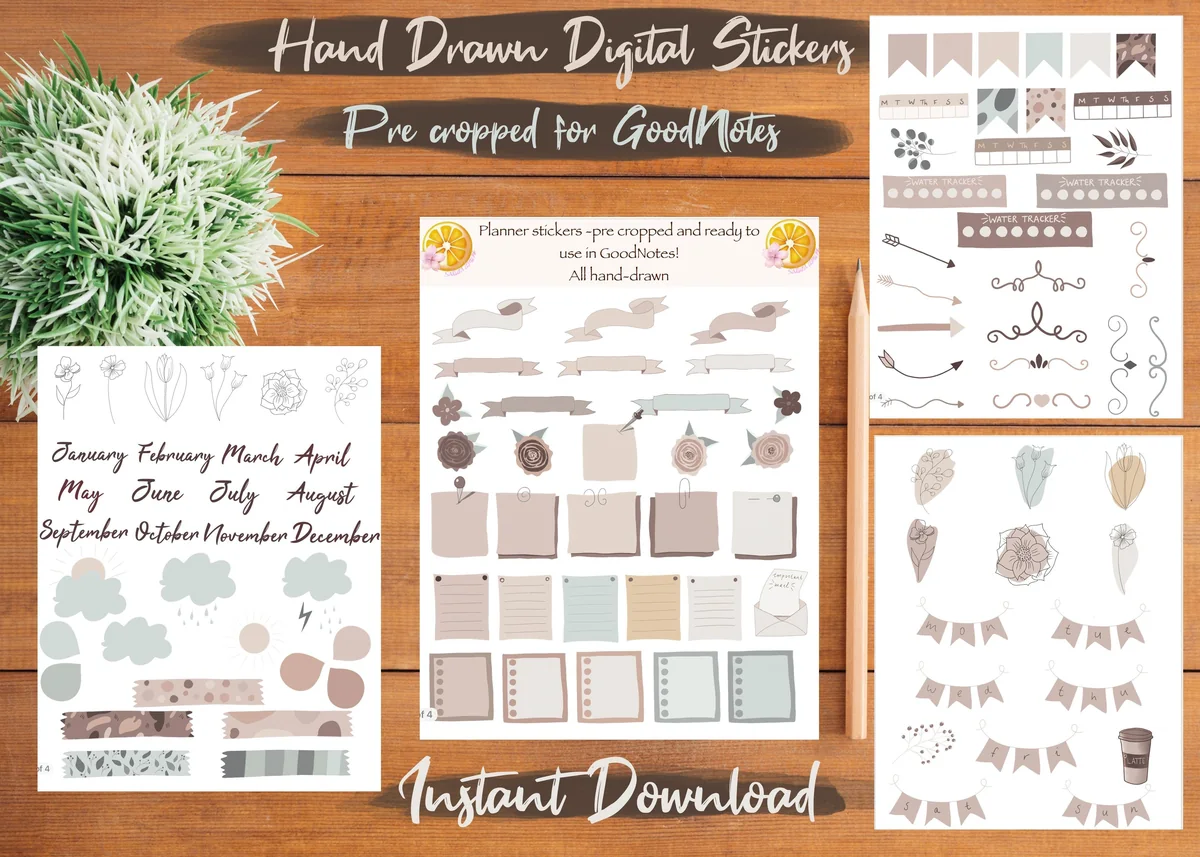
Layouts: 100+ hand-drawn earthy stickers: month names, banners, sticky notes, boxes, flagsFormat: GoodNotes file (4 pages, pre-cropped) + single transparent PNGs
Best for: neutral planner fans, GoodNotes beginners, daily spreads. Designed by Sakura Lemon Designs.
- Over 100 hand-drawn stickers in earthy, neutral tones
- Every sticker pre-cropped for GoodNotes, tested by the designer in the app
- A GoodNotes file with all stickers on 4 pages, plus a ZIP of single transparent PNGs
- Month names, banners, sticky notes, lined boxes, flags and small florals (as shown in the previews)
- 890 favorites and a 5.0 rating from 6 reviews on Creative Fabrica
This is the pack I'd start with if I wanted functional stickers that still look soft. The boxes and sticky notes hold a to-do list or a note, the banners make headers, and the month names save writing the same title every month. Because it comes as a ready GoodNotes file, there is nothing to crop: open it next to your planner and copy what you need.

Best big kit with a sticker book
2. Daisy Blue – Digital Planner Stickers
Layouts: 500+ blue daisy functional stickers: checklists, boxes, headers, week and month names in 5 languagesFormat: Hyperlinked GoodNotes sticker book + PNGs + blank PDF sticker book (150 dpi, screen only)
Best for: year-round planners, multilingual planners, big-kit lovers. Designed by NDP Design Studio.
- Over 500 stickers drawn with colored pencils in blue, gold and gray
- A hyperlinked GoodNotes sticker book with every sticker already placed
- Single PNGs, placement guides and a blank hyperlinked PDF sticker book for Notability, Noteshelf and ZoomNotes
- Week and month names in English, Spanish, Italian, French and Portuguese
- Checklists, boxes, headers and small round icons; 150 dpi files kept light for the iPad
The biggest functional kit in the list, and it's year-round: the daisies are the only decoration, the rest is boxes, checklists and labels. The week and month names in five languages are a rare extra if you plan in Spanish or French. The 150 dpi files are made for the screen, so a big planner stays fast, but they are not for printing.
Best everyday life icons
3. Digital Planner Stickers
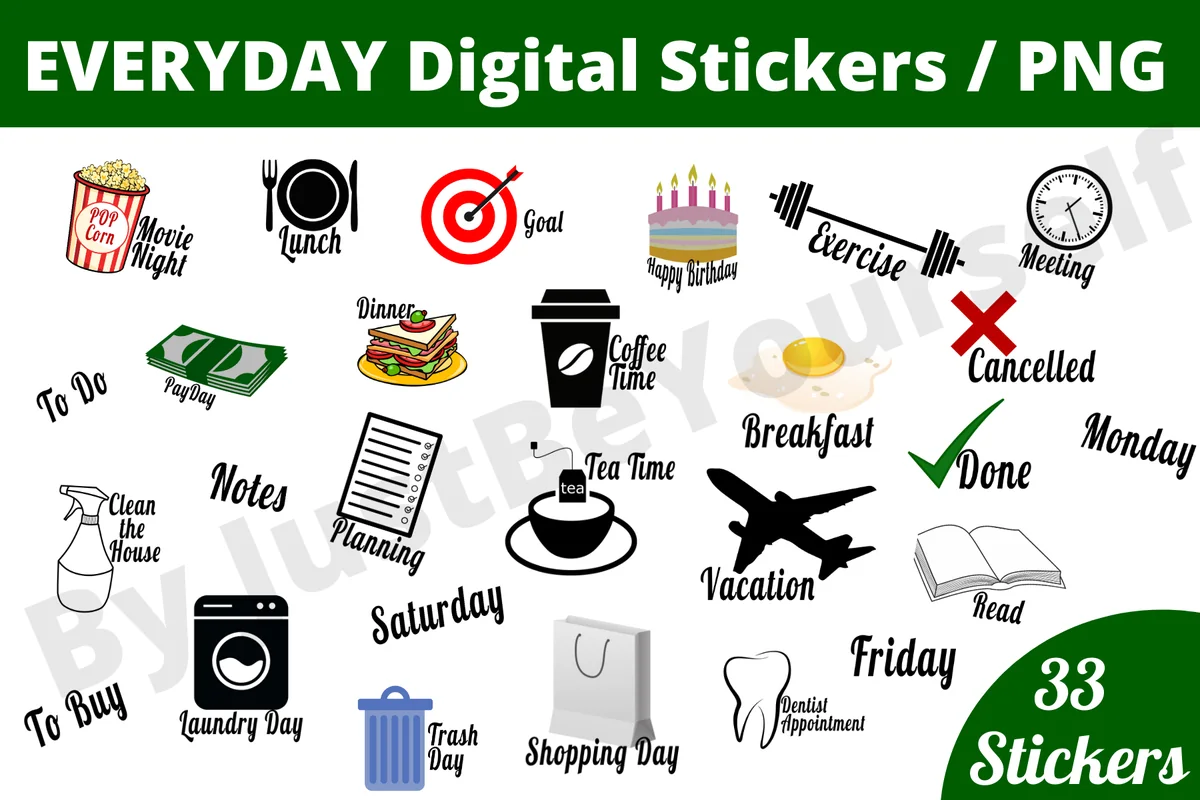
Layouts: 33 everyday stickers: 7 weekdays, To Do, To Buy, Notes, Meeting, Payday, Trash Day, Dentist AppointmentFormat: High-resolution PNG
Best for: busy households, errand planners, colorful planners. Designed by JustBeYourSelf.
- 33 PNG stickers in high resolution
- 7 weekday stickers plus To Do, To Buy and Notes
- Everyday icons with words: Lunch, Breakfast, Meeting, Exercise, Laundry Day, Trash Day, Payday, Dentist Appointment, Coffee Time, Vacation, Shopping Day
- Made for planners, GoodNotes and Notability; prints as physical stickers too
- 259 favorites on Creative Fabrica
This is a functional pack in the most literal sense: each sticker says what the day holds. A "Trash Day" or "Dentist Appointment" sticker on a daily page is faster to spot than a line of handwriting. The style is bold and bright with black lettering, so it suits a colorful planner more than a minimal one.
Best big icon library
4. 208 Cute Digital Planner Sticker Bundle
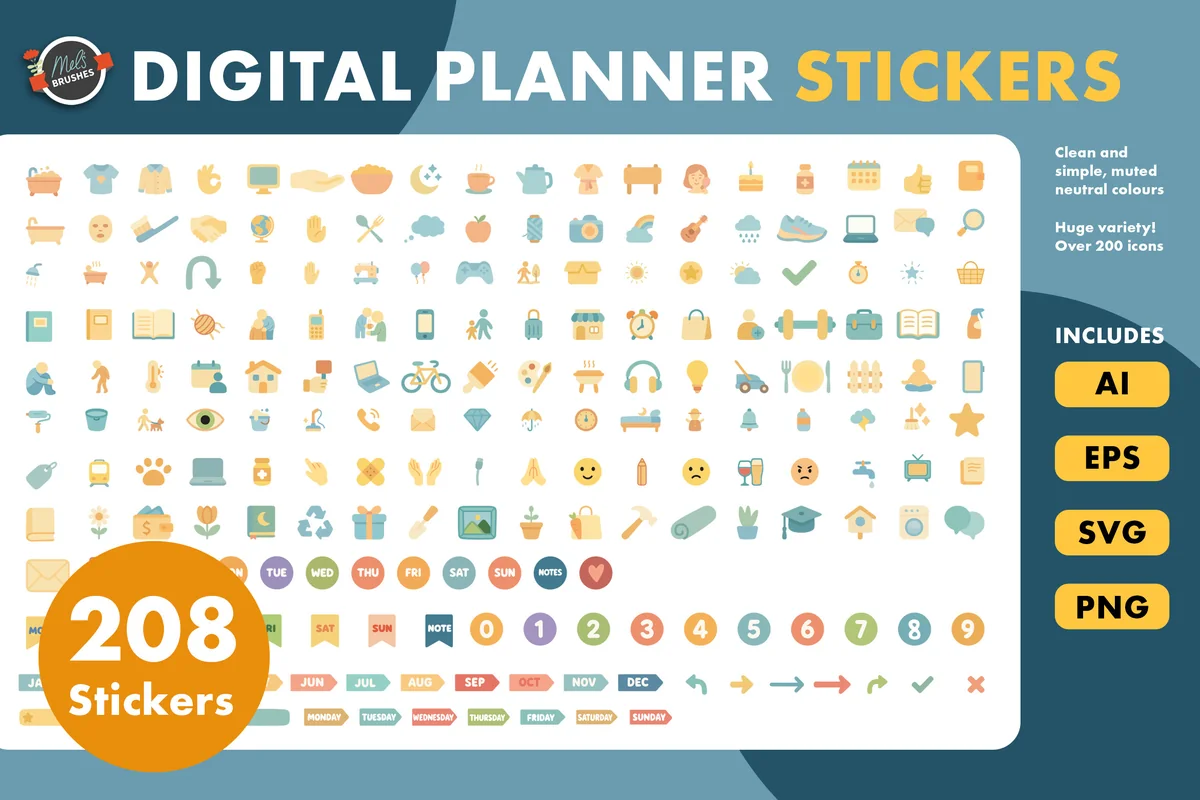
Layouts: 208 muted icons: routines, self-care, fitness, food, work, number circlesFormat: PNG + AI, EPS, SVG
Best for: habit trackers, routine planners, minimal icon fans. Designed by MelsBrushes.
- 208 single icon stickers in a soft muted palette
- Daily routines, self-care, fitness, food, work and more
- Number circles and small arrows on the preview sheet
- AI, EPS, SVG and PNG formats
- Made for GoodNotes, Notability and other planning apps
Small, flat icons are the best functional stickers for a habit tracker or a daily schedule: a dumbbell for the workout, a bowl for lunch, a book for reading. With 208 of them, there is an icon for almost every routine. They have no words, so they stay neat next to your own handwriting. You'll use the PNGs; the AI, EPS and SVG files are for editing the colors.
Best cute productivity icons
5. Digital Cute Productivity Icons Stickers
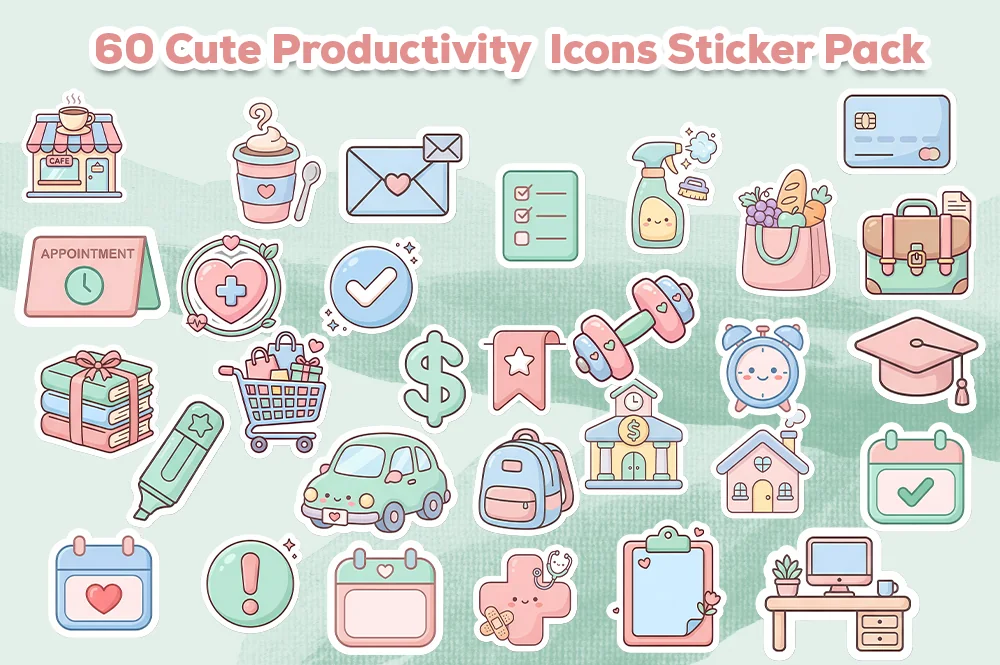
Layouts: 60+ pastel kawaii productivity icons: appointment, to-do list, calendar, alarm clock, target, invoiceFormat: Transparent PNG, 300 dpi, 2000 and 1200 px
Best for: work planners, students, kawaii lovers. Designed by Ruba Alash.
- 60+ pastel kawaii productivity icons
- Icons for tasks, meetings, reminders, study sessions and goals: an appointment card, a to-do list, a calendar, an alarm clock, a target, a bell, an invoice
- Single PNG files with transparent backgrounds, 300 dpi
- 2000 x 2000 px and 1200 x 1200 px sizes
- Made for GoodNotes and iPad planning
The cutest pack on the list that still does real work: the appointment card, the to-do list and the alarm clock are exactly the stickers a busy weekday needs. The two sizes help: the smaller files are lighter in a big GoodNotes notebook. It's a newer listing with 53 favorites already.

Best cozy routine stickers
6. Cozy Planner Sticker Bundle Vol 1-2
Layouts: 42 cozy stickers: routine and productivity icons, self-care, choresFormat: Transparent PNG (300 dpi) + print-ready PDF
Best for: self-care planners, slow-living fans, chore trackers. Designed by azartstickers.
- 42 stickers from two volumes
- Daily routine and productivity icons: a laptop, an open planner, an alarm clock, a mug, books, a laundry basket
- Self-care pieces: a candle, slippers, a bath, a sleeping sloth and a panda
- Transparent PNG files (300 dpi, RGB) and print-ready PDF sheets
- Made for digital planners and GoodNotes
These are function stickers for a softer kind of day: the alarm clock marks the wake-up time, the laundry basket marks the chores, the candle and the bath mark rest. The warm beige look is consistent across both volumes. A planner blog with Pinterest traffic lists this bundle in its functional sticker picks too.
Best for color-coding
7. Digital Planner Stickers V2
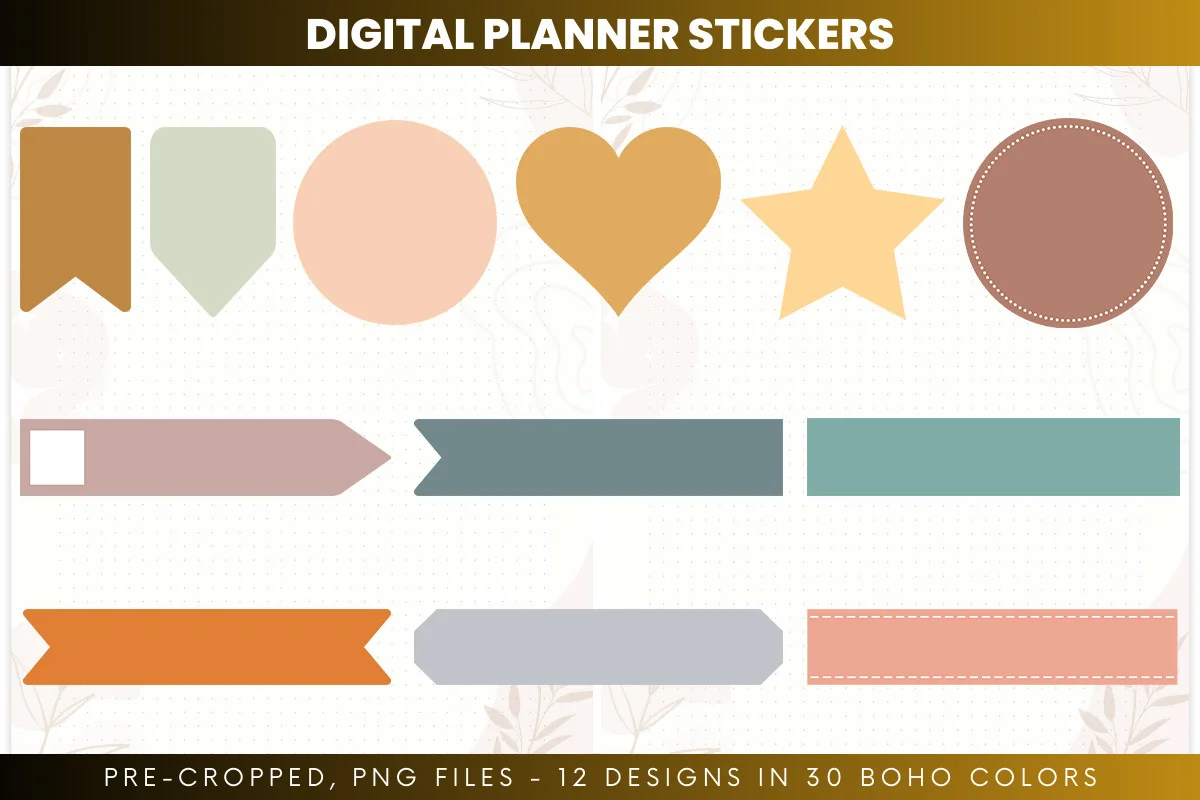
Layouts: 12 shapes in 30 boho colors (360 stickers): bookmarks, banners, circles, hearts, starsFormat: Pre-cropped transparent PNG, 300 dpi
Best for: color coders, boho planners, write-on label fans. Designed by printablepdf.
- 12 shapes in 30 boho colors: 360 stickers
- Bookmarks, banners, circles, hearts, stars and labels (as shown in the previews)
- Pre-cropped transparent PNGs, 300 dpi, RGB
- Each design stored in its own folder
- Made for GoodNotes, Notability, Noteshelf and Xodo
This is the blank side of functional stickers: shapes without words that you write on or use as color codes. One bookmark color for work, one for home, one for health, and the page explains itself. With 30 colors per shape you can match any planner palette. It's a different pack from the V1 set in my GoodNotes sticker list.
Best minimal shapes
8. Essential Shape Stickers
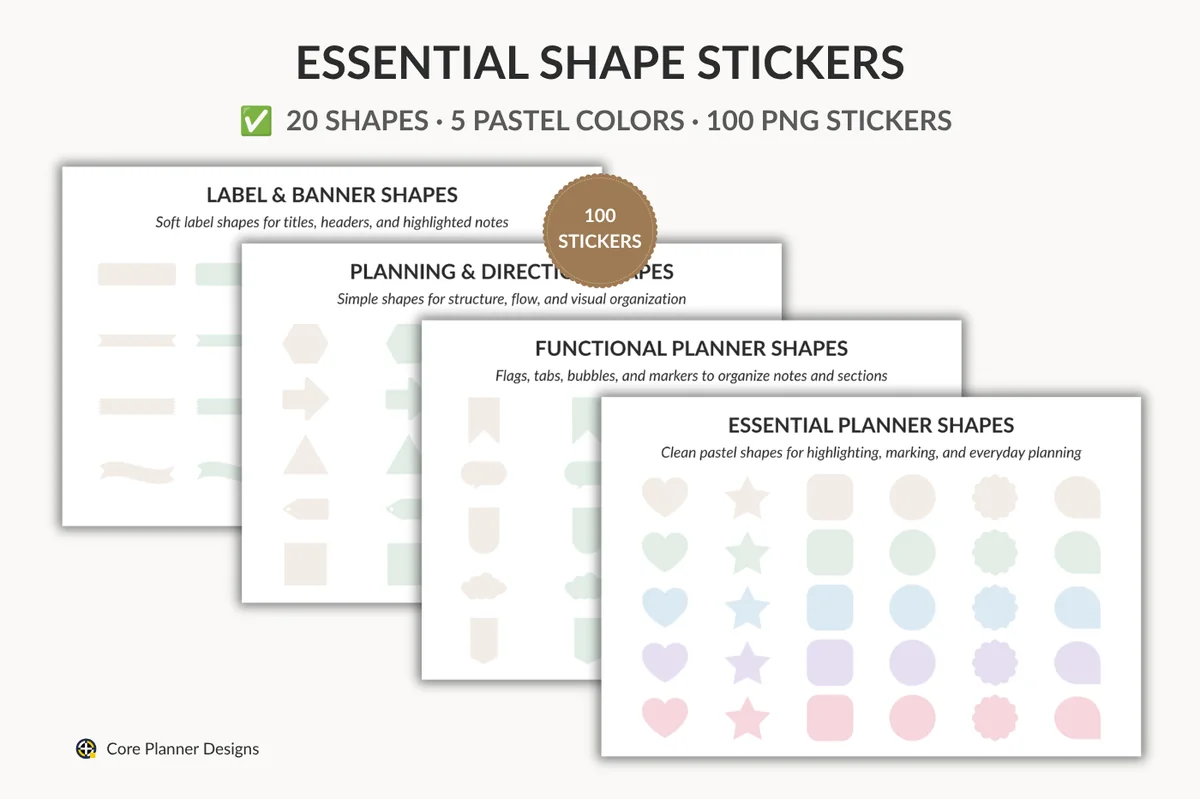
Layouts: 20 shapes in 5 pastel colors (100 stickers): flags, speech bubbles, tabs, labels, banners, arrowsFormat: Transparent PNG
Best for: minimal planners, note takers, pastel fans. Designed by jamesinspires6.
- 20 shapes in 5 pastel colors: 100 single PNG stickers
- Functional shapes: flags, speech bubbles, tabs, clouds and markers
- Labels and banners: rounded labels, ribbon banners, torn-edge labels
- Hexagons, arrows, triangles and tags for structure
- Made for GoodNotes and iPad planning, a new listing on Creative Fabrica
The quietest set here: very pale pastels and clean outlines. Use the speech bubbles for a note to self, the flags for priorities and the banners for a section title. It's a new listing without many favorites yet, but the shapes are the right ones for a functional system, and the colors won't fight with a busy page.
Best to-do flags
9. To Do Digital Planner Stickers
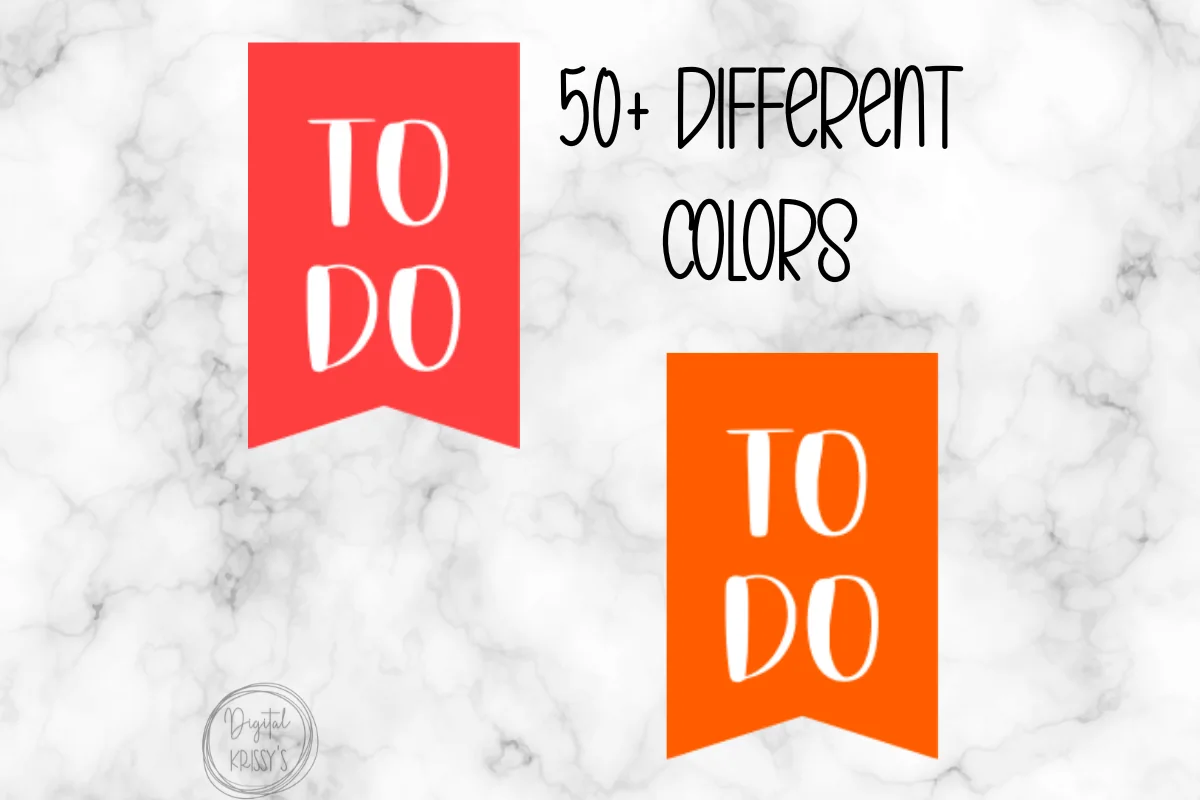
Layouts: TO DO flags in 50+ colorsFormat: Single PNG
Best for: list makers, color coders, family planners. Designed by simplyprintables1.
- "TO DO" flag stickers in 50+ colors (as shown in the previews)
- Single PNG files
- Made for GoodNotes and Notability
One job, done well: a bright "TO DO" flag that sits at the top of a list. With 50+ colors there is one for every category or every family member. It's the smallest pack in the list, so pair it with an icon set from above if you want more than to-do lists.
Quick Comparison
| Sticker pack | Style | What you get | Stand-out extra |
|---|---|---|---|
| 1. 100+ Digital Planner Stickers GoodNotes | Hand-drawn earthy neutrals | 100+ stickers, GoodNotes file | Pre-cropped and tested in GoodNotes |
| 2. Daisy Blue – Digital Planner Stickers | Rustic blue daisy, pencil texture | 500+ stickers, hyperlinked GoodNotes book | Week and month names in 5 languages |
| 3. Digital Planner Stickers | Bold icons with words | 33 PNG stickers | Weekdays, To Do, To Buy, Notes |
| 4. 208 Cute Digital Planner Sticker Bundle | Flat muted icons | 208 icons, PNG + vectors | Number circles for dates and steps |
| 5. Digital Cute Productivity Icons Stickers | Pastel kawaii | 60+ PNG icons, 2 sizes | Appointment, to-do and reminder icons |
| 6. Cozy Planner Sticker Bundle Vol 1-2 | Warm cozy illustrations | 42 PNG stickers + print PDF | Self-care and chore icons |
| 7. Digital Planner Stickers V2 | Boho solid shapes | 360 pre-cropped PNGs | 30 colors per shape |
| 8. Essential Shape Stickers | Pale pastel minimal | 100 PNG shapes | Speech bubbles, tabs and arrows |
| 9. To Do Digital Planner Stickers | Bright flags | TO DO flags in 50+ colors | One color per category |
Kits, Icons or Shapes: Which Functional Stickers Fit Your Planner
The 9 packs do three different jobs. Most planners need one from each group at most; more than that and you spend the morning choosing stickers instead of planning.
Complete kits with a sticker book
The hand-drawn earthy kit and Daisy Blue come with GoodNotes files, so boxes, headers and month names are ready on day one.
Icons for tasks and routines
Icons mark what kind of task it is. Pick by look: bold icons with words like “Trash Day” and “Payday”, a 208-icon library in muted colors, pastel kawaii productivity icons for work and study days, or cozy routine stickers for chores and self-care.
Boxes, flags and shapes for color-coding
Blank shapes are the most flexible: you write on them or use the color as the code. The boho shapes in 30 colors and the pale pastel shapes cover bookmarks, banners and speech bubbles, and the To Do flags do just one thing, in 50+ colors.
What I Look For in Functional Planner Stickers
- Made for the screen. “Transparent PNG”, “pre-cropped” or “GoodNotes file” in the description. “Print then cut” and “Cricut” sheets mean paper stickers first.
- Stickers you’d use every week. Checkboxes, to-do flags, weekday labels, “Meeting”, “Appointment”, “Payday”. A pack of 300 stickers you never use is less useful than 30 you use daily.
- A GoodNotes file when possible. Two packs include a ready sticker book (the hand-drawn kit and Daisy Blue). With the rest, you place the PNGs once in your own sticker notebook.
- Room to write. Boxes, banners and speech bubbles should be big enough for a word or two written with the Apple Pencil.
- Colors that match your planner. Functional stickers appear on every page, so they should blend in. Neutrals and pastels are the safe choice; bright sets work best in a colorful planner.
- Light files. Hundreds of stickers make a GoodNotes notebook heavy. 150 dpi screen files, like Daisy Blue’s, keep it fast.
Let Stickers Do the Work: a 5-Minute Daily Planner Sticker System
The idea behind the title: functional stickers should save time, not take it. The trick is to decide once what each sticker means and keep that meaning on every page. Here’s the system I’d set up:
- Pick 12 to 15 everyday stickers. A weekday label, a to-do flag, a checkbox, a meeting icon, an appointment icon, a payday icon, a chores icon, a workout icon, a self-care icon and two or three blank labels.
- Give each color one meaning. For example: blue for work, green for home, pink for health, yellow for money. Use the shapes and flags in those colors only.
- Save them as one Elements collection in GoodNotes, named “Daily”. Everything is one tap away.
- Morning, 5 minutes: date label at the top, a to-do flag above the list, one icon next to each fixed event (meeting, dentist, gym).
- Evening, 1 minute: check off what’s done and move the rest to tomorrow with an arrow sticker.
- Once a week: look at the icons across the week. Five workout icons or zero tells you more than a long list.
The system works with any daily layout; if you’re still choosing one, see my daily digital planners for iPad.
Functional vs Decorative Planner Stickers
Functional stickers carry information: a checkbox, a date, a “To Buy” label, an appointment icon. Decorative stickers carry mood: flowers, characters, seasonal scenes. Many packs mix both (Daisy Blue has daisies, the cozy bundle has a sleepy sloth), and that’s fine as long as the functional part is the bigger one.
- Daily pages: mostly functional, one decorative sticker at most.
- Weekly spreads: functional headers and boxes, plus a small decorative theme for the week.
- Monthly and memory pages: more room for decoration, like digital washi tape or seasonal packs.
Why Use Stickers in a Digital Planner
- Speed. One tap instead of writing “Meeting 10:00 with…” in full every time.
- Scanning. An icon is easier to spot on a full page than a line of handwriting.
- Consistency. The same labels on every page make a planner look tidy without effort.
- Tracking. Icons double as a simple habit log; for more, see my digital habit trackers.
- They never run out. Unlike paper sheets, a digital sticker can be used on every page of the year.
Digital vs printable planner stickers
Many searches for functional stickers are about printable sheets for paper planners like Happy Planner or Erin Condren. Some packs above print too: the everyday icons and the cozy bundle (with PDF sheets). Daisy Blue’s files are made for the screen only, as its designer says. If you plan only on the iPad, pick packs with pre-cropped PNGs or a GoodNotes file.
How to Set Up a Sticker Book in GoodNotes
- Unzip the pack in the Files app. You’ll find single PNGs, full sticker pages or a GoodNotes file, depending on the pack.
- If there is a GoodNotes file, import it: that’s your sticker book. Open it in a second tab or Split View next to your planner and copy stickers across.
- For single PNGs, make a new notebook called “Sticker book” and add the images with the image tool, a page per category (dates, tasks, icons, shapes).
- For full sticker pages, add the page to the sticker book and cut out each sticker once with the lasso.
- Save your daily set as Elements. Select a sticker with the lasso and add it to an Elements collection, so the stickers you use every day are one tap away in any notebook.
Using Notability or Noteshelf? PNG stickers go onto the page as images in either app, and Daisy Blue includes a blank PDF sticker book for other apps. My GoodNotes vs Notability comparison covers how each app handles stickers.
Free Daily Planner Stickers to Start With
Not ready to pay for a sticker kit? Two functional sets on Creative Fabrica are listed as freebies right now, so they cost nothing and need no All Access trial. They’re smaller and simpler than the 9 packs above, which makes them a good way to find out whether daily planner stickers fit the way you plan before you buy a bigger kit.
Free GoodNotes sticker book
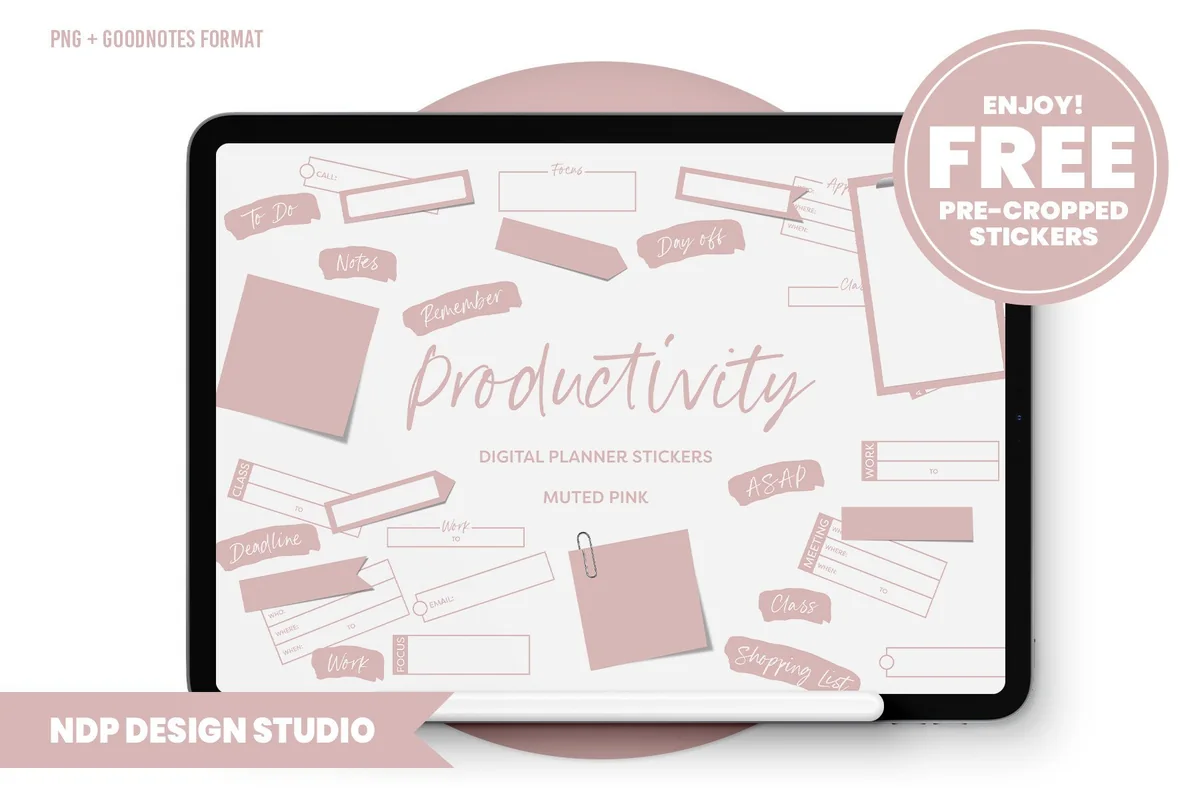
Productivity Digital Planner Stickers
Stickers: 85 functional stickersFiles: GoodNotes sticker book + PNGs, 150 dpi
Best for: work, college and home to-dos, a first GoodNotes sticker book. Designed by NDP Design Studio.
- 85 stickers made to organize time at home, college, school or work
- A hyperlinked .goodnotes sticker book with every sticker already placed
- Individual PNGs, placement guides and a blank hyperlinked PDF sticker book for Notability, Noteshelf or ZoomNotes
- Color hex codes, in a muted pink palette on the cover
This is the free set I'd try first, because it works like a paid kit: a ready sticker book for GoodNotes, plus PNGs for other apps. The muted pink boxes, sticky notes and labels are the everyday kind, so they cover a to-do list or a deadline flag rather than a holiday theme.
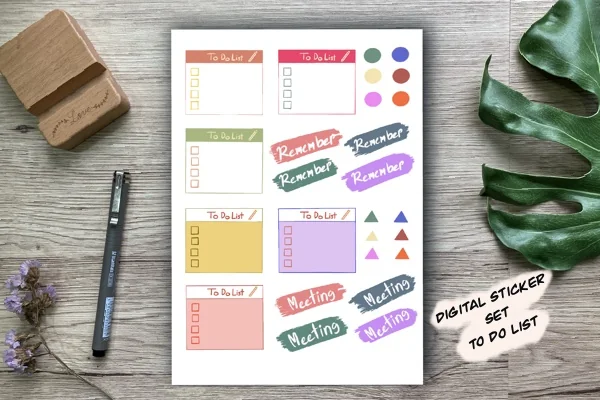
Free hand-drawn to-do boxes
Digital Stickers Set to Do List
Stickers: 26 hand-drawn stickersFiles: PNG sheet, transparent background, 300 dpi
Best for: to-do lists, meeting reminders, colorful daily pages. Designed by Aloe_wannaart.
- To Do List boxes with checkboxes in several colors
- Remember and Meeting banners, plus small dots and triangles as markers
- Made for GoodNotes on the iPad
- One transparent PNG sheet at 300 dpi
A small set, but it's one of the most saved freebies I found, with over a thousand favorites and a 4.9 rating. It comes as one PNG sheet, so you crop each sticker with the lasso tool once and keep the cut-outs in your own sticker book.
FAQ
What are functional planner stickers?
Stickers that hold information rather than decoration: checkboxes, to-do flags, date and weekday labels, headers, and icons for appointments, meetings, chores or payday. They make a planner faster to fill in and easier to read.
Can I use daily planner stickers in GoodNotes?
Yes. Digital planner stickers are PNG images with a transparent background or sticker books in GoodNotes format. You add them to any page, move and resize them, and save your favorites as Elements to reuse every day.
How do I organize my digital stickers?
Keep one sticker book notebook with a page per category (dates, tasks, icons, shapes) and one small Elements collection with the 12 to 15 stickers you use daily. Everything else stays in the sticker book until a weekly or monthly setup.
Are there free functional planner stickers?
Some planner blogs share a few free stickers, usually a handful of checkboxes or labels. A full pack gives you dozens of pieces in one style and color palette, which matters for stickers you’ll see on every page.
Do these stickers work in Notability?
Yes. Transparent PNGs work in any app that lets you add images: Notability, Noteshelf, ZoomNotes and GoodNotes. Only the GoodNotes files inside some packs are GoodNotes-specific; the PNGs in the same pack work everywhere.
How many stickers do I need for a daily planner?
Fewer than you think. Ten to fifteen functional stickers cover most days: a date label, a to-do flag, checkboxes and icons for your fixed events. Add decorative stickers for weekly and monthly pages if you enjoy them.
Final Thoughts
The best daily planner stickers are the ones you stop noticing because they’re part of every page. Start with one kit, like the hand-drawn earthy stickers or Daisy Blue, add an icon set such as the cute productivity icons, and save your 12 to 15 favorites to Elements. For layouts to use them on, see my daily digital planners and weekly planners; for more sticker styles, see my GoodNotes sticker packs and study stickers, or browse all planner stickers.
You May Also Like
Want to track the sky alongside your daily tasks? These weather digital stickers turn a small sun or rain icon into a simple weather log.
This post contains affiliate links. If you buy through them, I may earn a small commission at no extra cost to you. Learn more.