College is the first time nobody reminds you about anything. Four or five classes, each with its own syllabus, a reading list, problem sets due on different days, a part-time job, rent split with roommates. A college planner is where all of that lands in one place, and on an iPad it can sit right next to your lecture notes instead of in a backpack you forgot at home.

Below are 9 digital planners for college students from Creative Fabrica I’d use for a semester on the iPad: semester dashboards, student planners with grade trackers, an assignment tracker and a class notebook. After the list: what a college planner needs, a homework and assignment tracker setup, how to fill it in syllabus week and how to use it until finals.
The 9 Best College Planners I Found
Real college planners for the iPad are rare on Creative Fabrica, so I widened the search to student planners and trackers whose descriptions name classes, semesters, assignments or grades. Kids’ homework charts, printable-only sheets and planners with last year’s dates are out. Planners first, then the tracker and notebook that complete them.
TL;DR: 9 college planners and trackers for iPad: 5 student planners with class pages, schedules and grades, 2 assignment trackers, 1 all-in-one planner and 1 class notebook. All are digital PDFs for GoodNotes or Notability; the cards list layouts, dates and who each one suits.
Quick Picks
- Best for semester planner: Digital Semester Planner for Goodnotes
- Best for simple student planner: Simple Student Planner
- Best for dark mode: Student Planner: Printable & Digital
- Best for class planning: STUDENT DIGITAL PLANNER for Goodnotes
- Best for assignment planner set: Editable Student Planner
- Best for cute assignment tracker: Assignment Tracker • Coffee Latte
- Digital Semester Planner for Goodnotes – Best semester planner
- Simple Student Planner – Best simple student planner
- Student Planner: Printable & Digital – Best for dark mode
- STUDENT DIGITAL PLANNER for Goodnotes – Best for class planning
- Editable Student Planner – Best assignment planner set
- Assignment Tracker • Coffee Latte – Best cute assignment tracker
- All-in-One Digital Planner – Best for classes and life
- Digital Student Notebook Hyperlinked – Best class notebook
- Medical Study Planner • Coffee Latte – Best for pre-med and nursing
Best semester planner
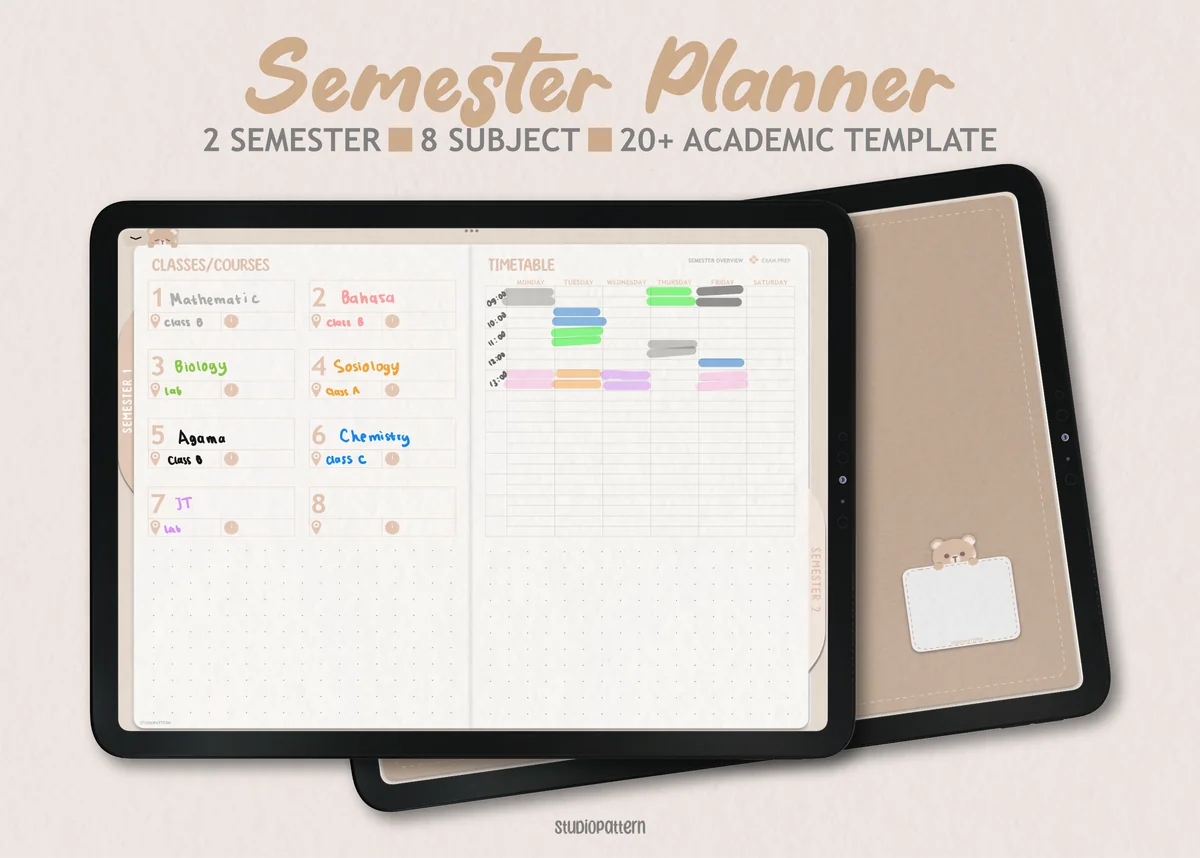
1. Digital Semester Planner for Goodnotes
Orientation: LandscapeLayouts: Semester, Classes (8), Exam timetableDates: Undated
Best for: college students, high school students, exam season. Designed by studiopattern.
- Semester dashboard for up to 8 classes and a semester timetable
- Class overview pages with trackers for assignments, lecture notes, reading and grades
- Exam timetable and exam preparation pages
- Undated, room for two semesters
This is the planner that thinks in semesters, which is exactly how college works. Every class gets its own page with assignments, readings and grades, and exam prep has its own section. If I had to fill one planner in syllabus week, it would be this one.
Best simple student planner
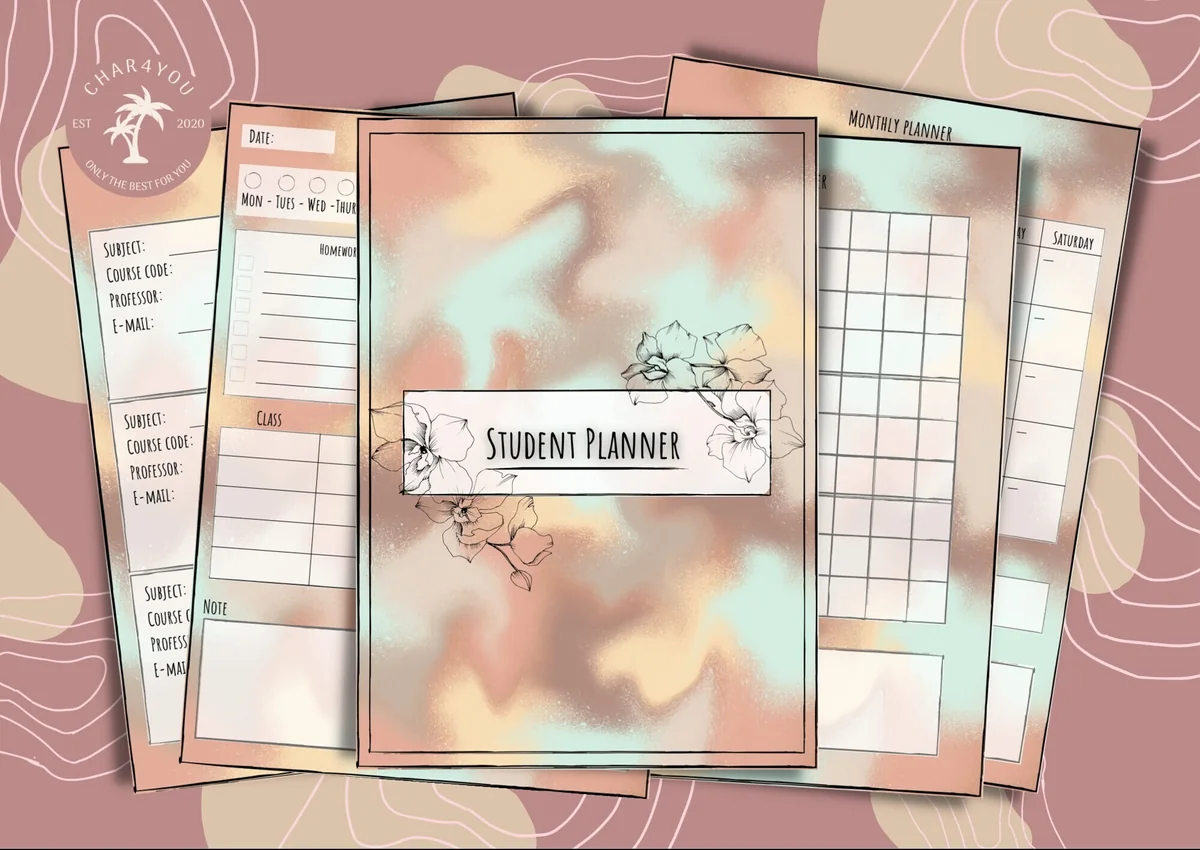
2. Simple Student Planner
Orientation: PortraitLayouts: Monthly, Weekly, Daily, Class schedule, GradesWeek start: Monday or Sunday
Best for: high school students, college students, budget shoppers. Designed by Char4You.
- Class schedule and class information pages
- Grade tracking and a study tracker for study sessions
- Daily, weekly and monthly pages, Monday or Sunday start
- Lined and blank note pages; color or black-and-white version
Everything a student planner needs and nothing more: timetable, class info, grades, study hours and plain note pages. The grade tracker covers the GPA side of college without a spreadsheet. A good pick if you want to plan, not decorate.
Best for dark mode
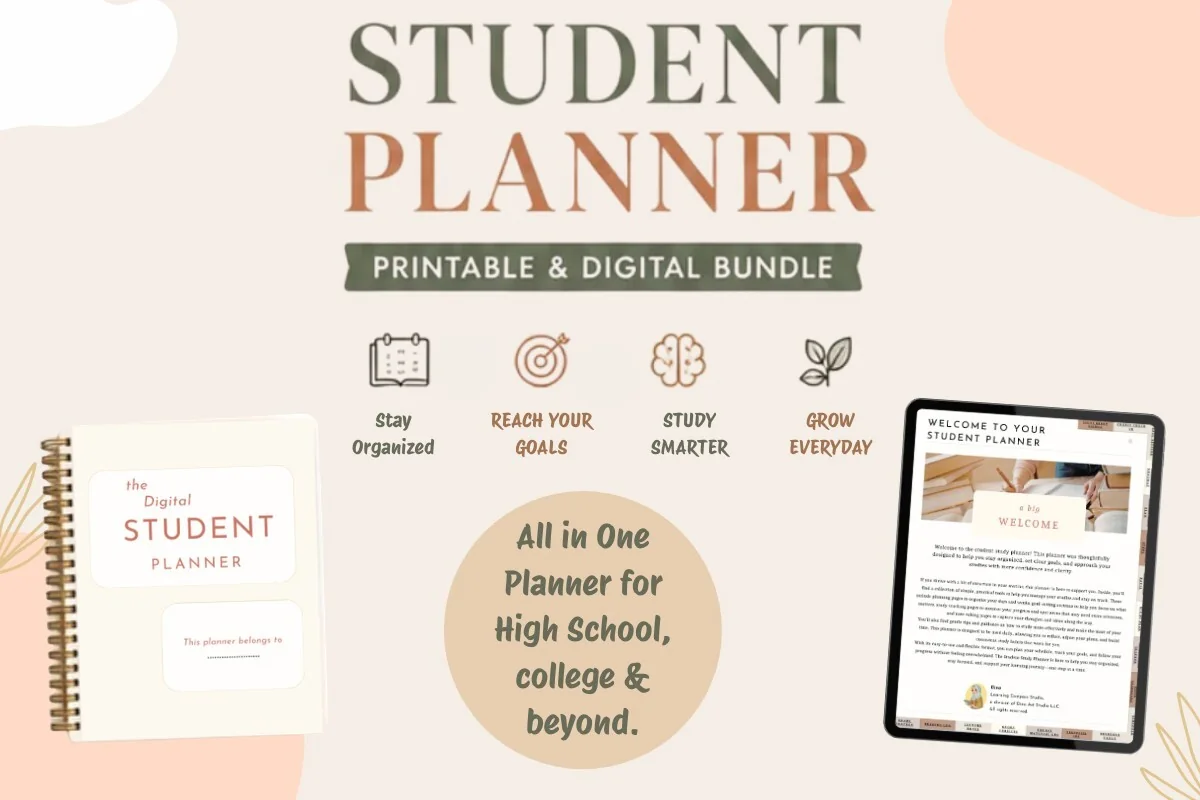
3. Student Planner: Printable & Digital
Orientation: PortraitLayouts: Yearly, Monthly, Weekly, Daily, Class schedule, AssignmentsDates: Undated
Best for: high school students, college students, dark mode fans. Designed by Dina Art Studio.
- 2 hyperlinked digital versions: light and dark theme
- Yearly reviews, monthly roadmap, weekly game plan and daily pages
- Class schedule and assignment tracker
- Undated, plus a printable version for a binder
Two files with the same layout, one light and one dark, which is easier on the eyes in a late library session. It goes from a yearly review down to daily pages, so it works as a life planner for college, not just a class schedule.
Best for class planning
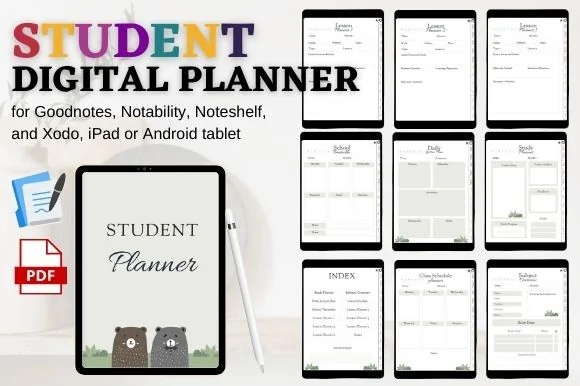
4. STUDENT DIGITAL PLANNER for Goodnotes
Orientation: PortraitLayouts: Class schedule, Timetable, Subjects, Lesson planner (6)
Best for: high school students, student teachers, simple planners. Designed by mixxdigitaldesign.
- Class schedule, school timetable and subject overview
- Study planner and 6 lesson planner layouts
- Hyperlinked index and clickable tabs
- Works in GoodNotes, Notability, Noteshelf and Xodo
A planner built around classes: a timetable, a subject overview and several layouts for planning individual sessions. For college, I'd use the lesson pages as lecture prep: what to read before class and what to review after it.
Best assignment planner set
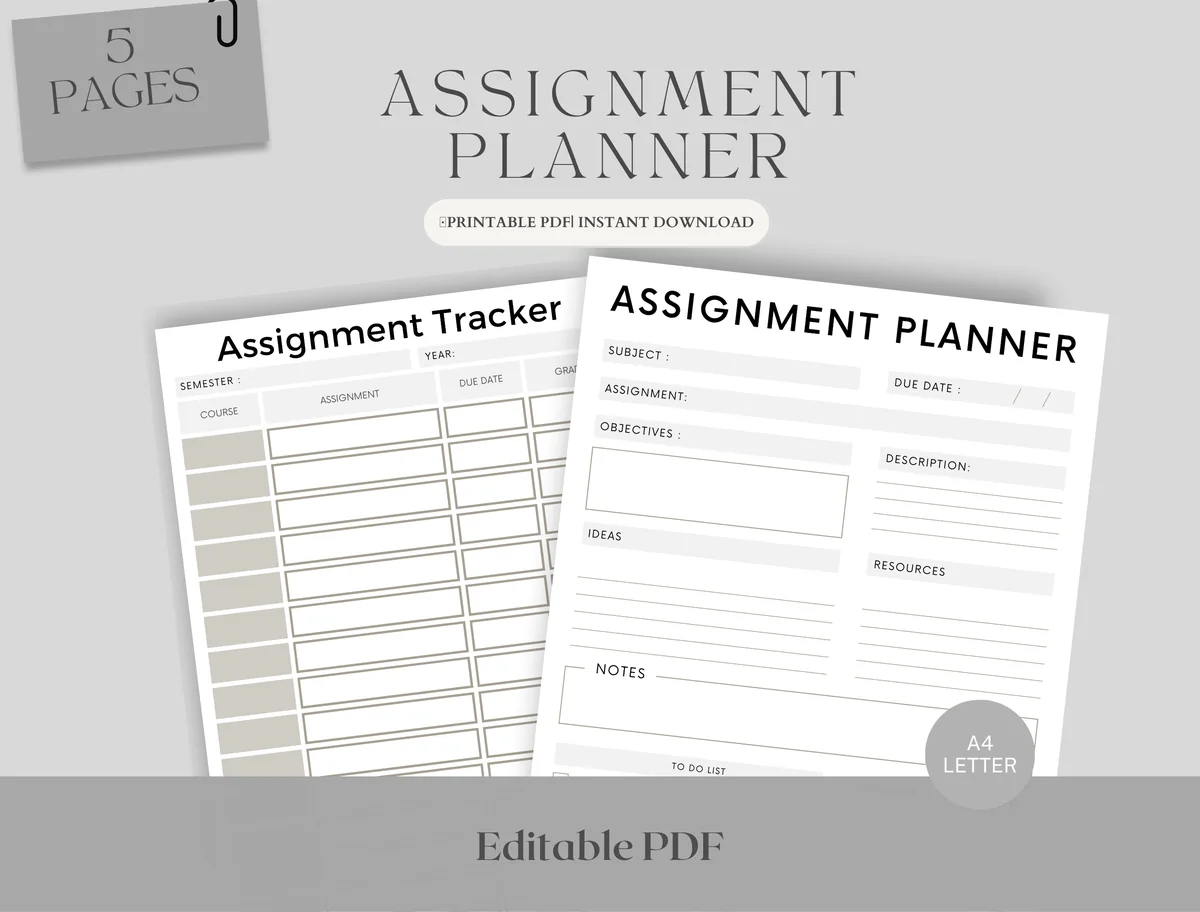
5. Editable Student Planner
Orientation: PortraitLayouts: Monthly, Weekly, AssignmentsDates: Undated
Best for: high school students, college students, deadline jugglers. Designed by Upbeat.
- Assignment tracker: course, assignment and due date for the whole semester
- Assignment planner page with objectives, ideas, resources and notes
- Weekly schedule in two versions: with hourly slots and blank
- Monthly planner for exams and deadlines; fillable PDF for GoodNotes and Notability
Five pages for the part of college that causes the most stress: deadlines. The tracker is the homework tracker described below, and the planner page breaks a big paper or project into steps. It pairs well with any planner above.
Best cute assignment tracker
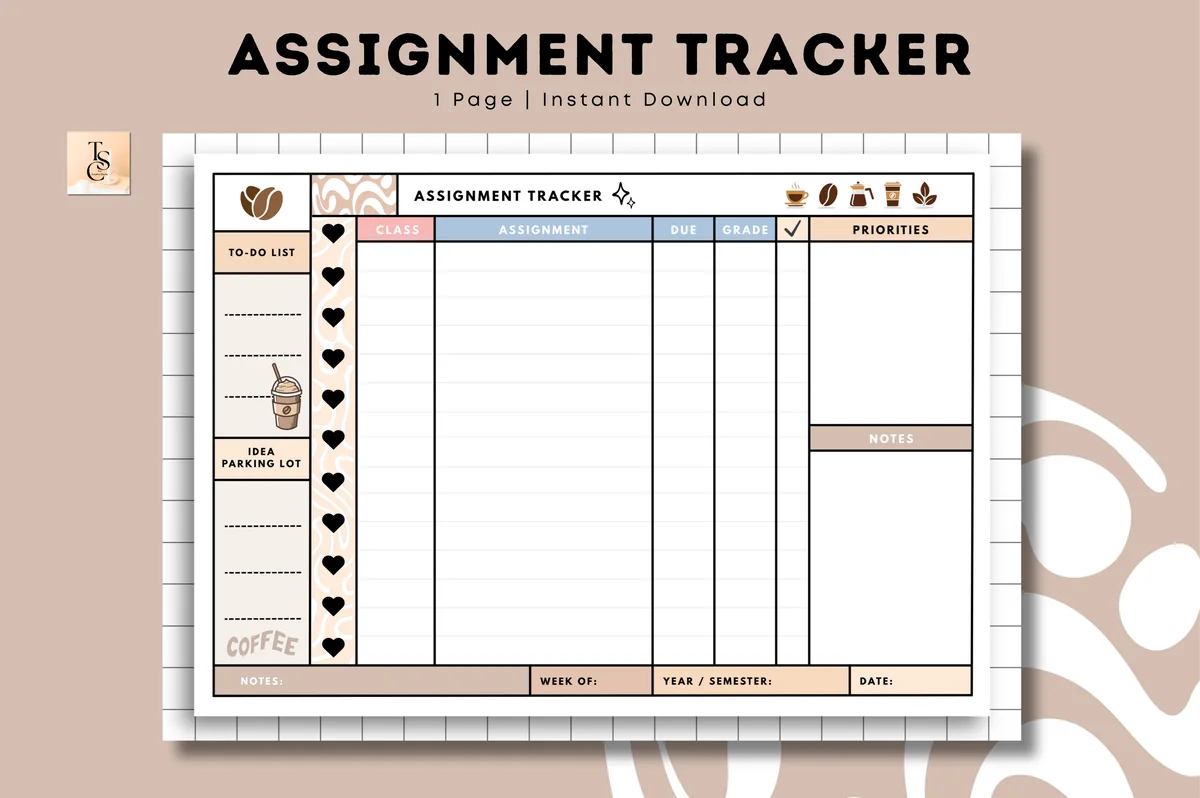
6. Assignment Tracker • Coffee Latte
Orientation: LandscapeLayouts: Assignment tracker (1 page)Dates: Undated
Best for: college students, coffee lovers, deadline jugglers. Designed by Tas Creative Studio.
- Undated one-page assignment tracker with a check column (per the cover)
- Side columns for a to-do list, idea parking lot, priorities and notes
- Week of and year / semester fields; landscape coffee latte design
- Digital PDF for GoodNotes, Notability, Noteshelf and Xodo, plus a printable version
Just one page, and that's the point: every assignment from every class in one table you can duplicate for each semester. Drop it at the front of your class notebook and you'll never need to dig through five syllabi again.
Best for classes and life
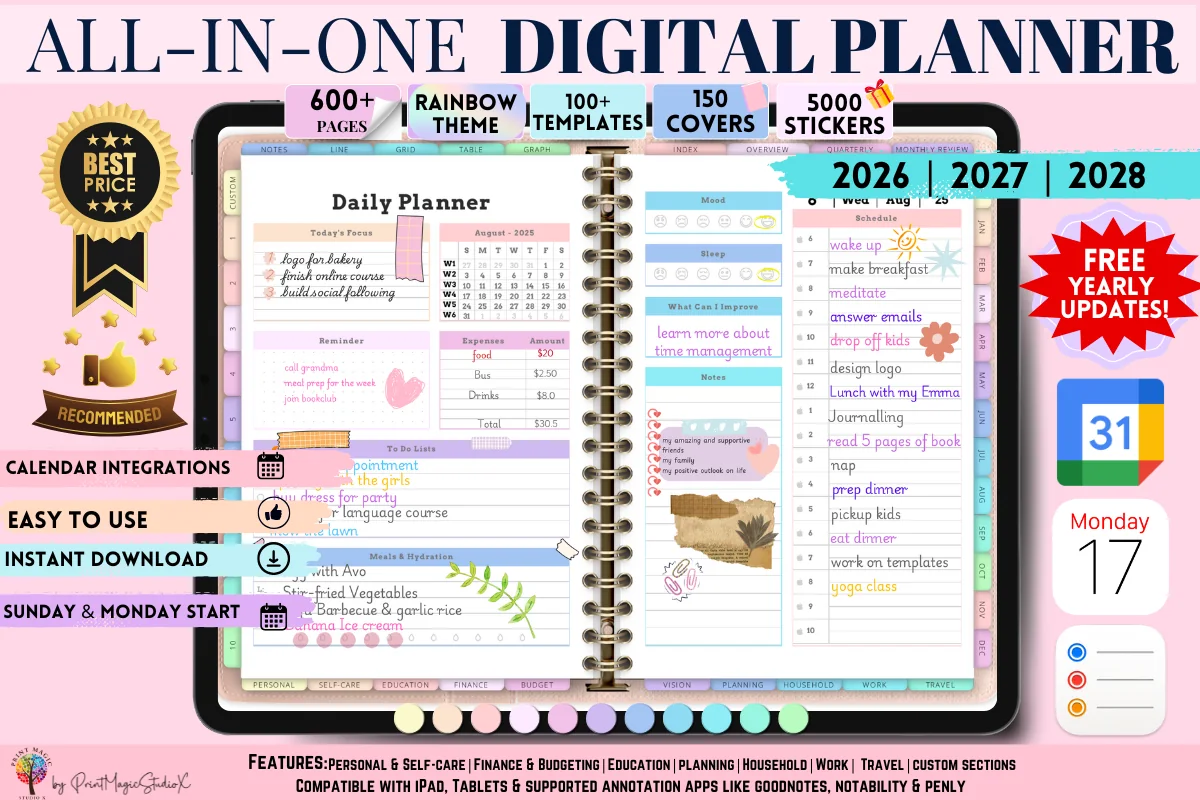
7. All-in-One Digital Planner
Orientation: LandscapeLayouts: Yearly, Monthly, Weekly, Daily, 86 templatesDates: 2026–2028
Best for: people who want one planner for everything, sticker lovers, colorful planners. Designed by Print Magic StudioX.
- Yearly, monthly, weekly and daily pages, 86 templates from goals to budgeting
- Dated 2026, 2027 and 2028 with free yearly updates
- Rainbow theme, 5,000 stickers and 150 covers
- The seller notes a paid GoodNotes account may be needed for the large file
Not a student planner, but with 86 templates it covers the life around classes: budget, goals, work shifts, travel home for the holidays. Add the assignment tracker from this list and you have one file for the whole college year.
Best class notebook
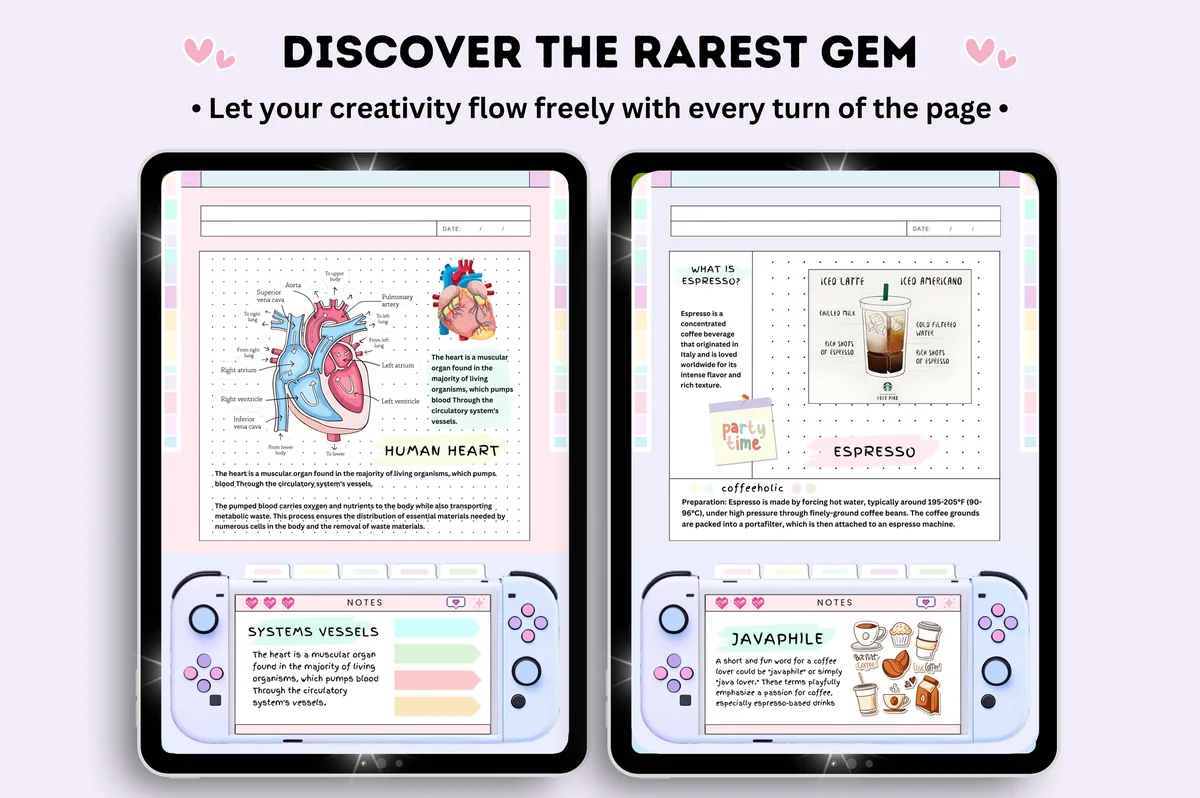
8. Digital Student Notebook Hyperlinked
Orientation: PortraitLayouts: 6 subject notebooks, 16 note templatesDates: Undated
Best for: note takers, pastel lovers, sticker lovers. Designed by Tas Creative Studio.
- 6 pastel notebooks in 6 colors, undated
- 16 note templates and 552 pages (per the cover)
- Quick menu with links on every page
- Bonus: 5-page sticker book
Not a planner but the perfect partner for one: six notebooks in six colors, so each class gets its own. Keep it next to your planner in one "Semester" folder in GoodNotes, and the deadline and the lecture it belongs to are one tap apart.
Best for pre-med and nursing
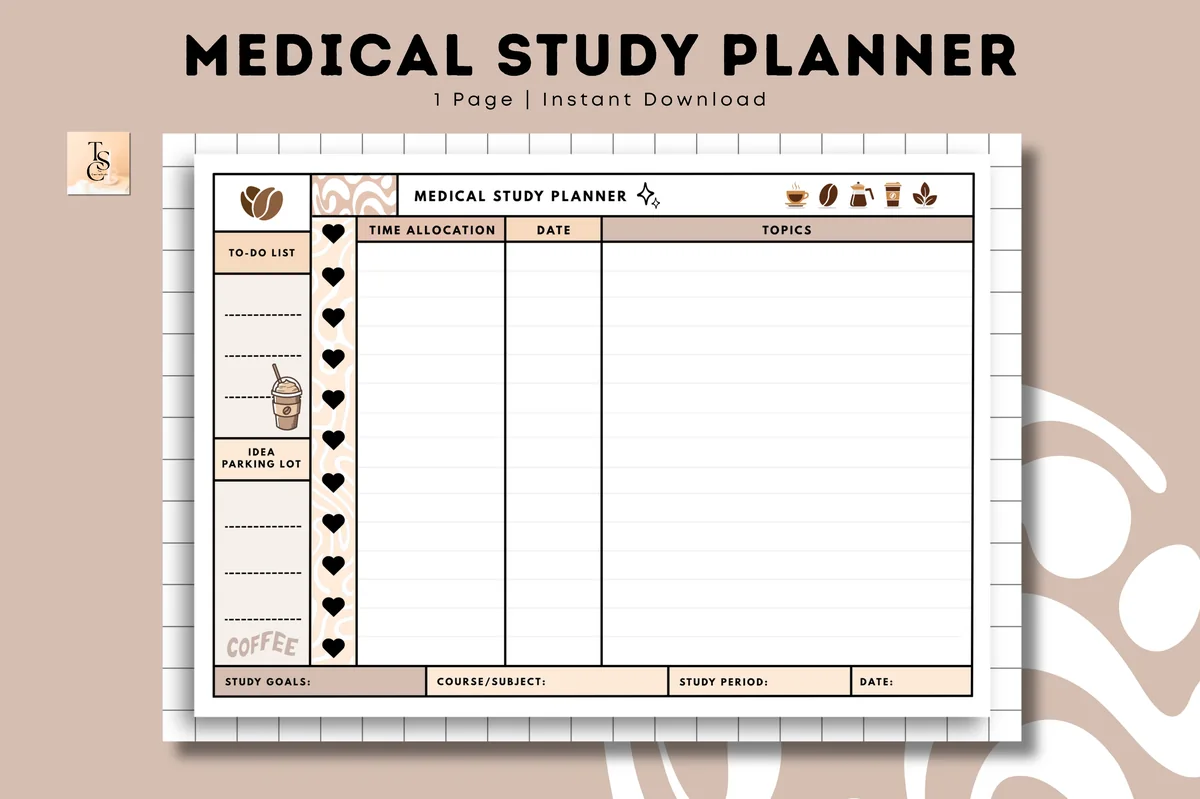
9. Medical Study Planner • Coffee Latte
Orientation: LandscapeLayouts: Study plan (1 page)Dates: Undated
Best for: medical students, nursing students, coffee lovers. Designed by Tas Creative Studio.
- One undated study page with time allocation, date and topics columns
- Study goals, course or subject and study period boxes
- To-do list and idea parking lot on the side
- A4 landscape, digital PDF for GoodNotes and Notability
Made with medical students in mind, but it suits any major with a mountain of material: you give each topic its time and see the whole study period on one page. I'd use it for midterm and finals blocks.
Quick Comparison
| Planner | Best for | College pages | Stand-out extra |
|---|---|---|---|
| 1. Digital Semester Planner for Goodnotes | Semesters, many classes | 8 class dashboards, exams | Two semesters, undated |
| 2. Simple Student Planner | Classic planner | Class info, grades, study log | Color or B&W |
| 3. Student Planner: Printable & Digital | Year + daily planning | Class schedule, assignments | Light and dark versions |
| 4. STUDENT DIGITAL PLANNER for Goodnotes | Class-by-class planning | Timetable, subjects, study plan | 6 session layouts |
| 5. Editable Student Planner | Deadlines | Assignment tracker + planner | Hourly or blank week |
| 6. Assignment Tracker • Coffee Latte | One-page tracker | Assignments, due dates | Printable copy too |
| 7. All-in-One Digital Planner | Everything in one file | 86 templates incl. budget | Dated 2026–2028 |
| 8. Digital Student Notebook Hyperlinked | Lecture notes | 6 class notebooks | Sticker book bonus |
| 9. Medical Study Planner • Coffee Latte | Exam blocks | Topics × time plan | Made for med students |
What a College Planner Needs
- A semester view. College runs in semesters, not school years. You want one page where every exam, paper and project of the term is visible at once.
- A page per class. Professor, office hours, room, grading weights, the syllabus deadlines. This is the page you’ll open the most in week one.
- An assignment tracker. Course, task, due date, done. More on this below.
- Weekly pages with time. Classes, labs, work shifts and study blocks all compete for the same hours.
- Grades or GPA. A simple log of what each assignment scored, so finals week holds no surprises.
- Undated pages. Semesters start in August, January or whenever your program says. Undated planners start when you do.
Homework and Assignment Tracker: The Page That Saves the Semester
If you only set up one page, make it the assignment tracker. A homework tracker is a table with every task from every syllabus, sorted by due date, so you see what’s next across all classes instead of class by class.
Columns I’d use:
- Due date
- Class
- Assignment
- Type: reading, problem set, paper, exam
- Weight in the grade
- Start by
- Status
- Score
The “start by” column is the one that matters. A 10-page paper due on the 20th needs a start date around the 6th; write it down when you add the paper, not when you remember it. Weight helps you decide where effort goes when three things are due in the same week: a quiz worth 2% can wait for the paper worth 25%.
Syllabus Week: How to Set Up Your College Planner
- Save every syllabus and open them in Split View next to the planner in GoodNotes.
- Fill the class pages: professor, email, office hours, room, how the grade is calculated.
- Copy every deadline into the assignment tracker and the semester calendar in one sitting. It takes an hour and saves the semester.
- Block the fixed week: classes, labs, work shifts, commute. What’s left is your real study time.
- Mark the crunch weeks: midterms and finals, where three deadlines land together. Plan lighter work shifts there now, while it’s still possible.
Keep the planner and your class notes in one “Semester” folder in GoodNotes, so the deadline and the lecture it belongs to are one tap apart.
From Syllabus to Finals: A Weekly Routine
- Sunday, 15 minutes: look at the next two weeks in the tracker, move “start by” tasks onto the weekly page, add study blocks.
- Every day, 2 minutes: check today’s page before the first class, tick what’s done after the last one.
- After each grade: log the score next to the assignment. You’ll always know where you stand.
- Two weeks before finals: list every exam with its date and topics on one page, then split topics across the days you have left. My exam study planners have pages built for this.
Life Outside Class: Work, Money and Everything Else
A college planner isn’t only for classes. Put work shifts on the weekly page, club meetings and games on the calendar, and add a simple monthly budget: rent, groceries, books, subscriptions, and what’s left. If money is the tight part of the semester, see my budget planner ideas for a student-sized budget page.
Digital Planner or Planner App?
Apps like myHomework or MyStudyLife send reminders and sync with your phone, which a PDF planner can’t do. A digital planner wins elsewhere: you write by hand next to your notes, see the whole week at a glance, and design the pages the way your brain works. Many students use both: the app for push reminders, the iPad planner for actually planning the week.
FAQ
What is a college planner?
A planner built around how college works: semesters, a page per class, an assignment and exam tracker, weekly pages with class times, and often a grade or GPA log. It replaces juggling five syllabi and a calendar app.
What is the best planner for a college student?
One with a semester view, class pages and an assignment tracker. From the list above, I’d start with the Digital Semester Planner if every class needs its own dashboard, or the Simple Student Planner if you want a classic planner with grades and a class schedule.
What is the best planner for nursing students?
Nursing school adds clinical shifts, care plans and exam blocks to regular classes, so a nursing student planner needs a weekly view with room for shift times and an assignment tracker for the rest. From the list above, I’d pair a semester or student planner with the Medical Study Planner, a one-page study plan made with medical and nursing students in mind, for midterm and finals blocks.
Do college students still use planners?
Yes, and many have moved them to the iPad they already use for notes. A digital planner is one more notebook in GoodNotes, so it’s always with you in class.
Can I use my iPad as a planner?
Yes. Get a PDF planner, open it in GoodNotes, Notability or another note-taking app, and write on it with an Apple Pencil. Hyperlinked tabs let you jump between months, weeks and classes.
What should I write in a college planner?
Every deadline from every syllabus, class times and locations, exam dates, work shifts, study blocks, and grades as they come in. Personal stuff too: appointments, birthdays, rent day.
Is there a free assignment tracker template?
Creative Fabrica has free trackers in its freebies section, but most free ones are printable sheets. You can also draw your own: a table with the columns listed above, duplicated for each semester in GoodNotes.
Final Thoughts
Pick one college planner, spend an hour in syllabus week copying every deadline into it, and check it for two minutes a day. That’s the whole system. For more student options, see my digital academic planners, study planners and study planner ideas, or browse all student planners.
Want one planner for classes and life? See my top digital planner picks for 2027, dated and undated.
You May Also Like
This post contains affiliate links. If you buy through them, I may earn a small commission at no extra cost to you. Learn more.