“I’ll study tonight” is one of the most broken promises in school. Not because of laziness, but because “study” is too vague: which subject, which chapter, for how long? A digital study planner on your iPad turns a big goal like “pass the exam” into small, specific sessions with a time and a topic, and those are the sessions that actually happen.
Once a session has a topic and a time, decide what you will make during it. These study guide layout ideas organize concepts, questions and explanations on the page, rather than adding another study timetable.

Below are the 5 study planners from Creative Fabrica I’d use on my iPad, from a one-page daily study plan to a full semester planner with an exam timetable. After the list: how to plan study sessions that happen, a simple revision plan for exam season, and the Pomodoro method for focus.
An exam timetable and a weekly class schedule answer different questions. For the fixed lessons that your study sessions need to fit around, these class timetable ideas compare ways to arrange the week without treating every open hour as revision time.
The 5 Best Digital Study Planners for iPad I Found
Most study planners on marketplaces are Canva templates or printable workbooks, and some student planners still carry last school year’s dates, so I kept only undated digital planners that work in GoodNotes on the iPad. The list is short on purpose: these five each do one study job well.
TL;DR: 5 digital study planners for iPad: two one-page daily study planners, a semester planner with an exam timetable, an assignment planner and a weekly planner for students. Each card lists orientation, layouts and dates, plus who it suits.
Quick Picks
- Best for semester and exam planner: Digital Semester Planner for Goodnotes
- Best for daily study page: Study Planner – Cozy Pastel
- Best for heavy study loads: Medical Study Planner • Coffee Latte
- Best for assignment planner: Editable Student Planner
- Best for weekly planner for students: Simple Student Planner
- Digital Semester Planner for Goodnotes – Best semester and exam planner
- Study Planner – Cozy Pastel – Best daily study page
- Medical Study Planner • Coffee Latte – Best for heavy study loads
- Editable Student Planner – Best assignment planner
- Simple Student Planner – Best weekly planner for students
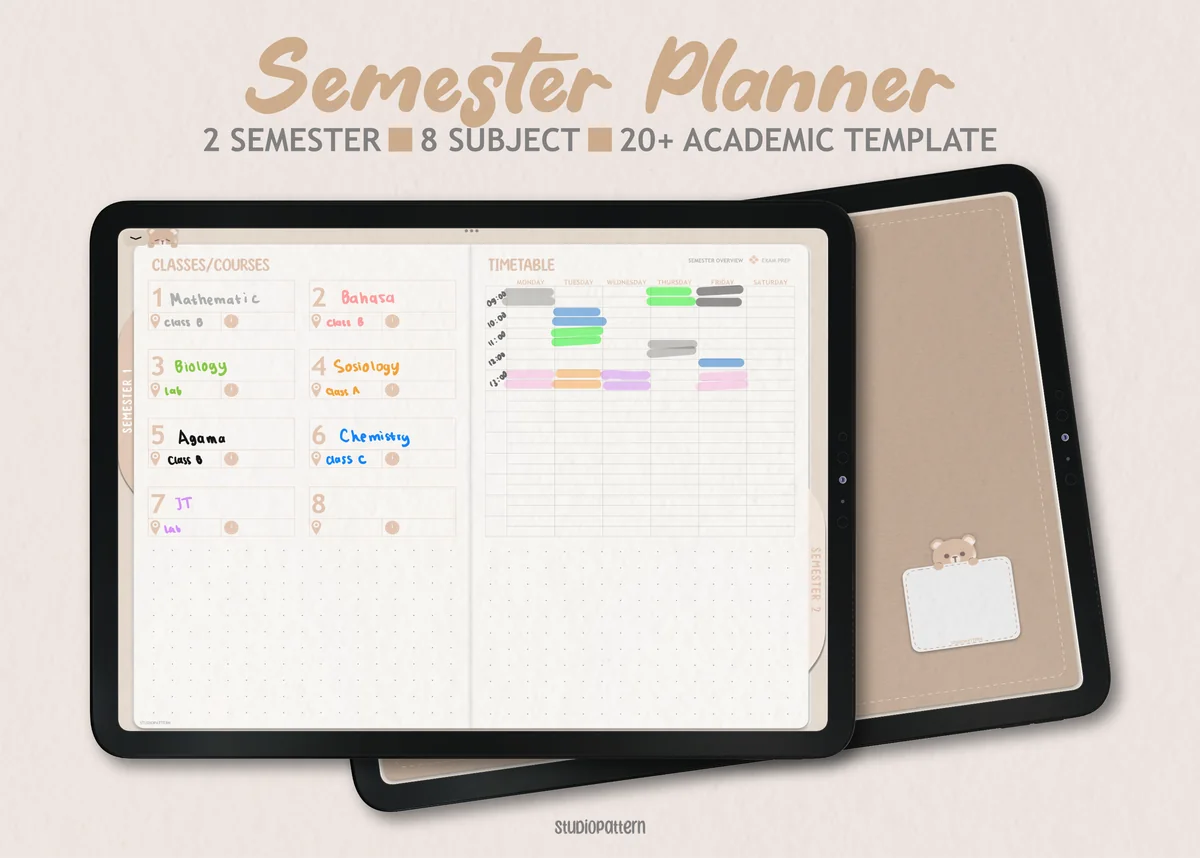
Best semester and exam planner
1. Digital Semester Planner for Goodnotes
Orientation: LandscapeLayouts: Semester, Classes (8), Exam timetableDates: Undated
Best for: college students, high school students, exam season. Designed by studiopattern.
- Semester dashboard for up to 8 classes per semester, 2 semesters, and a timetable
- Exam timetable and exam preparation pages
- A page per class with trackers for assignments, lecture notes, reading and grades
- Productivity page for time, energy and focus; hyperlinked PDF plus GoodNotes calendar elements
This is the planner I'd pick for a full semester: every class gets its own trackers, and the exam timetable sits right next to them. When finals come, you already have the topics, notes and grades in one place, which is half of a revision plan done.
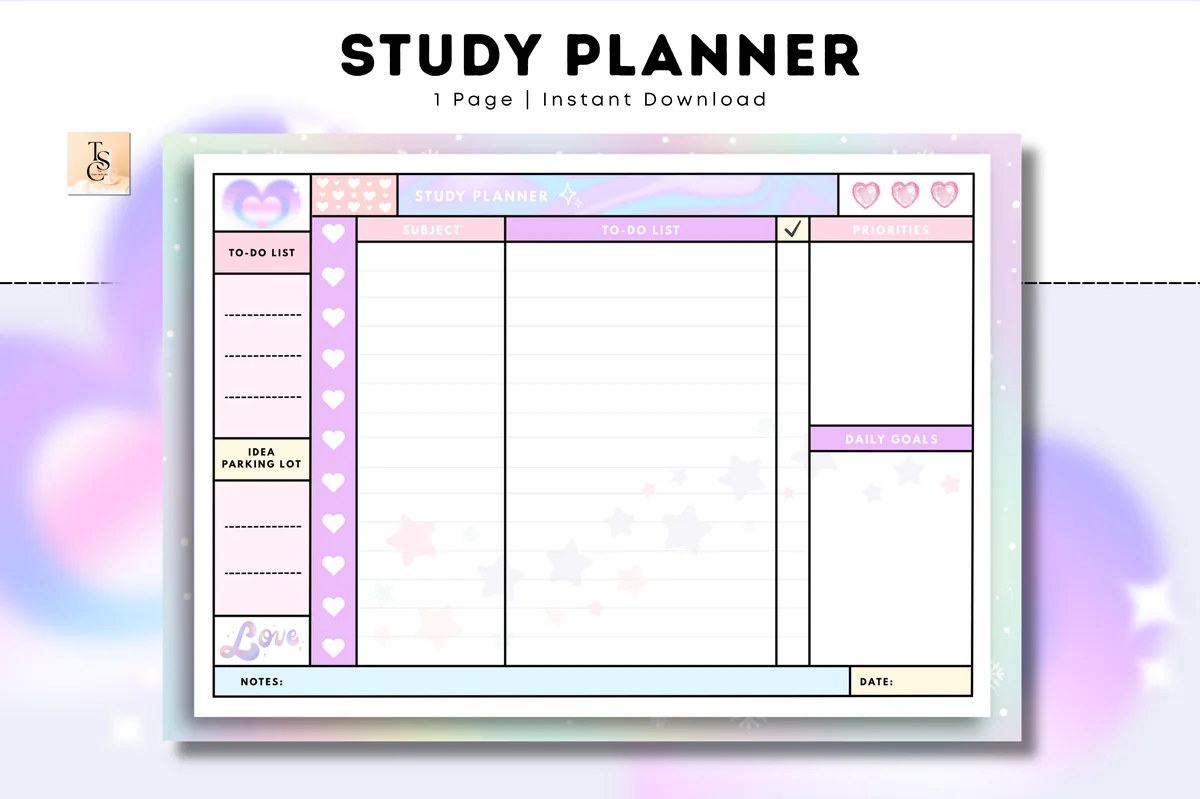
Best daily study page
2. Study Planner – Cozy Pastel
Orientation: LandscapeLayouts: Daily study (1 page)Dates: Undated
Best for: students, pastel lovers, one-page planners. Designed by Tas Creative Studio.
- One undated daily study page: subject, to-do list and priorities columns
- Daily goals box and an "idea parking lot" for distracting thoughts
- Pastel design with hearts, A4 landscape
- Digital PDF version for GoodNotes, Notability and Noteshelf
A study day on one page: what subject, what to do, what matters most. The idea parking lot is my favorite part for focus: write down the random thought and get back to the chapter. Duplicate the page every morning and you have a study planner with zero setup.
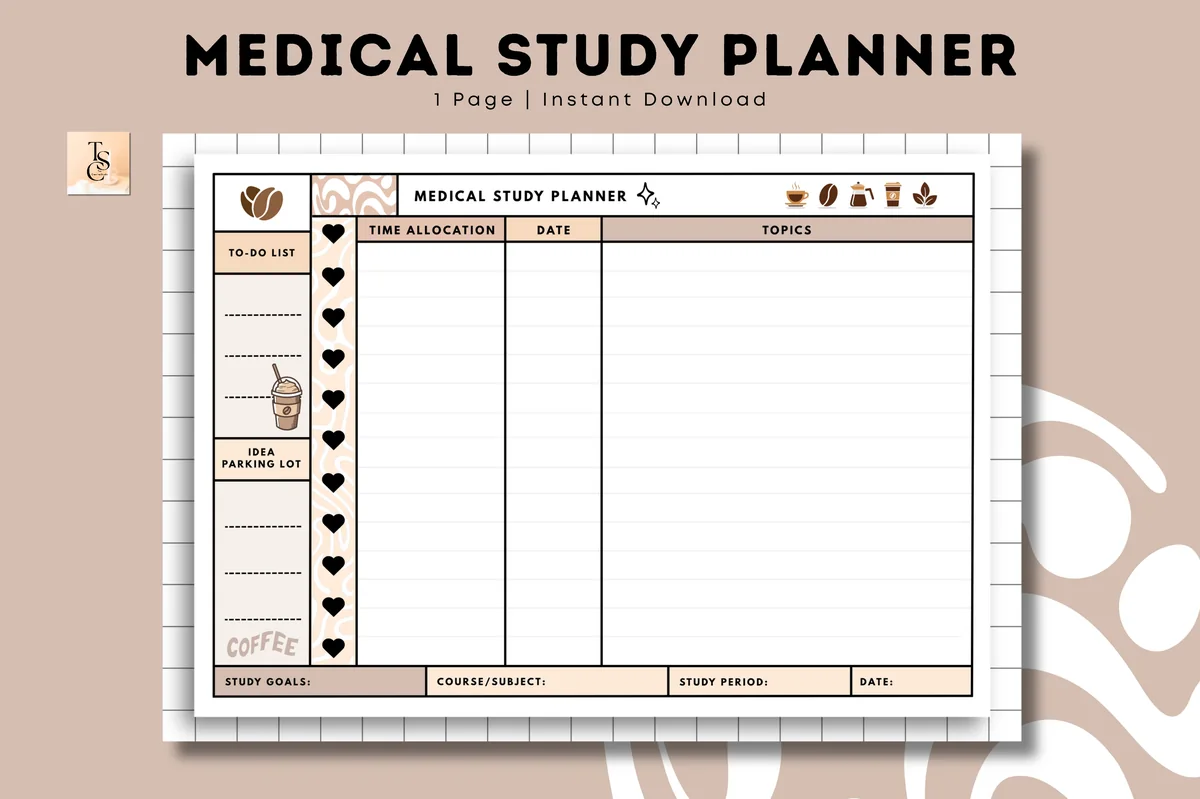
Best for heavy study loads
3. Medical Study Planner • Coffee Latte
Orientation: LandscapeLayouts: Study plan (1 page)Dates: Undated
Best for: medical students, nursing students, coffee lovers. Designed by Tas Creative Studio.
- One undated study page with time allocation, date and topics columns
- Study goals, course or subject and study period boxes
- To-do list and idea parking lot on the side
- Coffee latte design, A4 landscape, digital PDF for GoodNotes and Notability
Made with medical students in mind, but the layout suits anyone with a lot of material: you assign time to each topic and see the whole study period on one page. If your notes run into hundreds of pages, this kind of time budget keeps you moving.
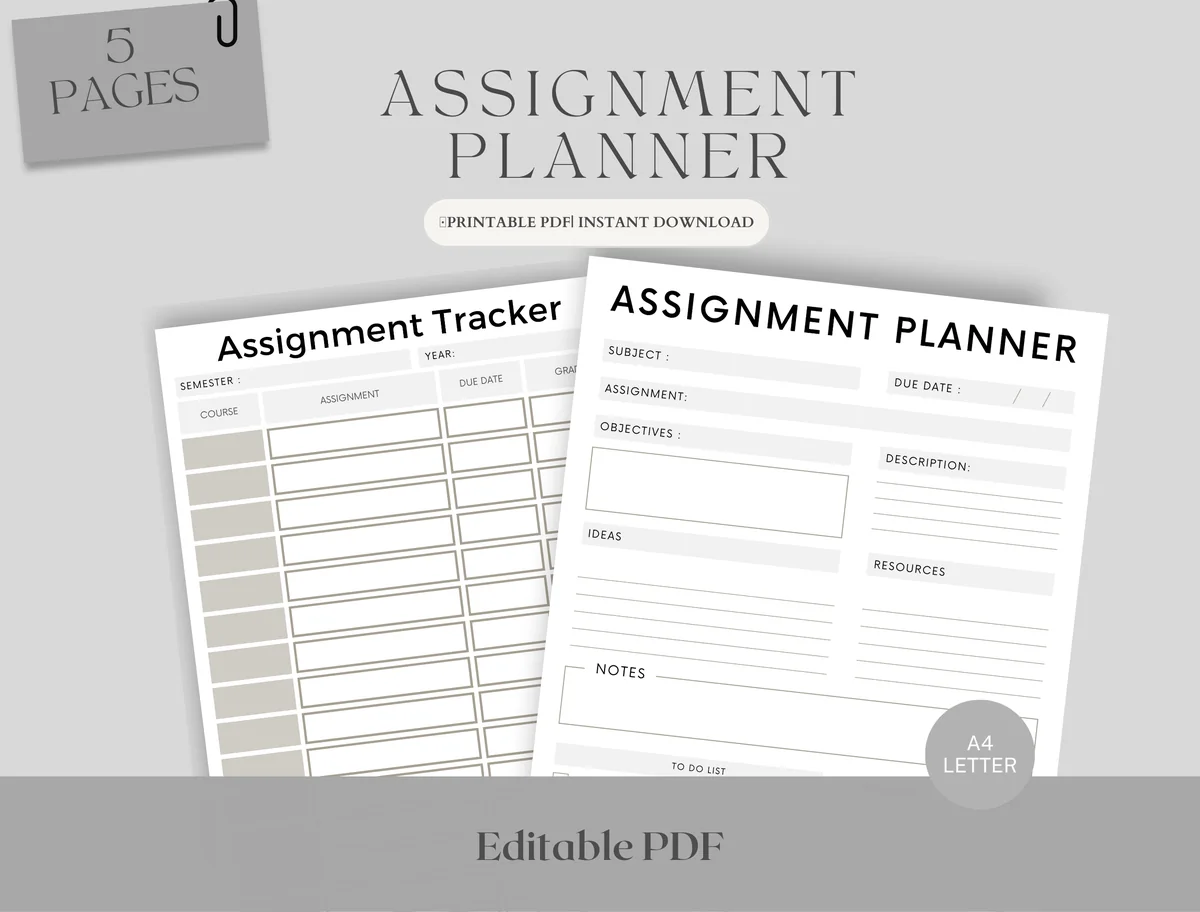
Best assignment planner
4. Editable Student Planner
Orientation: PortraitLayouts: Monthly, Weekly, AssignmentsDates: Undated
Best for: high school students, college students, deadline jugglers. Designed by Upbeat.
- Assignment tracker and assignment planner pages
- 2 weekly schedules: hourly and open, to fit study time around classes
- Monthly planner for exams, assignments and study schedules
- Fillable PDF, A4 and Letter, works in GoodNotes and Notability
Small and focused: five pages that answer "what's due and when?" The hourly weekly schedule is useful for blocking study sessions between classes. A good add-on if you already have a planner and just need deadlines under control.
Best weekly planner for students
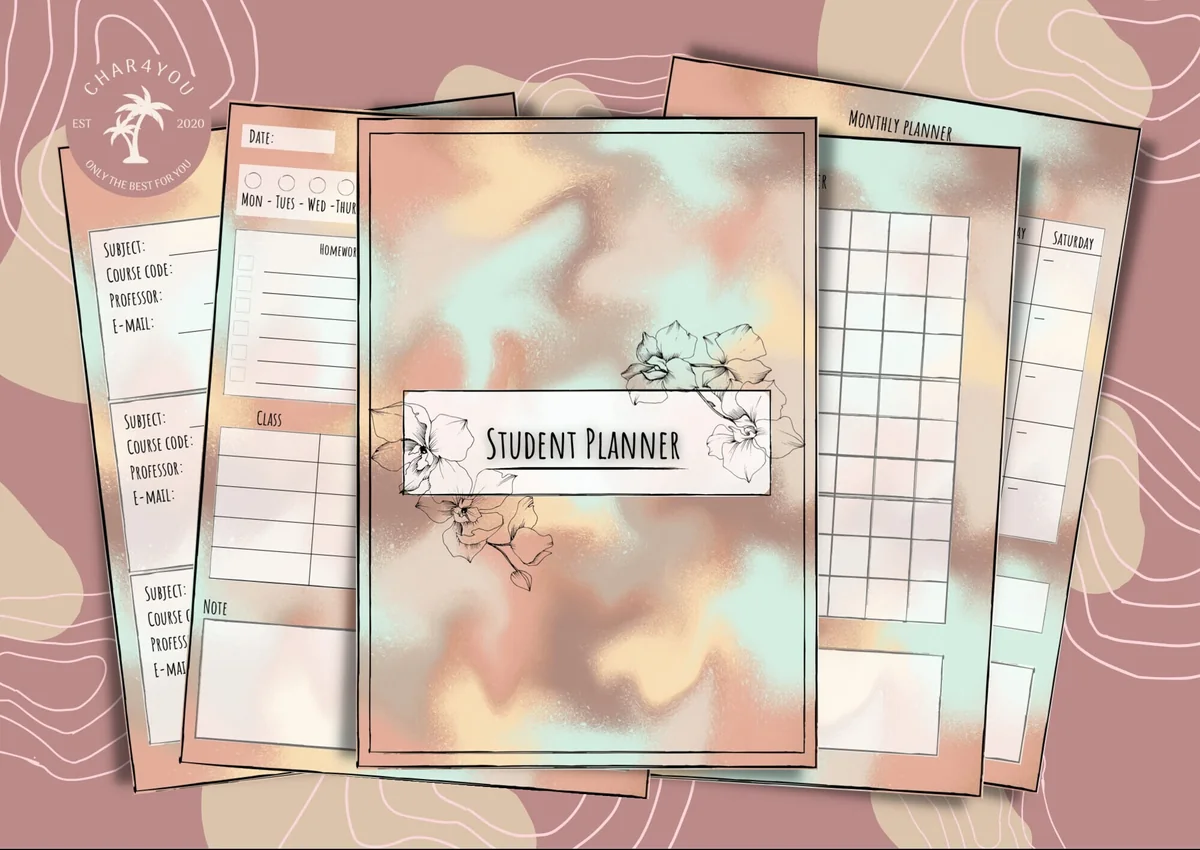
5. Simple Student Planner
Orientation: PortraitLayouts: Monthly, Weekly, Daily, Class schedule, GradesWeek start: Monday or Sunday
Best for: high school students, college students, budget shoppers. Designed by Char4You.
- Class schedule and class information pages
- Grade tracking and a study tracker for study sessions
- Daily, weekly and monthly pages, Monday or Sunday start
- Lined and blank note pages; color or black-and-white version
A simple student planner where the weekly page does the heavy lifting: classes on the timetable, study sessions in the tracker, grades in one place. Plan the week on Sunday and the study blocks are already decided.
Quick Comparison
| Planner | Best for | Study pages | Stand-out extra |
|---|---|---|---|
| 1. Digital Semester Planner for Goodnotes | Full semester + exams | 8 classes, exam timetable | Grade tracker per class |
| 2. Study Planner – Cozy Pastel | Daily study sessions | Subject + to-do + priorities | Idea parking lot |
| 3. Medical Study Planner • Coffee Latte | Big study loads | Time allocation by topic | Study period box |
| 4. Editable Student Planner | Homework deadlines | Assignments + weekly schedule | Hourly weekly page |
| 5. Simple Student Planner | Week-by-week study | Class schedule + study tracker | Color or B&W |
How to Plan Study Sessions That Actually Happen
- Start from the deadline. Write exam and assignment dates in your monthly view first; everything else is planned backwards from them.
- Break subjects into topics. “Biology” isn’t a task; “cell division, pages 40–55” is.
- Give each session a time and a length. “Tuesday, 4–5 p.m., chemistry problems” is a plan; “this week, chemistry” is a wish.
- Plan less than you think. Two or three focused sessions a day beat a schedule packed from morning to midnight.
- Tick it off and move what’s left. At the end of the day, check off finished sessions and move unfinished topics to a specific new slot.
- Review on Sunday. Ten minutes to look at the week ahead, the deadlines and the topics you keep postponing.
Exam Study Planner: a Simple Revision Plan Without Panic
- Make a countdown. Write the exam date and count the study days left, minus a rest day each week.
- List every topic. Use the syllabus or the class tracker; add a column to rate each topic red, yellow or green.
- Spread the topics over the days. Red topics first and more than once; green topics get a quick review.
- Use spaced repetition. Review a topic again after about one day, three days and a week. It sticks far better than one long session.
- Practice like the real exam. Past papers and timed questions in the last week, with time to check answers.
- Protect sleep. The night before is for a light review and an early night, not new material.
A semester planner with an exam timetable, like the first one above, works as an exam preparation planner too: topics, notes and dates are already in one file.
The Pomodoro Method for Study Focus
Study for 25 minutes, take a 5-minute break, repeat four times, then take a longer break. Short sessions make it easier to start and keep your phone at bay. In your planner, draw a small box for each Pomodoro next to the topic and color it in when done; at the end of the day you’ll see exactly how much focused work you did.
What I Look For in a Study Planner
- Subjects and topics, not just dates. A study planner should help you split work, not only list deadlines.
- Exam and assignment tracking. Due dates in one view, so nothing sneaks up on you.
- A daily or weekly study page. Where the actual sessions get planned.
- Room for focus tools. Priorities, a parking lot for distractions, or Pomodoro boxes.
- Undated and made for the iPad. Start any week of the school year, and use it in GoodNotes or Notability with an Apple Pencil.
Study Planner Template or Study App?
Study apps can send reminders and sync timetables across devices. A study planner in GoodNotes sits right next to your lecture notes on the same iPad, so planning and studying happen in one place. Handwriting a plan also helps you commit to it, and there’s no subscription or ads. Many students combine both: a calendar app for class times, the planner for study sessions.
How to Set Up a Study Planner in GoodNotes
- Import the PDF into GoodNotes (Share → GoodNotes → Import as New Document).
- Fill in your class timetable and all known exam and assignment dates first.
- Give each subject a color and use it everywhere: timetable, topics, study sessions.
- Keep a blank daily study page as a template and duplicate it every morning.
- Open the planner and your notes in Split View, so you can plan and study side by side.
FAQ
How do I make a study planner for exams?
Write the exam date, count the days you have, list every topic and rate how well you know it, then spread the topics over the days with the weakest first. Plan repeat reviews for each topic and leave the last days for past papers.
What should a final exam study planner include?
A final exam study planner needs the exam dates for every subject, a list of topics with a confidence rating, a day-by-day revision schedule with repeat reviews, and space for past papers in the last week. A countdown at the top helps you see how many study days are really left.
What is the best digital study planner?
For a full semester with exams, I’d choose the Digital Semester Planner for Goodnotes. For simple daily study sessions, the one-page Cozy Pastel study planner. For assignment deadlines, the Editable Student Planner.
How many hours a day should I study?
It depends on your course and schedule, but focused time matters more than total hours. Two to four focused sessions with breaks usually do more than a whole distracted day. Track your Pomodoros for a week to see what’s realistic for you.
Is there a free digital study planner?
You can make a simple one on a blank GoodNotes page. The planners above are paid, usually a few dollars, and many are included in Creative Fabrica’s All Access subscription, so you get ready layouts with exam and assignment trackers.
How do I create a study schedule?
Write down your exam and deadline dates first, then work backwards: split each subject into topics and give them study blocks of 25–50 minutes across the weeks before the exam. Leave buffer days for review and check the plan every Sunday. A study planner with a semester overview and weekly pages does most of this for you.
How do I find motivation to study?
Don’t wait for motivation, start with a task small enough to begin right now, like 25 minutes on one topic. Tracking finished sessions and ticking off topics gives you visible progress, and that usually brings the motivation back. Plan rewards and breaks, too.
Final Thoughts
Study sessions happen when they have a topic, a time and a length. Put your deadlines in a digital study planner on your iPad, break subjects into small topics, and plan a few focused sessions a day. Want to build better study habits? See my habit tracker ideas (there’s a list for students), or browse all study planners. And for what to put inside your planner, see my 30 study planner ideas. For the whole semester (class pages, assignments, exams), see the digital academic planners. Heading to college? My college planners for iPad go from syllabus week to finals. To mark deadlines and focus sessions, see my study stickers for GoodNotes.
For a full-year planner to pair with this, browse the best digital planners for iPad in 2027.
For the notes themselves, I rounded up the best GoodNotes note templates, from Cornell notes to dot grid.
You May Also Like
This post contains affiliate links. If you buy through them, I may earn a small commission at no extra cost to you. Learn more.