A family budget planner needs to explain more than where the paycheck went. Childcare invoices, school supplies, groceries and the busier weeks on the family calendar all need a place. I would start with nine useful household records, then choose a planner that gives those records enough writing room.

Think of these as family budget planner template ideas you can create on an iPad. A household budget template becomes more useful when its categories match the people you support. Below are nine original page layouts, a fictional family budget example and ten planning tools with relevant budget, bill, savings or calendar pages.
What belongs in a family budget planner?
Start with money coming in, commitments already due and the everyday costs that change. Then add the school and care calendar: a month with a camp deposit should not be mistaken for an ordinary month. Keep the plan and the actual payments separate so you can see what changed.
The CFPB budgeting guide starts with income, spending and bill dates before bringing them into a working budget. Its Your Money, Your Goals toolkit also offers separate income, spending and bill-calendar tools. I use that separation here, with family-specific examples added as original layouts.
- Plan: what you expect to receive and assign during a named period.
- Actual: what arrived or was paid, supported by a receipt or account entry.
- Upcoming: a known future cost with its own due date, such as a school trip or annual activity fee.
9 household money pages to create on your iPad
You do not need nine files or nine notebooks. One monthly budget, a spending log and a few notes pages can hold these records. Add the extra detail only where it answers a question your current budget cannot answer.
Start with the household baseline
- 1Household income summary. Write source, expected date, expected amount, received amount and a short note. Include only income available for the household period you are planning. If one payment is uncertain, leave it visibly separate from received money rather than making the whole plan depend on it. Transfers between your own household accounts should not become a second paycheck in your total.
- 2Essential recurring costs. List housing, utilities, childcare and other regular commitments with amount, frequency and next due date. Add a variable-amount note where an invoice changes. A monthly childcare estimate and the actual invoice can differ; leave room for both. This page answers what must be accounted for before you decide how much remains for flexible categories.
- 3Dependent care and school calendar. Make columns for event, person or initials, due date, estimated cost, paid amount and status. Separate an ordinary childcare payment from a one-time school trip. When a school message arrives, record the money deadline as well as the event date. Use initials instead of sensitive details if the overview will be shared.
Give everyday family spending a clear home
- 4Shared grocery allowance record. Choose a period, write the planned grocery amount and record actual purchases against it. Decide where household supplies belong before you begin. A supermarket receipt can contain food, cleaning supplies and school stationery; use the same boundary each time. Meal ideas belong on the meal page, while this record answers how much was spent.
- 5Family transport log. Group the travel costs that support household routines: transit fares, fuel, parking and activity trips. Add date, reason, category and amount. A note such as school pickup explains a busy week without recording every person’s location. Keep a planned maintenance amount visible separately from the day-to-day entries so it does not disappear inside the fuel total.
- 6Clothing and seasonal supplies list. Write the item, who needs it, needed-by date, estimate and final cost. Start with what is already usable, then record what is missing. A replacement coat and a complete seasonal wardrobe are different commitments. Mark optional items distinctly so the page remains a purchasing decision aid instead of quietly becoming a promise to buy everything.
Make future costs and reviews easier to see
- 7Reserve tracker for irregular family costs. For known upcoming costs, record the goal, target date, amount already set aside and the next planned contribution. Link that note to the budget category that funds it. If money moves into a reserve and is later spent, label the movement and purchase clearly so your expense summary does not count the same purchase twice. This is a recordkeeping convention, not a requirement to open another account.
- 8Privacy-safe household overview. Keep a short summary of category totals, upcoming dates and decisions that other adults need to see. Leave account numbers, passwords and children’s personal identifiers out of it. A shared picture of the budget does not require sharing the underlying account access. Export or share only what is needed; permissions and collaboration depend on the app, not the PDF itself.
- 9Monthly actual-versus-plan review. For each category, copy the plan, actual amount, difference and one explanation. Compare childcare with childcare and groceries with groceries, using consistent periods. Ask whether a difference came from timing, a missing category or a changed need. End with one adjustment for the next month, such as recording activity fees when the notice arrives.
A family budget example: a school-cost month
Here is a fictional monthly plan with $4,800 available. The amounts are only arithmetic examples, not typical costs, spending targets or a recommendation for a particular family size. Replace every figure with your own records and local costs.
| Category | Initial plan ($) | Revised allocation ($) | What changed |
|---|---|---|---|
| Housing and utilities | 2,100 | 2,100 | No change |
| Childcare | 800 | 800 | Regular invoice |
| Groceries and household supplies | 650 | 710 | Extra supply purchase |
| Family transport | 350 | 380 | More activity trips |
| School, clothing and activities | 250 | 310 | School trip paid this month |
| Other household commitments | 400 | 400 | No change |
| Planned reserve contribution | 250 | 100 | Reduced by $150 |
| Total assigned | 4,800 | 4,800 | Revised plan balances |
Groceries rose by $60, transport by $30 and school costs by $60: a $150 change. In this example, reducing the planned reserve contribution from $250 to $100 keeps assignments within $4,800. That revision is possible only because this fictional household has that uncommitted contribution available; it is not a reason to delay essential bills.
- The two columns are an initial plan and a revised allocation, not a claim that every amount has already been paid.
- Keep an actual-payment log separately and reconcile it at month end.
- A reserve contribution is money assigned for later use. Do not confuse it with a purchase already made.
If your real commitments exceed available money and there is no flexible allocation, a prettier page cannot close the gap. Use the record to identify the shortfall and seek qualified help rather than copying the example’s adjustment.
10 iPad planning tools for these household records
The tools below provide general layouts that can support the nine ideas. They do not all contain ready-made school, childcare or family-specific forms. I reviewed seller descriptions and available previews, not purchased files or long-term use. Choose one main notebook first; the smaller savings and bill files are alternatives or companions, not a ten-item shopping list.
TL;DR: Build the household records first, then choose one main planner and only the companions you need. These ten tools offer budget, bill, expense, savings or calendar layouts; the nine family-specific page ideas are layouts you create yourself.
Quick Picks
- Best for a full household ledger: Digital Budget Planner, Financial Planner
- Best for compact category planning: Budget Digital Planner Hyperlinked Tabs
- Best for term-related bill notes: Gold Budget Digital Planner/Hyperlinked
- Best for recurring payment checks: Hyperlinked Bill Tracker Planner
- Best for one upcoming family purchase: Simple Savings Planner, Digital Planner
- Best for a finance overview: Digital Budget Planner, Finance Tracker
- Digital Budget Planner, Financial Planner – Best for a full household ledger
- Budget Digital Planner Hyperlinked Tabs – Best for compact category planning
- Gold Budget Digital Planner/Hyperlinked – Best for term-related bill notes
- Hyperlinked Bill Tracker Planner – Best for recurring payment checks
- Simple Savings Planner, Digital Planner – Best for one upcoming family purchase
- Digital Budget Planner, Finance Tracker – Best for a finance overview
- Undated Budget Planner for GoodNotes – Best for a year-at-a-glance summary
- Expenses Tracker 4years Interactive PDF – Best for a longer monthly history
- All-in-One Digital Planner ( 112 Pages ) – Best for matching money to the calendar
- Undated Digital Planner, Life Planner – Best for connecting routines and spending
Budget notebooks for the household plan
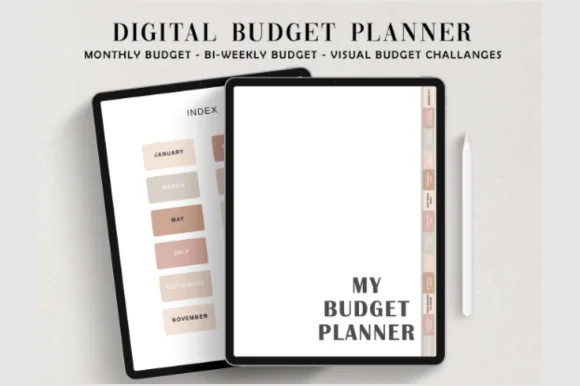
Best for a full household ledger
1. Digital Budget Planner, Financial Planner
Orientation: PortraitLayouts: Monthly and biweeklyDates: Undated
Best for: following the same categories from monthly plan to actual spending. Designed by ThePlannersDelight.
- Hyperlinked PDF for GoodNotes, Noteshelf and Notability
- Monthly and biweekly budgets, spending logs, sinking funds and bill tracking
- Seller specifies an Apple tablet and stylus; hardware and apps are separate
This is the broadest money-only starting point here. Put school lunches and childcare into consistent budget categories, then use the daily log to record the actual payments. The sinking-fund pages can hold a named school-cost reserve. The review pages sit beside the ledger; add your own family categories and calculate the totals manually.
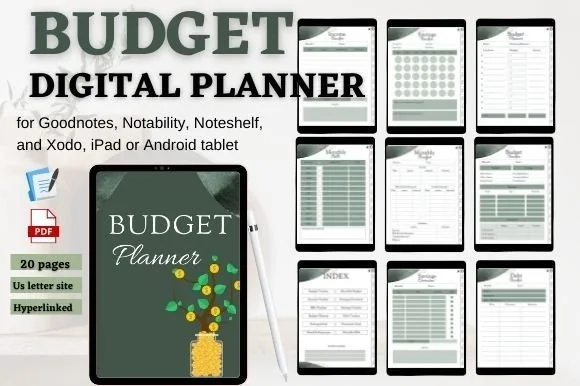
Best for compact category planning
2. Budget Digital Planner Hyperlinked Tabs
Orientation: PortraitLayouts: US Letter budget pagesDates: Undated
Best for: keeping income, bills and family notes in a shorter notebook. Designed by mixxdigitaldesign.
- 20-page digital and printable PDF with hyperlinked tabs
- Income Tracker, Monthly Budget, Monthly Bills and Savings Goal
- Goodnotes, Notability, Noteshelf and Xodo listed by the seller
The green layouts give a family budget a clear structure without a large annual workbook. Use the monthly page for the household totals and an extra page for school or activity dates. A child’s field trip is a category you add, not a built-in family form. The US Letter proportions are useful to compare with your preferred screen layout before choosing.

Best for term-related bill notes
3. Gold Budget Digital Planner/Hyperlinked
Orientation: PortraitLayouts: A4 budget and notesDates: Undated
Best for: separating occasional school-term bills from monthly commitments. Designed by Nann Digital Art.
- 25-page A4 hyperlinked planner for Goodnotes, Notability, Noteshelf and Xodo
- Quarterly Bills, Monthly Budget, income, expenses and savings sections
- Five extra pages shown, including lined, grid and blank notes
Quarterly Bills is a useful place to list an activity fee or other less frequent household payment. Add the actual due date yourself; school terms are not necessarily three months long. The gold portrait layouts also include notes for a school-cost checklist. The listing describes a PDF. Extra file-type icons in the preview do not establish an editable design kit.
Companions for bills, goals and monthly reviews
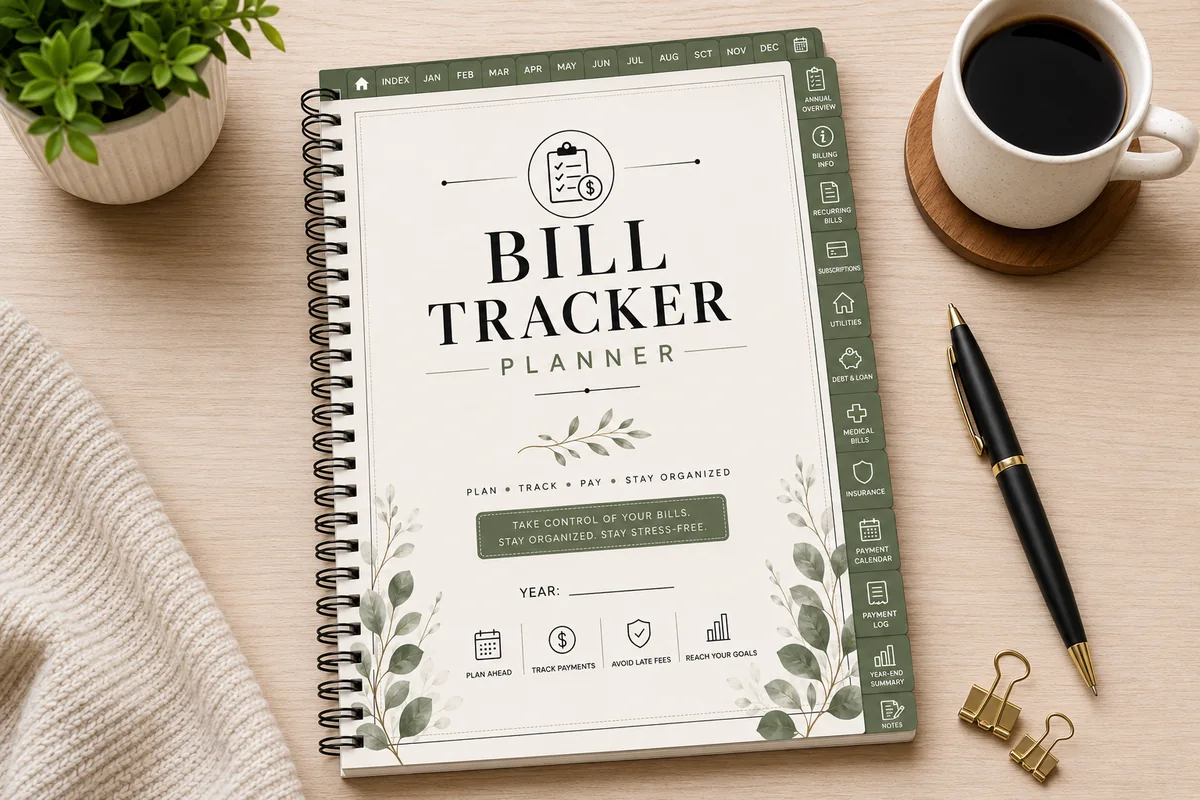
Best for recurring payment checks
4. Hyperlinked Bill Tracker Planner
Orientation: PortraitLayouts: A4 bill trackingDates: Undated
Best for: tracking childcare invoices and other household bill dates. Designed by Azhir.
- 52-page undated hyperlinked PDF in portrait A4
- Seller lists monthly bill trackers, payment summaries and a bill calendar
- Requires a PDF annotation app such as Goodnotes or Notability
A childcare invoice can be predictable even when food spending is not. Keep recurring commitments together and mark a payment only after checking its status. This is a bill companion, not a complete family spending plan. Only the cover is available to inspect, so the interior list comes from the seller’s description; I cannot judge the writing space in those pages.
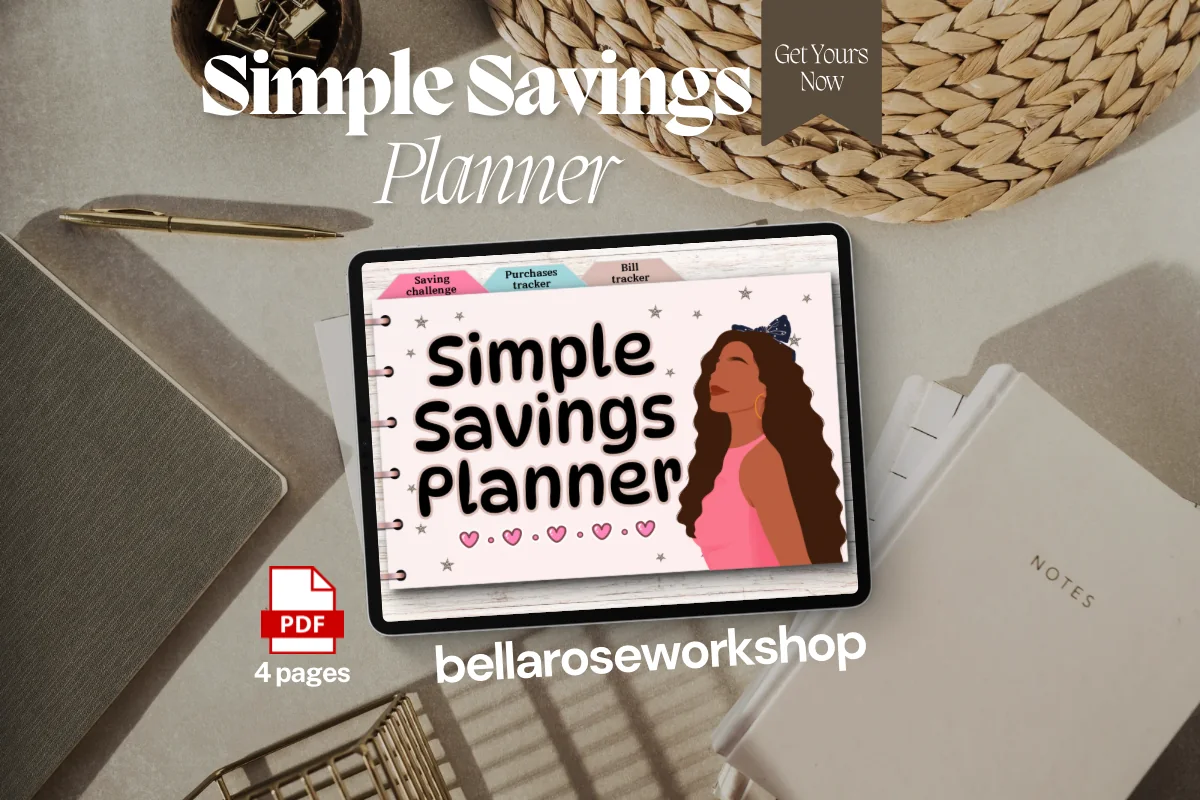
Best for one upcoming family purchase
5. Simple Savings Planner, Digital Planner
Orientation: LandscapeLayouts: Savings, purchases and billsDates: Undated
Best for: recording deposits toward a named school or household goal. Designed by bellaROSEworkshop.
- Four-page hyperlinked digital-use PDF
- Saving challenge with month, deposit, balance and notes fields
- Purchases and bill trackers; underlying PDF design is not editable
For a replacement school laptop or a planned uniform purchase, the small savings log may be enough. Label the goal, record money actually set aside and note the target date separately. Its four-page size is a reason to keep it as a companion rather than force the entire household budget into it. Writing annotations does not mean you can redesign the PDF.
Best for a finance overview
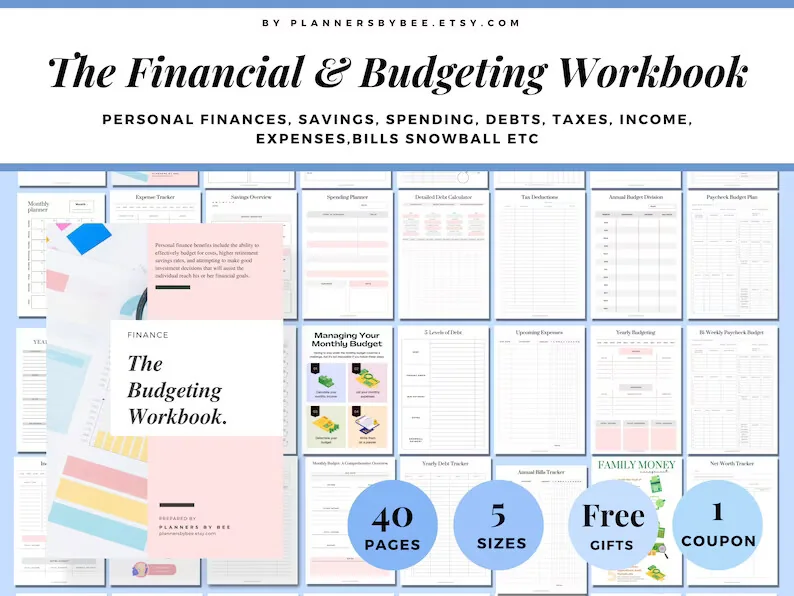
6. Digital Budget Planner, Finance Tracker
Orientation: Portrait, per listing titleLayouts: Workbook, cover previewDates: Not specified
Best for: reviewing several money records in one workbook. Designed by PlannersByBee.
- Seller describes a digital finance workbook for GoodNotes
- Cover shows Savings Overview, Spending Planner and Annual Bill Tracker
- Cover advertises 40 pages and five sizes; detailed file manifest not inspected
Several summary layouts make this a candidate for a monthly review rather than a quick grocery entry. The cover shows several relevant layouts, but the short listing and single preview leave interior details uncertain. The file format is not specified in the available listing; confirm it with the seller before choosing an annotation app. Choose it only if that broad workbook approach fits you; I would ask the seller about exact sizes and writing room before relying on either. It is not evidence of a ready-made childcare budget page.
Best for a year-at-a-glance summary
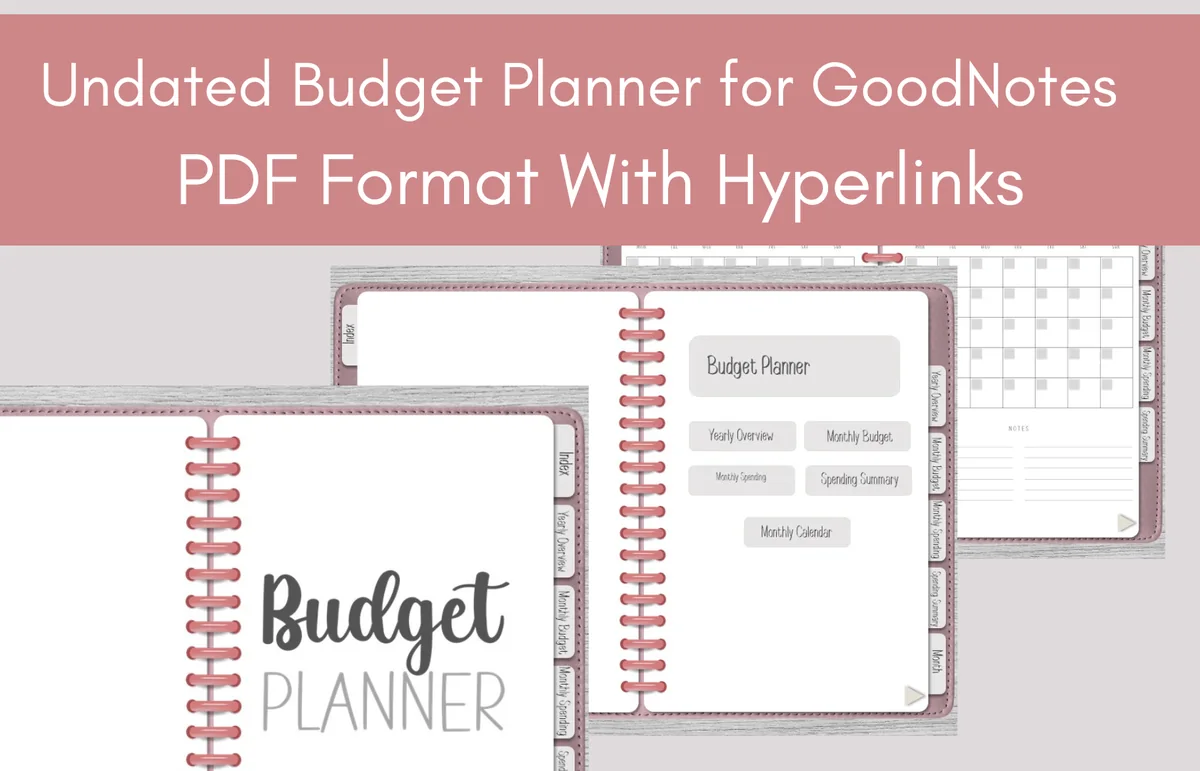
7. Undated Budget Planner for GoodNotes
Orientation: LandscapeLayouts: Monthly and yearlyDates: Undated
Best for: looking back at household income and spending across months. Designed by Perla Designs.
- GoodNotes PDF with hyperlinks; description specifies 30 slides
- Gallery shows Yearly Overview, Spending Summary and Monthly Spending
- Undated month and year spaces shown in the previews
A summary page helps explain why a back-to-school month differs from a quiet month. Keep one category key and use the yearly overview to compare actual figures across periods. The seller describes 30 slides, while the gallery labels them as pages; navigation and file behavior have not been tested. This is a monthly record, not a system that categorizes receipts for you.

Best for a longer monthly history
8. Expenses Tracker 4years Interactive PDF
Orientation: PortraitLayouts: 48 monthly recordsDates: Undated
Best for: keeping several years of family expense records together. Designed by Zoom4Design.
- Seller describes a 48-month interactive PDF for iPad and GoodNotes
- Previews show fixed expenses, food, transport, medical and education categories
- Listing advertises fillable fields; behavior inside individual apps is untested
The education section is a useful prompt when school costs are easily missed. A longer history can help you compare similar school months rather than treating every month as identical. Some category labels are fixed in the pictured layout, so check whether they match your household. The word interactive does not establish automatic totals or identical form-field support in GoodNotes.
General planners that connect costs to the calendar
Best for matching money to the calendar
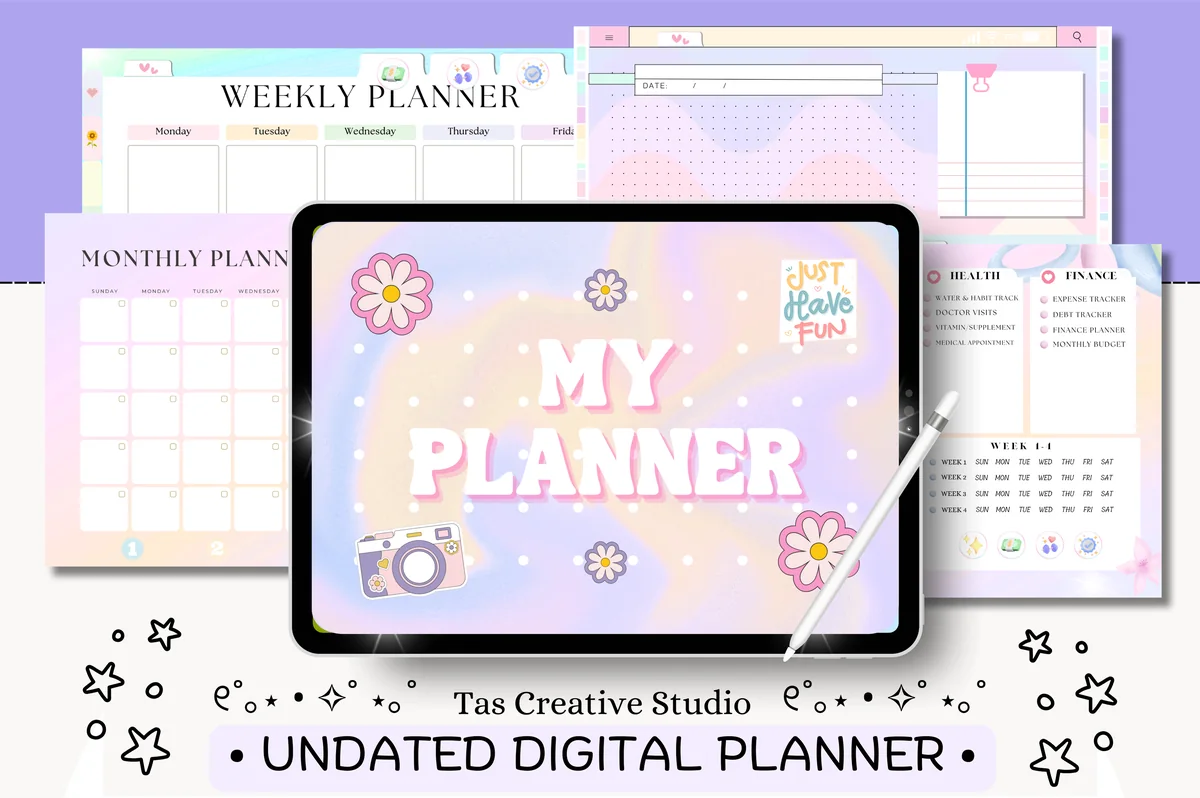
9. All-in-One Digital Planner ( 112 Pages )
Orientation: LandscapeLayouts: Daily, weekly, monthlyDates: Undated
Best for: seeing family activities beside general financial planning. Designed by Tas Creative Studio.
- 112-page horizontal undated hyperlinked PDF
- Monthly budgeting, expense, savings and bill tracking sections
- Seller lists GoodNotes, Notability, Noteshelf and Xodo; calendar pages also included
A calendar can remind you that an activity has a cost before that cost reaches the ledger. This colorful all-in-one planner includes finance layouts in its gallery, so it can support both records. Add your own childcare or club labels. It is a general planner with playful illustrations, not a family budgeting app or a tool that transfers calendar events into expense rows.
Best for connecting routines and spending
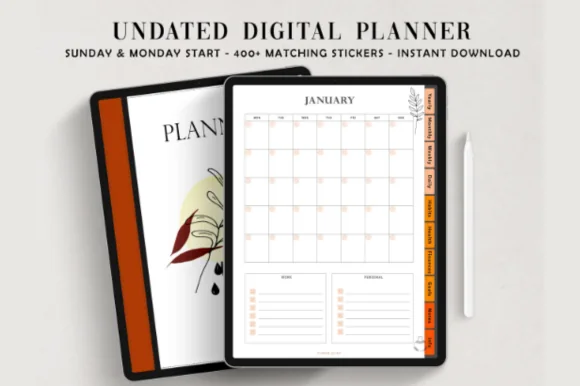
10. Undated Digital Planner, Life Planner
Orientation: PortraitLayouts: Monthly, weekly, dailyDates: Undated
Best for: keeping household planning and a simple budget in one notebook. Designed by ThePlannersDelight.
- 110-page undated hyperlinked planner for GoodNotes and Noteshelf on iPad
- Monthly Budget, Revenue Tracker and Expense Tracker shown
- Monthly, weekly, daily, meal and notes layouts; Monday and Sunday versions listed
Meal plans, travel days and school commitments give a spending total context. The autumn planner puts calendar and finance sections in one file, while its notes pages can hold your own school-cost list. Use the revenue tracker only for money actually received. That link between routines and spending is its useful distinction here; the meal plan does not establish a grocery-budget calculator.
Quick Comparison
| Tool | Family role | Useful layout | Limit |
|---|---|---|---|
| 1. Digital Budget Planner, Financial Planner | Whole household | Budget, logs and reviews | Custom family categories |
| 2. Budget Digital Planner Hyperlinked Tabs | Compact budget | Monthly bills and notes | 20-page scope |
| 3. Gold Budget Digital Planner/Hyperlinked | Occasional bills | Quarterly and monthly bills | Manual dates and sums |
| 4. Hyperlinked Bill Tracker Planner | Recurring payments | Bill calendar and payment log | Interior not pictured |
| 5. Simple Savings Planner, Digital Planner | One planned purchase | Deposit and balance log | Separate main budget needed |
| 6. Digital Budget Planner, Finance Tracker | Monthly overview | Spending and savings layouts | Limited interior evidence |
| 7. Undated Budget Planner for GoodNotes | Yearly comparison | Yearly and spending summaries | Manual entries |
| 8. Expenses Tracker 4years Interactive PDF | Longer history | Monthly expense categories | App field behavior untested |
| 9. All-in-One Digital Planner ( 112 Pages ) | Calendar and money | Monthly calendar and finance | Custom family labels |
| 10. Undated Digital Planner, Life Planner | Routines and budget | Calendar, meals and finance | Manual cross-references |
Set up a monthly routine without copying everything twice
Once you have chosen a planner, give each record one job. Keep a single place for actual spending, and use summaries to review it. Copying every receipt into a budget page, a calendar and a second expense tracker makes reconciliation harder.
A short setup and review sequence
- 1Choose the period. Write the start and end date on the budget and spending log. If you receive income on different dates, mark those dates on the calendar before making commitments. A calendar month and four weeks are different periods; compare like with like.
- 2Create a category key. Decide whether school lunch belongs under food or school costs, and whether toiletries sit with groceries or household supplies. Neither choice makes the planner work automatically. Consistent labels make later comparisons easier to interpret.
- 3Bring in the care and school dates. Read current invoices and school notices, then enter the due date and estimate. Mark unknown amounts as estimates. Put the notice reference in a short note so you can check it later without keeping personal information in a shared view.
- 4Record and reconcile. Add actual transactions regularly and check them against receipts or account records. Mark a refund as a refund rather than silently deleting the original purchase. Before the next period, review differences and carry forward only information that remains relevant.
For planning the family’s time and routines, these mom planner ideas cover scheduling alongside household tasks. The budget here has a narrower job: attaching amounts and due dates to the costs of those routines.
Choose a PDF, spreadsheet or app by the job you need
- Family budget planner PDF: useful for handwriting, annotating and keeping custom notes. In a hyperlinked PDF, links move between pages; they do not imply banking access or automatic totals.
- Family budget planner Excel or Google Sheets file: a spreadsheet may suit you if formulas and repeated calculations matter more than handwriting. This article compares iPad planning tools, not spreadsheet products.
- Family budget planner app: consider the specific app’s privacy, fees and features if you need transaction imports or other automation. Check those features in the app itself; a planner PDF is a separate file.
A PDF annotation app is separate from the planner file, and its current price or access terms should be checked with the app provider. Do not assume that a seller’s interactive PDF fields behave the same way inside every app. The app may provide backup or sharing features, but no native family collaboration feature is established for these files.
FAQ: household budgeting on an iPad
What is a realistic monthly budget for a family of three?
There is no amount in this article that should be treated as a realistic target for every household. Start with your actual income, housing, care needs and local costs, then list the commitments and flexible spending for your period. The $4,800 example is fictional and does not establish what a family of three should spend.
Can these pages work as a free family budget planner?
You can draw the nine original page ideas in an annotation app or notebook you already have. The Creative Fabrica files listed here are separate products; no free offer is claimed. Start recording household income and costs with the pages you already have before deciding whether another file would help.
Should I use the same grocery amount every month?
Use your records to decide what is workable. Note the period length, people eating at home and any change in household-supply purchases before comparing totals. For planning meals separately, these digital meal planners help organize the food routine; they do not set the grocery budget for you.
Does a hyperlinked planner calculate totals or sync bank transactions?
Hyperlinks provide navigation inside the file. They do not establish automatic calculations, bank synchronization or live shared editing. Keep your own arithmetic and reconciliation process unless a specific feature has been verified in the file and app you use.
When should a family seek help beyond a planner?
If essential bills exceed available income, payments are being missed or debt feels unmanageable, consider qualified financial counseling or relevant local support. A planner can organize the figures but cannot replace individual advice. Avoid sharing account credentials or sensitive family information when asking someone to help interpret your overview.
Final Thoughts: give each page a practical purpose
A useful family budget planner shows what the household needs, when those costs arrive and what actually changed. Start with the income summary, recurring costs and school calendar; add detailed records only where they help you make a clearer decision. One consistent budget and spending log can do more than a collection of half-filled files.
If you want more page options, the broader budget planner ideas guide expands the layout choices. The next step here is smaller: enter one real period, one set of category labels and the next known family cost.
You May Also Like
This article contains affiliate links. If you purchase through them, I may earn a commission at no extra cost to you. Read the affiliate disclosure.