After several property showings, the question you promised to check can disappear among scattered notes. A real estate agent planner on your iPad can connect each visit with its preparation, questions and next action. These are twelve page ideas to build in a digital notebook, followed by seven notebook and paper options. You add the real estate headings yourself; choose the base for its writing space and navigation.

Start with three working pages: today’s visits, one property note and a follow-up list. Keep official appointments in your calendar and client records in the systems your brokerage approves. This notebook is a personal planning layer, not a CRM, a transaction record or a legal checklist.
What should a real estate agent planner include?
Give the next action a place beside the appointment. A house visit marked complete is only half the picture if a question still needs an answer. Separate preparation, observations and follow-through so a busy afternoon does not turn into an evening spent reconstructing conversations from memory.
- A working index: short property codes and page references, without names or contact details.
- A visit plan: appointment times, preparation checks, travel gaps and a realistic stopping point.
- A question log: what needs checking, where the answer belongs and when to review it.
- A follow-up view: one promised action, an owner and a date for the next check.
For example, property P04 might appear on today’s route, a note headed “P04: second visit,” and a follow-up line reading “Check whether the requested information is available; review Thursday.” The approved client record carries the identity and substantive details. The notebook only helps you remember the work.
Prepare: make each property visit easier to start
- 1Create a property-code index.
Write a short code such as P04, a page title and the date of the latest note. Keep the matching client or listing identity in your approved CRM. Add a status word such as Preparing, Waiting or Reviewed so you can tell whether the page needs attention without reading every note. Codes reduce visible detail, but they do not guarantee anonymity: avoid combinations that identify someone indirectly. - 2Build a showing-preparation strip.
Use three headings: Check, Bring and Ask. Check the appointment through your normal process, list your own materials, and capture questions to raise before you leave. Keep entry instructions and security details out of the notebook. Leave a small space for “not yet confirmed” so a blank checkbox cannot be mistaken for permission to proceed. - 3Give every appointment a travel envelope.
Draw a block around the visit that includes departure, travel and a short note window afterwards. Where appointments can be arranged together, consider the same area before filling the rest of the day. Confirm travel conditions in your usual navigation tool; a hand-drawn line on the iPad is a planning estimate, not a routing calculation. - 4Write a one-visit question card.
Choose the few questions that actually matter for this appointment and leave room beside each for an answer or a referral. A useful prompt is “What must be checked before I can answer this?” This is more useful than copying a long generic property checklist that looks authoritative but may not fit the property, jurisdiction or your role.
The first group is deliberately small. Reuse its structure for each visit, but do not duplicate yesterday’s answers as if they were current. If you need longer records, put them in the proper work system and reference only the task here.
Capture: turn a showing into a usable next step
- 5Split observations from interpretations.
On a lined or two-column page, separate “Observed or asked” from “Needs checking.” A question about a room should remain a question until the appropriate source answers it. Avoid turning a quick impression into a factual statement about a property. This page is for your next action, not a substitute for professional inspection or official listing information. - 6Use a short post-showing reset.
Once safely stopped, capture one useful question, one promise and one next check before moving on. Put the property code and visit time at the top. If the appointment overruns, shorten the note rather than writing while driving. Same-day notes can support a later conversation without requiring you to remember which house prompted which question. - 7Keep a buyer-priority change prompt.
Add a small line headed “Has the brief changed?” A showing may prompt a conversation about priorities or timing; record an action to confirm that change in the approved client system. Keep financial circumstances, personal preferences and identifying details there. Your notebook can simply say “Review brief through normal process,” with a date. - 8Make an open-house handoff page.
Use a preparation list, a space for non-identifying questions and an end-of-event review. Keep visitor registration, consent and contact details in the approved collection system, not a casual planner page. Afterwards, note which follow-up tasks need entering there. The useful measure is whether an agreed action has a home, not whether you copied a visitor list twice.
A neat page is not the goal at the end of a showing. An accurate question and a visible next step are enough. The longer explanation can wait until you are safely back at your desk and using the right records.
Follow through: keep promises visible across a busy week
- 9Make a promise-to-action list.
Use four columns: Property code, Action, Owner and Next check. Write a verb you can act on, such as Ask, Confirm or Send, instead of “Follow up sometime.” If another person owns the answer, your action may be to check its status through the agreed channel. Set actual reminders in your calendar or task app when an alert is needed. - 10Separate waiting items from completed tasks.
A tick should mean that your action is finished, not that you are hoping for a response. Put pending requests on a Waiting page with the last contact date and next review date. A missing-document reminder belongs here only as a neutral action; do not store the document, a copy of identification or confidential transaction information in the notebook. - 11Reserve a movable relationship block.
Mark a realistic slot for permitted follow-ups, past-client conversations, referral relationships or marketing preparation. If a showing takes that time, move the block to another available place rather than leaving it invisibly cancelled. Follow your brokerage’s contact, consent and working-hour rules. The point is to keep ongoing business activities visible alongside today’s appointments, not to promise a particular sales result. - 12Finish with a weekly property sweep.
Open each active property-code page and ask what it is waiting on and whether a dated next step exists. Review unfinished questions, tomorrow’s preparation and the coming week’s capacity. Then archive completed working notes according to your workplace policy. One short weekly review is easier to use than repeatedly copying an expanding list of everything you have ever discussed.
Choose an iPad notebook or paper base
Choose navigation before decoration. A small tabbed notebook suits a compact set of work sections; a larger index gives separate topics more room. If you already have a notebook you like, an extra paper pack may be sufficient. The options below provide general note papers or planning layouts that you adapt to the twelve ideas above.
TL;DR: Start with a property code, a showing preparation list and a dated next action. The 12 ideas below are pages you create yourself. Compare seven iPad notebook and paper options for the blank space and navigation you need.
Quick Picks
- Best for concise property notes: Watercolor Hyperlinked Digital Notebook
- Best for side-by-side showing notes: Digital Notebook by Shades of Zen
- Best for a five-tab work hub: Digital Notebook 5 Hyperlinked Tabs
- Best for a weekly starting layout: Digital Notebook 5 Hyperlinked Tab by studiopattern
- Best for adding one working page: Digital Notebook Papers – GoodNotes
- Best for a larger property index: Digital Notebook 24 Hyperlinked Tab
- Watercolor Hyperlinked Digital Notebook – Best for concise property notes
- Digital Notebook by Shades of Zen – Best for side-by-side showing notes
- Digital Notebook 5 Hyperlinked Tabs – Best for a five-tab work hub
- Digital Notebook 5 Hyperlinked Tab by studiopattern – Best for a weekly starting layout
- Digital Notebook Papers – GoodNotes – Best for adding one working page
- Digital Notebook 24 Hyperlinked Tab – Best for a larger property index
- Cute Digital Notebook Hyperlinked by studiopattern – Best for testing page layouts
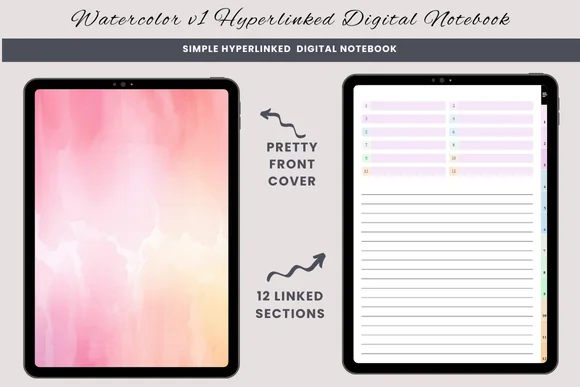
Best for concise property notes
1. Watercolor Hyperlinked Digital Notebook
Orientation: PortraitLayouts: Lined, blank, half-linedDates: No calendar dates shownWeek start: Not applicable
Best for: capturing a showing summary without a complicated page menu. Designed by daysfilledwithjoy.
- 12 linked sections with lined, blank and half-lined pages
- One PDF for GoodNotes or a similar PDF annotation app
- Pages can be duplicated when you need more writing space
The half-lined paper gives a short observation a home above a written next step. Keep one property code at the top and use a separate section for closed follow-ups. The twelve sections are useful for your own categories; they are not prefilled real estate forms.
Best for side-by-side showing notes
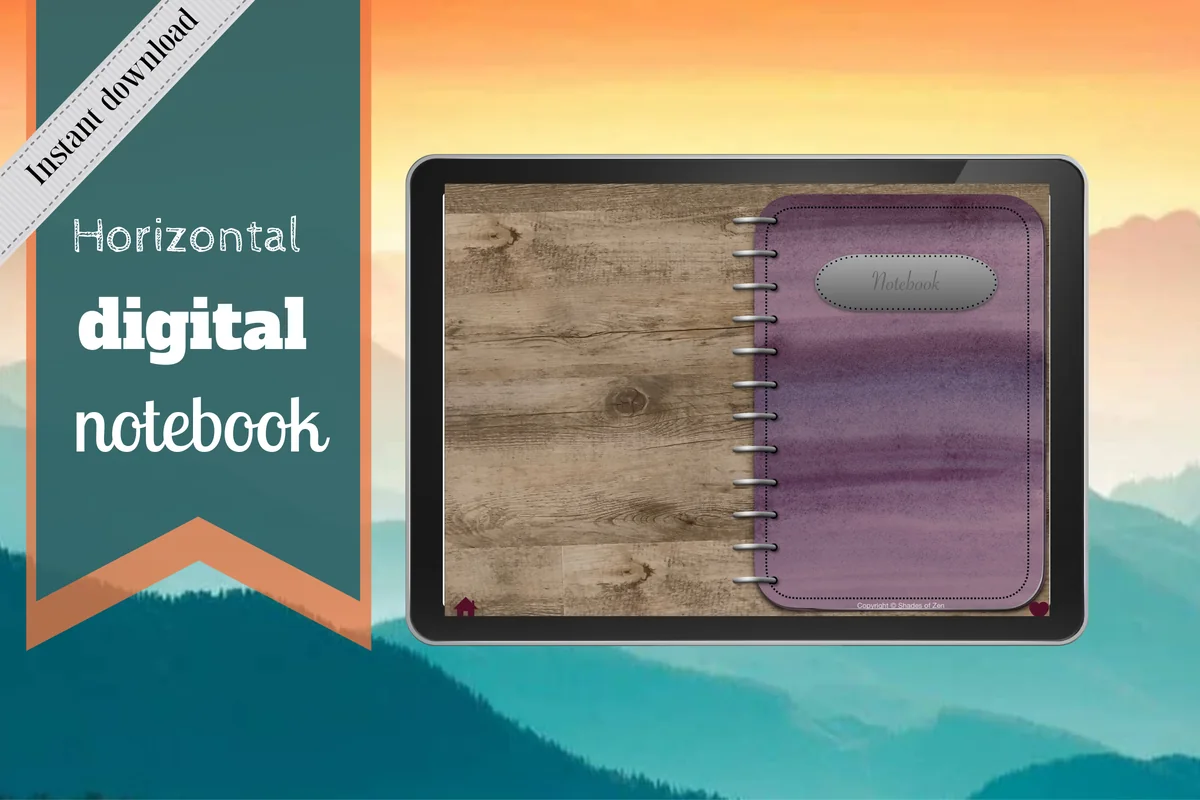
2. Digital Notebook by Shades of Zen
Orientation: LandscapeLayouts: 16 note templatesDates: No calendar dates shownWeek start: Not applicable
Best for: separating an observation from the question it raises. Designed by Shades of Zen.
- 12 expandable sections with hyperlinked tabs and individual dividers
- 16 note templates, including lined, dotted, graph and Cornell notes
- Instructions for GoodNotes or another PDF annotation app
The landscape spread is the appeal here: one side can hold what was seen, the other what needs checking. Cornell paper offers another starting point for a question, response and action. You create those headings and decide what belongs in your brokerage system instead.
Best for a five-tab work hub
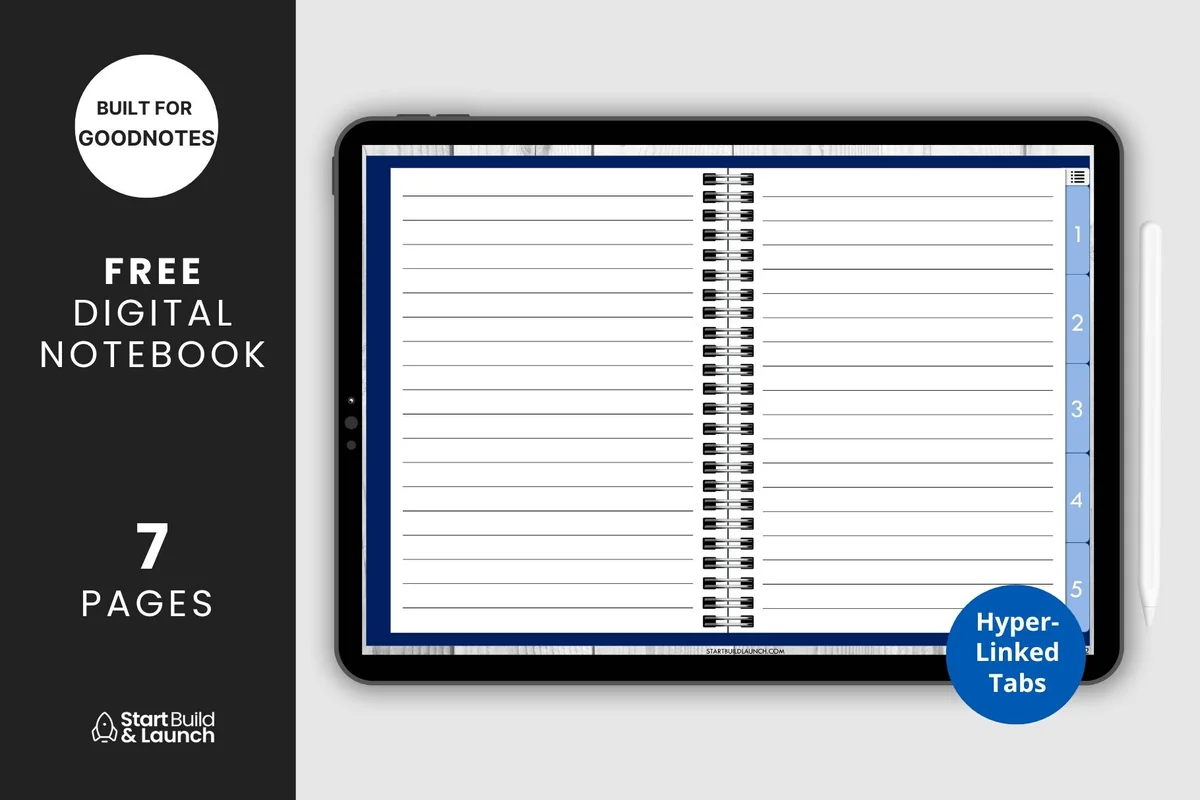
3. Digital Notebook 5 Hyperlinked Tabs
Orientation: LandscapeLayouts: Blank, lined, dotted, graph, CornellDates: No calendar dates shownWeek start: Not applicable
Best for: keeping preparation, visits, follow-ups, waiting items and review together. Designed by aviswilliams.
- Index page and five hyperlinked sections
- Blank, lined, dotted, graph and Cornell note papers
- PDF designed for an iPad or tablet with a stylus; GoodNotes, Noteshelf and Notability are suggested
Five tabs are enough for a small working system without setting up a section for every property. Place a dated page behind the relevant tab and reference it from your daily list. Plan to use this PDF with an iPad or tablet and a stylus.
Best for a weekly starting layout
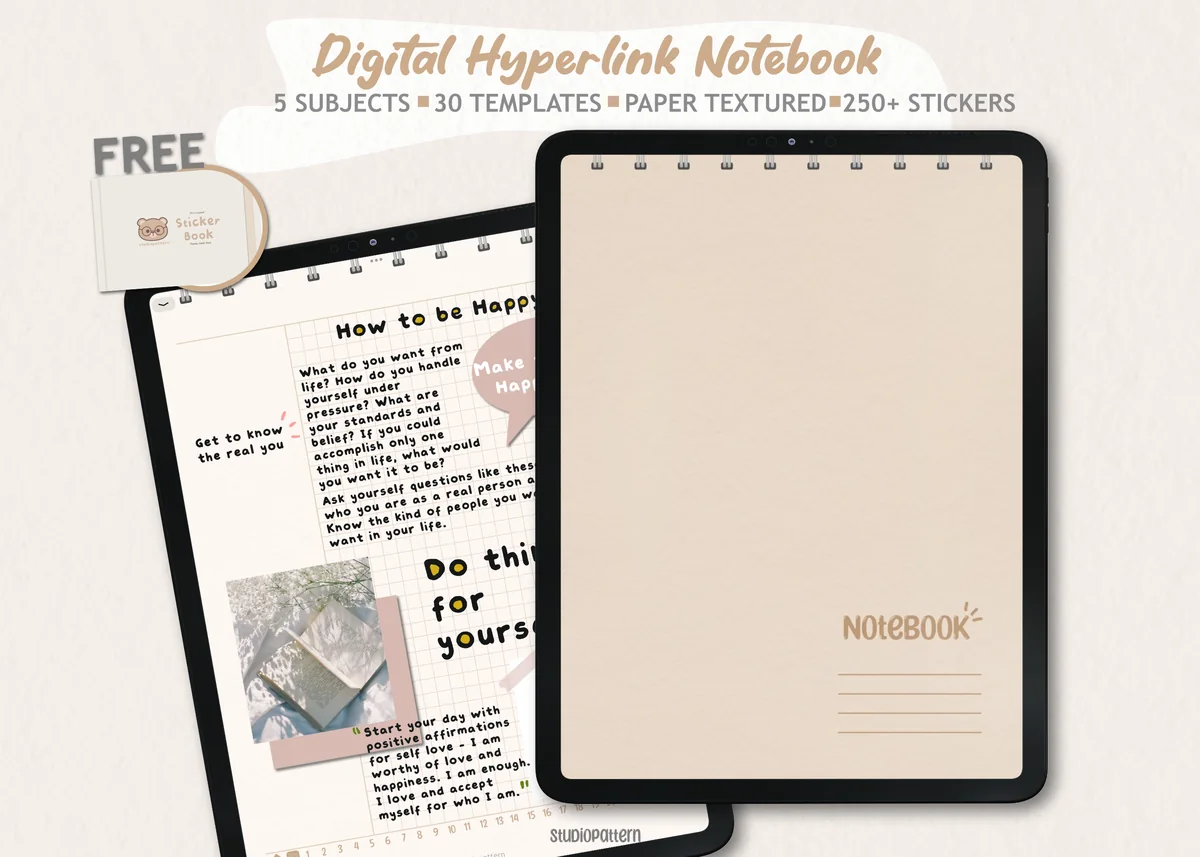
4. Digital Notebook 5 Hyperlinked Tab by studiopattern
Orientation: PortraitLayouts: General planning and note papersDates: No calendar dates shownWeek start: Sunday on the previewed weekly layout
Best for: placing showing preparation alongside general weekly and daily plans. Designed by studiopattern.
- Five sections, a linked contents page and 30 paper templates
- Monthly, weekly, daily, habit and checklist papers
- Hyperlinked PDF, PDF manual, 250+ individual PNG stickers and one precropped GoodNotes sticker-book file
- Best used with an iPad or tablet and Apple Pencil or stylus; annotation app may cost extra
The general weekly paper saves drawing a schedule from scratch. Add your own travel buffers and property codes, then use a lined page when a question needs more space. The description presents a general notebook with planning papers; it does not list a specialist transaction checklist.
Best for adding one working page
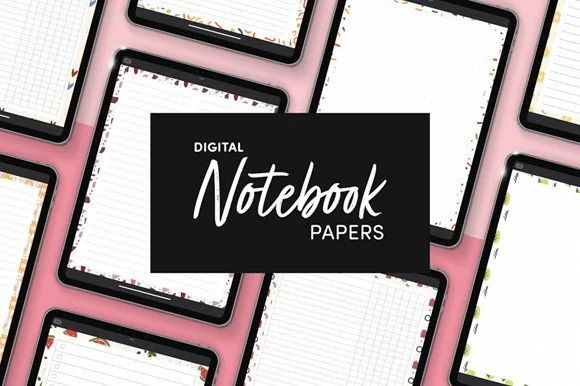
5. Digital Notebook Papers – GoodNotes
Orientation: PortraitLayouts: Columns, lists, grids and notesDates: No calendar dates shownWeek start: Not applicable
Best for: building a follow-up list inside a notebook you already own. Designed by catsquills.
- Nine portrait paper designs for GoodNotes and Notability
- Eight layouts per design: columns, habit tracker, to-do, numbered list, dots, square, lines and notes
- PNG and PDF files; 2550 × 3300 px, US Letter proportions
A paper pack makes sense when your existing notebook works and only one page is missing. Columns can separate a property code, promised action and review date. The description lists PNG and PDF papers; a linked notebook index is not specified.
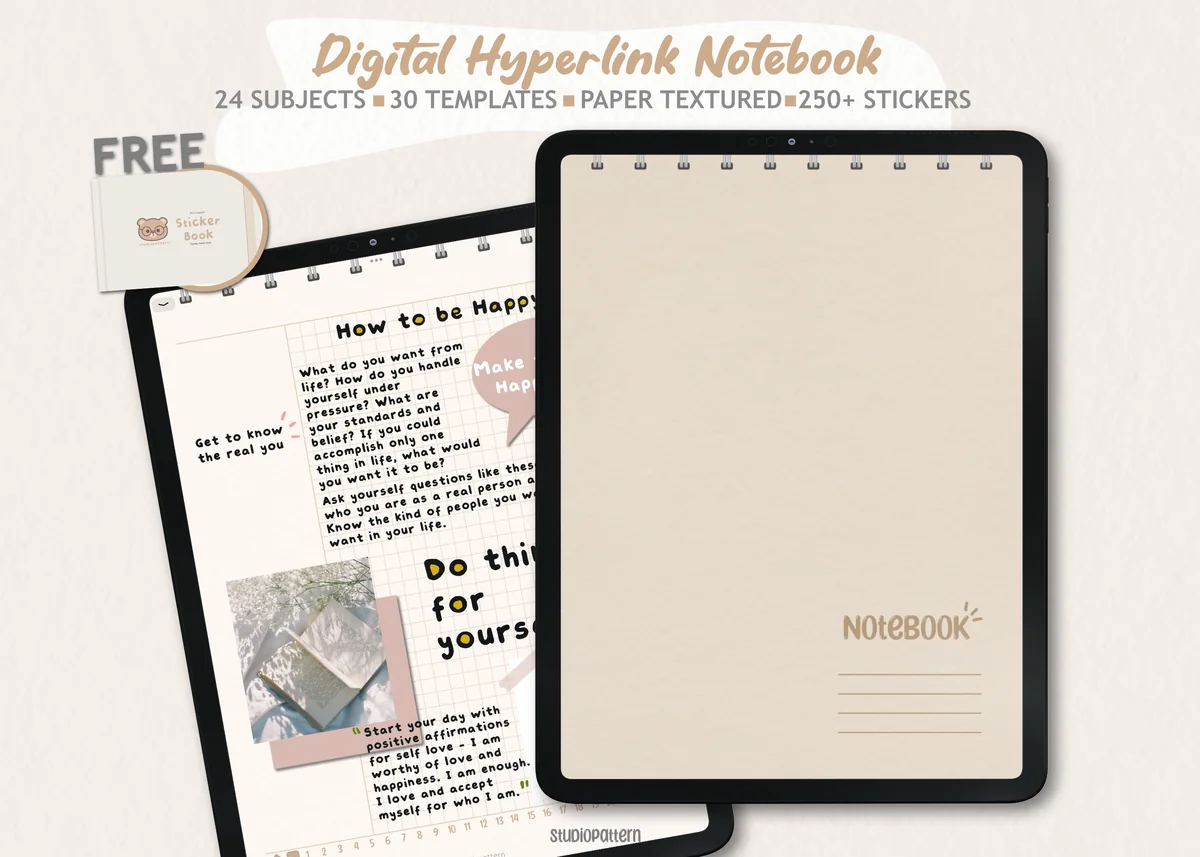
Best for a larger property index
6. Digital Notebook 24 Hyperlinked Tab
Orientation: PortraitLayouts: Note papers and general planning pagesDates: No calendar dates shownWeek start: Sunday on the previewed weekly layout
Best for: giving separate sections to a larger set of working topics or property codes. Designed by studiopattern.
- 24 linked sections and a contents page
- 30 paper templates; previews show note papers and general monthly, weekly and daily planning pages
- Hyperlinked PDF, PDF manual, 250+ PNG stickers and one precropped GoodNotes sticker book
- Best used on an iPad or tablet with an Apple Pencil or stylus; annotation app may require a separate purchase
Twenty-four sections offer room to keep property notes apart, provided your index stays clear. This notebook has 24 sections, compared with five in the other notebook from this designer. Leave unused tabs unnamed until they have a job.
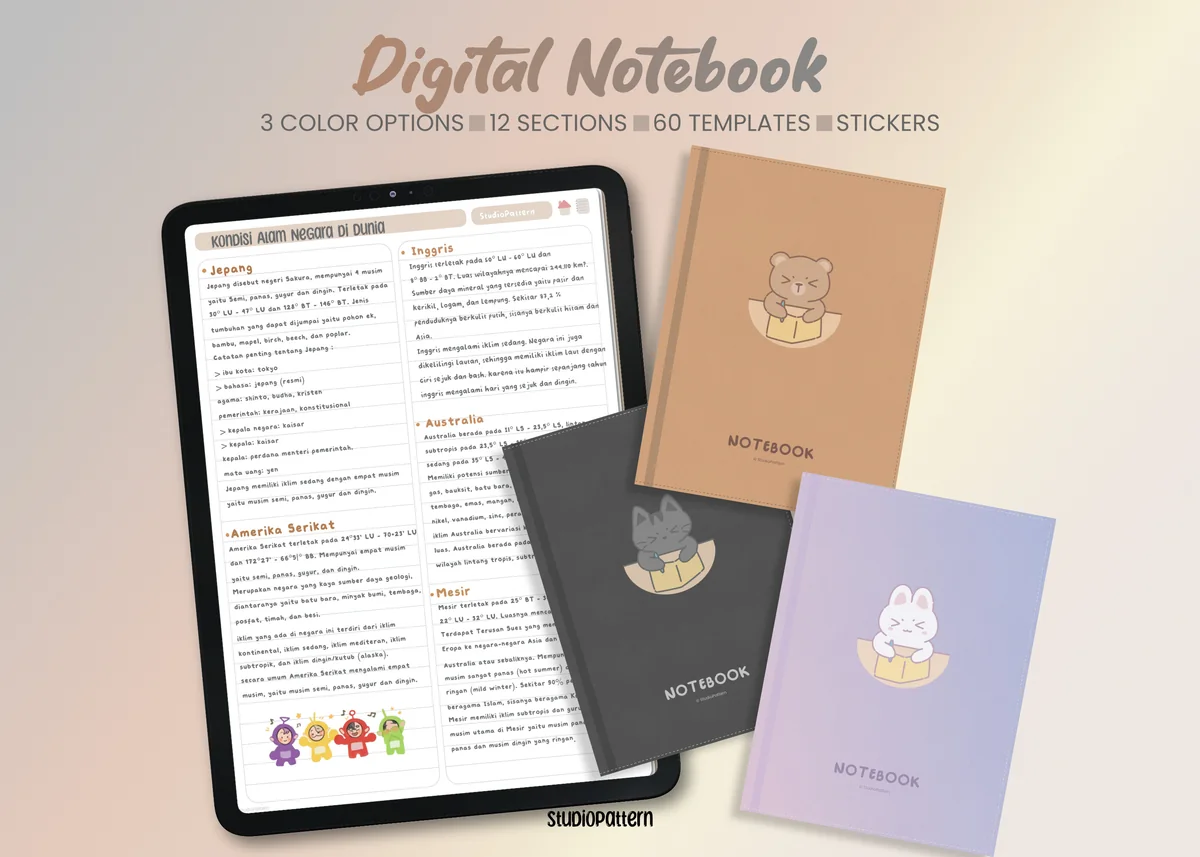
Best for testing page layouts
7. Cute Digital Notebook Hyperlinked by studiopattern
Orientation: PortraitLayouts: Note and general planning papersDates: No calendar dates shownWeek start: Not specified in the description
Best for: trying narrow columns, wide notes and general planning pages. Designed by studiopattern.
- 12 linked sections and a contents page
- 60 note templates; previews show blank, ruled, grid, dotted and general planning choices
- PDF notebook and PDF manual; individual PNG stickers included
- Best used with an iPad or tablet and Apple Pencil or stylus; annotation app may cost extra
Choose this for the paper variety if you are still finding a layout that fits your handwriting. Try the same anonymized showing note on two papers before committing to one. The illustrated covers and stickers are optional decoration; the work system comes from your labels and review routine.
Quick Comparison
| Digital tool | Navigation | Paper choices | Useful starting point |
|---|---|---|---|
| 1. Watercolor Hyperlinked Digital Notebook | 12 linked sections | 3 paper types | Property summaries |
| 2. Digital Notebook by Shades of Zen | 12 linked sections | 16 note templates | Questions and answers |
| 3. Digital Notebook 5 Hyperlinked Tabs | 5 linked sections | 5 paper types | A compact work hub |
| 4. Digital Notebook 5 Hyperlinked Tab by studiopattern | 5 linked sections | 30 paper templates | Weekly visit planning |
| 5. Digital Notebook Papers – GoodNotes | Individual papers | 8 layouts per design | An existing notebook |
| 6. Digital Notebook 24 Hyperlinked Tab | 24 linked sections | 30 paper templates | A larger working index |
| 7. Cute Digital Notebook Hyperlinked by studiopattern | 12 linked sections | 60 note templates | Layout experiments |
Set up your first working page in five steps
You do not need to create twelve finished layouts before trying the workflow. Build a small example using invented property codes and see whether you can find the next action quickly. This is also a useful time to check that the writing size works on your actual iPad.
A small setup you can repeat
- 1Import and test. Open the chosen file in the annotation app listed as compatible with your chosen notebook. Test a linked tab in the app’s navigation mode before building your index. A linked notebook index is not specified for the paper pack.
- 2Name the working spaces. Start with Visits, Questions and Next actions. A five-section notebook can use its remaining tabs for Waiting and Weekly review. These are your suggested labels, not promised built-in sections.
- 3Draw one reusable note. Add property code, visit date, question, next action and next check. Keep the page short enough to read while standing safely still; a detailed transaction form belongs elsewhere.
- 4Test an invented handoff. Write “P04: ask for an update through the approved channel.” Move it from the visit note to Next actions, then decide how completion or waiting will be marked.
- 5Review before expanding. If finding an open question requires searching several pages, simplify the index. Add an extra layout only when it solves a specific problem you encountered.
A flexible real estate agent day planner example
Treat this as an illustrative sequence, not a required timetable. Your local business hours, appointments and brokerage procedures determine when work happens. A real estate agent calendar should make room for travel and personal commitments as well as calls.
- Before leaving: check today’s confirmed appointments in the official calendar, review outstanding preparation and identify the first question to resolve.
- During a desk block: handle permitted follow-ups and conversations while the relevant people are available. Keep the approved client records current.
- Around visits: include travel and a safe, brief note window, with an unassigned gap for changes.
- Before stopping: transfer necessary information to the approved system, check tomorrow’s preparation and place genuine reminders in the calendar.
Suppose two showings move into the afternoon. Keep their original commitments visible until the changes are confirmed, then redraw the visit blocks and relocate the displaced admin task. Do not squeeze the lost work into the travel gap or assume you will remember it after an evening appointment.
Make the weekly review answer one question: what happens next?
Use the weekly review to protect pipeline work when your calendar is full. Look at active listings, recent questions and past client follow-ups through the appropriate work systems, then choose one realistic task from your marketing efforts for the coming week. Ask which next action will move the business forward; a full page is not a measure of productivity. Keep the notebook focused on scheduling the work rather than estimating commission or forecasting sales.
Your real estate agent weekly planner can be much shorter than your daily notes. Use it to spot an active listing or buyer workflow with no next action, a waiting item that has gone stale, or a marketing task repeatedly displaced by appointments. These are planning signals, not measures of a client’s value.
- Active work: does each working code have a next step and an owner?
- Waiting: is there a date to check the unanswered request?
- Capacity: are upcoming appointments prepared, with room for travel and follow-through?
- Continuity: have you protected a reasonable relationship or marketing block?
- Boundaries: are evening commitments intentional, and is there time to stop?
For a larger overall work schedule, compare the approaches in our digital work planner guide. Keep the property-note layer here focused: preparation, a question, an action and a review date.
Template or app: which job belongs where?
A digital real estate planner is useful as a writing surface when you prefer handwriting and a visible page. The product descriptions do not specify calendar invitations, CRM synchronization, route calculation or deadline automation. Hyperlinked tabs help you navigate the document. Use your calendar, navigation app and approved business systems for those tasks.
- Notebook: personal task prompts, anonymized working codes and your own page layouts.
- Calendar or task app: live appointment changes and alerts that you configure and verify.
- Approved CRM and transaction systems: client records, permissions, substantive notes, documents and official workflows.
If what you need is an automated reminder or shared client record, solve that in the appropriate approved app before adding more notebook pages. A real estate agent daily planner PDF can sit beside those tools, but should not become the only place an important deadline exists.
FAQ: Real Estate Planning Questions
What is the best planner for a real estate agent?
Choose the format that supports your working habits and approved systems. For handwritten iPad notes, compare readable writing space, useful paper layouts and a clear index. If your main requirement is reminders, client records or team access, assess those functions in your calendar or CRM rather than expecting a blank notebook to provide them.
How should a real estate agent plan their day?
Begin with confirmed appointments and time-sensitive work in the official system, then add preparation, travel and follow-through. Keep a realistic block for permitted ongoing conversations or marketing. The example above is adjustable; there is no single start time or fixed daily schedule that fits every agent.
How do real estate agents keep track of clients?
Use the record system approved for your work. In the personal notebook, a property or work code can point to a preparation task or next check without duplicating client data. Follow your workplace rules about devices, cloud storage, access, retention and deletion. A code alone does not make a sensitive note safe.
Is a paper or digital planner better for property visits?
Paper may suit someone who wants to plan away from a screen; an iPad notebook lets you carry reusable pages and linked sections in one device. Try reading and writing a short practice note at the size you would actually use. Check your workplace device rules before bringing either format into the workflow.
Can these notebooks provide a ready-made real estate transaction checklist?
The options here are selected as general notebooks and papers for pages you create. Use current brokerage-approved transaction procedures and appropriate professional guidance for legal duties, inspections, contracts and deadlines. Do not treat a self-drawn planner page as an authoritative checklist or a source of financial advice.
How can beginners keep follow-ups from disappearing?
Start with one list containing action, owner and next check. During the end-of-day review, transfer reminders to the appropriate app and necessary information to the approved record. At the weekly review, check that unfinished items still have a date. Keep the routine small enough to use during a busy week.
Build a page that leads to the next action
A useful real estate agent planner makes the transition after a visit clear: question captured, action assigned, next check dated. Start with one anonymized property note and one follow-up page, then add the other ideas as they earn their space. Choose the notebook or papers for that small working routine and keep official client work in its proper system.
You May Also Like
This article contains affiliate links. If you buy through them, we may earn a commission at no extra cost to you. Read our affiliate disclosure.