A budget in one app, a meal plan in another, workouts in a notebook, goals in your head and the family calendar on the fridge. Planning life in pieces means always looking for the right piece. A digital life planner (some people call it a digital life organizer) puts all of it into one hyperlinked file on your iPad: calendar, money, health, home and goals, each one tap away from the others.
Some all-in-one planners include password-tracker pages, but that label is not a security feature. The digital password book comparison explains the limits of plain PDF account-reference layouts; they do not replace an encrypted password manager.
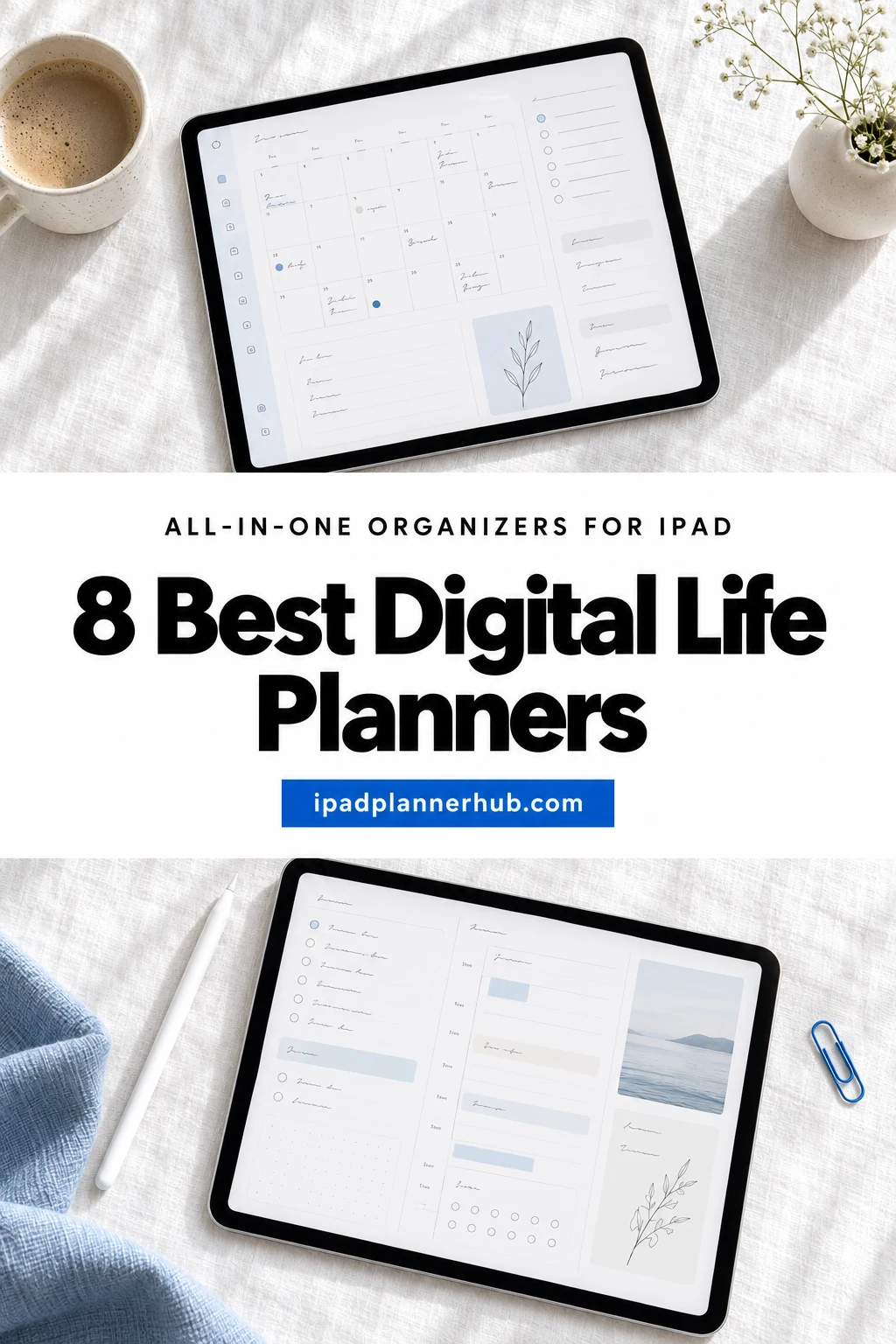
Below are the 8 all-in-one digital planners from Creative Fabrica I’d trust with everything, from a planner that lasts several years to a compact one that won’t overwhelm you. After the list: what to look for, which life areas to set up first and how to use one planner for everything without it turning into a maze.
The 8 Best All-in-One Life Planners for iPad I Found
I only kept planners that really cover several areas of life, not just a calendar with a few extra pages. I skipped printables, Canva templates, planners for other devices and anything dated only for past years. All eight work on the iPad in GoodNotes or Notability.
TL;DR: 8 all-in-one life planners for iPad that cover calendar, money, health, home and goals, from a 112-page compact planner to 900-page systems. Each card lists orientation, layouts, dates and week start.
Quick Picks
- Best overall: Digital Planner for Ipad, GoodNotes
- Best for organized sections: Undated Digital Planner, Life Planner
- Best for dated 2027: All-in-One Digital Planner 2027
- Best for busy families: 2027 Digital Planner | Monday and Sunday
- Best for health and wellness: All in One Digital Planner Undated V2.3
- Best for a life reset: The Ultimate Life Reset Digital Planner
- Digital Planner for Ipad, GoodNotes – Best overall
- Undated Digital Planner, Life Planner – Best organized sections
- All-in-One Digital Planner 2027 – Best dated 2027
- 2027 Digital Planner | Monday and Sunday – Best for busy families
- All in One Digital Planner Undated V2.3 – Best for health and wellness
- The Ultimate Life Reset Digital Planner – Best for a life reset
- All-in-One Digital Planner ( 112 Pages ) – Best compact all-in-one
- Undated Digital Daily Life Planner – Best soft and simple
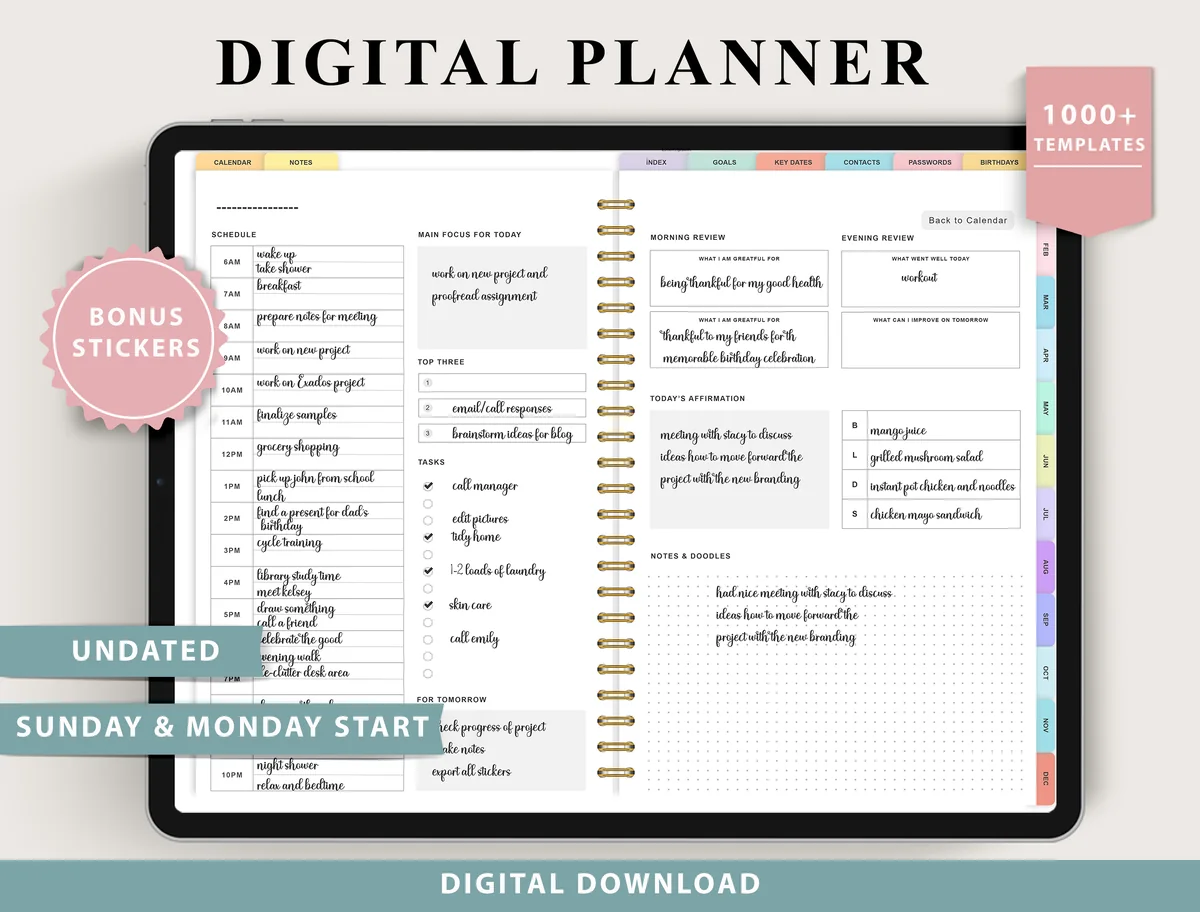
Best overall
1. Digital Planner for Ipad, GoodNotes
Layouts: Monthly, Weekly (4 layouts), Daily (4 layouts), 100+ templatesDates: UndatedWeek start: Monday or Sunday
Best for: indecisive planners, fitness trackers, finance trackers. Designed by ThePlannersDelight.
- Undated, Monday and Sunday start
- 4 weekly layouts (boxed, horizontal, scheduled) and 4 daily layouts
- 100+ templates: fitness, finance, nutrition, wellness and productivity trackers
- Routines, chores and cleaning, trip planner, contacts and passwords; bonus stickers; rated 4.8
If I had to pick one planner for everything, it would be this one. Four weekly and four daily layouts let you change how you plan without changing planners, and the 100+ templates reach from sinking funds to a chores list. Because it's undated, it keeps working long after a dated planner runs out.
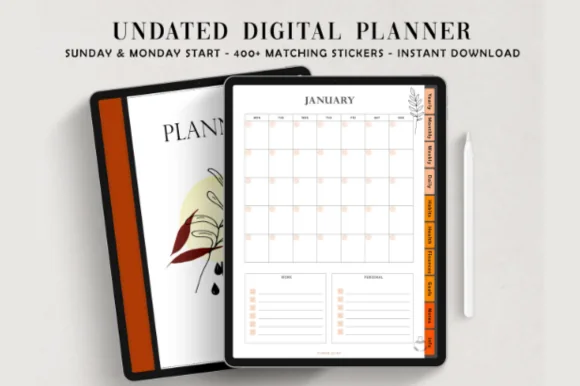
Best organized sections
2. Undated Digital Planner, Life Planner
Layouts: Yearly, Monthly, Weekly, DailyDates: UndatedWeek start: Monday or Sunday
Best for: organized planners, autumn aesthetic lovers, habit trackers. Designed by ThePlannersDelight.
- 110 pages in 10 hyperlinked sections, each with its own cover
- Yearly overview, goals, key dates, 12 monthly, weekly and daily pages
- Health pages: meal planner, mood tracker, workout log, body progress
- Finance pages: monthly budget, revenue and expense trackers
- Contacts, password tracker, reading journal and 1,800+ stickers
What I like here is the structure: ten sections, each with its own divider, so health, money, goals and notes never blur together. The warm autumn colors feel cozy rather than loud. It's undated, with Monday and Sunday start files, and comes with setup guides for GoodNotes and Noteshelf.
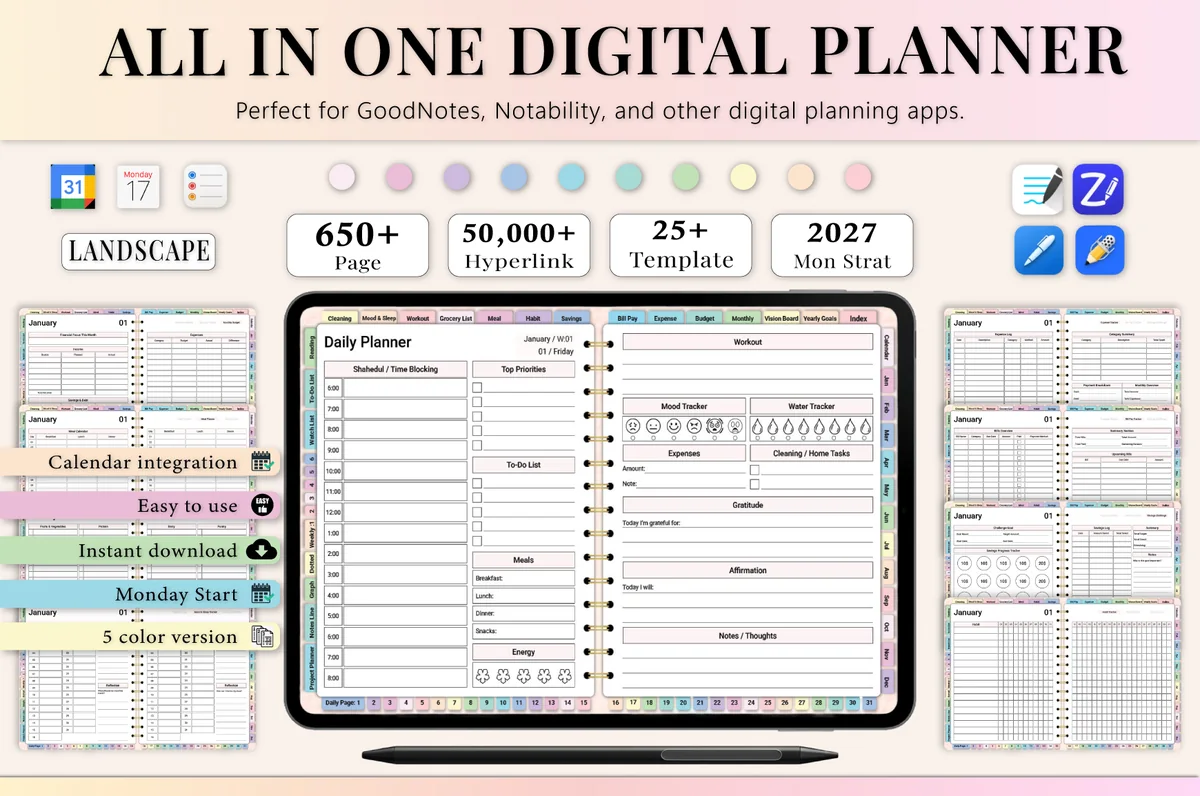
Best dated 2027
3. All-in-One Digital Planner 2027
Orientation: LandscapeLayouts: Yearly, Monthly, Weekly, DailyDates: 2027Week start: Monday
Best for: busy professionals, budgeters, people who want one planner for everything. Designed by Heartcraft Studio.
- 650+ hyperlinked pages, landscape, Monday start, 5 color versions
- 2027 year at a glance, vision board, monthly and weekly pages
- Budget, bills, expenses and a savings challenge
- Habit tracker, meal planner, grocery list and workout log
- Works in GoodNotes, Notability, Noteshelf and ZoomNotes
My favorite dated planner for next year, and a true all-in-one: money, health and goals sit around a 2027 calendar, so nothing needs a second app. If you like seeing the year already laid out, this saves you all the setup.
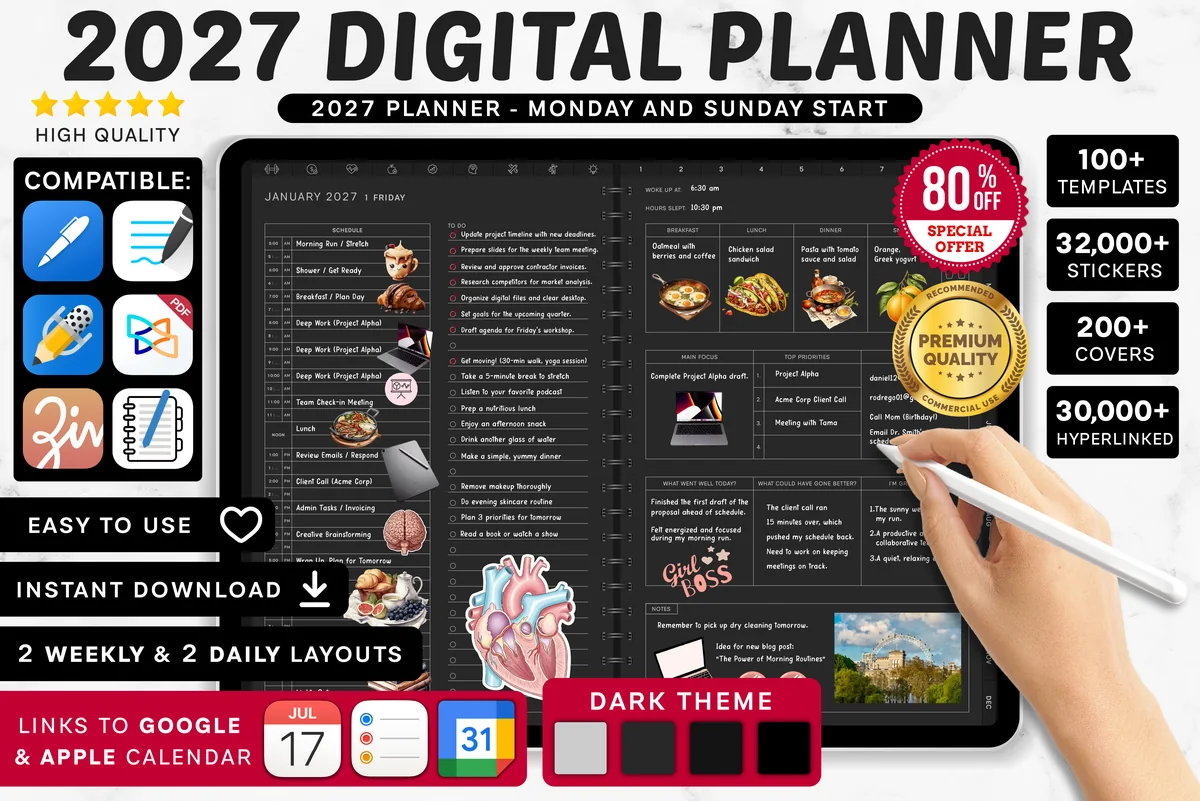
Best for busy families
4. 2027 Digital Planner | Monday and Sunday
Orientation: LandscapeLayouts: Yearly, Quarterly, Monthly, Weekly, DailyDates: 2027Week start: Monday or Sunday
Best for: dark mode fans, calendar app users, finance trackers. Designed by SuperDigitalPlanners.
- Dated 2027, Monday or Sunday start, yearly to daily pages
- Weekly meal and grocery pages, routine planner, chores and cleaning
- Links to Apple Calendar, Reminders and Google Calendar
- 1,340+ icons, 4,200+ stickers and 200+ covers
Busy households need the calendar and the chores in the same place, and this planner has both: weekly meals with a grocery list, a routine planner and a cleaning schedule sit next to the monthly calendar. The links to Apple and Google Calendar help when the family schedule lives on your phone too.
Best for health and wellness
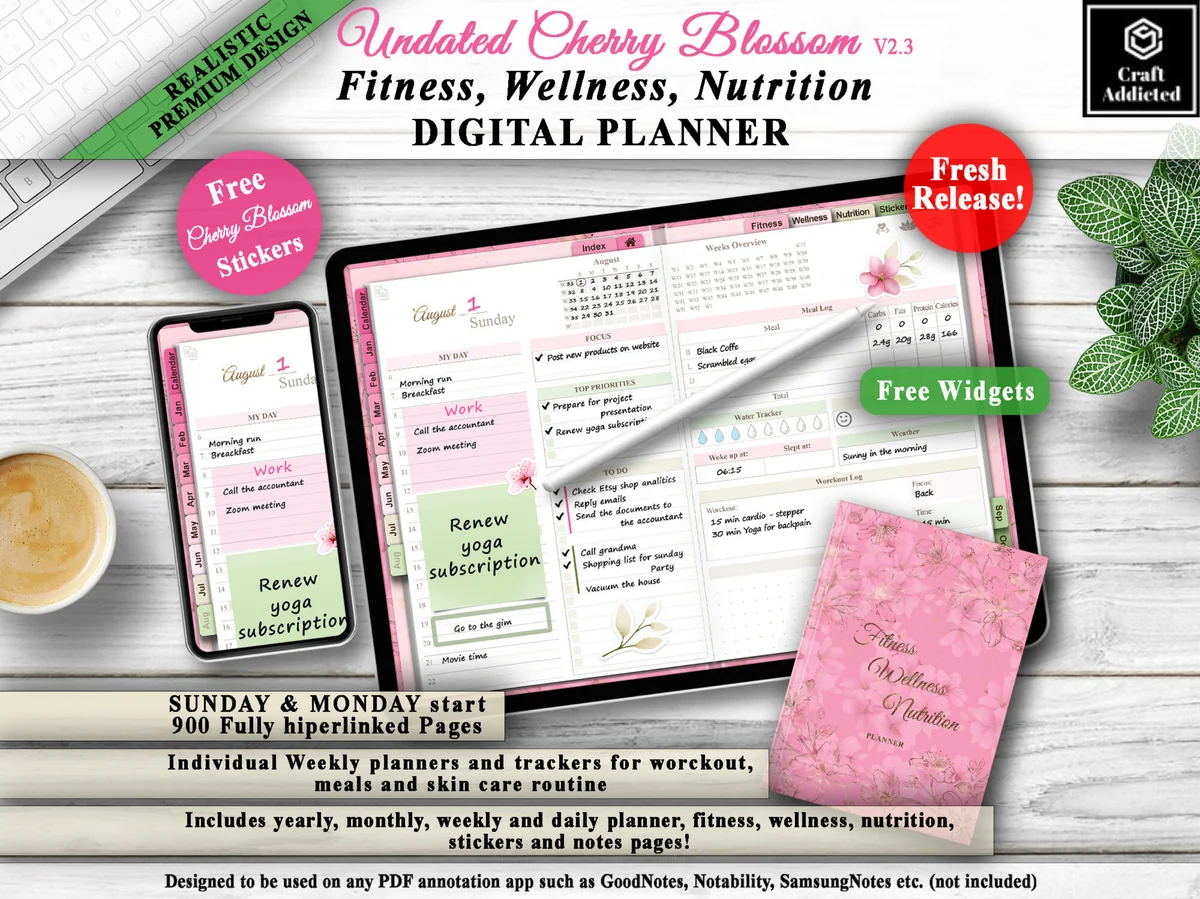
5. All in One Digital Planner Undated V2.3
Orientation: LandscapeLayouts: Yearly, Monthly, Weekly, DailyDates: UndatedWeek start: Monday or Sunday
Best for: fitness fans, wellness planners, pink lovers. Designed by CraftAddicted.
- 900 hyperlinked pages, undated, Sunday and Monday start
- Yearly, monthly, weekly and daily planner pages
- Trackers for workouts, steps, meals, sleep, water and mood, plus a skin care routine
- Pink cherry blossom design with free stickers and widgets
A life planner with a health focus: workouts, meals and a skin care routine get their own weekly pages, right next to the regular calendar. The pink cherry blossom style isn't minimal, but it's pretty, and 900 pages leave room for a full year of wellness.
Best for a life reset
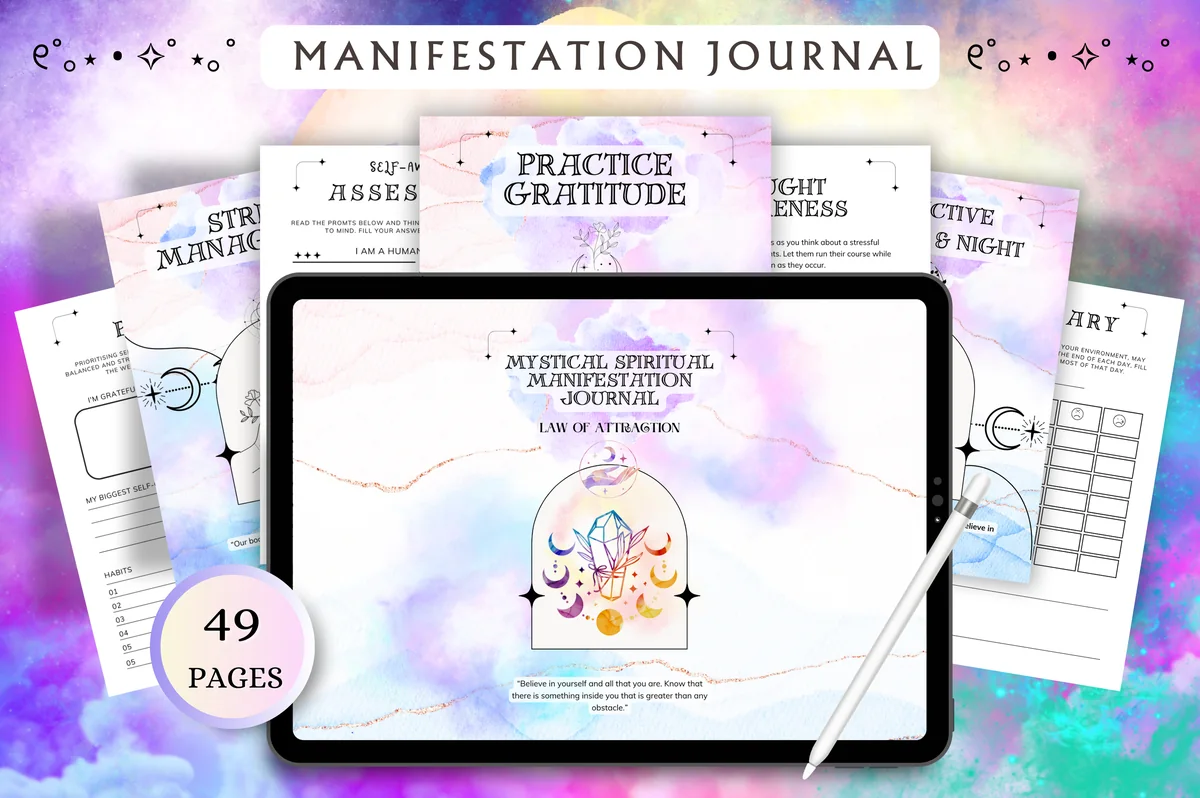
6. The Ultimate Life Reset Digital Planner
Orientation: LandscapeLayouts: Monthly, Weekly, DailyDates: Undated
Best for: fresh starts, goal setters, self-care seekers. Designed by Tas Creative Studio.
- 49 undated pages in landscape, hyperlinked
- Daily, weekly and monthly planner with weekly and monthly reflections
- Self-discovery pages: wheel of life, ikigai, self-awareness assessment
- Goals and vision board: SMART goals, bucket list, life goals
- Cleaning checklist and other productivity pages; rated 5.0
This one is less about scheduling and more about deciding where your life is going. The wheel of life, ikigai and goal pages make it a lovely planner for a new year or any big change. The planning pages are simple, which keeps the focus on reflection.
Best compact all-in-one
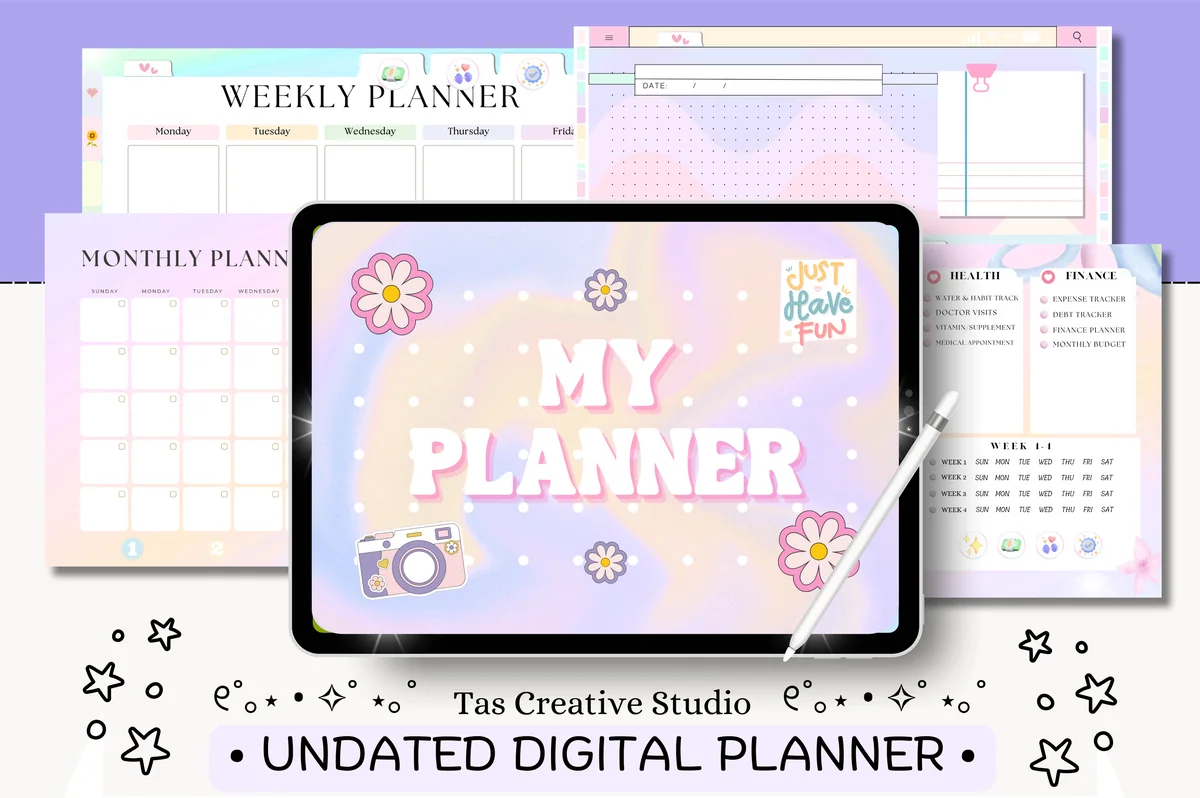
7. All-in-One Digital Planner ( 112 Pages )
Orientation: LandscapeLayouts: Monthly, Weekly, DailyDates: Undated
Best for: beginners, minimal planners, budgeters. Designed by Tas Creative Studio.
- 112 undated pages in landscape, fully hyperlinked
- Daily pages for each weekday plus weekly and monthly pages
- Self-care, mood and water trackers
- Goal planner, vision board, reading log and TV shows tracker
- Monthly budget, expense, savings, bill and debt trackers
Most life planners run to 600+ pages; this one does the job in 112. You still get health, money and goal pages, just fewer of them, which makes it faster to open and easier to learn. A good first all-in-one if big planners have overwhelmed you before.

Best soft and simple
8. Undated Digital Daily Life Planner
Orientation: PortraitLayouts: Yearly, Monthly, Weekly, DailyDates: UndatedWeek start: Monday
Best for: minimalists, soft neutral lovers, beginners. Designed by studiopattern.
- Calendar, yearly overview, monthly, weekly and daily pages
- Undated and hyperlinked, Monday start, portrait view
- 4 extra templates and a blank section page for your own topics
- Matching planner covers included
- Works in GoodNotes, Notability and Xodo; rated 5.0
Not every life planner needs a hundred trackers. This one keeps the essentials and adds a blank section so you can build the life areas you care about. The soft beige design with tiny illustrations makes it pleasant to open every day.
Quick Comparison
| Planner | Best for | Dates | Stand-out extra |
|---|---|---|---|
| 1. Digital Planner for Ipad, GoodNotes | Everything, every year | Undated | 4 + 4 layouts, 100+ templates |
| 2. Undated Digital Planner, Life Planner | 10 clear life sections | Undated, Mon or Sun | Health + finance sets |
| 3. All-in-One Digital Planner 2027 | Dated life planner | 2027, Monday start | Savings + workout pages |
| 4. 2027 Digital Planner | Monday and Sunday | Busy family life | 2027 | Calendar and Reminders links |
| 5. All in One Digital Planner Undated V2.3 | Health-first life planner | Undated | Fitness and meal trackers |
| 6. The Ultimate Life Reset Digital Planner | Goals and fresh starts | Undated | Wheel of life + ikigai |
| 7. All-in-One Digital Planner ( 112 Pages ) | Small but complete | Undated | Budget + savings pages |
| 8. Undated Digital Daily Life Planner | Simple everyday life planner | Undated, Monday start | Blank section to customize |
What I Look For in an All-in-One Life Planner
- Navigation first. With hundreds of pages, links are everything. Look for side tabs for each section plus month tabs inside the calendar.
- The life areas you actually have. Money, health, home, work, study, family: check that your top three are covered with real pages, not one token page each.
- Size you can handle. 600+ pages sounds generous, but a 112-page planner you understand beats a 900-page one you scroll past.
- Dated, undated or both. Dated pages save setup; undated ones keep working next year. Several planners here include both.
- Layouts that can change. Multiple weekly and daily layouts let the planner adapt when life gets busier.
- Made for the iPad. The listing should mention GoodNotes, Notability or the iPad. Large planners may need a paid app plan.
Life Planner Sections: What to Set Up First
An all-in-one planner usually comes with far more sections than you need on day one. These are the ones that give the most back:
- Calendar (monthly + weekly). The heart of the planner: appointments, deadlines and the plan for the week.
- Money. A monthly budget and a bill tracker cover most of what people need. Add savings or debt pages later.
- Health. A habit or water tracker, a meal plan or a workout log: pick the one you care about now.
- Home. Cleaning schedules, grocery lists and a family to-do list, if you run a household.
- Goals. Yearly goals and a vision board, revisited once a month.
- Notes and lists. Books to read, gift ideas, password hints and anything without a date.
Also Worth a Look: Life Tracker Planners
A life tracker is a set of small pages for the things you want to see over weeks and months: sleep, mood, habits, bills, appointments, the last time you cleaned the fridge. Most of the 8 life planners above have a few trackers inside. These two make tracking a main part of the planner, so pick one of them if the logging matters more to you than the calendar.
Best for ADHD-friendly tracking
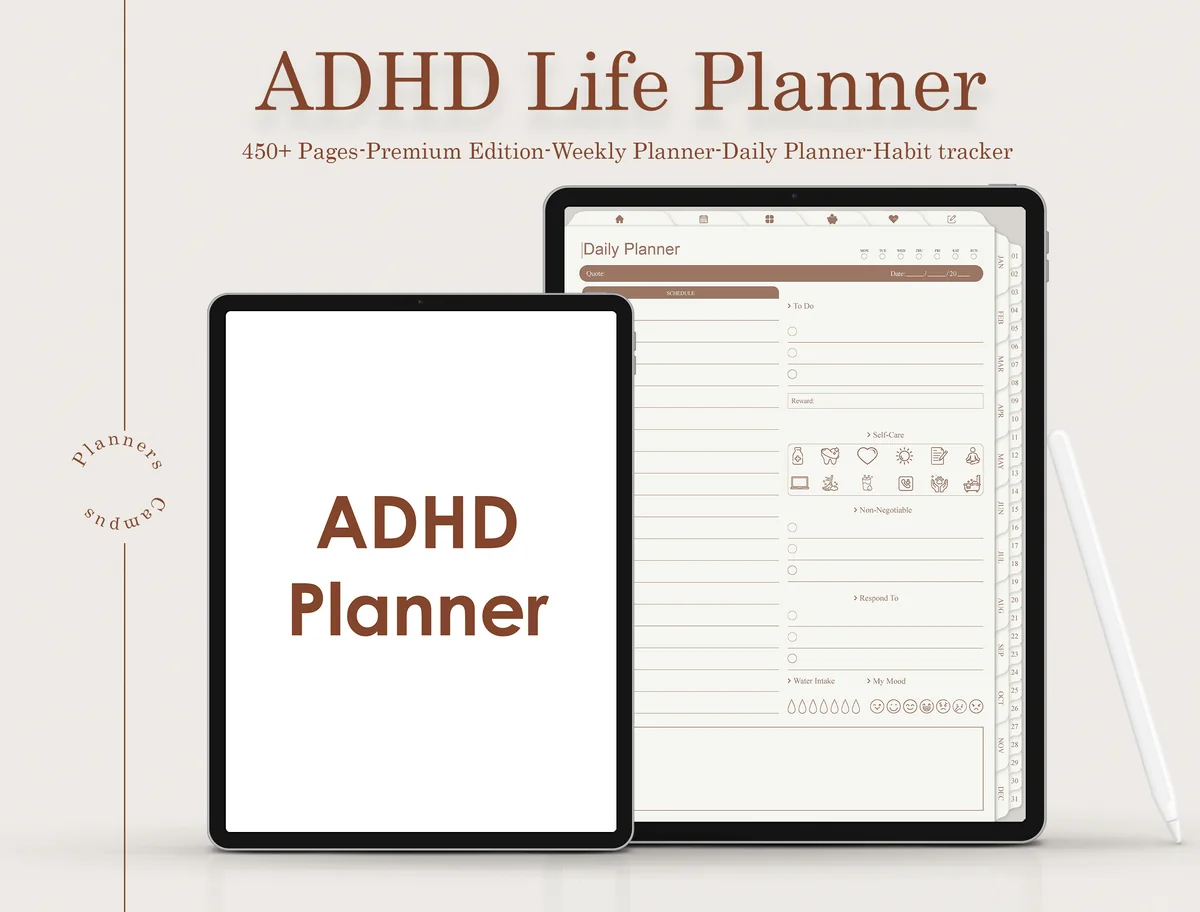
ADHD Life Planner for Goodnotes
Layouts: Monthly, Weekly, Daily + 80+ hyperlinked trackers and lifestyle templatesDates: Undated
Best for: ADHD brains, life trackers, self-care routines. Designed by Planners Campus.
- Undated, 450+ pages with monthly, weekly and daily planners
- 80+ hyperlinked templates in sections like Remember Things, Self-Care, Healthy Habits and Stuff Done
- Trackers for mood, sleep, medication, assignments, parcels and passwords
- A quick menu at the top of every page, plus lined, dotted and right-line notebook pages
The trackers are the reason to get this one: parcel, password and hyperfocus trackers sit next to mood and sleep, which covers the everyday details that slip first on a busy week. It's undated, so a missed week costs nothing. The earthy brown palette is calm, though less cheerful than the pastel picks above.
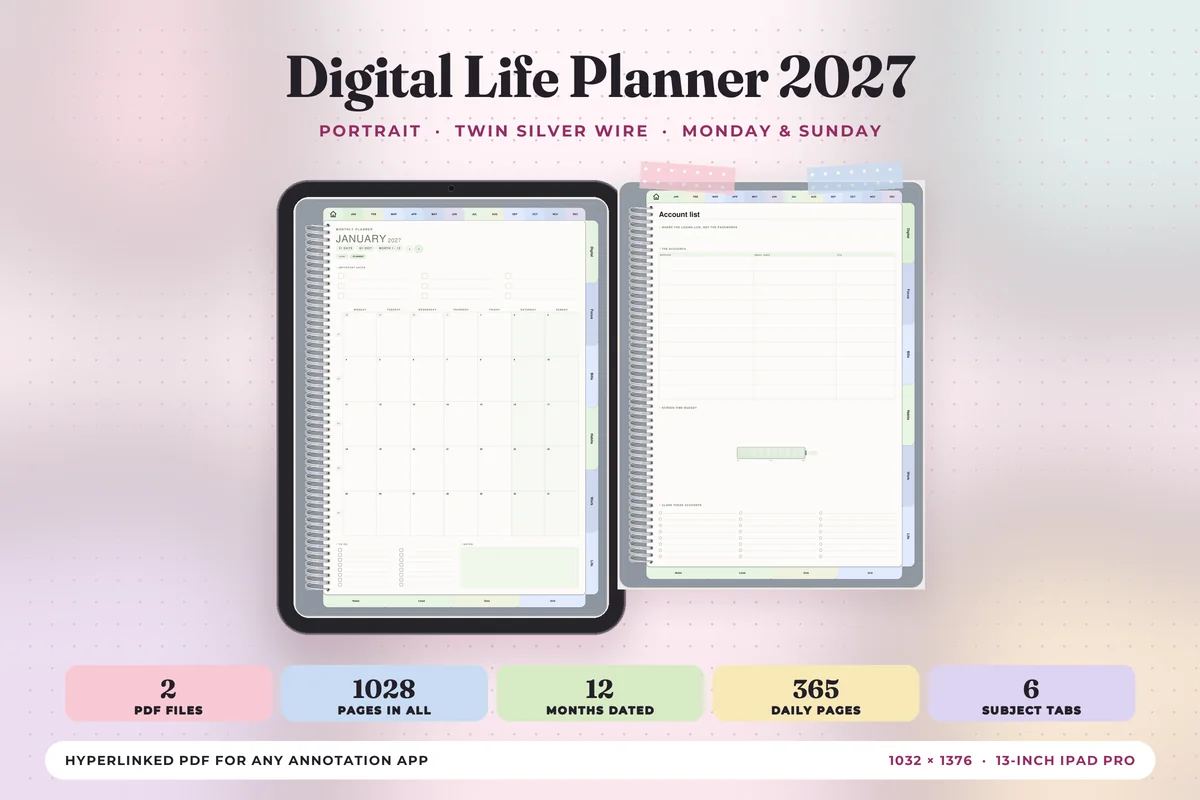
Best dated life tracker for 2027
Digital Life Planner 2027
Orientation: PortraitLayouts: 12 month-at-a-glance pages, Monthly, Weekly, Daily (hourly 6 a.m.–9 p.m.) + 6 subject tabsDates: 2027Week start: Monday or Sunday
Best for: life admin planners, bill payers, habit builders. Designed by Print Magic StudioX.
- Six subject tabs of its own: Digital, Focus, Bills, Habits, Work and Life, 4 templates under each
- 12 monthly planners, a weekly page for every week and 365 daily pages with an hourly schedule
- Two hyperlinked PDFs, Monday start and Sunday start, portrait, sized for the 13-inch iPad Pro
- 30 note pages: lined, dot grid and square grid
I'd pick this if you want your trackers inside a full 2027 calendar. Bills and Habits get their own tabs, so the monthly bill check and the habit grid are one tap from today's page. The design is clean and quiet, closer to an office notebook than a cozy journal.
Start a life tracker with three pages at most, for example habits, mood and bills, and fill them at the same moment every day. Add a new tracker only after the first three feel automatic.
A Digital Agenda Planner for Moms and Busy Families
A mom agenda planner is really a life planner with the family in it: school events, appointments, meals, bills and your own to-do list on the same week. That’s why a digital agenda planner works so well for parents. One file holds the shared calendar and the home pages, and you can check it on the iPad at the kitchen counter instead of hunting for the paper one.
From the list above, the 2027 Digital Planner | Monday and Sunday is the one I’d hand to a busy mom: weekly meals with a grocery list, a routine planner and a chores and cleaning page sit next to the calendar, and it links to Apple Calendar, Reminders and Google Calendar. Set it up with three areas first: the weekly calendar for everyone, a meal plan and grocery list, and one page just for you.
How to Organize Your Life in One Planner Without Overwhelm
- Start with three sections. Calendar, one money page and one health page. Ignore the rest for the first month.
- Make a home page. Use the planner’s dashboard, or bookmark this week’s page in GoodNotes, so the planner always opens where you work.
- Delete what you’ll never use. Most planners let you remove pages. Fewer sections means faster navigation.
- Give each area a day. Money on payday, meal planning on Sunday, goals on the first of the month. You don’t need to touch every section every day.
- Keep one color per area. Money in green, health in pink, work in blue: you’ll find things at a glance.
- Review monthly. Look at what you actually used, drop what you didn’t, and add one new section if you need it.
Digital Life Planner vs Paper Planner: Is It Worth It?
A paper life planner covering money, health, home and goals turns into a thick binder or several notebooks. A digital life planner fits all of it on the iPad you already carry, and that’s where most of its value comes from:
- One device instead of a stack. Hundreds of pages, and the side tabs take you to any section in one tap.
- Pages never run out. Duplicate a budget page or a weekly spread whenever you need another one, and erase without a trace.
- Backup and sync. GoodNotes and Notability can sync the planner to your iPhone and Mac, so your plans don’t live on a single notebook you can leave behind.
- It can last for years. An undated planner keeps working next year, and you can import a clean copy whenever you want a fresh start.
Paper still wins if you don’t own an iPad and a stylus, or if you’d rather plan away from screens. If you already write on your iPad every day, a digital life organizer is worth it: you pay for the file once and it holds your whole life.
Life Planner Template or Life Planner App?
Life planner apps automate reminders, sync with calendars and work on every device, usually for a monthly fee. A life planner template is a PDF you write in by hand: you buy it once, it works offline and every page looks the way you want. A template can’t sync events or send alerts, so many people use both: Apple or Google Calendar for reminders and a life planner for budgets, habits, goals and the big picture.
What Is the Best Device for a Digital Life Planner?
An iPad with an Apple Pencil is the most comfortable way to use a life planner. Big all-in-one planners shine on an iPad Air or iPad Pro, where landscape spreads and side tabs have room to breathe; an iPad mini works best with portrait planners. You’ll also need a note-taking app like GoodNotes, Notability or Noteshelf. GoodNotes and Notability can sync the planner to your iPhone and Mac, so you can check it on the go.
How to Set Up a Digital Life Planner in GoodNotes
- Save the planner on your iPad and unzip it. Large planners often come as a ZIP with several PDFs (Monday/Sunday start, color themes).
- Open the version you want, tap Share → GoodNotes → Import as New Document.
- Duplicate the document right away, so you keep a clean copy.
- Remove the sections you won’t use and pick a cover.
- Import the sticker files into GoodNotes Elements if your planner includes them.
FAQ
What is a digital life planner?
It’s a hyperlinked PDF planner that covers your whole life in one file: calendar pages plus sections for money, health, home, goals and notes. You use it on a tablet in an app like GoodNotes, writing with a stylus and tapping tabs to move between sections.
What is the best digital life planner?
For most people, the Digital Planner for Ipad, GoodNotes from ThePlannersDelight: undated, with 4 weekly and 4 daily layouts and 100+ templates, so it grows with you. If you prefer clear sections in calm colors, choose the Undated Life Planner; if big planners overwhelm you, start with the 112-page All-in-One.
What is the best digital family planner for iPad?
For a family, look for an all-in-one digital planner with a weekly calendar, home pages and room for meals and bills. From this list, especially for a busy mom, I’d pick the 2027 Digital Planner | Monday and Sunday: it has weekly meal and grocery pages, a routine planner and a chores page, and it links to Apple and Google Calendar. If you’d rather not buy a new planner every year, the undated Digital Planner for Ipad, GoodNotes also has routines, chores and cleaning pages. Keep in mind that a PDF planner isn’t a shared calendar: family members can’t add events to it from their own phones the way they can in a calendar app. It works best as the family command center on the iPad everyone sees, with shared appointments kept in a calendar app too.
Is a digital agenda planner the same as a digital life organizer?
Mostly, yes. A digital agenda planner usually means the calendar part: days, weeks and appointments. A digital life organizer or life planner adds everything around it: budget, health, home, goals and notes. Every planner in this roundup does both, so the agenda and the rest of your life sit in one file.
Is there a free digital life planner?
Free planners exist, but they’re usually a calendar with a few extra pages rather than a full life planner. Paid all-in-one planners are often inexpensive and include hundreds of linked pages, trackers and stickers, which is where they earn their price.
What app do I need for a digital life planner?
A note-taking app that opens hyperlinked PDFs: GoodNotes, Notability or Noteshelf on the iPad. Every planner on this list works in GoodNotes or Notability, and the listing says which apps it supports. If you also want reminders and alerts, keep Apple or Google Calendar for those and the life planner for everything else. Very large planners can open a little slower on older iPads; deleting the sections you never use helps, and some sellers note that big files may need a paid GoodNotes plan.
What is a life tracker, and do I need a separate one?
A life tracker is a page or a set of pages for things you log over time: habits, mood, sleep, bills and appointments. Most all-in-one life planners already include a few trackers, so start with those. If tracking matters more to you than the calendar, a planner built around trackers, like the ADHD Life Planner for Goodnotes, saves you from adding a second file.
Should I choose a dated or undated life planner?
Dated if you plan every day and like a ready-made year; undated if you start mid-year or plan in bursts. A life planner is a long-term tool, so an undated planner like the one at #1 is the safest choice if you want to keep it for years.
Final Thoughts
One planner for everything works when you start small and let it grow. Choose the digital life planner that covers your three most important areas, set up only those, and add the rest month by month. Looking for something lighter? A minimalist digital planner keeps only the core pages. See my roundup of the best digital planners for 2027, the monthly planners roundup, or browse all everyday planners. If work needs its own notebook, see my digital work planners, and for yearly goals, the digital goal planners. For the home side of life, see my cleaning schedule ideas.
If pet care needs its own record outside your main planner, compare these digital pet care planner templates for logs and sitter notes.
You May Also Like
Sharing your week with children and family appointments? These mom planner ideas cover school notes, meal plans and small routines, with three digital planners to compare.
This post contains affiliate links. If you buy through them, I may earn a small commission at no extra cost to you. Learn more.