Your illustration is finished, but the empty background still looks like a screen instead of a sheet of paper. A surface layer can be the missing detail, and these Procreate paper texture brushes offer three different ways to approach it without starting the drawing again.
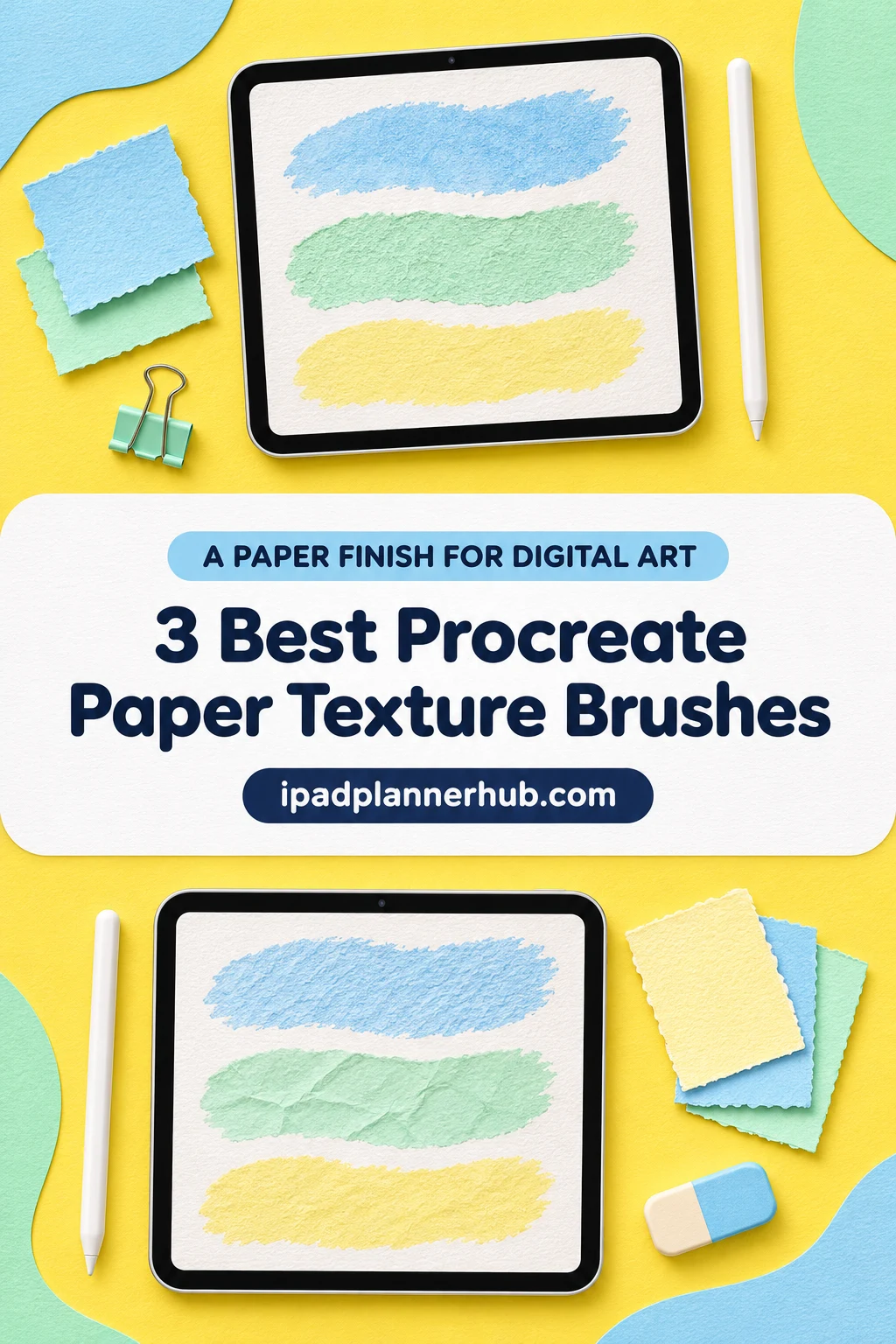
I picked a named paper sampler, a seamless paper-and-canvas set and a larger stamp collection after comparing their descriptions and public previews. I have not tested the paid files. Here is how their surface types and contents differ.
3 Best Procreate Paper Texture Brushes for Different Finishes
TL;DR: Paper Store combines named paper surfaces with pencils and an edge tool in a 27-tool kit. For seamless paper and canvas coverage, choose the 22-brush vectorheroes set. DrawingStoryShop offers 100 texture stamps for varied panels; seamless tiling is not specified.
Quick Picks
- Best for named paper surfaces: Paper Store – Procreate Texture Brushes
- Best for seamless coverage: Procreate Paper Texture Brushes
- Best for texture stamp variety: 100 Procreate Paper Texture Brushes
- Paper Store – Procreate Texture Brushes – Best for named paper surfaces
- Procreate Paper Texture Brushes – Best for seamless coverage
- 100 Procreate Paper Texture Brushes – Best for texture stamp variety
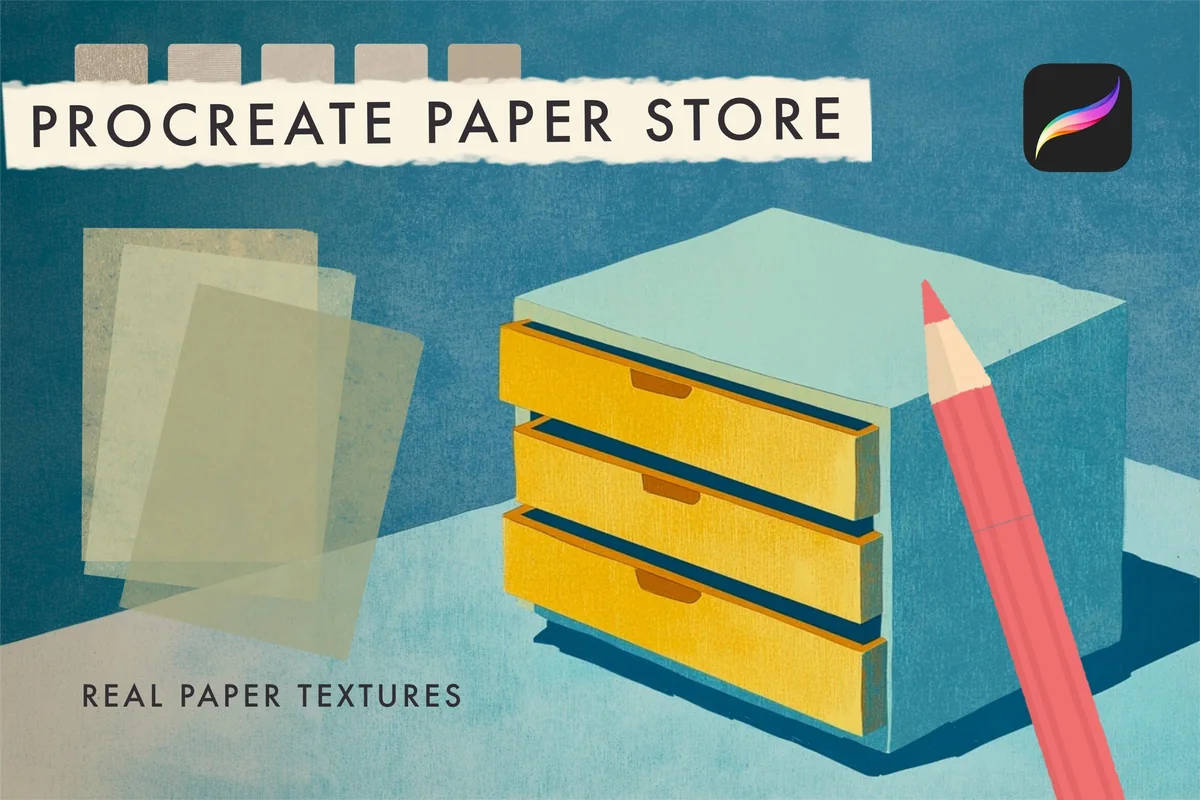
Best for named paper surfaces
1. Paper Store – Procreate Texture Brushes
Layouts: 27 tools including 3 pencils and Torn EdgesFormat: .brushset
Best for: choosing a recognizable paper character for illustration or lettering. Designed by MelsBrushes.
- One .brushset containing 27 Procreate tools
- The preview inventory includes HB, B and 6B pencils plus Torn Edges
- Named surfaces include kraft paper, old newsprint, smooth card, canvas and recycled cotton
- The 27-tool total includes the pencils and edge tool; it is not 27 separate paper textures
Paper Store is my first pick when you want a recognizable material rather than an anonymous texture. Its swatch sheet names surfaces from smooth card to rough grain, making it easier to narrow the choice before buying. I like the contrast between the quieter papers and distressed finishes. The pencils and torn-edge tool add variety, but they count toward the 27-tool total.
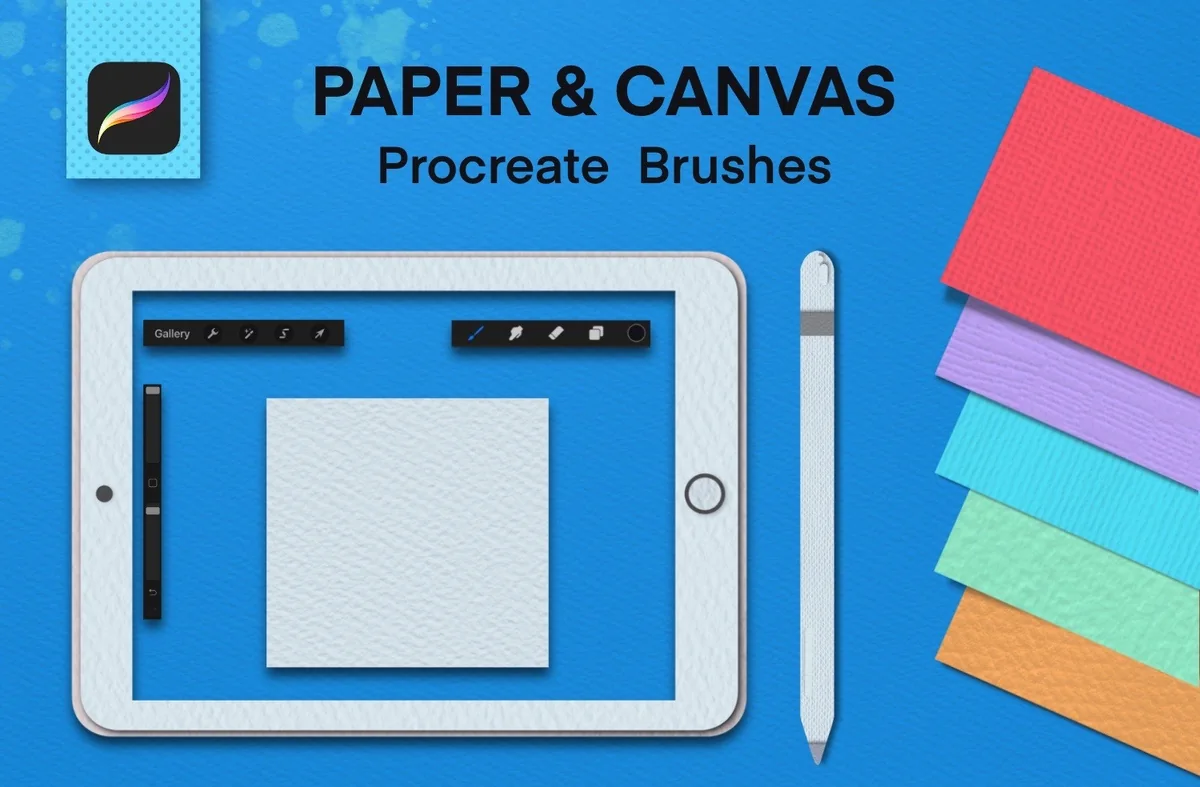
Best for seamless coverage
2. Procreate Paper Texture Brushes
Layouts: 22 seamless paper and canvas texturesFormat: Procreate brushes; exact file suffix unstated
Best for: adding paper or canvas grain across a larger illustrated surface. Designed by vectorheroes.
- 22 seamless paper and canvas texture brushes
- The listing specifies Procreate 5X and a texture-resizing video
- Previews show grain across character art and colored paper-like surfaces
- The illustrated guidance uses a separate texture layer, Multiply and one continuous stroke
For grain that extends across a composition, this is the clearest match: all 22 paper and canvas brushes are described as seamless. The previews also show a layering approach to try. Check the grain at your final image size, since a seamless texture can still look too coarse or too fine. The character illustrations demonstrate the effect; they are not included character templates.
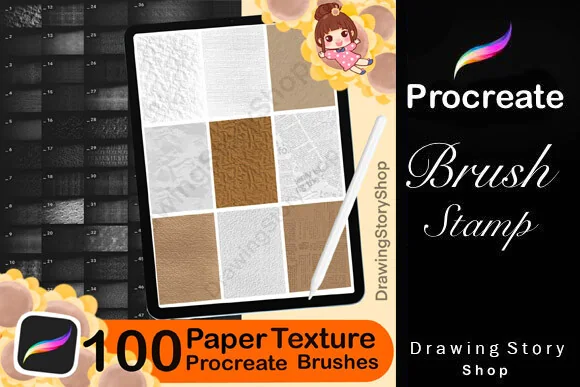
Best for texture stamp variety
3. 100 Procreate Paper Texture Brushes
Layouts: 100 paper texture stamps; seamlessness unstatedFormat: Procreate stamp brushes plus PDF guide
Best for: exploring different paper-like backgrounds and accent panels. Designed by DrawingStoryShop.
- 100 paper texture stamp brushes for Procreate on iPad
- A PDF guide to importing the brushes is listed
- Six previews show pale, warm, dark and colored surface samples
- The description does not establish that all 100 stamps tile seamlessly
The preview panels range from pale, fine surfaces to stronger grain and repeated marks. That variety makes this a useful candidate for small backgrounds and collage panels. The larger count does not establish seamless tiling across all 100 stamps. For edge-to-edge coverage, the vectorheroes set has the clearer specification.
Quick Comparison
| Set | Role | Contents | Surface direction |
|---|---|---|---|
| 1. Paper Store – Procreate Texture Brushes | Named paper sampler | 27 mixed tools; .brushset | Papers, pencils and torn edge |
| 2. Procreate Paper Texture Brushes | Seamless paper and canvas | 22 brushes; resizing video | Continuous surface grain |
| 3. 100 Procreate Paper Texture Brushes | Texture stamp collection | 100 stamps; import PDF | Varied paper-like sample panels |
Choose the surface before the brush count
Start with what should remain visible when the artwork is small. A delicate drawing may need only a quiet grain; a collage panel can carry a much stronger surface. Choose a pack around that job before collecting overlapping libraries.
- Named materials: Paper Store makes it easier to compare kraft, newsprint, smooth card and rougher papers by their labels. Its preview inventory is the useful buying aid.
- Broad coverage: vectorheroes explicitly calls its 22 textures seamless. This is the more direct specification when a surface needs to continue across the image.
- Separate panels: DrawingStoryShop offers 100 stamps and a wide range of sample finishes. Treat each stamp as a candidate for a panel until you have checked its edges.
A paper effect and a paint brush solve different problems. The surface supplies the background character; the drawing still needs its own marks. Keep that distinction in mind if you are also choosing watercolor or gouache tools: a paper pack does not automatically provide the paint behavior of those media.
For that paint stage, the Procreate gouache brush comparison separates broad coverage, dry marks and fine details. Choose the missing paint role first, then judge whether the paper grain still helps the finished shape.
Brush, stamp or ready-made canvas?
These listings sell brushes, including a set described as stamps. The phrase “paper canvas” in a title is not enough to establish that a layered .procreate document comes with the purchase. Look at the actual contents before expecting a ready-to-paint scene.
- Brush pack: Paper Store explicitly lists a .brushset file. Its mixed inventory includes drawing and edge tools alongside surfaces.
- Texture stamp: DrawingStoryShop uses this term in its description. The preview panels do not establish seamless repetition across every item.
- Canvas file: none of these three descriptions clearly promises a layered .procreate canvas document. Do not count one as an included extra.
A controlled first texture pass
Use a duplicate of an existing picture for the first comparison. The goal is to decide whether the surface helps the picture, while keeping the original available. Use the steps below to keep that comparison adjustable.
Keep the surface adjustable
- 1Make room for the texture. Keep it on its own layer so that the first attempt does not become part of the original paint. Give that layer a clear name before trying another surface.
- 2Try the seller’s demonstrated approach. The vectorheroes preview puts the texture above the artwork and shows Multiply with a dark-value color. Start there for that pack, then judge your own picture rather than treating the setting as a universal recipe.
- 3Compare a full view and a detail. Check whether the surface competes with eyes, lettering or small lines. If the grain catches your attention before the subject, try a subtler finish or reduce its strength.
- 4Keep the more useful version. Toggle the texture layer to compare the picture with and without it. Retain the layered working file so the choice remains reversible when you change the composition.
Procreate’s Blend Modes guide explains how layers interact. Use it to understand a setting rather than copying a percentage from someone else’s picture.
Whole-page texture or one textured shape?
Decide where the surface belongs before adding more grain. A background, a cut-paper shape and an entire illustration are three different targets. Keeping that target clear makes the next adjustment easier to judge.
If the shape needs dots, checks or a fabric motif rather than grain, compare these Procreate pattern brushes before adding another paper layer. The distinction helps you choose between a surface finish and a visible decorative repeat.
- Background only: leave the subject visually separate if its clean edges are part of the design. Compare the paper against the surrounding page color.
- One filled shape: a clipping mask can constrain a texture layer to the content below it. This is useful for a paper-like label or collage piece.
- Across the artwork: a separate surface layer lets you compare an overall finish. Inspect the light areas and small details before accepting it.
The official masking guide distinguishes clipping masks from other masking tools. A clipping mask is a control for where an effect appears; it is not proof that a particular brush makes seamless paper.
What the preview illustrations actually include
Preview illustrations show the textures in context, but the surrounding artwork and mockups are not necessarily part of the brush pack. Check the brush inventory separately:
- Paper Store: the numbered sheet is the strongest inventory evidence. Its first four entries are three pencils and Torn Edges, so the total needs that qualification.
- vectorheroes: the character pieces demonstrate grain on artwork. They do not turn the offer into a character-art template pack.
- DrawingStoryShop: the colored panels demonstrate variety. They do not prove that every color is a separate preset, or that every texture repeats without an edge.
A short check before buying
Choose the pack whose stated format and surface role match the project you already have in mind. None needs to be the only texture library you ever own. A smaller, clearly specified set can be the better fit for a single job.
- Check that you have the required app: these offers are for Procreate; vectorheroes specifically names Procreate 5X.
- Read the current product page for packaging and license terms. The listed brush count does not grant permission to redistribute the brush files.
- Look for explicit evidence if you need seamless coverage, a layered canvas or a particular file suffix. Ask the seller when the listing leaves a necessary detail open.
- Avoid choosing by mockup color alone. Compare the grain and surface character that would matter in your own artwork.
FAQ: Paper Texture Brushes on iPad
Which pack is the clearest choice for seamless paper texture?
Vectorheroes explicitly describes its 22 paper and canvas brushes as seamless. DrawingStoryShop does not make the same promise for its 100 stamps, and the Paper Store description does not establish seamlessness for its full mixed inventory.
Does Paper Store include 27 paper backgrounds?
It includes 27 Procreate tools in one .brushset. The preview inventory shows three pencils and a torn-edge tool among those entries, so describing the pack as 27 separate paper backgrounds would overstate its contents.
Are the stamps ready-made Procreate canvas files?
The DrawingStoryShop listing promises texture stamp brushes and an import-guide PDF. It does not clearly specify a layered .procreate canvas file. The surface samples should not be treated as a promise of ready-made painting documents.
Will these work in GoodNotes?
These are Procreate brush products, not GoodNotes sticker packs. Their descriptions do not establish direct GoodNotes brush compatibility. If your goal is a planner page, create the artwork in a suitable app before considering how to use a finished image elsewhere.
Can I sell artwork made with these brushes?
Read the current license and seller restrictions for the intended use. DrawingStoryShop distinguishes finished art from sharing or reselling the standalone stamps. Do not assume that permission to sell an illustration also permits redistributing the brush pack.
Pick the finish your picture needs
My starting point for Procreate paper texture brushes is the surface role: Paper Store for named paper choices, vectorheroes for explicitly seamless coverage, and DrawingStoryShop for stamp variety. Match the pack to your project, then keep the first texture pass on a separate layer so you can adjust the finish.
You May Also Like
This article contains affiliate links. If you purchase through them, I may earn a commission at no extra cost to you. Read the affiliate disclosure.