Most vision boards fail for a simple reason: you make one in January, it goes on a wall or into a drawer, and by March you stop seeing it. A digital vision board lives where you already look every day, on the iPad next to your planner. You can add a photo the moment something inspires you, move goals around when life changes and open the board in two taps during your weekly planning. It also costs nothing to start over when your dreams shift.
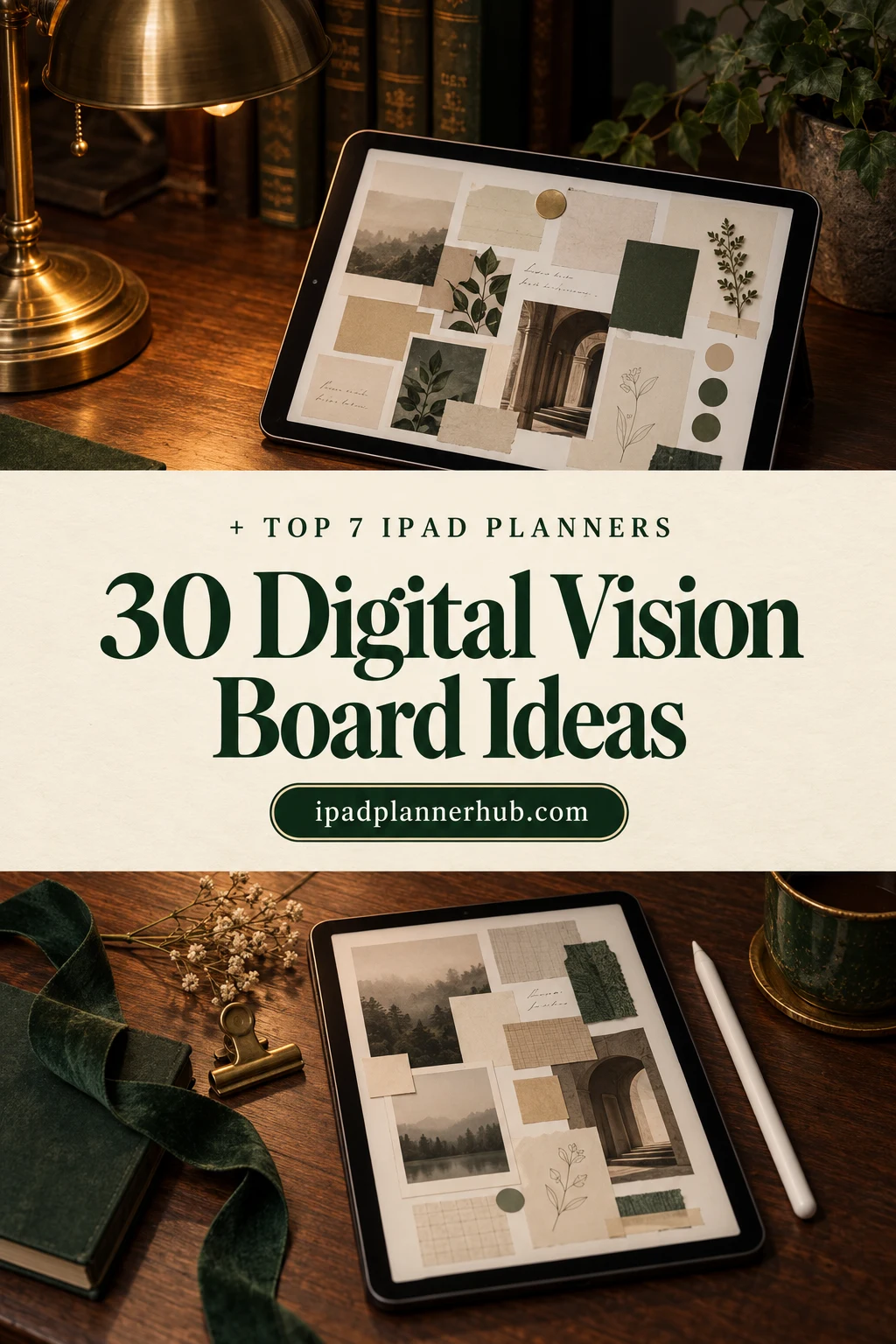
Below are the 7 digital vision board planners from Creative Fabrica I’d use on my iPad, from a ready-to-fill template to a 2027 moon journal and three planners with a board built in. After the list: 30 digital vision board ideas, how to make one in GoodNotes step by step, how it compares with Canva and how to keep looking at it all year.
The 7 Best Digital Vision Board Planners I Found
I skipped Canva templates, KDP interiors, print-only sheets and the many vision board planners dated 2026, and kept PDFs you can write and paste photos into on an iPad. The first five are made around a vision board; the last two are bigger planners with a vision board section.
TL;DR: 7 digital vision board planners for iPad: a ready vision board template, a 2027 moon manifestation journal, a vision board journal, a guided future-self journal and three planners with a vision board inside. Each card lists what's inside and who it suits. Below the list: 30 digital vision board ideas and how to make one in GoodNotes.
Quick Picks
- Best overall: Vision Board – Printable & Digital Manifestation Planner
- Best for 2027 manifestation: Moonlit 2027 Lunar Manifestation Journal
- Best for vision board journal: Digital Vision Board Journal
- Best for daily action: Undated Digital Vision Planner
- Best for guided journal: FUTURE ME – Guided Journal for Vision & Growth
- Best for all-in-one: All in One Cute Digital Planner
- Vision Board – Printable & Digital Manifestation Planner – Best overall
- Moonlit 2027 Lunar Manifestation Journal – Best for 2027 manifestation
- Digital Vision Board Journal – Best vision board journal
- Undated Digital Vision Planner – Best for daily action
- FUTURE ME – Guided Journal for Vision & Growth – Best guided journal
- All in One Cute Digital Planner – Best all-in-one
- The Ultimate Selfcare Planner – Best for affirmations

Best overall
1. Vision Board – Printable & Digital Manifestation Planner
Orientation: LandscapeLayouts: Vision board, Goal grid, Yearly intentionDates: Undated
Best for: vision board makers, manifestation fans, new year planners. Designed by Plamarplanners.
- A vision board template with photo boxes for life areas like mental, physical, spiritual and love
- Dream life categories: career, health, wealth, relationships, travel
- A goal-setting grid, a positive affirmations section and a yearly intention page
- A tablet-optimized digital version for GoodNotes and Notability, plus A4 and US Letter PDFs
This is the one I'd start with because the hard part, deciding what goes where, is already done: each life area has its own box, and you only paste in the pictures and words. The affirmations and intention pages turn a pretty collage into something you can come back to every month.

Best for 2027 manifestation
2. Moonlit 2027 Lunar Manifestation Journal
Orientation: PortraitLayouts: Yearly vision pages, 12 monthly moon cycles, daily trackerFormat: Hyperlinked PDF, Letter and A4Dates: Dated 2027Week start: Sunday
Best for: manifestation fans, moon lovers, intention setters. Designed by Artistology.
- A Dream Board, My Word & Vision, Wheel of Life and 27 Dreams for 2027 pages
- An Affirmation Bank with 30 affirmations, a Belief Rewrite page and a Daily Ritual Builder
- 12 monthly moon cycles with New Moon and Full Moon pages; all 13 New Moons and 12 Full Moons of 2027 marked
- 98 pages in hyperlinked US Letter and A4 versions for GoodNotes or Notability; weeks start on Sunday
It's dated 2027, which is exactly what you want for a new year vision board: the board sits at the front, and each month gives you a reason to look at it again. Listed in October 2026, so there are no reviews yet, but the page previews are clear and detailed.
Best vision board journal
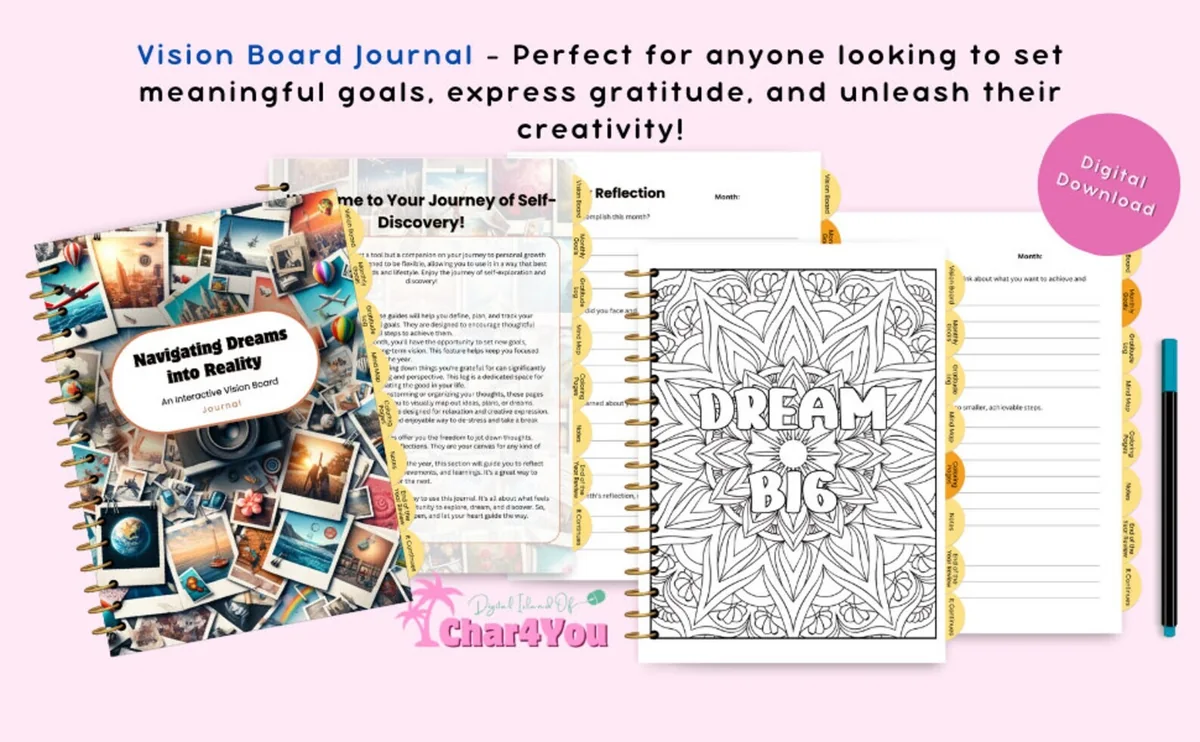
3. Digital Vision Board Journal
Orientation: PortraitLayouts: Goal guides, monthly goals, gratitude log, mind maps, coloring pages
Best for: journal lovers, gratitude fans, creative goal setters. Designed by Char4You.
- Goal-setting guides and monthly goals pages
- A gratitude log and mind maps for sorting out ideas
- Coloring pages, including a "Dream Big" mandala
- Note pages and an end-of-year review, in a tabbed journal design
More journal than collage: monthly reflection and goal pages sit next to the vision board, so the board gets a written plan behind it. The description doesn't name the apps, so check the file opens in yours; the coloring pages are a calm way to spend ten minutes with your goals.
Best for daily action
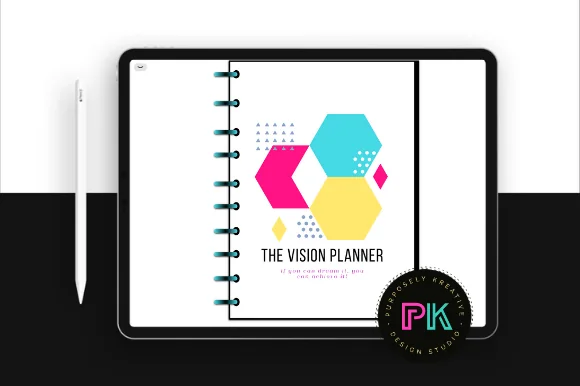
4. Undated Digital Vision Planner
Orientation: LandscapeLayouts: Month at a glance, daily pages, vision boardDates: Undated
Best for: business owners, daily planners, bold color fans. Designed by PurposelyKreative.
- A vision board page at the start of the planner
- Month at a glance pages with a brain dump column
- Daily pages with "today I will", a gratitude line and a to-do list
- Undated landscape spreads with month tabs, for GoodNotes or any PDF app
The bold pink, teal and yellow design won't suit everyone, but the idea is right: the vision board is followed by daily pages that ask what you'll do toward it today. It has 60 favorites and a 5-star rating on Creative Fabrica, one review so far.

Best guided journal
5. FUTURE ME – Guided Journal for Vision & Growth
Orientation: PortraitLayouts: 59 guided pages: goals, intentions, letter to future selfFormat: PDF + PNG, 6 x 9 in
Best for: personal growth seekers, minimalists, reflective journalers. Designed by Nora as.
- Future-self reflection prompts and a Future Me check-in page
- Short-term and long-term goal planning pages
- Intention-setting sections and a letter to your future self
- 59 pages, 6 x 9 inches, PDF + PNG for GoodNotes or Notability
This one has no collage at all, and that's the point: if pictures feel too vague, writing to your future self makes the vision specific. The 6 x 9 page is small on an iPad, so zoom in to write, or keep it next to one of the boards above.

Best all-in-one
6. All in One Cute Digital Planner
Orientation: LandscapeLayouts: Monthly, Weekly, DailyDates: Undated
Best for: kawaii lovers, pastel planners, people who want everything in one. Designed by Tas Creative Studio.
- A Goal Planner & Vision Board section, plus wish list and bucket list pages
- Health, fitness, finance and productivity trackers
- Fully hyperlinked undated daily, weekly and monthly pages, 1,560 pages in pastel colors
- A bonus 5-page sticker book; landscape, for GoodNotes, Notability and Noteshelf
If you don't want another file, this puts the vision board two taps away from your weekly page, which is where you'll actually see it. The pastel, kawaii look is the main reason to pick it over a plain all-in-one.
Best for affirmations
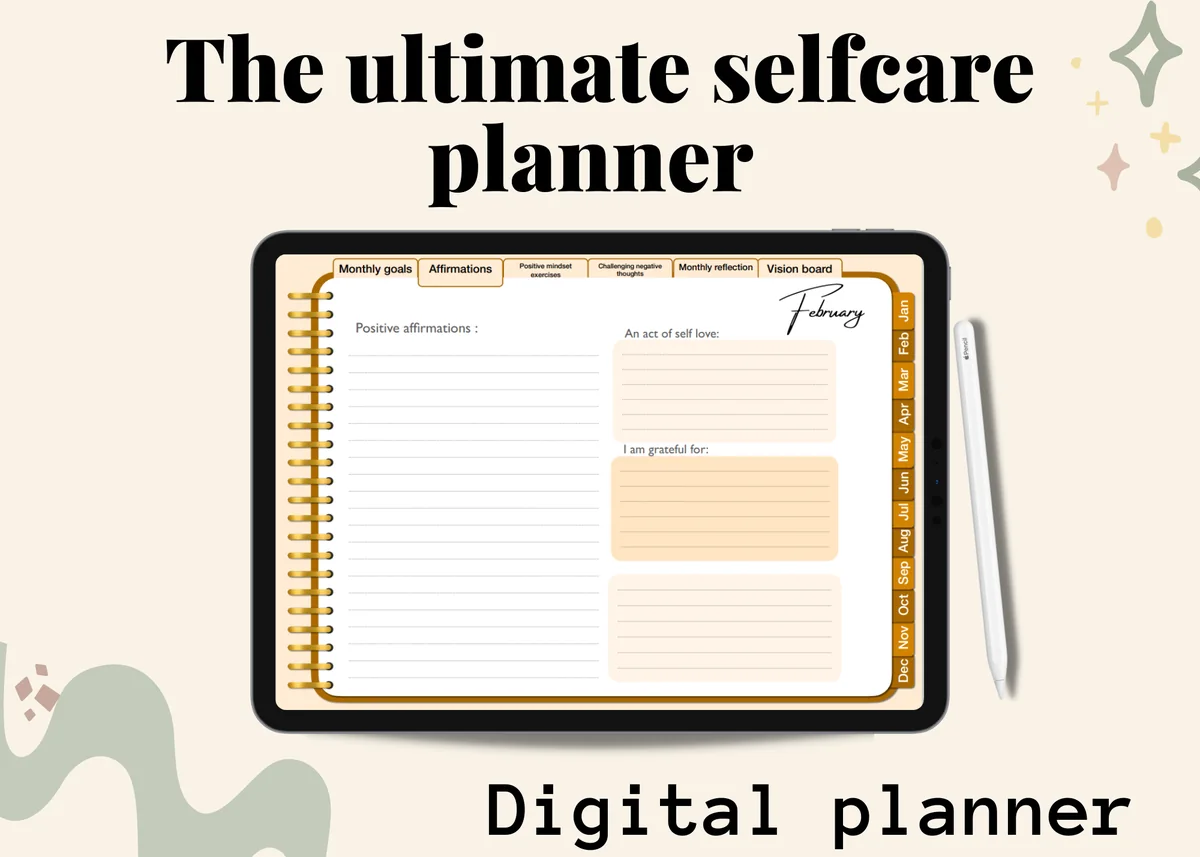
7. The Ultimate Selfcare Planner
Orientation: LandscapeLayouts: MonthlyDates: UndatedWeek start: Monday
Best for: self-care planners, positive mindset fans. Designed by yarasdigitalshop.
- A vision board, monthly goals and a positive affirmations page
- Positive mindset exercises and pages for challenging negative thoughts
- 12 undated monthly calendars and monthly reflection pages
- 100 pages with 18 hyperlinks on each page; works with GoodNotes, Notability and OneNote
A good fit if your vision board is more about how you want to feel than what you want to buy: the affirmations and mindset pages live in the same tabs as the board. 118 people have it in favorites.
Quick Comparison
| Planner | Best for | Vision board pages | Stand-out extra |
|---|---|---|---|
| 1. Vision Board – Printable & Digital Manifestation Planner | A ready vision board to fill in | Life-area photo boxes | Yearly intention page |
| 2. Moonlit 2027 Lunar Manifestation Journal | A moon-paced 2027 vision | Dream Board, 27 Dreams for 2027 | 13 New Moons marked |
| 3. Digital Vision Board Journal | Writing about your goals | Vision board journal pages | Coloring pages |
| 4. Undated Digital Vision Planner | Daily steps toward the board | 1 vision board page | "Today I will" daily pages |
| 5. FUTURE ME – Guided Journal for Vision & Growth | A written vision of future you | Future Me check-ins | Letter to your future self |
| 6. All in One Cute Digital Planner | Vision board + everyday planning | Goal Planner & Vision Board | 1,560 pages, bucket list |
| 7. The Ultimate Selfcare Planner | Feel-good goals and affirmations | Vision board tab | Mindset exercises |
30 Digital Vision Board Ideas for 2027
These vision board ideas work on any board above or on a blank GoodNotes page. You don’t need all 30. Pick one or two from each group, and leave empty space: a board with room to grow is easier to keep updating.
Life Areas 1–8
- 1Health: a photo of the walk, meal or morning you want to be normal
- 2Career: the job title, project or desk you’re working toward
- 3Money: a savings number with a progress bar you color in
- 4Home: one room the way you want it to look by December
- 5Relationships: people you want to see more of this year
- 6Travel: one trip you’ll actually book, not ten maybes
- 7Learning: a skill, course or language with a first small step
- 8Rest: what a slow Sunday looks like for you
Pictures and Layout 9–15
- 9A grid with one box per life area, so nothing takes over
- 10A one-color board: every picture in your favorite shade
- 11Your own photos instead of magazine-perfect ones
- 12A “this time last year” photo next to where you’re going
- 13A small board for each quarter instead of one huge page
- 14A moodboard page for how you want the year to feel
- 15Stickers and washi strips to frame your favorite pictures
Words and Affirmations 16–22
- 16One word of the year in big letters in the center
- 17Three affirmations written in the present tense
- 18A quote you want to read on a hard Monday
- 19A short list of what you’re saying no to this year
- 20“I am becoming…” sentences under each picture
- 21A letter to yourself to open next December
- 22A gratitude corner for goals you already reached
New Year and Follow-Through 23–30
- 23A 2027 board with 12 small boxes, one goal per month
- 24Next to each picture, the first step you’ll take this week
- 25A habit tracker linked to the board’s biggest goal
- 26A “done” stamp or sticker for every goal you reach
- 27A quarterly check-in page right after the board
- 28A New Year’s Eve board-making night with friends, each on an iPad
- 29The board exported as your iPad lock screen
- 30A December review: what came true and what you’d keep for next year
How to Make a Digital Vision Board in GoodNotes
You can use one of the planners above or start on a blank page. Either way, the steps are the same and take about an hour the first time.
- Write first, collect pictures second. List 4–6 life areas and one sentence for each about how you want it to look by the end of the year. Pictures chosen without this step usually end up as a pretty, random collage.
- Save pictures to one album. Screenshot ideas from Pinterest, take photos of things you love and save them to a “Vision 2027” album in Photos, so they’re easy to find in GoodNotes.
- Open your board page. Import the vision board PDF into GoodNotes, or create a blank notebook in landscape so a grid fits nicely.
- Add the pictures. Use the image tool to insert photos from the album, then drag the corners to resize. The lasso tool moves a picture and its caption together.
- Add words. Write your word of the year, a few affirmations and the first step for each goal with the Apple Pencil, or use the text tool for a cleaner look.
- Decorate a little. A few stickers or washi strips make the board feel finished. Save favorites to Elements so they’re ready for next year’s board.
- Make it easy to find. Bookmark the page, put it at the front of your planner and, if you like, export it as an image and set it as your lock screen.
Digital Vision Board: GoodNotes or Canva?
Most of Google’s results for a digital vision board point to Canva and other design apps, and they are good at one thing: making a polished image. Canva has ready layouts, fonts and a big photo library, and the result works well as a wallpaper or a printed poster. If you want one beautiful picture and nothing else, it’s a great choice.
A GoodNotes vision board is less polished and more useful. It sits in the same app as your weekly pages, you can write on it with the Apple Pencil, add a sticker when a goal comes true and link it to a habit tracker or a monthly goal page. That’s why every pick in this list is a planner or journal, not a Canva template: a vision board you plan from is easier to keep than one you only look at. Some people do both, designing the picture in Canva and pasting it into their planner.
What I Look For in a Digital Vision Board Planner
- Space for pictures. Boxes or open areas big enough for a photo, not only lines to write on.
- Life areas. Separate spots for health, money, work and relationships keep the board balanced.
- A follow-up page. Monthly goals, check-ins or daily steps that turn the board into a plan.
- The right year. Undated or dated 2027. Many vision board planners are still dated 2026, and they won’t help you plan next year.
- Made for an iPad. A PDF for GoodNotes or Notability, ideally with tabs, not a Canva link or a print-only sheet.
Who a Digital Vision Board Is For
It suits anyone who already plans on an iPad and wants their goals in the same place as their week. It’s also handy if you don’t have wall space, move often or like to change your board during the year. If you love cutting and gluing paper, a physical board is still a lovely ritual. You can always photograph it and add it to your digital planner, so you see it on the go.
What You Need to Get Started
- An iPad and an Apple Pencil (a finger works for pictures, a pencil is nicer for writing).
- A note-taking app: GoodNotes or Notability. Every pick here is a PDF that opens in either.
- A vision board planner from the list above, or a blank landscape notebook.
- An album of 15–30 photos and screenshots that match your goals.
How to Use Your Vision Board All Year
The board itself takes an evening. Keeping it alive takes two minutes a week. During your weekly planning, open the board first and pick one goal to take a step on that week. Once a month, add a sticker or a note to anything that moved forward. Every three months, swap one picture that no longer feels right. In December, look back at the whole board before you make the next one. This last step is the most motivating part of the year. If you’re not sure yet what belongs on it, a self-discovery journal helps you sort out your values first.
FAQ
How do I make a digital vision board?
Write down 4–6 goals first, collect matching photos in one album, then add them to a vision board page in GoodNotes or Notability with the image tool. Finish with your word of the year, a few affirmations and the first step for each goal.
Can a vision board be digital?
Yes. A digital vision board does the same job as a paper one, and it’s easier to update and see every day: on an iPad it sits next to your planner, and you can set it as your lock screen.
Can I make a vision board in GoodNotes?
Yes. Import a vision board PDF or use a blank page, add photos with the image tool, resize them by dragging the corners and write on top with the Apple Pencil. Bookmark the page so it’s one tap away.
Is Canva or GoodNotes better for a vision board?
Canva is better for a polished image or wallpaper. GoodNotes is better if you want to write on the board, update it during the year and keep it next to your weekly pages. You can also design it in Canva and paste the image into your planner.
What should I put on a 2027 vision board?
One picture or phrase per life area (health, work, money, home, relationships, travel, rest), a word of the year and the first small step toward each goal. Leave some empty space for things that come up during the year.
When should I make my vision board?
Late December or early January is the classic time, but any fresh start works: a birthday, a new month or a new season. Undated planners let you start whenever you’re ready.
Final Thoughts
The best digital vision board is the one you see every week, not the prettiest one. Pick a ready template if you want to finish it in one evening, the Moonlit journal if you like monthly rituals, or an all-in-one planner if you want the board inside the planner you already use. Then add three pictures tonight, and leave room for the rest of 2027. Not sure what to put on the board? Start with my New Year goals ideas. To put the board into words, try my manifestation journal ideas.
Ready to turn the board into a plan? See my digital goal planners and the best iPad digital planners for 2027. To decorate the board, the GoodNotes stickers roundup has plenty of packs, and you’ll find more in everyday planners.
You May Also Like
This post contains affiliate links. If you buy through them, I may earn a small commission at no extra cost to you. Learn more.