Some weeks feel heavy and you can’t say why. A mood tracker answers that with almost no effort: one color a day, ten seconds before bed, and after a month the page shows you what a diary never would, like the low days that always follow short nights, or the calm ones that come after a walk.
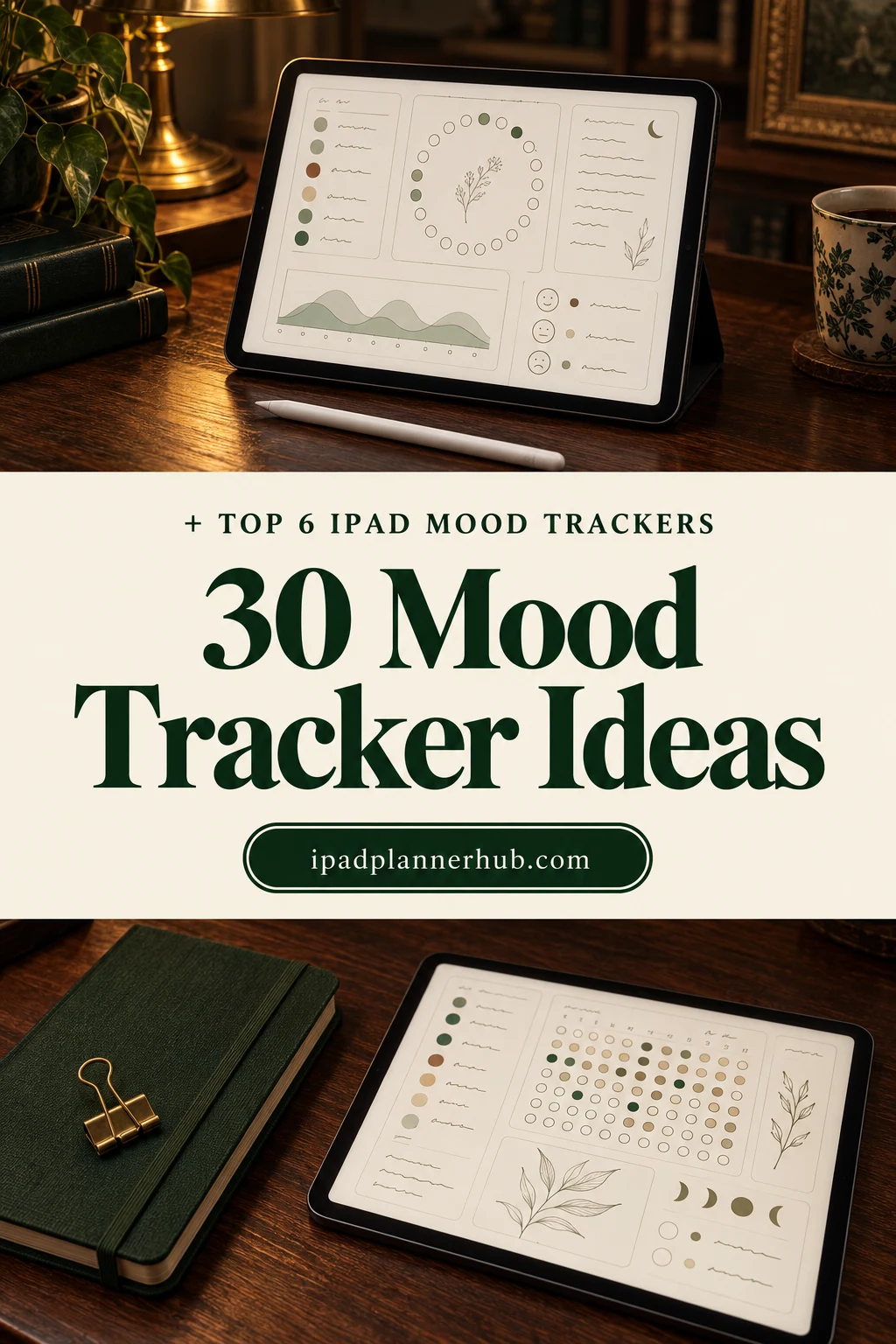
Below are 6 digital mood trackers for the iPad that I’d use, from a monthly mood wheel to sticker widgets for the planner you already have. After the list: 30 mood tracker ideas to color in, what moods to put in your key, how to read the patterns, and how to set it all up in GoodNotes.
The Best Digital Mood Trackers for iPad I Found
I went through mood trackers and mental health journals on Creative Fabrica and kept only files made for iPad apps like GoodNotes and Notability: printables, Canva templates, KDP interiors and anything dated 2026 or earlier are out. First come mood tracker pages and stickers, then a prompt journal and a planner with a mood page built in.
TL;DR: 6 digital mood trackers for iPad and GoodNotes: 2 mood tracker pages and widgets (a monthly mood wheel, sticker widgets for any planner), 2 sets of mood stickers, a mental health prompt journal and an undated planner with a mood tracker page. All are PDFs or PNG stickers for iPad apps, no printables.
Quick Picks
- Best for a monthly mood wheel: Digital Mood Tracker
- Best for adding to any planner: Mood Tracker Digital Sticker Widgets
- Best for cute mood stickers: Mood Tracker Planner Stickers
- Best for writing about your mood: Mental Health Journal
- Best for kind reminders: Pink Mental Health Digital Stickers Set
- Best for a planner with a mood page: Focus ADHD Digital Planner ( 72 Pages )
- Digital Mood Tracker – Best for a monthly mood wheel
- Mood Tracker Digital Sticker Widgets – Best for adding to any planner
- Mood Tracker Planner Stickers – Best for cute mood stickers
- Mental Health Journal – Best for writing about your mood
- Pink Mental Health Digital Stickers Set – Best for kind reminders
- Focus ADHD Digital Planner ( 72 Pages ) – Best for a planner with a mood page
Best for a monthly mood wheel
1. Digital Mood Tracker
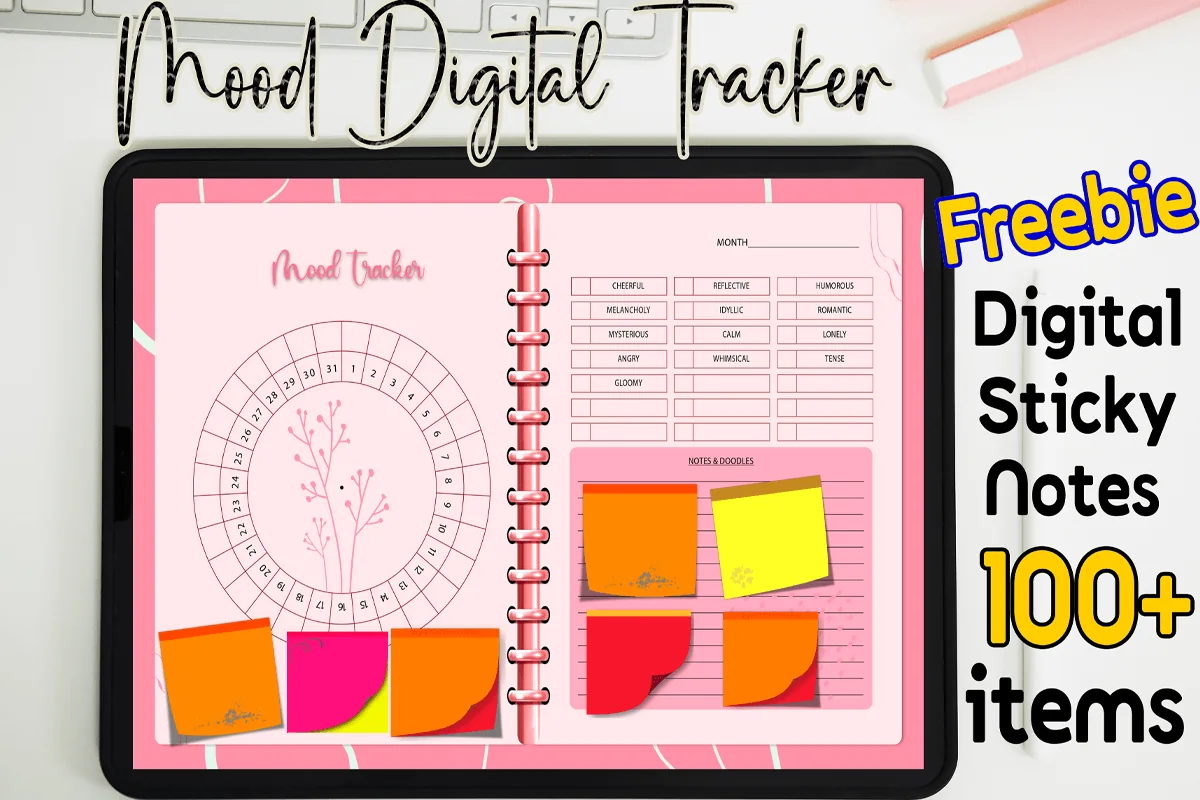
Orientation: LandscapeLayouts: 1 monthly mood tracker page (31-day circle + mood key + notes)Format: PDF + 100+ digital sticky notesDates: Undated
Best for: beginners, pink lovers, one-page trackers. Designed by MOMAT THIRTYONE.
- One monthly page: a 31-day circle around a branch drawing, a month line and a mood key
- The key already lists moods like cheerful, calm, reflective, melancholy, angry and tense, with empty boxes to add more
- A Notes & Doodles box beside the circle
- 100+ digital sticky notes; PDF for GoodNotes, Notability, Xodo and Noteshelf
This is the classic bullet journal mood wheel, ready to use: pick a color for each mood in the key and fill one slice per day. One page per month is all it is, so duplicate it each month and keep them together. The mood list is a nice touch, it goes further than happy and sad.
Best for adding to any planner
2. Mood Tracker Digital Sticker Widgets
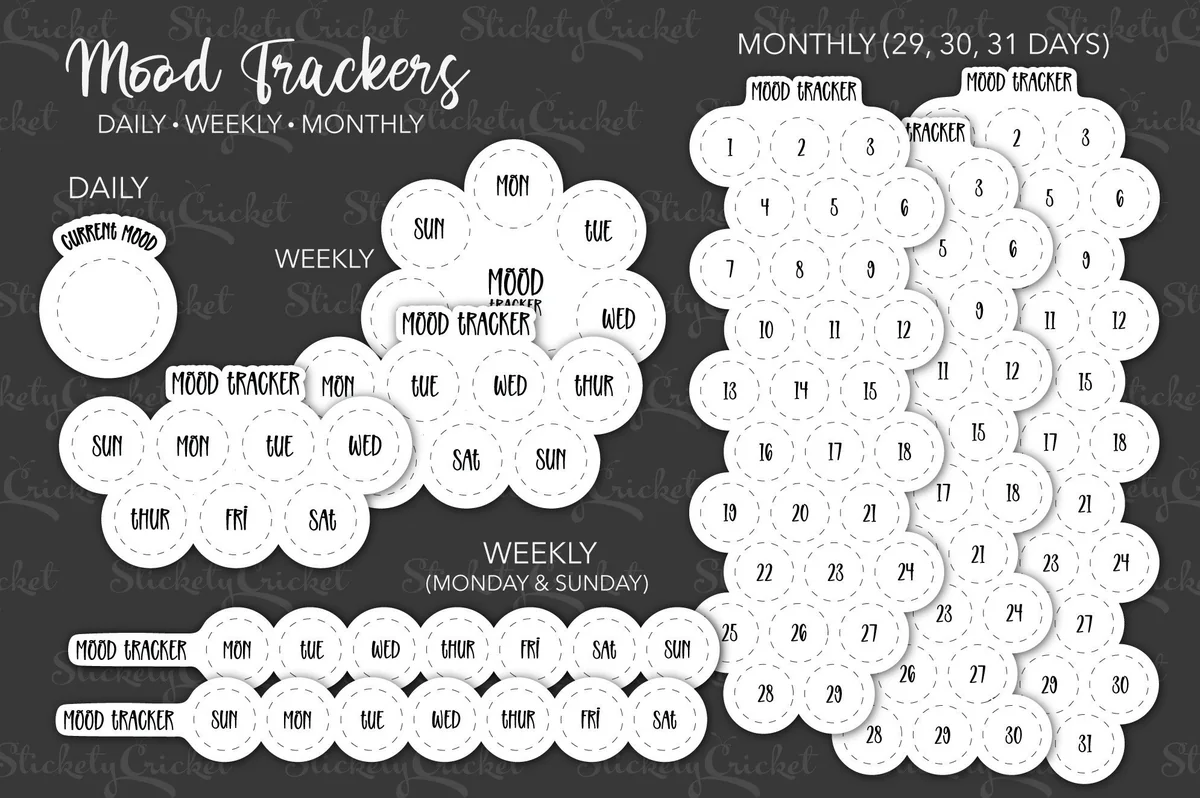
Layouts: Daily, weekly (Monday or Sunday start) and monthly (29, 30, 31 days) mood widgetsFormat: PNG stickers in 3 styles, white and black
Best for: people who already have a planner, minimalists, dark mode users. Designed by Stickety Cricket.
- Mood tracker widgets as stickers: a daily 'current mood' circle, weekly flower and strip versions, monthly grids for 29, 30 and 31 days
- Weekly widgets with Monday and Sunday start
- Each sticker in 3 styles: no border, border, and border with shadow
- White and black versions for light and dark planner pages; works in GoodNotes and other digital planners
If you like your planner and just want a mood tracker inside it, this is the easiest fix: paste the monthly grid on your monthly page or the weekly flower on your weekly spread and color the circles. The black and white versions mean it works on dark pages too. It's plain on purpose, so your colors do the work.
Best for cute mood stickers
3. Mood Tracker Planner Stickers
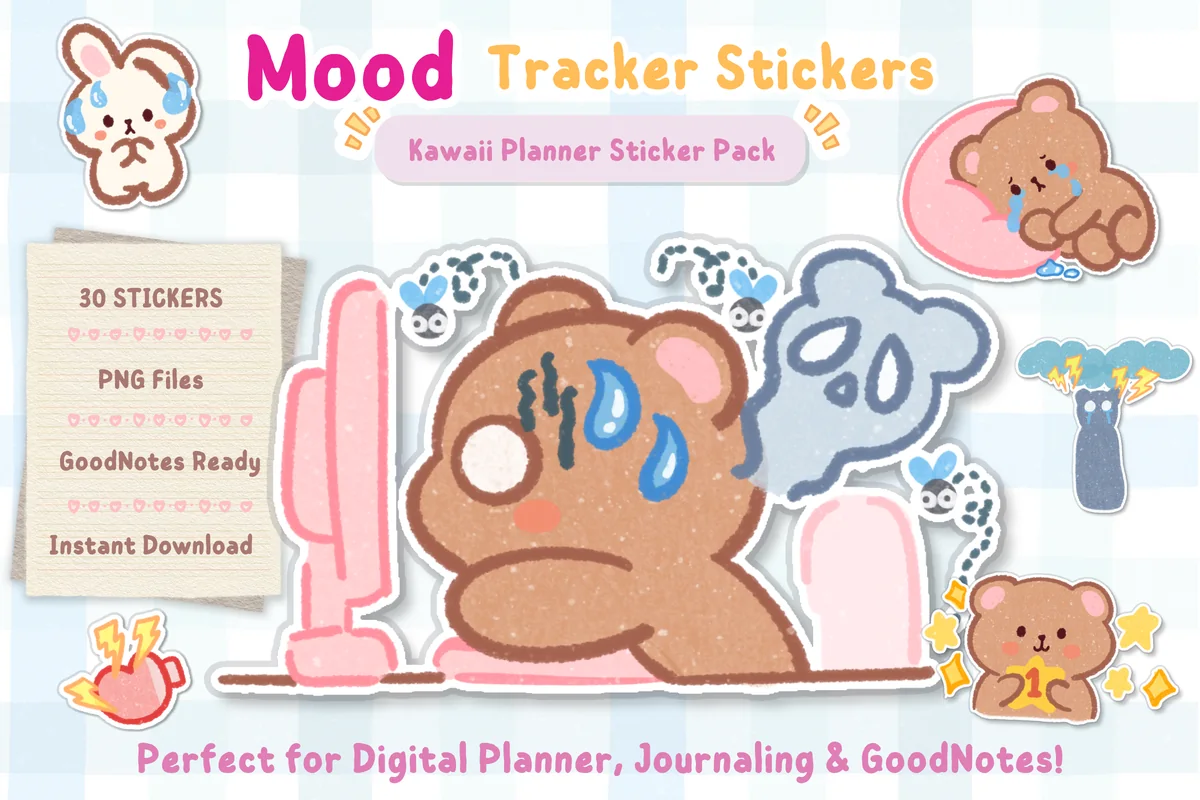
Layouts: 30 mood stickers, from happy to burnoutFormat: Transparent PNG
Best for: cute style fans, weekly planners, sticker lovers. Designed by helloBerryBloom.
- 30 kawaii mood stickers with a bear and a bunny, from happy to burnout
- Moods on the sheet include happy, love, productive, lucky, stress, sad, angry, lazy and confused
- Transparent PNG files, ready for GoodNotes and other digital planner apps
- Listed on Creative Fabrica in June 2026
A sticker per day is the lowest-effort mood tracker there is, and these make it fun: there's a bear for a productive day, a tired one for burnout and a rain cloud for the bad days. I like that the moods are specific, so a week of stickers really tells you something. It's new, so there are no reviews yet.

Best for writing about your mood
4. Mental Health Journal
Orientation: PortraitLayouts: 200 daily prompts, monthly prompts, monthly reflection, monthly calendar, notesFormat: Hyperlinked PDF, 4 colors, 30 coversDates: Undated
Best for: journal lovers, reflective writers, minimalists. Designed by Planners Campus.
- 200 hyperlinked mental health prompts, plus monthly prompts and a monthly reflection page
- The first prompts are about emotions: list what you feel right now, then the worst and the best feeling you have
- An index with a 'prompt journey' grid of all 200 prompts, monthly calendars and 4 note page styles
- 4 colors and 30 covers; for GoodNotes, Notability, Xodo and Noteshelf
A mood tracker tells you what you felt; this journal helps you write why. I'd pair it with any tracker above: color the day, then answer one prompt on the harder days. The design is quiet black and white with soft color tabs, so it feels calm to open.
Best for kind reminders
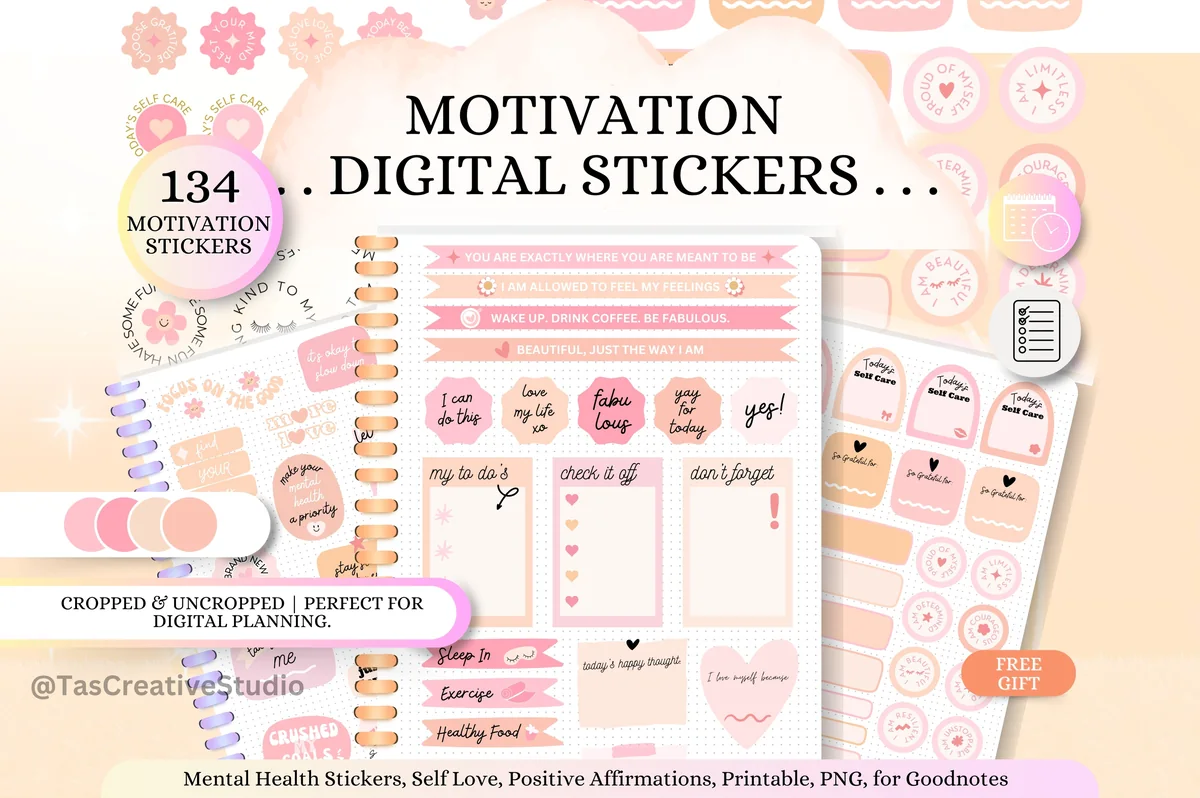
5. Pink Mental Health Digital Stickers Set
Layouts: 134 stickers: Today's Mood, Today's Self Care, affirmations, to-do notesFormat: Cropped and uncropped PNG + PDF sticker sheets, A5
Best for: pink lovers, self-care planners, affirmation fans. Designed by Tas Creative Studio.
- 134 cropped and uncropped stickers in pink and peach
- Includes 'Today's Mood' and 'Today's Self Care' stickers, plus affirmations like 'I am allowed to feel my feelings'
- 5 A5 sticker sheets as PDF and transparent PNG, plus a 5-page sticker book
- For GoodNotes, Notability, Noteshelf, Xodo and Samsung Notes
The Today's Mood stickers make a quick daily check-in, and the rest of the set is about being kind to yourself on the days the check-in isn't great. I'd put one affirmation next to a hard day instead of leaving it blank. The same set comes in green, blue and orange if pink isn't your color.
Best for a planner with a mood page
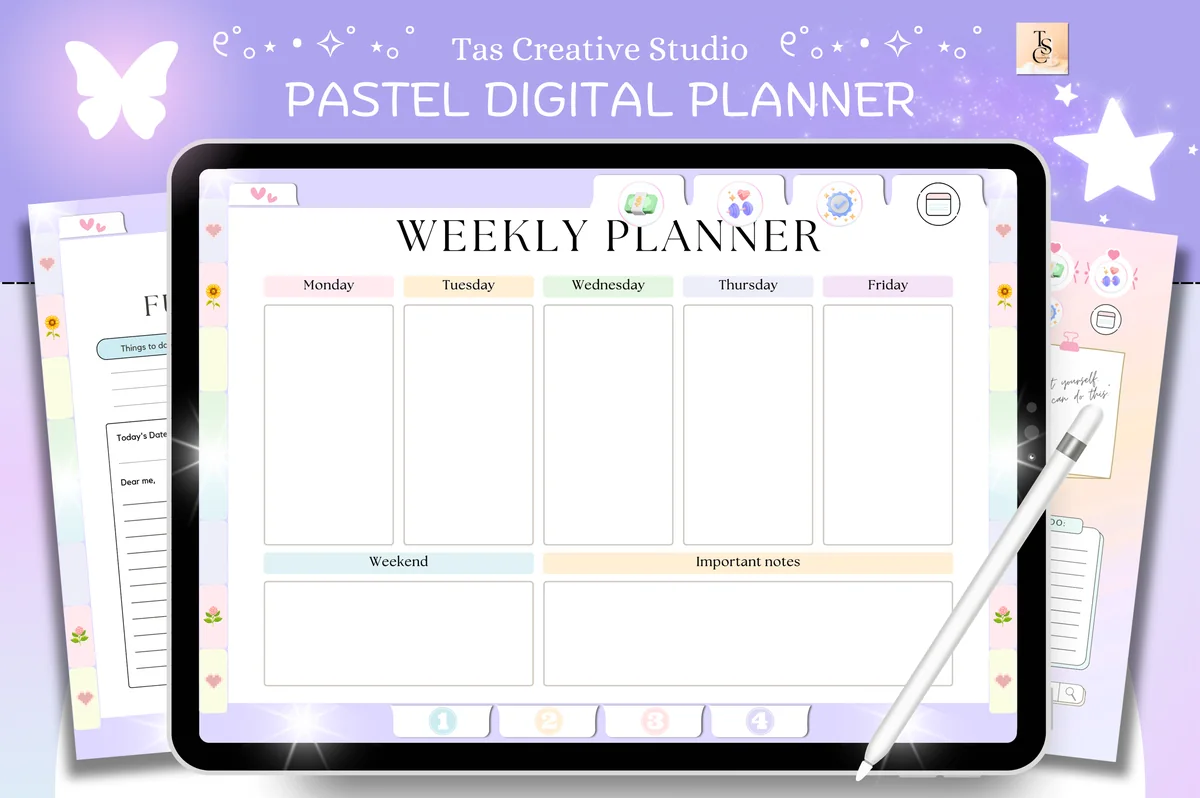
6. Focus ADHD Digital Planner ( 72 Pages )
Orientation: LandscapeLayouts: Daily, weekly, monthly + health, productivity and finance trackersFormat: Hyperlinked PDF, 72 pagesDates: Undated
Best for: ADHD planners, pastel lovers, people who want everything in one file. Designed by Tas Creative Studio.
- Undated, landscape, 72 hyperlinked pages: daily, weekly and monthly planners
- A mood tracker page in the health section, next to the self-care, habit, water and period trackers
- Goal planner, vision board, to-do and bucket lists, reading log, budget pages
- Pastel design; for GoodNotes, Notability and other PDF apps
If you'd rather not keep a separate file, this planner has the mood tracker built in, right beside the habit and self-care trackers, so you can see sleep, habits and mood in one place. At 72 pages it's small enough not to overwhelm. The pastel tabs and little cat drawings keep it light.
Quick Comparison
| Mood tracker | Type | Mood pages | Stand-out extra |
|---|---|---|---|
| 1. Digital Mood Tracker | Single monthly page | 31-day mood circle | 100+ sticky notes |
| 2. Mood Tracker Digital Sticker Widgets | Sticker widgets | Daily, weekly, monthly | White + black, 3 styles |
| 3. Mood Tracker Planner Stickers | Mood stickers | 30 emotion stickers | Happy to burnout, kawaii |
| 4. Mental Health Journal | Prompt journal | 200 prompts + monthly review | 4 colors, 30 covers |
| 5. Pink Mental Health Digital Stickers Set | Mental health stickers | Today's Mood stickers | 134 stickers + affirmations |
| 6. Focus ADHD Digital Planner ( 72 Pages ) | Undated planner | Mood tracker page | Habit, self-care, period trackers |
30 Mood Tracker Ideas to Color In
Every idea here works the same way: a shape with one spot per day and a color key. Pick one for the month, or keep the same layout all year if you want to compare months side by side.
Monthly Layouts 1–6
- 1Mood wheel: a circle cut into 31 slices, one per day
- 2Mood jar: drop one colored star or dot into the jar each day
- 3Mood flower: one petal per day around a big center
- 4Mood calendar: color the date boxes of a plain month grid
- 5Mood bookshelf: one book spine per day on a long shelf
- 6Mood vine: a climbing plant with a leaf for each day
Yearly Trackers 7–10
- 7Year in Pixels: 12 columns for the months, 31 rows for the days
- 8A big heart or circle filled with 365 small squares
- 9A mood bar per month: the share of good, okay and hard days
- 10Mood and sleep pixels side by side for the whole year
Weekly and Daily 11–16
- 11Seven circles along the bottom of your weekly spread
- 12Two dots a day: morning mood and evening mood
- 13A 1–5 mood score next to each day
- 14Mood meter: mark the day on a grid of energy (high/low) and pleasant/unpleasant
- 15One-word check-in in the corner of your daily page
- 16An emoji or mood sticker instead of a color
Themed and Seasonal 17–23
- 17Mood weather: sun, clouds, rain or storm for each day
- 18January mood tracker: a snow globe or a row of mittens to fill
- 19November mood tracker: autumn leaves on a bare branch
- 20December: ornaments on a tree, one per day
- 21A row of coffee cups or tea mugs
- 22Moon phases, one moon per day
- 23Fish in a bowl or balloons in the sky
Track It Next to Your Mood 24–30
- 24Hours of sleep
- 25Energy level, low to high
- 26Anxiety level from 0 to 10
- 27Cycle day or period
- 28Time outside or a walk
- 29Screen time or social media
- 30One good thing that happened today
The last group is where a mood tracker gets useful. A color on its own says how the day felt; a color next to sleep, energy or your cycle starts to say why. Pick one or two, not all seven, or you’ll stop by week two. If you like this kind of tracking, my habit tracker ideas and monthly habit tracker ideas work well on the same page.
What Moods to Put on a Mood Tracker
Five to eight moods are enough. More than that and you’ll spend longer choosing a color than living the day. A key that covers most days:
- Happy
- Calm
- Productive
- Okay / neutral
- Tired
- Anxious
- Sad
- Irritated
Give warm, bright colors to the pleasant moods and cooler, darker ones to the heavy moods, so the month reads at a glance. Keep the same colors all year: if “calm” is green in March and blue in April, you can’t compare the two months. And write the key on the page itself, because by the third week nobody remembers what lilac meant.
How to Use a Mood Tracker to See Patterns
- Same time every day. The evening works best: the day is over and you can pick the mood that lasted longest, not the last one.
- Ten seconds, not ten minutes. One color, one sticker or one word. If you want to write more, that’s what a journal page is for.
- Missed a day? Leave it blank. Don’t guess yesterday’s mood a week later; an empty box is more honest than a made-up one.
- Review at the end of the month. Count the colors, then look at what sits next to the hard days: short sleep, a busy week, the same weekday every time, the same point in your cycle.
- Change one thing. If low days follow late nights, try an earlier bedtime next month and see if the colors change.
Mood Tracker Template or App?
Most of the Google results for mood trackers are apps, and they’re good at what they do: Daylio and How We Feel send reminders and draw the charts for you, and the Health app on iPhone and iPad (iOS 17 and later) can log your state of mind. A template in GoodNotes is better at something else: you choose the layout, color it by hand, add stickers and notes, and the page sits next to the rest of your planner instead of in another app. Everything stays in a file on your iPad.
If you forget to log, an app’s reminder helps. If you enjoy the coloring and want to see the whole month as a picture, a template is more fun to keep. Some people use both: the app for the reminder, the planner for the page they actually look at.
How to Set Up a Digital Mood Tracker in GoodNotes
- Import the PDF into GoodNotes (or Notability, Noteshelf, Xodo) from the Files app.
- Duplicate the monthly page before you write on it, so you have a clean copy for next month. Twelve copies at once save time in January.
- Save your mood colors as favorite pen or highlighter colors, in the same order as your key.
- Add mood stickers to your sticker collection (Elements in GoodNotes 6) so they’re one tap away on every page.
- Put the tracker right after your monthly calendar, or link it from your planner’s index, so you pass it every evening.
If you’d rather have mood, habits and self-care in one file, look at the planners in my digital habit trackers list; many have a mood page next to the habit grid. For more stickers to decorate the tracker, see my GoodNotes stickers.
FAQ
What is a mood tracker?
A mood tracker is a page or chart where you mark how you felt each day, usually with a color, a number or a sticker. Over weeks and months it shows patterns that are hard to notice day to day.
What moods should I put on a mood tracker?
Start with five to eight: happy, calm, productive, okay, tired, anxious, sad and irritated cover most days. Add your own if one feeling keeps showing up, and keep the same colors all year.
How do I make my own mood tracker?
Pick a shape with one spot per day (a circle, a jar, a grid or a row of leaves), write a color key beside it and fill one spot each evening. In GoodNotes you can draw it once, then duplicate the page every month, or start from a ready template.
How often should I track my mood?
Once a day is enough for most people, at the same time each evening. Twice a day (morning and evening) helps if your mood changes a lot during the day.
Can I use a habit tracker as a mood tracker?
Yes. Add a “mood” row to your habit tracker and color it instead of ticking it. Having mood and habits on one page makes it easier to see which habits go with your better days.
Can a mood tracker replace therapy?
No. A mood tracker is a self-care tool, not a diagnosis or treatment. If low or anxious days last for more than two weeks, get in the way of work or daily life, or you have thoughts of harming yourself, talk to a doctor or a mental health professional; in the US you can call or text 988 at any time. Your tracker pages can be useful to bring to that appointment.
Final Thoughts
A mood tracker works because it’s small: one color a day, a short look at the end of the month, one change to try next month. Start with a simple layout like the mood jar or the mood wheel, keep your key to a handful of moods, and add sleep or energy once the habit sticks. For the writing side, see my digital journaling ideas and ADHD planner ideas, or browse all wellness journals. When a color isn’t enough, pick one of my journaling prompts for the day. If your nights shape your mood, my dream journal ideas help you catch them in the morning. To mark moods with faces instead of colors, try my kawaii stickers with mood packs. For gentle reminders next to your tracker, see my mental health stickers for GoodNotes.
You May Also Like
This post contains affiliate links. If you buy through them, I may earn a small commission at no extra cost to you. Learn more.