Teachers hand out gold stars all day and rarely get one back. A teacher planner on the iPad is a good place to fix that, and teacher stickers make it quicker, not only prettier: a “Due Date” label on the essay deadline, a “Quiz” tag on Thursday, a subject badge next to each class, a “Keep Trying” badge for the week that went sideways. On an iPad they need to be digital: pre-cropped PNGs or a GoodNotes file you place in a second and reuse all year.
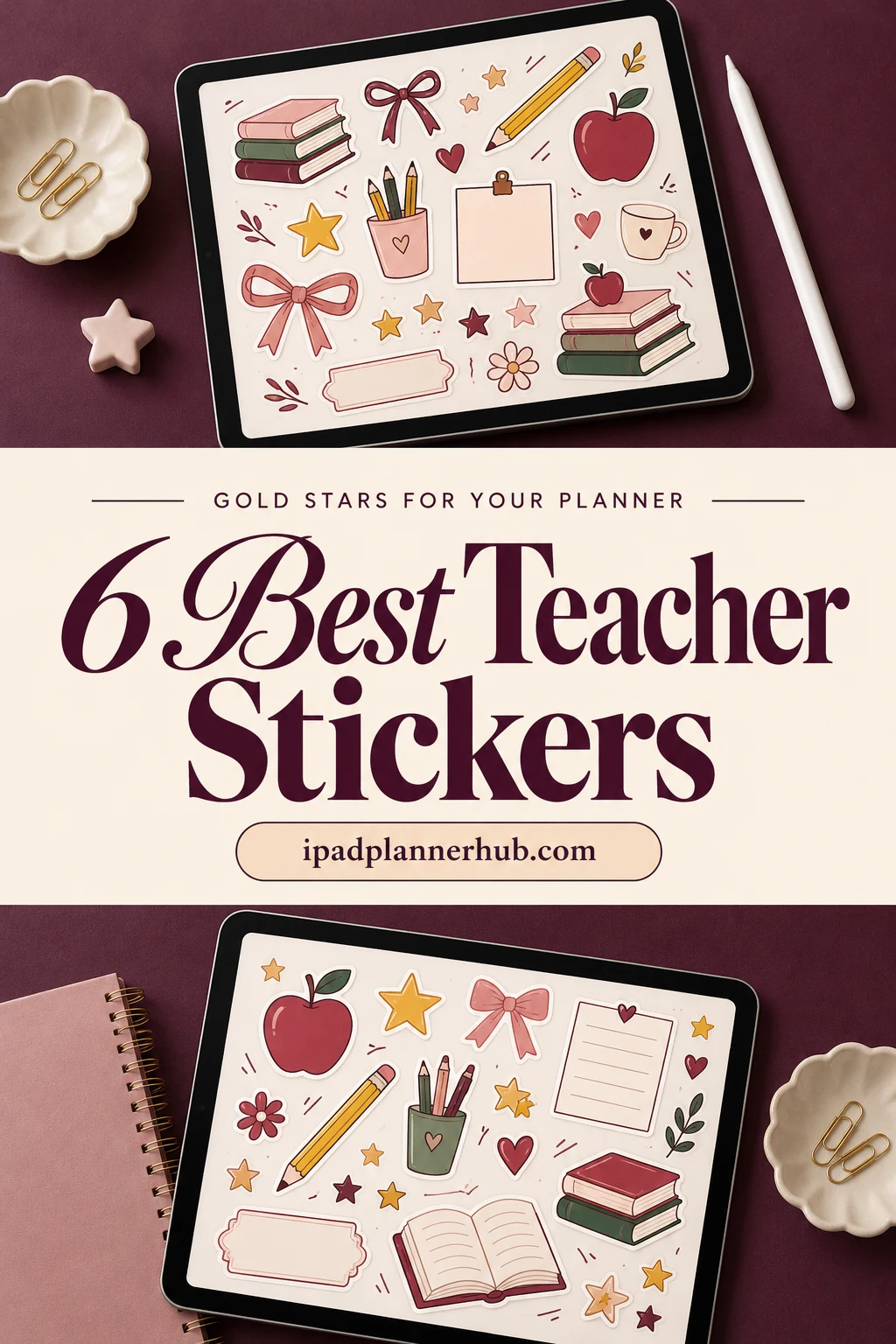
Below are 6 teacher sticker packs from Creative Fabrica I’d use in a GoodNotes planner, from 160+ classroom labels and reward badges to calm functional labels, two watercolor back-to-school kits, cute kawaii bears and teacher quotes. After the list: which pack fits which job, what to look for, a teacher’s week in stickers, stickers for grading digital work, digital vs printable and how to add them in GoodNotes.
The 6 Best Teacher Stickers I Found for GoodNotes
I skipped SVG cut files for T-shirts and mugs, print-and-cut reward sheets, sticker sheets with past years on the preview and packs made for Canva. Every pack below names GoodNotes or other iPad note apps in its description. Teacher labels come first, then functional basics, then back-to-school kits and quotes.
TL;DR: 6 teacher sticker packs for a GoodNotes planner on iPad: 160+ classroom labels and reward badges, 140 functional labels and notes, two watercolor back-to-school kits from one designer, cute kawaii school bears and teacher characters with quotes. Every pack names GoodNotes or other iPad note apps in its description; the cards say which ones include a GoodNotes file.
Quick Picks
- Best for overall for teachers: +160 Teacher Digital & Printable Stickers
- Best for functional basics: Digital Sticker for Students and Teacher
- Best for watercolor school kit: Back to School Digital Stickers
- Best for playful kit: Back to School Gnomes Digital Stickers
- Best for cute kawaii: Back to School Stickers
- Best for teacher quotes: Teacher's Stickers, Digital Stickers
- +160 Teacher Digital & Printable Stickers – Best overall for teachers
- Digital Sticker for Students and Teacher – Best functional basics
- Back to School Digital Stickers – Best watercolor school kit
- Back to School Gnomes Digital Stickers – Best playful kit
- Back to School Stickers – Best cute kawaii
- Teacher's Stickers, Digital Stickers – Best teacher quotes

Best overall for teachers
1. +160 Teacher Digital & Printable Stickers
Layouts: 160+ teacher labels, reward and subject badges, month and weekday bannersFormat: Pre-cropped PNG + uncropped sheets + PDF
Best for: teachers, lesson plans, grading notes. Designed by Ebiliana Shop.
- 160+ pre-cropped PNG stickers for GoodNotes, plus uncropped sheets and a printable PDF (8.5 x 11 in)
- Classroom labels: Quiz, Due Date, Needs Improvement, Classroom, Priority, High Priority, Reminder, This Week, Done
- Round reward badges like Bravo, Thank You, Keep Trying and You Got This
- Subject badges: History, Science, Math, English, Physics, Algebra and more
- Month banners from July to December (no year), weekday banners, flags, shapes and "Self to Do" list boxes
This is the only pack in the list made for a teacher from the first sticker to the last. "Quiz", "Due Date" and "Needs Improvement" are the labels a lesson week actually needs, and the round badges work as gold stars on student PDFs too. The colors are loud (pink, yellow, teal), so it suits a cheerful planner. The months only run July to December, which fits the fall semester.

Best functional basics
2. Digital Sticker for Students and Teacher
Layouts: 140 banners, flags, note cards, speech bubbles, badges, to-do and week boxesFormat: 140 transparent PNG
Best for: teachers, students, minimalists. Designed by The Lunar Digital.
- 140 transparent PNG stickers
- Banners, ribbons, page flags, arrows, stars, scalloped badges and speech bubbles
- Note cards in dotted, square grid and lined styles, 5 colors each
- Meal plan cards (breakfast, lunch, dinner), corner tabs and cloud-shaped notes
- Works in GoodNotes, Notability, Noteshelf and Xodo
No apples or school buses here, and that's the point: these are calm pastel labels, note cards and banners that fit any lesson week. With 103 favorites it's also the most saved pack in this list. I'd pair it with one of the school kits below, so the planner does the work and the kit adds the classroom feel.

Best watercolor school kit
3. Back to School Digital Stickers
Layouts: 50+ watercolor school stickers, day tabs, labels, checklists, washiFormat: Pre-cropped PNG, PNG sheet, GoodNotes and ZoomNotes files
Best for: teachers, weekly spreads, watercolor fans. Designed by Bren Wotherspoon.
- 50+ pre-cropped stickers made for digital planning, not for printing
- Watercolor school scenes: backpacks, apples, stacks of books, a plant and a vase
- Labels: To Do, Remember, Work, This Week, Next Week, Important, Notes, Weekend
- Monday to Sunday tabs, checklists, washi strips, a coffee and a candle
- Pre-cropped PNG, PNG sheet, a GoodNotes file and a ZoomNotes file
This one gives you a whole week in one go: day tabs, checklists, washi strips and soft watercolor school pictures to fill the boxes. The GoodNotes file means the stickers are already laid out, so you just copy what you need. The warm autumn colors (red, orange, green) look right from August to November.

Best playful kit
4. Back to School Gnomes Digital Stickers
Layouts: 50+ gnome school stickers, day labels, checklists, washi; Happy Planner size boxesFormat: PNG, PNG sheet, GoodNotes, ZoomNotes, Noteshelf and Zinnia files
Best for: teachers, gnome lovers, weekly spreads. Designed by Bren Wotherspoon.
- 50+ pre-cropped stickers for daily or weekly layouts
- Watercolor gnomes with books, a microscope, paints and school supplies
- Day labels, To Do, Remember, This Week, Next Week, checklists, washi strips and a coffee cup
- Boxes sized for Happy Planner layouts
- GoodNotes, ZoomNotes, Noteshelf and Zinnia files, plus PNGs and a PNG sheet
Same designer and the same smart layout as the kit above, but with gnomes holding books, paints and a microscope instead of plain school things. It's the more playful choice, and it has files for four apps. Pick one of the two Bren Wotherspoon kits, not both: the labels and tabs inside are almost the same.

Best cute kawaii
5. Back to School Stickers
Layouts: 24 kawaii school stickers in 3 effectsFormat: PNG, 300 DPI, GoodNotes pre-cropped
Best for: kawaii fans, teachers, neutral planners. Designed by studiopattern.
- 24 PNG stickers, about 1000 px on the longest side, 300 dpi
- Kawaii bears with books and pencils, a backpack, a school bus, a yellow school hat and a school building
- Each sticker in 3 effects: original, white border and emboss
- GoodNotes pre-cropped; works in Notability too
- Soft beige and brown palette
A small pack, but the bears are lovely and the beige palette won't fight a neutral planner. The three versions of each sticker (flat, white border, embossed) let you match the look of your page. It's decoration rather than function, so it works best next to a labels pack like the first two.

Best teacher quotes
6. Teacher's Stickers, Digital Stickers
Layouts: Teacher characters and quote stickersFormat: Pre-cropped PNG
Best for: teachers, Monday motivation, classroom quotes. Designed by Planistic.
- Pre-cropped PNG stickers for GoodNotes and Notability on iPad
- Teacher characters: at the chalkboard, with a globe, in science goggles, writing at a desk
- Quote stickers: "Teaching is a work of heart", "Teaching shapes the future", "Teachers open the door but you must enter by yourself"
- An "Education" badge with school supplies
This is the pack for the page you open on a Monday morning. The quotes are the reason to buy it: one sticker on the week's cover says more than a long to-do list. The description is short and doesn't give a sticker count, so judge it by the preview, which shows about a dozen stickers.
Quick Comparison
| Sticker pack | Style | What you get | Stand-out extra |
|---|---|---|---|
| 1. +160 Teacher Digital & Printable Stickers | Bright, cheerful labels | 160+ PNG + sheets | Reward and subject badges |
| 2. Digital Sticker for Students and Teacher | Pastel teal, pink, lilac | 140 PNG stickers | Note cards in 3 styles |
| 3. Back to School Digital Stickers | Watercolor, warm colors | 50+ stickers, GoodNotes file | Full week kit with day tabs |
| 4. Back to School Gnomes Digital Stickers | Watercolor gnomes | 50+ stickers, 4 app files | Happy Planner size boxes |
| 5. Back to School Stickers | Kawaii, beige and brown | 24 PNG stickers | 3 effects per sticker |
| 6. Teacher's Stickers, Digital Stickers | Bold, colorful characters | PNG stickers, pre-cropped | Teacher quotes |
Labels, Kits or Quotes: Which Teacher Stickers Fit Your Planner
The 6 packs do three different jobs. Most teachers need one pack with labels and one kit for the look; the quotes are a bonus.
Labels that do the planning
The 160+ teacher labels and badges cover quizzes, due dates and subjects; the 140 pastel basics add note cards, banners and to-do boxes.
Back-to-school kits for the look
The watercolor school kit and the gnome version come with day tabs, checklists and washi for a full week; the kawaii bears are small icons for a neutral planner.
Quotes for the hard weeks
The teacher characters and quotes belong on a week cover or a monthly page, one at a time.
What I Look For in Teacher Stickers
- Teacher words, not only school pictures. Quiz, Due Date, Grades, Meeting, Parent Call: a label you can read in a second is worth more than ten pencils. Only one pack here is built around those words, so I put it first.
- Made for the screen. Pre-cropped PNGs or a GoodNotes file. A sticker sheet you’d have to cut out with the lasso, one by one, costs the time you wanted to save.
- No dates that expire. Undated months and weekdays work every school year. I left out packs with past years on the preview.
- One calm pack, one fun pack. A planner covered in bright clipart is hard to read on a busy Monday. Pair a calm labels pack with one kit for the mood.
- Light files. A planner for a whole school year gets big. Packs made for digital planning (the two Bren Wotherspoon kits say so directly) keep GoodNotes fast.
Gold Stars for Your Own Planner: A Teacher’s Week in Stickers
The idea behind the title: the stickers in your planner are for you, not for the class. A small fixed set for each kind of event keeps a teacher’s week readable at a glance:
- Lesson weeks. One subject badge per class on the weekly page (Science, Math, English). The same badge goes on the lesson plan, so you can jump between them fast.
- Quizzes and tests. A “Quiz” label on the day itself and a “Reminder” flag two days before, when you still have time to write it.
- Meetings. A banner or speech bubble with the time written inside. Staff meetings, department meetings and IEP meetings each get their own color.
- Report and grading deadlines. A “Due Date” or “High Priority” label on the deadline and a checklist sticker for the classes still to grade.
- Parent calls. A small note card with the name and one line on what to discuss. Tick it with a “Done” label after the call.
- Your own gold star. At the end of the week, one reward badge or a quote sticker on the week you survived. It sounds silly and it works.
Save these pieces as a GoodNotes Elements collection called “Teacher week” and the whole set is two taps per day. For page layouts to put them on, see my teacher planner ideas and lesson plan template ideas.
Teacher Stickers for Grading Digital Work
If students hand in work as PDFs, you can open them in GoodNotes and add feedback with the same stickers. The round badges in the 160+ teacher pack (Bravo, Keep Trying, You Got This) do the job of a paper reward sticker, and a “Needs Improvement” label marks the part to redo. Keep it to one or two stickers per page: a badge next to a short written comment says more than a page full of stars.
If you plan to share sticker-covered pages outside your own planner and feedback, read the license on the Creative Fabrica product page first; each product lists what is allowed.
Teacher Sticker Ideas for a Digital Planner
- A back-to-school cover page with a backpack, apples and the class names.
- A subject badge on every lesson plan header.
- A “Quiz” and a “Due Date” label on the monthly calendar, so test weeks stand out.
- A sticky note with tomorrow’s copies to print, next to the last lesson of the day.
- A seating chart page with small note cards for each table group.
- A “Self to Do” box for the things that are only yours: a doctor’s appointment, a coffee with a friend.
- A quote sticker on the first page of each month.
- A reward badge on the day a hard lesson finally worked.
Digital vs Printable Teacher Stickers
Most “teacher stickers” on Google and in stores are physical reward stickers for students’ notebooks. Digital teacher stickers are a different thing: PNG images or a GoodNotes file you place on iPad pages. They don’t run out, they cost nothing to reuse and you can resize them. Some packs here also include printable sheets (the 160+ teacher pack has a PDF in letter size), but this list is picked for the iPad: two packs say outright that their files are not meant for printing.
How to Add Teacher Stickers in GoodNotes
- Unzip the files in the Files app on your iPad.
- GoodNotes file: if the pack has one (the two Bren Wotherspoon kits do), open it in GoodNotes as a notebook. Your stickers are already laid out on the pages.
- Single PNGs: in your planner, tap the image tool and pick a sticker from Photos or Files. Resize it with the corners.
- Save to Elements: select a placed sticker with the lasso and add it to an Elements collection. From then on it’s in every notebook.
- Make a teacher collection: keep labels, badges and kits in separate collections, so you don’t scroll through 300 stickers on a Monday.
Using Notability or Noteshelf? PNG stickers go onto the page as images in both, and the gnome kit includes a Noteshelf file. My GoodNotes vs Notability comparison covers how each app handles stickers.
FAQ
What are digital teacher stickers?
They are small images for a teacher planner on a tablet: labels like Quiz or Due Date, subject badges, reward badges, school icons and quotes. They come as PNGs with a transparent background or as a GoodNotes sticker file, and you can reuse each one as often as you like.
How do I get stickers on my iPad?
Save the sticker files to the Files app or Photos, then add them in your note app with the image tool. In GoodNotes you can also open a sticker notebook and copy stickers from it, or save them to Elements so they show up in every notebook.
Why do teachers use stickers in planners?
Because a teacher’s week has many repeating events (lessons, quizzes, meetings, deadlines, parent calls) and a sticker is faster to spot than a line of handwriting. A fixed sticker for each type of event turns a busy weekly page into something you can read in a few seconds.
Can I use these stickers to grade student work?
Yes, if students hand in PDFs you open in GoodNotes or another note app: place a reward badge or a “Needs Improvement” label on the page like any other sticker. Check the license on the product page before sharing the stickers in other ways.
Are there free teacher stickers for GoodNotes?
Some designers share small free sets, and GoodNotes runs its own sticker shop. The packs in this list are on Creative Fabrica, where they’re paid individually or included with an All Access subscription.
Do teacher stickers work in Notability?
Yes. PNG stickers work in any app that adds images to a page, including Notability, Noteshelf and ZoomNotes. A GoodNotes sticker file only opens in GoodNotes, so for other apps use the PNGs from the same pack.
Final Thoughts
The best teacher stickers are the ones that make a busy week readable, with a gold star or two for yourself on the way. Start with the 160+ teacher labels and badges, add one kit for the look, like the watercolor school kit, and save both to Elements before next Monday. For more styles, see my study stickers, the GoodNotes sticker packs and the kawaii stickers, or browse all planner stickers.
You May Also Like
This post contains affiliate links. If you buy through them, I may earn a small commission at no extra cost to you. Learn more.